
The desire for a diverse and uninterrupted audio experience on the road has driven many car owners to explore satellite radio. SiriusXM, as the dominant player in this space, offers an unparalleled array of channels spanning music, news, talk, sports, and entertainment, all delivered without the fading or interference common with traditional terrestrial radio. But for those new to the ecosystem, the question often arises: “How do I get Sirius radio in my car?” This article will serve as your comprehensive guide, dissecting the various technological avenues available to integrate SiriusXM into your vehicle, from factory-installed solutions to advanced aftermarket options and app-based streaming. We will delve into the technicalities of each method, offering insights into installation, compatibility, and how to maximize your in-car entertainment experience.
Understanding SiriusXM: The In-Car Audio Revolution
Before diving into the “how-to,” it’s crucial to grasp what SiriusXM offers and why it has become a staple for millions of commuters and road-trippers. This understanding lays the groundwork for choosing the best technical solution for your specific vehicle and listening habits.
What is SiriusXM?
SiriusXM is a satellite radio broadcasting service that transmits audio content across North America via satellites orbiting the Earth. Unlike traditional FM/AM radio, which relies on terrestrial towers with limited range and susceptibility to interference, SiriusXM provides a consistent, high-quality digital signal over vast geographical areas. This means you can drive across states, through mountains, and into urban jungles without losing your favorite station or experiencing static. The service boasts hundreds of channels, many of which are exclusive, offering a commercial-free music experience, live sports broadcasts, premium news analysis, comedy, and a wide variety of talk shows. It’s an entertainment ecosystem designed to transform your car into a mobile media hub.
Why Choose Satellite Radio for Your Vehicle?
The benefits of integrating SiriusXM into your car extend beyond just variety. From a technical and user experience standpoint, satellite radio addresses several common frustrations associated with traditional in-car audio:
- Uninterrupted Coverage: The primary technical advantage is signal consistency. As long as you have a clear line of sight to the satellite (which is almost always the case unless you’re in a deep tunnel or parking garage), your audio stream remains constant.
- Diverse Content: SiriusXM curates a vast library of audio content, categorizing it into distinct channels. This eliminates the need to scan for new stations as you travel, or to rely on your personal music library.
- Enhanced Sound Quality: While not always “HD” in the audiophile sense, the digital transmission typically offers a clearer, more consistent sound profile than analog FM radio, particularly over long distances.
- Personalization and Discovery: Many channels are genre-specific and curated by experts, helping you discover new music or shows that align with your interests without algorithmic suggestions.
- Ad-Free Options: A significant portion of SiriusXM’s music channels are commercial-free, offering an uninterrupted listening experience—a major draw for many users.
Choosing SiriusXM is often a decision to upgrade the entire auditory environment of your vehicle, moving beyond the limitations of local broadcasts and personal media collections.
Primary Methods for Integrating SiriusXM into Your Car
Getting SiriusXM into your vehicle typically boils down to three main technological approaches. Each has its own set of technical considerations, advantages, and ideal use cases. Understanding these fundamental methods is key to selecting the right path for your needs.
Factory-Installed Systems: Seamless Integration
The most seamless way to enjoy SiriusXM is through a system that comes pre-installed in your vehicle directly from the manufacturer. Many new cars, trucks, and SUVs today come equipped with a built-in SiriusXM tuner and antenna as standard or optional equipment.
- Technical Integration: These systems are designed directly into the vehicle’s infotainment unit, meaning the tuner, antenna, and control interface are all seamlessly integrated. The controls are typically part of the existing dashboard display and steering wheel buttons, offering a cohesive user experience.
- Activation Process: If your vehicle has a factory-installed system, it often comes with a free trial period. Activating the service usually involves tuning to a specific channel (like channel 0 or 1) to get the radio ID, then contacting SiriusXM online or by phone to set up a subscription.
- Pros: Optimal aesthetic integration, no messy wires, user-friendly controls, often superior signal reception due to professional antenna placement.
- Cons: Limited to new car purchases or specific trims, may require a higher initial vehicle cost.
Aftermarket Solutions: Adding SiriusXM to Any Vehicle
For vehicles that don’t come with factory-installed SiriusXM, aftermarket solutions offer a robust and flexible way to add satellite radio capabilities. This category encompasses a range of devices, from standalone tuners to full head unit replacements.
- Technical Versatility: Aftermarket options are designed to be compatible with a vast array of vehicles, regardless of age or existing infotainment system. They involve adding external hardware, which then interfaces with your car’s audio system.
- Installation Complexity: The complexity can range from simple plug-and-play setups to more intricate installations requiring wiring and component integration. Professional installation is often recommended for more complex systems.
- Pros: Universal compatibility, allows for customization, often more affordable than buying a new car, offers a choice of features and price points.
- Cons: Can involve external wires, antenna placement considerations, may not integrate as smoothly with existing car controls.
App-Based Streaming: Leveraging Your Smartphone
A modern and increasingly popular method for accessing SiriusXM in your car doesn’t involve any dedicated in-car hardware at all. Instead, it leverages the SiriusXM app on your smartphone, streaming content over your cellular data connection or Wi-Fi.
- Technical Basis: The SiriusXM app is available for iOS and Android devices. It provides access to virtually all SiriusXM channels, on-demand content, and personalized stations. The audio is then transferred to your car’s speakers via various smartphone integration methods.
- Connectivity Options:
- Bluetooth: The most common method. Your phone streams to your car’s infotainment system wirelessly.
- USB/AUX Input: A wired connection provides direct audio transfer, often with charging capabilities.
- Apple CarPlay/Android Auto: For compatible vehicles, the SiriusXM app can be displayed and controlled directly on the car’s screen, offering a highly integrated and safe user interface.
- Pros: No additional hardware costs for the tuner, access to on-demand content and personalized stations, portable (can be used anywhere, not just in the car), leverages existing smartphone technology.
- Cons: Relies on cellular data (data caps and dead zones can be an issue), requires a smartphone and compatible car integration, not truly “satellite” radio in the car in the traditional sense.
Deep Dive into Aftermarket Installation Options
For those without a factory-installed SiriusXM system, aftermarket solutions offer a rich landscape of choices. These options vary significantly in terms of installation complexity, cost, and the level of integration they provide with your vehicle’s existing systems.
Standalone Satellite Radios: The Plug-and-Play Approach
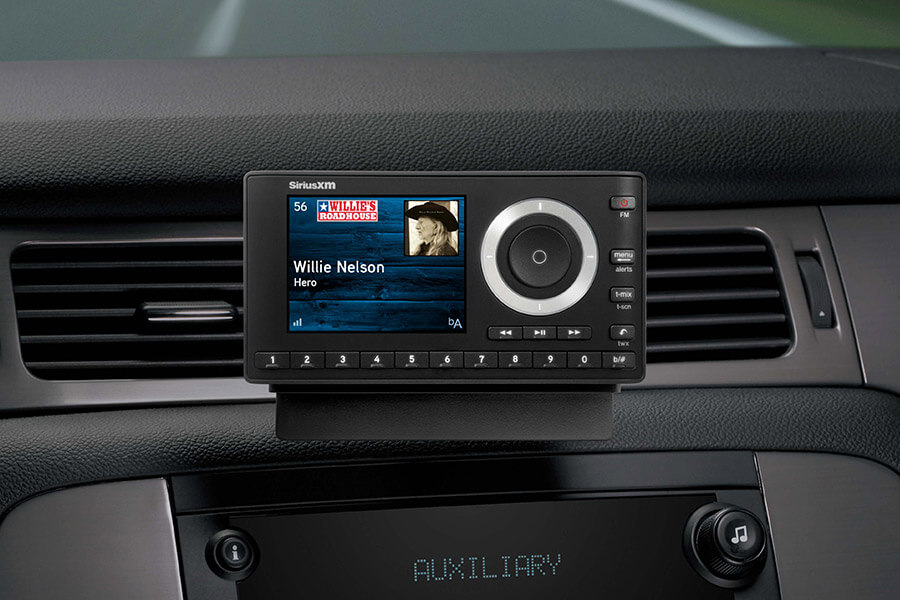
Standalone satellite radios, often referred to as “dock and play” units, are the simplest aftermarket solution. These are self-contained devices that include the tuner, display, and controls, and can be easily moved between vehicles (with additional car kits).
- Components: A typical kit includes the satellite radio receiver unit, a cradle for mounting, a vehicle power adapter, and a magnetic antenna that mounts externally (e.g., on the roof or trunk lid).
- Installation:
- Antenna Placement: The antenna is typically magnetic and designed to be placed on the outside of the vehicle with a clear view of the sky. The wire is then run discreetly into the car, often through a door seam or the trunk.
- Power: The unit plugs into a 12V power outlet (cigarette lighter socket).
- Audio Output: Audio can be routed to your car’s stereo in several ways:
- FM Transmitter: The unit broadcasts on an unused FM frequency, which your car stereo picks up. This is the easiest but often offers the lowest audio quality and can be prone to interference in crowded FM bands.
- Auxiliary Input: If your car has a 3.5mm auxiliary jack, a simple cable connects the standalone unit to your car stereo for direct, higher-quality audio.
- Cassette Adapter: For older vehicles, a cassette adapter can be used, but this is increasingly rare.
- Pros: Very easy to install, portable, relatively inexpensive, ideal for older cars or temporary solutions.
- Cons: Clutter on the dashboard, visible wires, FM transmission can be unreliable, not integrated with vehicle controls.
Car Stereo Head Units with Built-In SiriusXM Tuners
Replacing your car’s existing stereo head unit with a new one that has an integrated SiriusXM tuner offers a more professional and aesthetically pleasing solution than a standalone unit. This method replaces the core of your vehicle’s audio system.
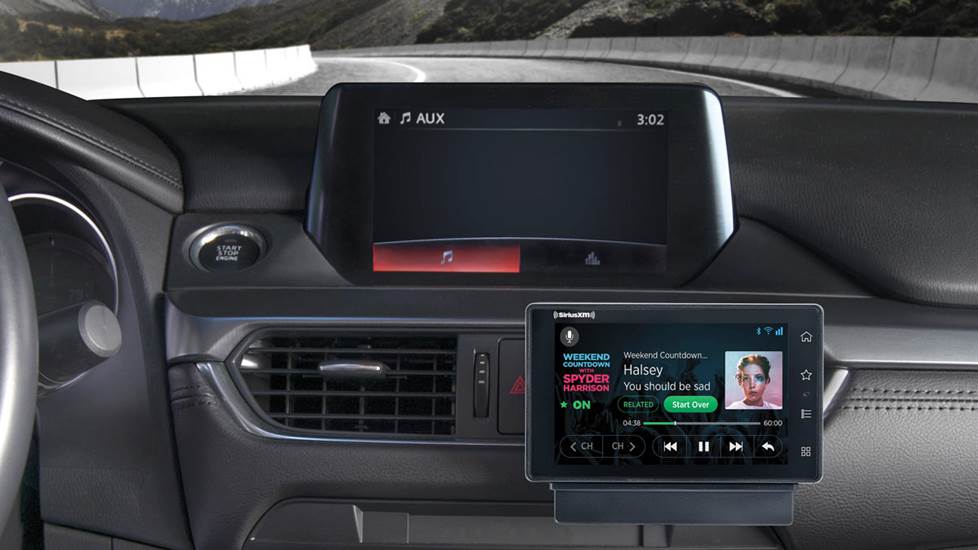
- Technical Aspects: These head units are single or double-DIN sized and directly incorporate the SiriusXM tuner technology. They require an external SiriusXM antenna (usually included or sold separately) that connects directly to the back of the head unit.
- Installation: This is a more involved installation process, typically requiring:
- Removal of Old Head Unit: Carefully removing the existing stereo.
- Wiring Harness Adapter: An adapter is almost always needed to connect the new head unit’s wiring to your car’s factory harness without cutting wires.
- Antenna Installation: The SiriusXM antenna needs to be routed and connected.
- Dash Kit: A dash kit might be necessary to ensure the new head unit fits perfectly into the dashboard opening.
- Pros: Clean, integrated look; superior audio quality; controlled directly through the head unit’s interface; often includes other modern features like Bluetooth, USB, and touchscreen displays.
- Cons: More expensive than standalone units, installation can be complex (often requires professional help), not suitable if you want to retain the factory head unit.
Vehicle-Specific Adapters and Integrators
These solutions are designed to add SiriusXM functionality while retaining your car’s factory stereo. They typically integrate with the vehicle’s existing audio system in a way that makes SiriusXM appear as another source (e.g., “SAT,” “AUX,” or “CD Changer”).
- Technical Functionality: These modules bypass the need for an external FM modulator or an AUX cable. They typically connect to the back of your factory stereo via a dedicated port (like a CD changer port or a CAN-bus interface) and allow the factory controls (including steering wheel controls) to manage SiriusXM.
- Components: An adapter kit usually includes the SiriusXM tuner module, a wiring harness specifically designed for your car’s make and model, and an external satellite antenna.
- Installation: Installation varies significantly by vehicle but generally involves:
- Accessing Factory Stereo: Removing parts of the dashboard to get to the back of the factory head unit.
- Module Connection: Connecting the adapter module to the appropriate port on the factory stereo.
- Antenna Routing: Installing the satellite antenna and routing its cable to the module.
- Power Connection: The module usually draws power from the stereo harness.
- Pros: Retains the factory look and feel, utilizes existing vehicle controls (including steering wheel controls), excellent audio quality, appears as a native source.
- Cons: Can be more expensive than standalone units, installation is often complex and vehicle-specific, may require programming or specific firmware, compatibility varies greatly by vehicle year/model.
Navigating the Activation and Subscription Process
Once you’ve installed the necessary hardware, the next step is to activate your SiriusXM service. This involves a few technical and administrative steps, irrespective of whether you have a factory-installed system, an aftermarket unit, or are using the app.
Activating Your SiriusXM Device
Every SiriusXM tuner, whether factory-installed or aftermarket, has a unique Radio ID. This ID is essential for activation.
- Locating Your Radio ID:
- Factory-Installed: Tune to channel 0, 1, or the Preview channel. The Radio ID will typically display on the screen.
- Aftermarket Unit: Tune to channel 0 or 1. If it doesn’t display, check the packaging, the back of the receiver, or the unit’s menu options (often under “System Info” or “About”).
- SiriusXM App: The app doesn’t have a “Radio ID” in the same sense, as your subscription is tied to your account login.
- Activation Methods:
- Online: The quickest way is to visit the SiriusXM activation website (siriusxm.com/activate) and follow the prompts, entering your Radio ID.
- Phone: Call SiriusXM customer service.
- Signal Acquisition: After activation, your radio needs to receive an activation signal from the satellite. This typically happens within minutes, but sometimes you might need to leave the radio on a SiriusXM channel (like channel 184 for a preview) for a while in an open area to ensure it receives the signal.
Understanding Subscription Plans (Focus on technical features/access, not price)
SiriusXM offers various subscription plans, which primarily differ in the technical access they provide to channels and features. While pricing varies, understanding the tiers helps you choose the right technical package.
- Satellite Radio Only: These plans grant access to the hundreds of channels delivered via satellite directly to your in-car tuner. This is the core “Sirius radio in my car” experience.
- Streaming Only: These plans are for users who primarily intend to use the SiriusXM app on their smartphone or other devices. They do not include satellite radio access for an in-car tuner.
- All Access/Platinum: These are the most comprehensive plans, technically combining both satellite radio access for your in-car tuner AND streaming access for the SiriusXM app. This provides the ultimate flexibility, allowing you to listen in your car via satellite and continue listening on your phone, smart speaker, or computer.
- Vehicle-Specific Features: Some plans might include access to connected vehicle services like traffic, weather, or navigation, which are delivered via a separate data channel and integrated into compatible factory infotainment systems.
The choice of plan should align with how and where you intend to use the service most, especially considering the technical platforms (in-car tuner vs. mobile app).
Enhancing Your In-Car Experience with the SiriusXM App
Even if you have a satellite tuner in your car, the SiriusXM app offers significant technical enhancements to your in-car experience.
- On-Demand Content: Beyond live channels, the app provides access to a vast library of on-demand shows, interviews, and performances, which can be streamed through your car’s audio system via Bluetooth or CarPlay/Android Auto.
- Personalized Stations: The app can learn your listening habits and create personalized stations, adding another layer of content discovery.
- Pause, Rewind, Restart: For many live shows and channels, the app allows you to pause, rewind, or restart content, a feature impossible with a standard satellite tuner.
- Portability: The app extends your SiriusXM subscription beyond your car, allowing you to listen at home, at work, or on the go, making your subscription far more versatile.
Integrating the app with your car’s infotainment system (especially via CarPlay or Android Auto) transforms your vehicle into a truly advanced, connected audio environment.
Troubleshooting and Maximizing Your SiriusXM Experience
Even with the best planning, technical issues can arise. Understanding common hurdles and how to optimize your setup can ensure a consistently enjoyable SiriusXM experience in your car.
Common Installation Hurdles and Solutions
When installing aftermarket SiriusXM solutions, some issues frequently occur.
- “No Signal” or “Antenna Not Connected” Error:
- Cause: The most common culprit is improper antenna placement or a loose connection.
- Solution: Ensure the antenna has a clear line of sight to the sky (not under metal, heavily tinted glass, or directly blocked by roof racks). Check all antenna connections to the tuner module or head unit for security. Wires can sometimes get pinched during routing.
- Poor FM Transmitter Quality (Standalone Units):
- Cause: Interference from local FM stations or a weak transmitter signal.
- Solution: Try different unused FM frequencies. Drive to a less congested area and scan for truly empty frequencies. If possible, upgrade to an AUX input connection for vastly superior sound.
- Intermittent Audio or Dropouts:
- Cause: Obstructions blocking the satellite signal (tunnels, dense foliage, tall buildings) or a failing antenna.
- Solution: While some environmental blockages are unavoidable, ensure your antenna is correctly placed and hasn’t shifted. Check the antenna cable for damage.
- Device Not Powering On:
- Cause: Blown fuse in the 12V adapter, loose power connection, or vehicle’s 12V socket issue.
- Solution: Check the fuse in the power adapter. Ensure the adapter is fully seated in the 12V socket. Test the 12V socket with another device.
Optimizing Signal Reception
For satellite radio, antenna placement is paramount for optimal signal reception.
- Clear Line of Sight: Always aim for the clearest possible view of the sky. The magnetic antenna usually sits on the roof, trunk lid, or dashboard (if using an internal antenna, which is less common and less reliable).
- Avoid Obstructions: Keep the antenna away from any metal objects, roof racks, or anything that could block the signal.
- Proper Cable Routing: Route the antenna cable carefully to avoid pinching or kinking, which can damage the internal wiring and degrade the signal. Use cable clips to secure it and prevent it from interfering with door seals or movable parts.
- North-Facing Antenna: While SiriusXM uses geostationary satellites, generally, a slightly forward-facing or centrally located antenna on the vehicle roof often provides the best reception across varied terrains.
Future-Proofing Your In-Car Entertainment
As automotive technology evolves, so do the ways we access in-car entertainment.
- Software Updates: For head units and integrated systems, periodically check for software or firmware updates. These can improve performance, add features, or fix bugs related to SiriusXM integration.
- Consider Data Plans: If heavily relying on the SiriusXM app, ensure your smartphone’s data plan can handle the streaming volume to avoid overage charges or throttling.
- Integrate with Smart Assistants: Many newer vehicles with CarPlay/Android Auto allow voice control over the SiriusXM app through Siri or Google Assistant, adding a layer of convenience and safety.
- Explore All Access: If you frequently use both your car and other devices for listening, investing in an “All Access” type plan ensures you get the most technical flexibility from your subscription across all platforms.
Getting SiriusXM in your car is a straightforward process with multiple technical pathways, each suited to different vehicle types, budgets, and user preferences. By understanding the available methods, proper installation techniques, and optimization tips, you can enjoy a world of uninterrupted audio entertainment on every journey.
aViewFromTheCave is a participant in the Amazon Services LLC Associates Program, an affiliate advertising program designed to provide a means for sites to earn advertising fees by advertising and linking to Amazon.com. Amazon, the Amazon logo, AmazonSupply, and the AmazonSupply logo are trademarks of Amazon.com, Inc. or its affiliates. As an Amazon Associate we earn affiliate commissions from qualifying purchases.