
In the evolving landscape of digital finance, Cash App has emerged as a ubiquitous tool for managing money, from splitting bills with friends to receiving paychecks. For many, the core appeal lies in its simplicity and speed, making the process of sending and, critically, receiving money remarkably straightforward. But beyond the casual peer-to-peer transfer, understanding the full spectrum of ways you can get money into your Cash App account and subsequently access it is essential for effective financial management. This comprehensive guide will demystify the process, illuminate various income streams, and provide insights into leveraging Cash App as a robust financial tool.

Understanding Cash App as a Digital Financial Tool
Cash App, developed by Block, Inc. (formerly Square, Inc.), is more than just a payment application; it’s a versatile financial platform. At its core, it enables users to send and receive money instantly, but its capabilities extend to direct deposits, investing in stocks and Bitcoin, and even filing taxes. For anyone looking to streamline their personal finances or manage incoming funds efficiently, grasping its fundamental mechanics is the first step.
The Basics of Receiving Funds
The most common way to receive money on Cash App is through direct peer-to-peer transfers. When someone sends you money, it automatically appears in your Cash App balance. This balance can then be held within the app, used for spending via the Cash Card, or transferred to your linked bank account. The system is designed for immediacy, with funds often available within seconds of being sent.
Crucially, receiving money on Cash App does not typically incur fees for personal transactions. This makes it an attractive option for friends, family, and even small businesses looking to avoid the charges associated with traditional banking or other payment processors. The convenience and cost-effectiveness position Cash App as a go-to for casual financial exchanges.
Key Features for Money Management
Beyond simple transfers, Cash App integrates several features that enhance its utility for receiving and managing money:
- Direct Deposit: This feature transforms Cash App into a pseudo-bank account, allowing users to receive paychecks, government benefits, and tax refunds directly into their Cash App balance. This can be particularly beneficial for those without traditional bank accounts or who prefer the digital convenience.
- Cash Card: A free, customizable debit card linked to your Cash App balance. It enables you to spend funds directly from your account, both online and in physical stores, and to withdraw cash from ATMs.
- Investing: While not directly about receiving money, the ability to invest small amounts in stocks or Bitcoin means your received funds can be put to work, potentially growing over time. This integrates a wealth-building component within the app itself.
- Boosts: These are instant discounts applied when using your Cash Card at specific merchants, effectively saving you money on purchases made with your received funds.
Security and Compliance Considerations
While convenient, it’s paramount to understand Cash App’s security protocols. All transactions are encrypted, and users can enable additional security layers like PINs and biometric authentication. Cash App is also PCI Data Security Standard (PCI DSS) Level 1 compliant, which is the highest level of certification. However, users must remain vigilant against scams and phishing attempts, always verifying the sender before accepting funds or sharing personal information. Compliance with financial regulations, including KYC (Know Your Customer) policies, ensures a secure and regulated environment, though it may require identity verification for certain features or transaction limits.
Primary Methods for Receiving Money on Cash App
The versatility of Cash App means there are several distinct avenues through which you can “get money” into your account. Each method caters to different financial needs, from personal transfers to more formalized income streams.
Direct Peer-to-Peer Transfers
This is the bedrock of Cash App’s functionality. To receive money this way, you simply need to provide the sender with your $Cashtag (your unique username) or the phone number/email linked to your Cash App account. Once the sender initiates the transfer, the funds are typically credited to your balance instantly. This method is ideal for:
- Splitting bills with friends or roommates.
- Receiving money from family members.
- Collecting payments for small, informal favors or sales.
Utilizing Your $Cashtag for Payments
Your $Cashtag acts as a public, unique identifier for your Cash App account. It can be shared widely without exposing your personal phone number or email, making it a powerful tool for receiving payments from a broader audience. Many content creators, small businesses, and freelancers use their $Cashtag to accept tips, donations, or payments for services. By simply posting your $Cashtag on social media, websites, or invoices, you create an easy conduit for others to send you money directly.
Receiving Direct Deposits (Paychecks, Benefits)
Cash App offers routing and account numbers, similar to a traditional bank account. This allows employers, government agencies, or other entities to send funds directly to your Cash App balance via ACH transfers. To set this up:
- Navigate to the “Banking” tab (the house icon).
- Tap on “Direct Deposit.”
- You’ll find your Cash App routing and account numbers.
- Provide these details to your employer’s payroll department, unemployment agency, or other benefit providers.
This feature is a game-changer for those who prefer managing their primary income stream through a digital-first platform. It can significantly speed up access to funds compared to traditional banking, as direct deposits often become available up to two days earlier than through many banks.
Accepting Business Payments and Freelance Income
For freelancers, sole proprietors, or small businesses, Cash App can serve as a convenient payment gateway. Whether you’re a gig worker, selling handmade crafts, or offering consulting services, you can direct clients to pay you via your $Cashtag. While Cash App is primarily designed for personal use, it does accommodate business transactions, often categorizing them to distinguish from personal transfers. It’s crucial for businesses to keep accurate records for tax purposes and to be aware of any potential fees or limits that may apply to higher transaction volumes, though generally, personal accounts receiving business payments without specific business account features are handled on a case-by-case basis and fall under the standard personal transaction terms.
Cashing Out and Accessing Your Funds
Once money is received into your Cash App balance, the next logical step is to understand how to access and utilize those funds in the real world. Cash App provides several flexible options for cashing out.
Instant vs. Standard Deposits to Your Bank
The most common way to move money out of Cash App is by transferring it to a linked bank account. You have two primary options:
- Standard Deposit: This is a free service, but funds typically take 1-3 business days to reach your bank account. It’s suitable for non-urgent transfers.
- Instant Deposit: For a small fee (usually 0.5% – 1.75%, with a minimum fee of $0.25), you can have your funds transferred to your bank account almost immediately, often within minutes. This is invaluable when you need quick access to your money.
To initiate a transfer, simply tap the “Cash Out” button from your Cash App balance screen, choose your desired amount, and select either standard or instant deposit.
Using the Cash Card for Withdrawals and Purchases
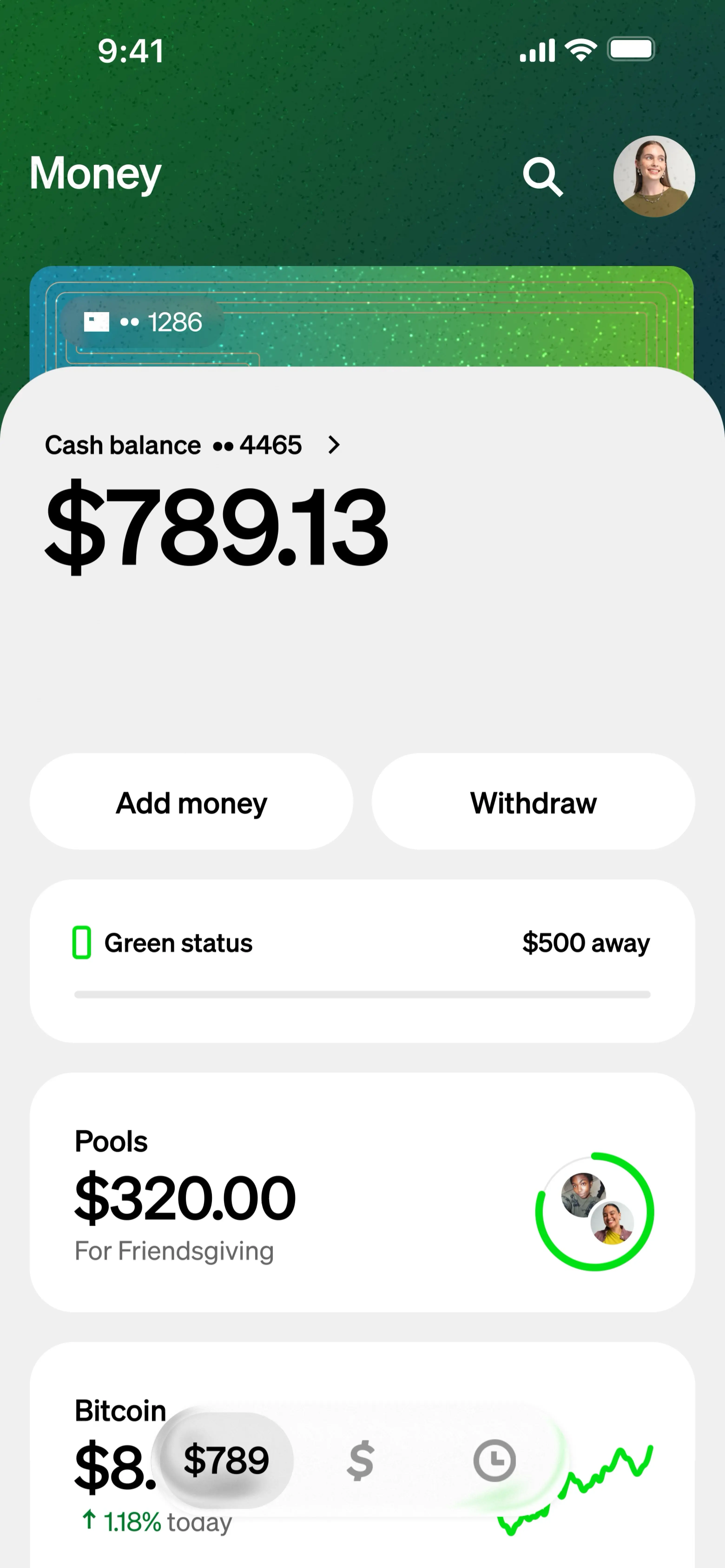
The Cash Card offers another highly convenient way to access your funds. As a Visa debit card, it can be used anywhere Visa is accepted, online or in physical stores. This means you can spend your Cash App balance directly without needing to transfer it to a traditional bank account first.
Furthermore, the Cash Card allows you to withdraw cash from ATMs. While Cash App itself doesn’t charge fees for ATM withdrawals, the ATM operator might. However, if you set up direct deposit with Cash App and receive at least $300 in a month, Cash App will reimburse ATM fees for three withdrawals per 31-day period (up to $7 per withdrawal). This feature adds significant value for users relying on Cash App as their primary financial hub.
Limitations and Fees for Withdrawals
While Cash App aims for flexibility, there are certain limitations and potential fees to be aware of:
- Transaction Limits: Cash App has daily and weekly limits for sending and receiving money, as well as for withdrawing from ATMs. These limits can be increased by verifying your identity (providing your full name, date of birth, and the last four digits of your SSN).
- Instant Deposit Fees: As mentioned, instant deposits incur a percentage-based fee. While small for individual transactions, these can add up if you frequently use the instant option.
- ATM Fees: Always check for ATM operator fees if you don’t meet the direct deposit eligibility for reimbursement.
Understanding these parameters ensures you can plan your financial movements efficiently and avoid unexpected charges.
Leveraging Cash App for Enhanced Financial Management
Beyond mere transactions, Cash App can be integrated into a broader strategy for personal financial management. Its features, when used thoughtfully, can contribute to better budgeting, saving, and overall financial health.
Budgeting and Tracking Incoming Funds
While Cash App doesn’t offer robust built-in budgeting tools like some dedicated personal finance apps, its transaction history serves as a clear ledger of all incoming funds. By regularly reviewing this history, users can:
- Monitor income streams: Identify how much money is coming in from different sources (paychecks, peer transfers, business payments).
- Track spending: See where your Cash App balance is being spent, especially when using the Cash Card.
- Gauge financial flow: Gain a snapshot of your liquidity and spending patterns directly from the app.
For more detailed budgeting, this data can be manually exported or used in conjunction with external budgeting spreadsheets or apps.
Integrating with Other Financial Strategies
Cash App can seamlessly complement other financial goals:
- Saving: While not a dedicated savings account, you can consciously leave a portion of your received funds in your Cash App balance, separate from your main bank account, as a form of digital “envelope budgeting” for specific goals.
- Investing: The in-app investing feature allows you to put small amounts of your received money directly into stocks or Bitcoin, fostering a habit of regular investing without needing to transfer funds to a separate brokerage account. This makes investing highly accessible.
- Debt Repayment: Receiving funds on Cash App can be a quick way to accumulate money for small debt repayments, especially if it’s income from side hustles or specific payment collections.
Best Practices for Secure and Efficient Transactions
To maximize the benefits of getting money from Cash App, adhere to these best practices:
- Enable Security Features: Always use a strong PIN, two-factor authentication, and biometric security if available.
- Verify Senders: Before accepting large sums or interacting with unknown senders, verify their identity to avoid scams.
- Keep App Updated: Ensure your Cash App is always running the latest version for the best security and features.
- Link a Secure Bank Account: Only link bank accounts you trust and actively monitor.
- Monitor Activity: Regularly review your transaction history for any unauthorized activity.
- Understand Limits: Be aware of your sending, receiving, and withdrawal limits to avoid transaction delays or issues.
Troubleshooting and Common Concerns
Even with its user-friendly interface, issues can occasionally arise when dealing with money on Cash App. Knowing how to address these can save time and prevent financial stress.
Addressing Payment Delays and Missing Funds
If you’re expecting money and it hasn’t appeared, consider the following:
- Check Status: Ask the sender to verify the transaction status on their end. Sometimes a transfer might be pending or failed.
- Verify Information: Double-check that the sender used the correct $Cashtag, phone number, or email linked to your account.
- Network Delays: While rare, occasional network congestion can cause slight delays. Wait a few minutes and refresh the app.
- Direct Deposit Specifics: For direct deposits, remember they typically process on business days. If funds are expected “up to 2 days early,” it means up to two days before your traditional bank would receive them, not necessarily two days from the transfer date.
- Transaction Limits: Ensure you haven’t hit any receiving limits which might temporarily hold funds.
If funds are still missing after a reasonable period, it’s time to contact Cash App support.
Protecting Yourself from Scams
The ease of receiving money also makes Cash App a target for scammers. Be extremely cautious of:
- “Payment Pending” Scams: Where a scammer claims to have sent you money that’s “pending” and requires you to send them money first to “release” it. Cash App transactions are usually instant.
- Fake Customer Support: Scammers impersonating Cash App support to gain access to your account or personal information. Always initiate contact through the official app or website.
- Phishing Attempts: Emails or texts asking for your login credentials or personal financial information.
- Overpayment Scams: Where a sender “accidentally” sends too much money and asks you to refund the difference. This can be a tactic with stolen cards, leaving you liable when the original payment is reversed.
Never share your PIN, sign-in code, or any sensitive information with anyone, even if they claim to be from Cash App support.

Contacting Cash App Support
If you encounter persistent issues, suspect fraud, or have questions that aren’t addressed in the in-app help section, contacting Cash App’s official support is crucial. You can do this:
- Through the app: Tap the profile icon > Scroll down and select “Support” > Navigate through the topics or select “Something Else” to chat with an agent.
- Via Website: Visit the Cash App support page on their official website.
Always use official channels for support to ensure you are communicating with legitimate representatives.
In conclusion, getting money from Cash App is a straightforward and versatile process, whether you’re receiving personal transfers, direct deposits, or payments for your services. By understanding its features, embracing security best practices, and knowing how to access your funds, Cash App can serve as an invaluable tool in your personal financial arsenal, empowering you with quick, digital control over your money.
aViewFromTheCave is a participant in the Amazon Services LLC Associates Program, an affiliate advertising program designed to provide a means for sites to earn advertising fees by advertising and linking to Amazon.com. Amazon, the Amazon logo, AmazonSupply, and the AmazonSupply logo are trademarks of Amazon.com, Inc. or its affiliates. As an Amazon Associate we earn affiliate commissions from qualifying purchases.