
Navigating the world of taxes can often feel like deciphering an ancient, complex code. For many, the annual ritual of filing taxes is a source of anxiety, prompting a quick retreat to a professional tax preparer. While there’s undeniable value in expert assistance, the truth is that filing your own taxes is a highly achievable, empowering, and often cost-saving endeavor. With the right approach, understanding, and tools, you can confidently take control of your financial obligations, ensuring accuracy and optimizing your financial outcomes. This comprehensive guide will demystify the process, providing you with the knowledge and steps to successfully file your own taxes, placing the power of personal finance firmly in your hands.
Understanding Your Tax Obligations and Gathering Essentials
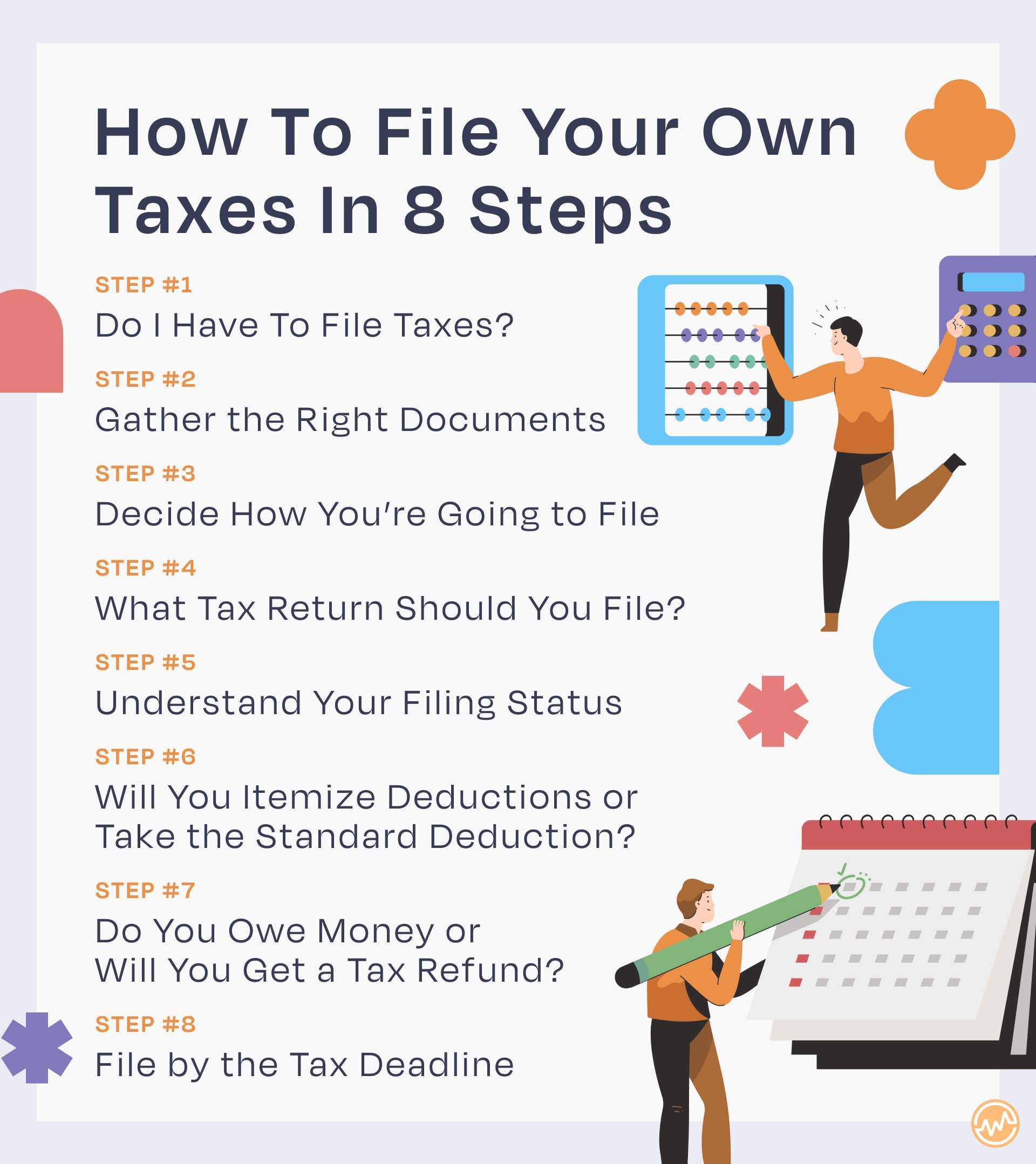
Before you even begin to think about numbers and forms, the foundational step to successful self-tax filing is understanding your personal tax obligations and meticulously gathering all necessary documentation. This initial preparation phase is crucial; it sets the stage for a smooth, accurate, and stress-free filing experience.
Who Needs to File and Why?
The Internal Revenue Service (IRS) mandates that most U.S. citizens and residents who meet certain income thresholds must file a tax return each year. These thresholds vary based on your age, gross income, and filing status. For instance, if your gross income exceeds the standard deduction for your filing status, you’re generally required to file. However, even if you don’t meet the filing threshold, there are compelling reasons to submit a return. You might be eligible for a refund of withheld income tax, or refundable tax credits like the Earned Income Tax Credit (EITC) or the Child Tax Credit, which could put money back in your pocket. Furthermore, filing a return can help you establish an income record, which can be useful for various financial activities down the line, such as applying for a loan. Always consult the IRS guidelines or use an online tax tool’s eligibility checker if you’re unsure whether you need to file.
Key Documents You’ll Need
Accuracy in tax filing hinges entirely on having the correct documentation. Think of this as your treasure map to financial compliance. Start collecting these documents well in advance of the tax deadline (typically April 15th):
- Income Statements:
- Form W-2: Received from your employer(s), showing your wages, tips, and other compensation, along with taxes withheld.
- Form 1099-NEC (Nonemployee Compensation): If you did freelance or contract work and earned over $600 from a client, they’ll send you this.
- Form 1099-MISC (Miscellaneous Income): For various other types of income not covered by 1099-NEC.
- Form 1099-DIV (Dividends and Distributions): For income from stocks and mutual funds.
- Form 1099-INT (Interest Income): From banks or other financial institutions.
- Form 1099-B (Proceeds From Broker and Barter Exchange Transactions): For capital gains/losses from selling investments.
- Schedule K-1 (Form 1065/1120S): For income from partnerships, S corporations, or trusts.
- Social Security Benefit Statement (Form SSA-1099): If you receive Social Security benefits.
- Proof of Deductions and Credits:
- Form 1098 (Mortgage Interest Statement): For home mortgage interest paid.
- Student Loan Interest Statement (Form 1098-E): If you paid interest on qualified student loans.
- Form 1098-T (Tuition Statement): For higher education expenses, potentially leading to education credits.
- Receipts and Records: For charitable contributions, medical expenses (if itemizing), business expenses (for self-employed), and any other deductible expenses.
- Previous Year’s Tax Return: This is an invaluable reference, offering insights into your past filing status, deductions, and income patterns. It also provides your Adjusted Gross Income (AGI), which might be needed for certain forms.
- Personal Information: Your Social Security number (SSN) or Individual Taxpayer Identification Number (ITIN), and those for your spouse and dependents.
Organize these documents neatly – whether in a physical folder or a digital directory – to prevent last-minute scrambling.
Identifying Your Filing Status
Your filing status is a critical determinant of your standard deduction amount, tax rates, and eligibility for certain credits and deductions. It’s essential to choose the correct one, as it directly impacts your tax liability. The five main filing statuses are:
- Single: If you are unmarried, divorced, or legally separated according to state law on the last day of the tax year.
- Married Filing Jointly (MFJ): If you are married and you and your spouse agree to file a single return together.
- Married Filing Separately (MFS): If you are married but choose to file separate returns. This can sometimes be advantageous in specific situations, but often results in a higher tax liability for the couple combined.
- Head of Household (HOH): If you are unmarried (or considered unmarried) and paid more than half the cost of keeping up a home for yourself and a qualifying person (e.g., a dependent child). This status often offers a higher standard deduction and lower tax rates than “Single.”
- Qualifying Widow(er) with Dependent Child: If your spouse died during the past two years, you have a dependent child, and you meet certain other conditions. This status allows you to use the MFJ tax rates for two years after your spouse’s death.
Review the IRS criteria carefully, as a slight misunderstanding could lead to errors. Most tax software will guide you through questions to help determine your optimal filing status.
Choosing Your Filing Method: Software vs. Paper
Once your documents are in order and you understand your filing status, the next step is to decide how you will actually complete and submit your return. The digital age has revolutionized tax filing, offering convenient and often more accurate methods than traditional paper forms.
Online Tax Software: The Modern Approach
For most individual filers, online tax software is the gold standard for self-preparation. These platforms are designed to simplify the complex tax code, guiding you step-by-step through the process with intuitive questions and explanations.
Pros:
- Ease of Use: User-friendly interfaces often feel like a conversation, translating complex tax jargon into plain English.
- Accuracy: Built-in error checks and calculations significantly reduce the chance of mathematical mistakes.
- Guidance: They provide real-time tips, definitions, and explanations for various deductions and credits you might qualify for.
- E-Filing: Most software platforms allow you to electronically file your federal and state returns directly to the IRS and state tax agencies, ensuring faster processing and quicker refunds.
- Import Features: Many can import data directly from your W-2s, 1099s, and previous year’s returns, saving time and reducing manual entry errors.
Cons:
- Cost: While basic versions for simple returns may be free, more complex tax situations (e.g., self-employment, investments, rental property) often require paid versions, which can range from $30 to over $100 per return.
- Data Privacy: You are entrusting your sensitive financial data to a third-party provider, so it’s crucial to choose reputable software with robust security measures.
- Over-Reliance: While helpful, it’s still important to understand why certain questions are being asked and what information you are providing.
Popular Examples:
- TurboTax: Known for its user-friendly interface and comprehensive guidance, though often on the pricier side for advanced features.
- H&R Block Tax Software: A strong competitor to TurboTax, offering similar features and guidance, often with slightly different pricing tiers.
- FreeTaxUSA: A highly-rated, budget-friendly option, offering free federal filing for most situations and a very low fee for state returns.
- TaxAct: Another popular choice known for its affordability and robust features.
IRS Free File Program: A Cost-Effective Solution
The IRS Free File Program is a fantastic resource for taxpayers whose Adjusted Gross Income (AGI) falls below a certain threshold (which changes annually, often around $79,000 for 2023 taxes). This program partners with various tax software companies to offer their products for free.
Eligibility Criteria: Your eligibility for specific Free File offers depends on your AGI and sometimes your state of residence. You must access the participating software directly through the IRS Free File website to ensure you receive the free offer.
Benefits: It provides the same benefits as paid online tax software – guided preparation, error checks, and e-filing – but at no cost. This is an excellent option for individuals and families looking to save money while still using professional-grade tools.
Traditional Paper Filing: For the Detailed-Oriented
While less common and generally less efficient, paper filing remains an option. You can download forms directly from the IRS website (irs.gov), print them, fill them out manually, and mail them to the appropriate IRS processing center.
Pros:
- No Digital Reliance: Some individuals prefer not to share their data online or are uncomfortable with digital tools.
- Hands-On Control: You manually review every line, which can lead to a deeper understanding of your return.

Cons:
- Time-Consuming: Filling out forms by hand, performing calculations, and checking for errors is a tedious and lengthy process.
- Prone to Errors: Manual calculations are susceptible to human error, which can lead to delays in processing or even audits.
- Slower Processing: Mailed returns take significantly longer for the IRS to process compared to e-filed returns, meaning a longer wait for any refund.
- No Real-Time Guidance: You’re largely on your own to interpret instructions, though IRS publications can help.
For most people, the benefits of online tax software far outweigh the reasons for paper filing, especially given the availability of free e-file options.
Navigating the Filing Process Step-by-Step
Regardless of whether you choose online software or paper forms, the core steps of filing remain consistent. Understanding this sequence will empower you to move confidently through your tax return.
Entering Income Information
This is where you report all the money you earned throughout the year. Based on the W-2s, 1099s, and other income statements you gathered, you’ll enter:
- Wages, Salaries, and Tips: Directly from your W-2.
- Self-Employment Income: If you’re a freelancer or independent contractor, you’ll report your gross receipts and then deduct eligible business expenses on Schedule C. This determines your net self-employment income, subject to both income tax and self-employment tax (Social Security and Medicare contributions).
- Investment Income: Dividends, interest, capital gains or losses from stock sales, etc., reported on forms like 1099-DIV, 1099-INT, and 1099-B.
- Other Income: Such as rental income (Schedule E), unemployment benefits, gambling winnings, or retirement distributions (1099-R).
Tax software will prompt you for each type of income, making it relatively straightforward to input your data.
Identifying Deductions and Credits
This is where you can potentially lower your taxable income or reduce your tax liability directly. Understanding the difference between deductions and credits is key:
- Deductions: Reduce your taxable income. For every dollar deducted, you pay less tax because less of your income is subject to tax. You have two main options:
- Standard Deduction: A fixed dollar amount that varies by filing status. The vast majority of taxpayers take the standard deduction.
- Itemized Deductions: You can choose to itemize if your total eligible expenses (such as medical expenses exceeding a certain AGI threshold, state and local taxes, mortgage interest, and charitable contributions) exceed your standard deduction. Itemizing is generally more complex and requires meticulous record-keeping.
- Credits: Directly reduce your tax liability dollar-for-dollar. A $1,000 credit reduces your taxes by $1,000.
- Nonrefundable Credits: Can reduce your tax liability to zero, but you won’t get a refund for any excess. Examples include the Child and Dependent Care Credit, Education Credits (e.g., American Opportunity Tax Credit, Lifetime Learning Credit), and the Credit for Other Dependents.
- Refundable Credits: Can reduce your tax liability below zero, resulting in a refund even if you paid no tax. Examples include the Earned Income Tax Credit (EITC), Additional Child Tax Credit, and the Premium Tax Credit (for health insurance purchased through the marketplace).
Tax software is excellent at identifying potential deductions and credits based on the information you provide, often prompting you with questions to uncover eligibility.
Calculating Your Tax Liability
Once all your income, deductions, and credits are entered, your tax software (or your careful manual calculations) will determine your Adjusted Gross Income (AGI). This figure is crucial as it’s used to determine eligibility for many deductions and credits.
Next, after applying your chosen deductions (standard or itemized), you arrive at your Taxable Income. This is the portion of your income that is subject to federal income tax. The IRS uses a progressive tax system, meaning different portions of your income are taxed at different rates (tax brackets). The software will apply the appropriate tax rates to calculate your gross tax liability.
Finally, any applicable tax credits are subtracted from this gross liability, resulting in your total tax liability for the year. This amount is then compared to the amount of tax you’ve already paid through withholdings from your paychecks or estimated tax payments.
- If your payments exceed your liability, you’re due a refund.
- If your liability exceeds your payments, you owe the IRS additional tax.
Reviewing and Submitting Your Return
This is the final, critical checkpoint. Before hitting “submit” or dropping your envelope in the mail, thoroughly review your entire return.
- Check for Accuracy: Verify all personal information (names, SSNs, dates of birth). Double-check all income figures against your W-2s and 1099s. Ensure all deductions and credits are correctly claimed and supported by your records.
- Compare to Previous Years: If something looks drastically different from your prior year’s return, investigate why.
- Understand Your Bottom Line: Make sure you understand the calculations leading to your refund or amount due.
- E-Filing: The most recommended method. Most tax software allows you to e-file your federal and state returns. You’ll typically need your prior year’s AGI or a self-select PIN to verify your identity.
- Mailing: If you’re paper filing, ensure all necessary forms are included, signed, and mailed to the correct IRS address (check IRS.gov for instructions based on your location and forms). Make a copy for your records before mailing.
Post-Filing Considerations and Future Planning
Filing your return isn’t the absolute end of your tax journey; there are important steps to take afterward and strategies to adopt for the future.
What to Do After You File
- Keep Excellent Records: Regardless of whether you get a refund or owe money, keep a copy of your filed return and all supporting documents (W-2s, 1099s, receipts, etc.) for at least three years from the date you filed or the due date of your return, whichever is later. This is crucial in case of an IRS inquiry or audit.
- Understand Your Refund/Payment: If you’re due a refund, track its status via the IRS “Where’s My Refund?” tool. If you owe money, ensure you pay by the deadline to avoid penalties and interest. Most tax software facilitates electronic payments directly from your bank account.
- Estimated Taxes: If you’re self-employed, have significant investment income, or income not subject to withholding, you might need to pay estimated taxes quarterly. Failure to do so could result in penalties.
Amending Your Return (Form 1040-X)
Mistakes happen. If you discover an error or omitted information after you’ve filed, don’t panic. You can amend your return using Form 1040-X, Amended U.S. Individual Income Tax Return. You generally have three years from the date you filed your original return or two years from the date you paid the tax, whichever is later, to file an amended return. Most tax software can assist with this process.
Tips for a Smoother Tax Season Next Year
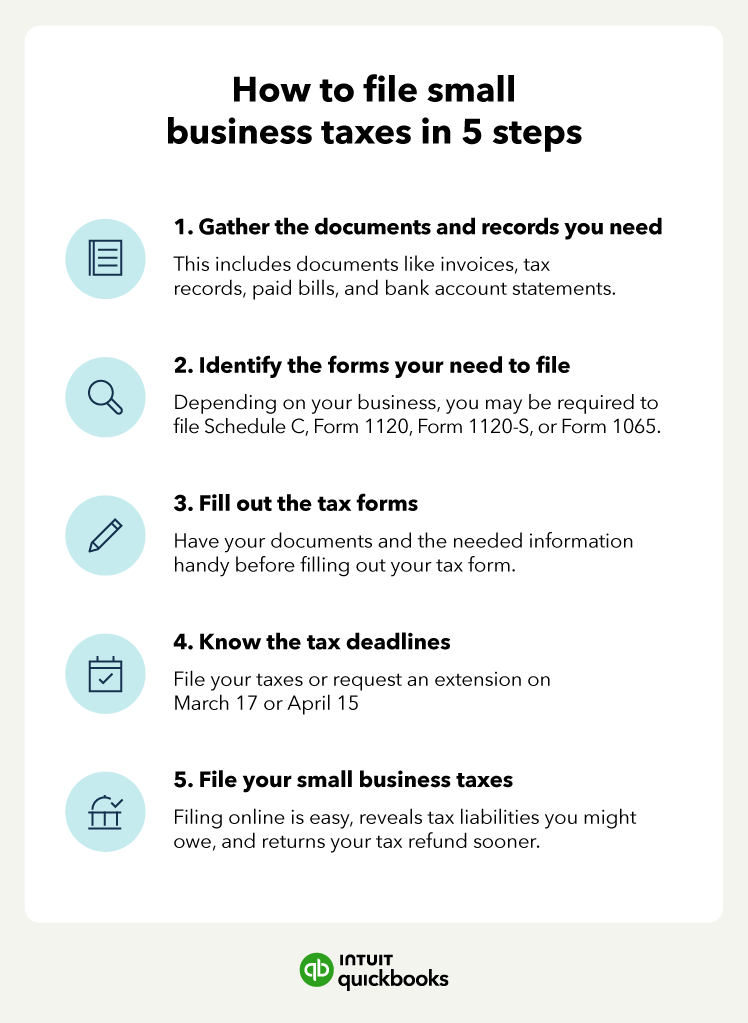
- Year-Round Record-Keeping: Don’t wait until January to gather documents. Keep a dedicated folder (physical or digital) throughout the year for all income statements, receipts for deductible expenses, and any other relevant tax documents.
- Adjust Withholding: If you consistently receive a very large refund, it means you’re overpaying the IRS throughout the year, essentially giving them an interest-free loan. Consider adjusting your W-4 with your employer to have less tax withheld, increasing your take-home pay. Conversely, if you consistently owe a lot, increase your withholding.
- Stay Informed: Tax laws can change. Briefly review major tax law changes at the end of each year or consult reliable financial news sources.
- Seek Professional Advice When Needed: While self-filing is empowering, there are times when professional advice is invaluable. If your financial situation becomes significantly complex (e.g., starting a business, major investment shifts, international income), consider consulting a Certified Public Accountant (CPA) or Enrolled Agent (EA) for personalized guidance.
Filing your own taxes is more than just an annual obligation; it’s an opportunity to gain a deeper understanding of your personal finances, identify areas for improvement, and ensure you’re keeping as much of your hard-earned money as legally possible. By following these steps and leveraging the modern financial tools available, you can confidently navigate tax season and empower yourself as a proactive financial manager.
aViewFromTheCave is a participant in the Amazon Services LLC Associates Program, an affiliate advertising program designed to provide a means for sites to earn advertising fees by advertising and linking to Amazon.com. Amazon, the Amazon logo, AmazonSupply, and the AmazonSupply logo are trademarks of Amazon.com, Inc. or its affiliates. As an Amazon Associate we earn affiliate commissions from qualifying purchases.