
In an increasingly digitized world, the annual task of filing taxes has undergone a significant transformation. What was once a daunting paper-and-pencil exercise, often requiring the deciphering of complex forms or a trip to an accountant’s office, can now be completed from the comfort of your home, with just a few clicks. Filing a tax return online has become the preferred method for millions, offering unparalleled convenience, accuracy, and efficiency. This comprehensive guide will demystify the process, providing you with the knowledge and steps needed to confidently navigate your online tax filing journey, ensuring your financial obligations are met with ease and precision.
The Evolution and Advantages of Online Tax Filing
The shift from manual, paper-based tax filing to digital platforms represents one of the most significant advancements in personal finance management. This evolution has not only streamlined a critical annual responsibility but has also empowered individuals with greater control and understanding of their financial standing.
A Modern Approach to a Timeless Obligation
For centuries, tax collection has been a fundamental function of governments. Historically, this involved physical forms, manual calculations, and often, significant stress. The advent of the internet and sophisticated software has revolutionized this process, making it accessible to virtually anyone with an internet connection. Governments worldwide, including the IRS in the United States, have actively promoted and integrated online filing systems, recognizing the immense benefits they offer to both taxpayers and the administrative bodies. This digital transformation has not just been about moving paper forms onto a screen; it’s about re-engineering the entire compliance experience to be more intuitive and less error-prone.
Unpacking the Benefits: Convenience, Accuracy, and Speed
The advantages of filing your tax return online are numerous and compelling, serving as the primary drivers behind its widespread adoption:
- Unmatched Convenience: Online filing platforms are accessible 24/7 from any device with an internet connection. This eliminates the need for appointments, travel, or strict office hours, allowing taxpayers to complete their returns at their own pace, whenever and wherever it suits them. You can start, save your progress, and return to your filing as many times as needed before submission.
- Enhanced Accuracy: Perhaps the most significant advantage is the built-in error-checking capability of online tax software. These platforms automatically perform calculations, cross-reference data, and flag potential mistakes or missing information. This significantly reduces the likelihood of arithmetic errors, overlooked deductions, or incorrectly entered data, which are common pitfalls of manual filing and can lead to costly delays or audits.
- Faster Refunds: Electronically filed returns are processed much more quickly than paper returns. For those anticipating a refund, e-filing can shave weeks off the waiting period, with direct deposit options allowing funds to be credited to bank accounts in a matter of days or a few weeks.
- Simplified Record Keeping: Most online tax software retains digital copies of your submitted returns for several years. This makes accessing past returns for reference, future filing, or loan applications incredibly easy, reducing clutter and the risk of losing important documents.
- Guided Experience: Modern tax software provides step-by-step guidance, explaining tax concepts in simpler terms and asking targeted questions to ensure all relevant income, deductions, and credits are considered. This educational aspect empowers taxpayers to better understand their financial situation.
Is Online Filing Right for You?
While online filing offers substantial benefits, its suitability can vary. It is particularly well-suited for individuals with straightforward tax situations, such as those with W-2 income, basic deductions, and common credits. However, even those with more complex financial situations—like self-employment income, investments, or rental properties—can effectively use advanced online software, often with greater ease than manual preparation. The key is selecting a platform that matches the complexity of your tax profile. For those who prefer a hands-off approach or have extremely intricate financial affairs, a human tax professional remains a valuable option, though even they often leverage digital tools for efficiency.
Navigating Your Options: Selecting the Ideal Online Tax Platform
The market for online tax filing solutions is robust, offering a range of options from free government-backed services to sophisticated paid software. Choosing the right platform is crucial for a smooth and effective filing experience.
Free vs. Paid Software: Understanding the Tiers
The decision between free and paid tax software often hinges on the complexity of your tax situation and your budget.
- Free Filing Options: Many countries offer free online tax filing services, often sponsored by the government or provided by non-profit organizations for taxpayers who meet specific income requirements. In the U.S., for instance, IRS Free File allows eligible taxpayers to use participating private software providers at no cost. These free options are typically sufficient for individuals with straightforward tax returns, usually involving W-2 income, standard deductions, and basic credits.
- Paid Software: For more complex tax situations, paid software tiers offer expanded features and support. These typically include comprehensive guidance for self-employment income (e.g., Schedule C), investment gains/losses (e.g., Schedule D), rental property income, itemized deductions, and a wider array of credits. Paid versions often come with audit support, enhanced customer service, and more robust financial planning tools. While there’s a cost, the investment can often pay for itself through optimized deductions and credits that might be missed otherwise.
Key Factors in Choosing a Platform
When evaluating online tax software, consider the following critical factors:
- User-Friendliness and Interface: The software should be intuitive, with a clean layout and easy-to-understand navigation. A clear step-by-step process that minimizes jargon is essential.
- Customer Support: What kind of support is offered? Is it live chat, phone support, or just a knowledge base? Is professional tax assistance available if you hit a snag?
- Security Measures: Given the sensitive nature of tax data, robust security is paramount. Look for platforms that use encryption, multi-factor authentication, and have a strong track record of protecting user information.
- Coverage for Your Tax Situation: Ensure the platform can handle all aspects of your financial life, whether it’s employment income, contract work, capital gains, student loan interest, or educational credits. Check if it supports both federal and state tax filings, and if state filing is included or an extra cost.
- Integration and Import Capabilities: Many platforms allow you to import data directly from financial institutions (e.g., banks, employers, brokerages) or even from your previous year’s tax return, saving significant time and reducing data entry errors.
Popular Choices in the Market
While specific brand names are outside this scope, the online tax software landscape is generally dominated by several well-established providers. These typically offer various versions catering to different taxpayer needs, from basic free editions to premium packages. Additionally, some government tax agencies provide their own direct e-filing portals. Researching user reviews, consulting financial forums, and checking reputable consumer reports can help you identify platforms that align best with your specific requirements and offer a reliable service.
Your Step-by-Step Journey to a Filed Return
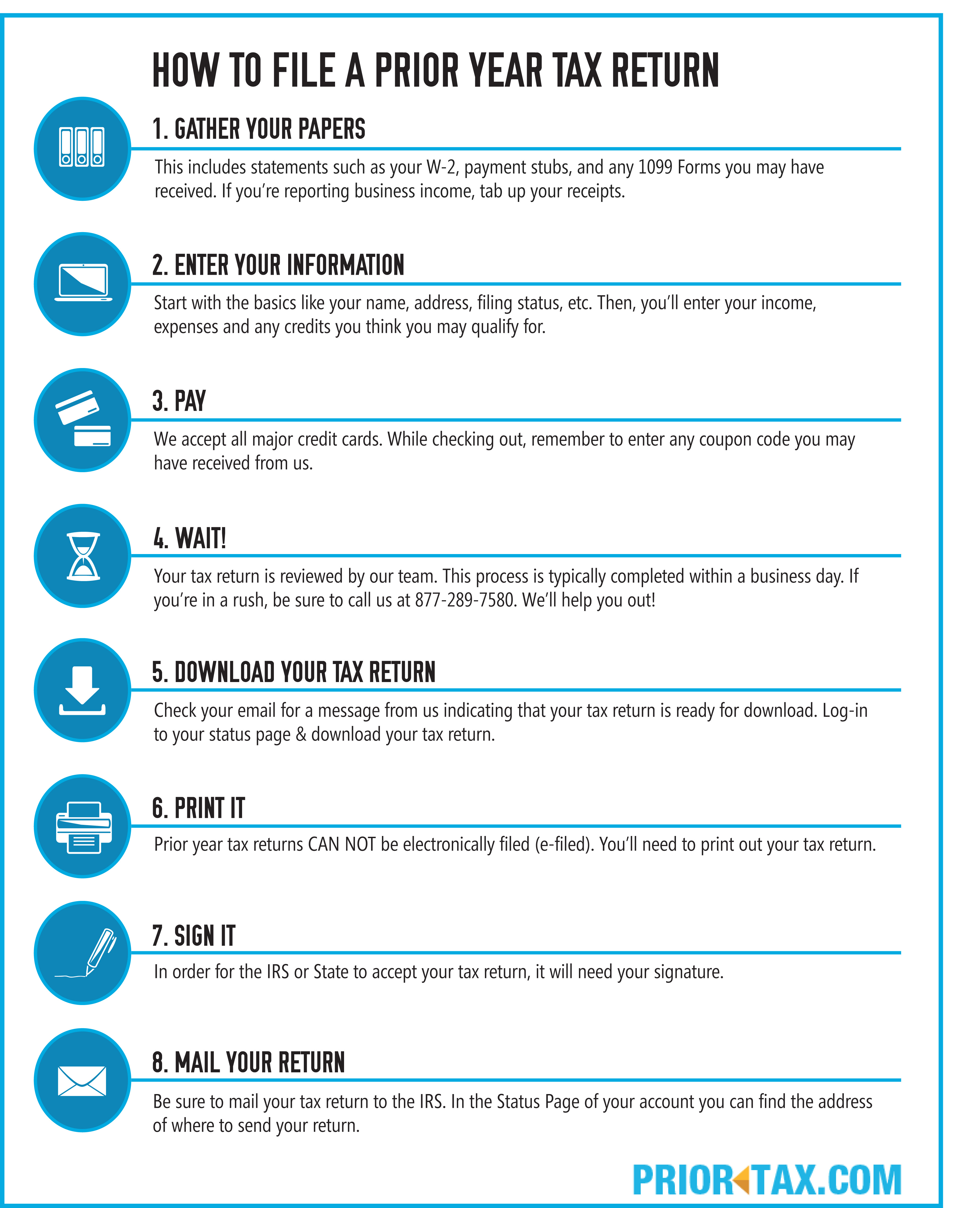
Once you’ve chosen your platform, the actual process of filing your tax return online is a structured and guided experience. Breaking it down into manageable steps makes the task less daunting.
Pre-Filing Preparation: Gathering Your Essentials
The most crucial step before you even log in is thorough preparation. Having all necessary documents at hand will significantly expedite the process and prevent frustrating interruptions.
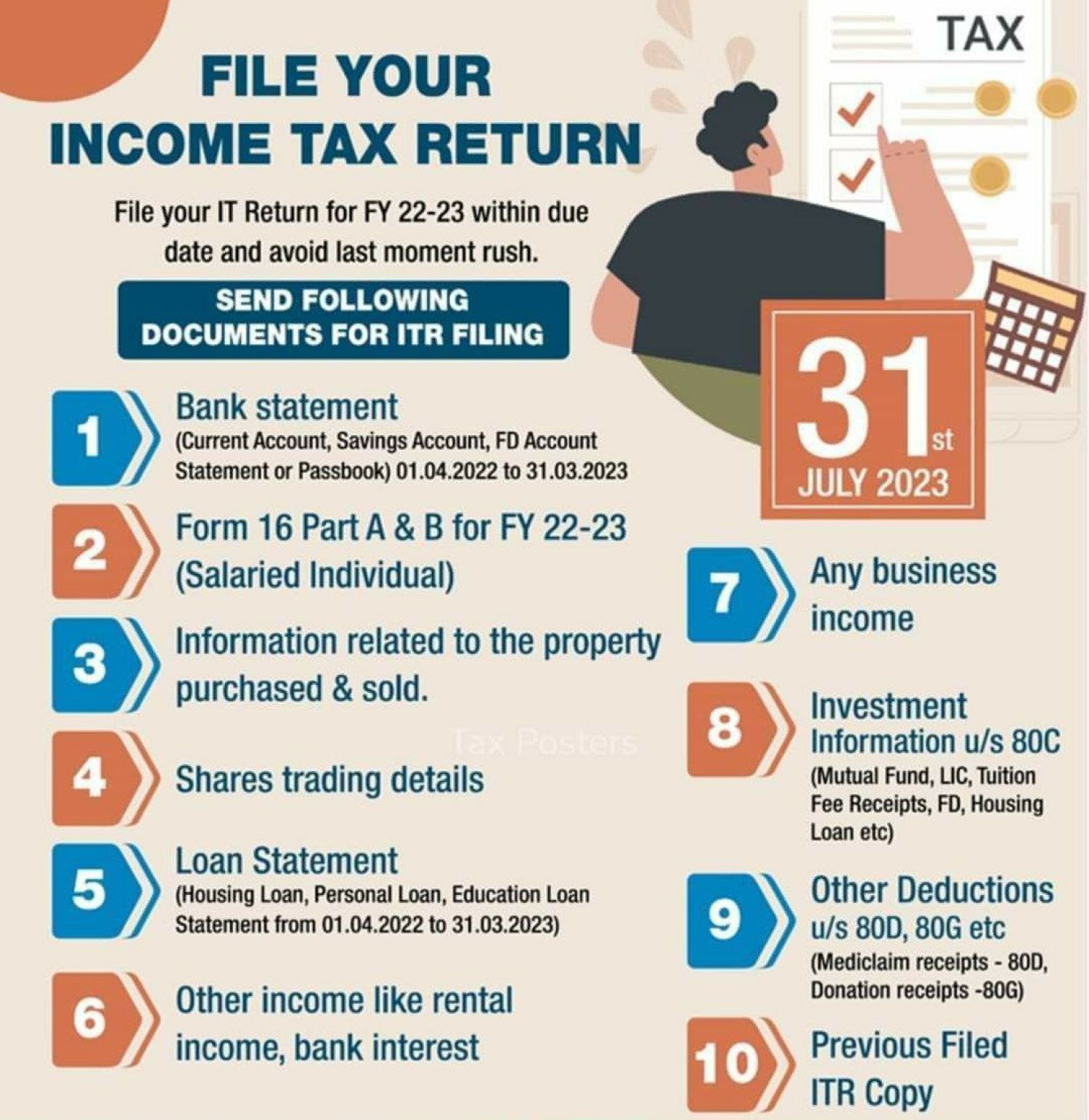
- Income Documents: This includes W-2 forms from employers, 1099 forms (1099-NEC for independent contractors, 1099-INT for interest, 1099-DIV for dividends, 1099-B for stock sales, etc.), K-1 forms for partnership or S-Corp income, and any other statements showing income received.
- Deduction and Credit Documents: Gather receipts for itemized deductions (medical expenses, charitable contributions, mortgage interest statements Form 1098), student loan interest statements (Form 1098-E), tuition statements (Form 1098-T), childcare expenses, and records of retirement contributions.
- Last Year’s Tax Return: This is invaluable for reference, as it contains your adjusted gross income (AGI) which is often required for identity verification, and helps you recall deductions or credits you claimed previously.
- Personal Information: Ensure you have your Social Security Number (SSN) or Taxpayer Identification Number (TIN), your spouse’s SSN (if filing jointly), and SSNs for any dependents. You’ll also need bank account information if you’re opting for direct deposit of a refund or direct debit for taxes owed.
Setting Up Your Account and Importing Data
Once prepared, you’ll create an account on your chosen online tax platform. This usually involves providing an email address and creating a secure password. Many platforms then offer the option to import data:
- Prior Year Data: If you used the same software last year, you can often import your previous year’s return, pre-populating basic personal information and potentially some recurring data.
- Automatic Data Import: Some software allows you to securely link to your financial institutions (banks, employers, brokerages) to automatically pull in W-2 and 1099 data. This is a massive time-saver and reduces transcription errors.
Entering Your Income and Deductions
This is the core of the filing process. The software will guide you through various sections:
- Personal Information: Confirm your identity, marital status, and dependent information.
- Income: Systematically input all your income sources, referencing your W-2s, 1099s, and other income statements. The software typically categorizes these for you.
- Deductions and Credits: This is where you can reduce your taxable income. The software will ask a series of questions to help you identify eligible deductions (standard vs. itemized) and credits (child tax credit, education credits, energy credits, etc.). Be diligent here, as missed deductions mean more tax paid.
Review and Reconciliation: The Crucial Double-Check
After entering all your data, the software will generate a summary of your return and calculate your tax liability or refund. This review phase is critical:
- Error Checkers: Most platforms have built-in diagnostics that will flag potential errors, inconsistencies, or missing information. Pay close attention to these warnings and resolve them.
- Read Through: Take the time to carefully read through each section of your return, comparing the entered data against your original documents. A fresh pair of eyes (if permitted by the software’s security and your comfort level) can also be helpful.
- Understand Your Numbers: Ensure you understand the key figures, like your Adjusted Gross Income (AGI), total income, total deductions, and the final tax due or refund amount.
The E-Signature and Submission Process
Once you are confident in the accuracy of your return, you’ll proceed to the final step:
- Identity Verification: You’ll typically be asked for your prior year’s AGI or a specific PIN to verify your identity before e-filing.
- E-Signature: Electronically signing your return signifies that the information provided is accurate to the best of your knowledge.
- Submission: With a final click, your return is sent electronically to the tax authorities (e.g., IRS for federal, state department of revenue for state). You should receive immediate confirmation that your return has been successfully transmitted.
Mastering the Nuances: Tips for a Seamless Filing Experience
While online tax software simplifies the process, a proactive and informed approach can further enhance your experience and optimize your financial outcome.
Understanding Your Tax Situation
Before you even open the software, take a moment to understand your financial landscape for the tax year. Did you get married or divorced? Have a child? Buy a house? Change jobs? Start a side hustle? Each of these life events can significantly impact your tax situation, affecting your filing status, eligible deductions, and credits. A basic understanding of these changes will help you navigate the software more effectively and ensure you’re utilizing all applicable tax benefits. Researching common deductions and credits relevant to your life stage can be incredibly insightful.
Leveraging Software Features for Maximum Benefit
Modern tax software is packed with features designed to help you. Don’t just rush through; explore what your chosen platform offers:
- Deduction Finders: Many programs actively prompt you with questions to uncover potential deductions you might overlook, such as unreimbursed employee expenses (if applicable), home office deductions for freelancers, or educator expenses.
- Audit Risk Assessments: Some advanced software can provide an estimate of your audit risk based on your entries, offering suggestions to fortify your return with proper documentation.
- What-If Scenarios: Premium versions sometimes allow you to run “what-if” scenarios, such as comparing the impact of itemizing vs. taking the standard deduction, or adjusting estimated payments for the next year.
- Tax Planning Tools: Beyond just filing, many platforms offer tools to help you plan for the next tax year, estimate future tax liabilities, or assess the impact of financial decisions.
Security Best Practices for Online Filing
Protecting your sensitive financial information is paramount when filing online.
- Strong, Unique Passwords: Use complex passwords that combine letters, numbers, and symbols, and avoid reusing them across different services.
- Multi-Factor Authentication (MFA): Always enable MFA if the platform offers it. This adds an extra layer of security, usually requiring a code from your phone in addition to your password.
- Beware of Phishing Scams: Tax season is prime time for scammers. Be extremely wary of emails, texts, or calls purporting to be from tax authorities or software providers asking for personal information or payment. Always go directly to the official website or contact number if you have concerns.
- Secure Internet Connection: Avoid filing your taxes on public Wi-Fi networks. Use a secure, private network to protect your data during transmission.
- Keep Software Updated: Ensure your web browser and operating system are up to date to benefit from the latest security patches.
Don’t Forget State Taxes
Many U.S. states levy their own income tax. If you live in one of these states, you’ll likely need to file a separate state tax return in addition to your federal return. Most online tax software integrates state filing directly into the federal process, often pre-populating much of the information. Be mindful of whether your chosen federal software includes state filing in its base price or if it’s an add-on cost. Understand if your state uses a combined filing system or requires entirely separate documentation.
Post-Submission: What Comes Next?
Filing your return isn’t the absolute end of the process. There are a few crucial steps and considerations for after your submission.
Confirmation and Record Keeping
Immediately after e-filing, you should receive a confirmation that your return has been transmitted. This is usually followed within 24-48 hours by an email notification from the tax authority (e.g., the IRS) confirming that your return has been accepted. This “acceptance” email is your official proof that your return was received and processed without major transmission errors.
It is absolutely critical to:
- Save Confirmation: Keep a copy of your acceptance confirmation, either digitally or printed.
- Retain Copies: Save a complete copy of your filed federal and state tax returns, along with all supporting documents (W-2s, 1099s, receipts, etc.). Most tax professionals recommend keeping these records for at least three years from the date you filed your original return or two years from the date you paid the tax, whichever is later. For certain items like property records, you may need to keep them much longer. Digital storage on a secure cloud service or an external hard drive is highly recommended.
Tracking Your Refund or Managing Your Payment
If you’re due a refund, you’ll naturally be eager to receive it.
- Refund Tracking: For federal refunds, the IRS offers a “Where’s My Refund?” tool on its website, which allows you to track the status using your SSN, filing status, and refund amount. States typically have similar tools. E-filed returns with direct deposit usually result in refunds within 2-3 weeks.
- Paying Taxes Owed: If you owe taxes, most online software platforms will guide you through payment options. These often include:
- Direct Debit: Authorizing the tax authority to directly withdraw the payment from your bank account on a specified date.
- Credit/Debit Card: Paying through a third-party processor, usually for a fee.
- Electronic Federal Tax Payment System (EFTPS): A free service offered by the U.S. Department of the Treasury.
- Check or Money Order: Mailed in with a payment voucher.
It’s crucial to ensure your payment is made by the tax deadline to avoid penalties and interest.

Addressing Potential Issues: Audits and Amendments
While the goal is always a perfectly filed return, sometimes issues arise:
- Audits: While rare, an audit can occur. If you receive a notice from a tax authority, do not panic. It typically means they need more information or clarification on specific items. If you meticulously kept records, responding to an audit request becomes much simpler. Most online tax software offers varying levels of audit assistance or protection, which can be invaluable.
- Amendments: If you discover an error after filing your return (e.g., forgetting a W-2, miscalculating a deduction), you can file an amended return. For federal taxes, this is done using Form 1040-X. Your online tax software often assists with this process, making it relatively straightforward to correct mistakes. However, note that amended returns usually need to be mailed, and their processing takes significantly longer than original e-filed returns.
In conclusion, filing your tax return online is a practical, efficient, and increasingly intuitive way to fulfill your financial obligations. By understanding the process, choosing the right tools, and approaching the task with careful preparation, you can transform what was once a source of dread into a manageable and even empowering annual financial exercise. Embrace the digital convenience, stay organized, and take control of your tax season with confidence.
aViewFromTheCave is a participant in the Amazon Services LLC Associates Program, an affiliate advertising program designed to provide a means for sites to earn advertising fees by advertising and linking to Amazon.com. Amazon, the Amazon logo, AmazonSupply, and the AmazonSupply logo are trademarks of Amazon.com, Inc. or its affiliates. As an Amazon Associate we earn affiliate commissions from qualifying purchases.