
In an increasingly data-driven world, the ability to quickly and accurately calculate percentages is an indispensable skill. From deciphering discounts on a new gadget to understanding battery life indicators, or even analyzing data trends in software development, percentages are woven into the fabric of our daily lives and professional endeavors. While the concept might seem straightforward, translating a percentage problem into a calculator input can sometimes be a source of confusion, thanks to variations in calculator logic and button functionality. This guide aims to demystify the process, transforming your calculator from a mere number-cruncher into a powerful ally for all your percentage-related tasks. We’ll explore the nuances of basic, scientific, and even smartphone calculators, ensuring you’re equipped to tackle any percentage challenge with confidence and precision.

The Ubiquitous Power of Percentages in the Digital Age
The digital revolution has amplified the significance of percentages, making them a universal language for comparison, change, and proportion across countless applications. Whether you’re a student, a professional, or just navigating everyday life, a solid grasp of how to manipulate these figures efficiently is a cornerstone of digital literacy.
Why Understanding Percentages is Crucial
Percentages provide a standardized way to express a part of a whole, offering immediate context that raw numbers often lack. A 10% increase might seem small, but understanding it as a fraction of the original value provides a clear perspective. In the realm of technology, percentages are everywhere:
- Progress Bars: Software installations, file downloads, and system updates all use percentages to communicate progress.
- Battery Life: Your smartphone or laptop displays battery remaining as a percentage, a critical piece of information for managing your digital day.
- Data Analysis: From network bandwidth utilization to conversion rates on a website, percentages help tech professionals interpret complex data.
- Performance Metrics: CPU usage, disk space remaining, or even the success rate of a new algorithm are often quantified using percentages.
Without the ability to quickly process these figures, navigating the digital landscape becomes a more arduous task. Your calculator, a humble yet powerful device, serves as your primary tool for this purpose, simplifying complex calculations into a few keystrokes.
Calculators: Your Everyday Computational Ally
From the simplest four-function device to advanced graphing calculators and integrated smartphone apps, calculators are designed to augment our numerical capabilities. While they all perform arithmetic, their approach to specific functions, particularly percentages, can differ. Understanding these distinctions is key to unlocking their full potential. The ‘percent’ button, for instance, is perhaps one of the most misunderstood functionalities on many calculators, often leading to frustration rather than efficiency. Our goal is to demystify this button and, more importantly, to show you how to perform percentage calculations even without relying on it, ensuring universal applicability across different devices.
Mastering Basic Percentage Calculations on Your Device
Let’s start with the fundamental operations. Regardless of your calculator’s sophistication, these basic principles will form the bedrock of all your percentage calculations.
Finding a Percentage of a Number
This is perhaps the most common percentage calculation. You want to know what 15% of 200 is, for example. The method is universal: convert the percentage to a decimal and multiply.
Method 1: Using the Percent (%) Button (if available and understood)
- Enter the number you want to find the percentage of. (e.g.,
200) - Press the multiplication button (
x). - Enter the percentage value. (e.g.,
15) - Press the percent button (
%). - The result should appear. (e.g.,
30)
- Caveat: The behavior of the
%button varies wildly. Some calculators immediately display the result after%, while others require you to press=afterward. Still others might show an intermediate step. Test your specific calculator to understand its unique logic. For instance, on some calculators,200 x 15 %will directly give30. On others,200 x 15then%might convert15to0.15and show that, requiring you to press=to complete the multiplication.
Method 2: Without the Percent (%) Button (The Universal Approach)
This method is more reliable as it doesn’t depend on a quirky percent button.
- Convert the percentage to a decimal by dividing it by 100. (e.g.,
15 / 100 = 0.15) - Multiply the decimal by the number. (e.g.,
0.15 x 200 = 30)
- Steps on a calculator:
15 / 100 =(you’ll get0.15) thenx 200 =(you’ll get30). Or, more simply:200 x 0.15 =
This second method is highly recommended for its consistency across all calculator types, including basic ones and smartphone apps where the ‘%’ button might be hidden or behave unpredictably.
Adding or Subtracting a Percentage (Markups and Discounts)
This is crucial for calculating final prices, tax additions, or understanding performance boosts.
Example: Calculating a 20% discount on a $150 item.
Method 1: Using the Percent (%) Button (again, with caution)
- Enter the original number. (e.g.,
150) - Press the minus button (
-). - Enter the percentage value. (e.g.,
20) - Press the percent button (
%). - Press the equals button (
=). - The result should appear. (e.g.,
120)
- How it works (on many calculators):
150 - 20%means150 - (20% of 150). So,20%internally calculates0.20 * 150 = 30, and then150 - 30 = 120.
Method 2: Without the Percent (%) Button (The Robust Approach)
This method involves two steps:
- Calculate the percentage amount. (e.g.,
20% of 150 = 0.20 x 150 = 30) - Add or subtract this amount from the original number. (e.g.,
150 - 30 = 120for a discount;150 + 30 = 180for a markup).
- Steps on a calculator for discount:
150 x 0.20 =(you’ll get30). Then150 - 30 =(you’ll get120). - Steps on a calculator for markup:
150 x 0.20 =(you’ll get30). Then150 + 30 =(you’ll get180).
An even more efficient way without the ‘%’ button for adding/subtracting:
- For a discount of 20%: You’re left with 80% of the original. So,
150 x 0.80 = 120. - For a markup of 20%: You’re now at 120% of the original. So,
150 x 1.20 = 180.
This shortcut is incredibly powerful and efficient once you internalize it.
The Elusive Percent (%) Button: Friend or Foe?
The percent button’s inconsistent behavior across different calculator models is a notorious source of confusion.
- Basic Calculators: Often interpret
X + Y %asX + (X * Y/100). Similarly for subtraction. - Scientific Calculators: May require
X * (Y/100)for finding a percentage, and then you add/subtract the result. The%button might solely convert the displayed number to a decimal (e.g.,25%might just show0.25). - Smartphone Calculators: Some mimic basic calculator logic, others scientific. Apple’s iOS calculator, for example, often follows the basic calculator logic for
+and-operations with the%button. Google’s Android calculator often acts as a scientific one.
Given this variability, it’s often safer and more consistent to bypass the % button entirely and use the decimal conversion method (divide by 100). This ensures your calculations are correct regardless of the device you’re using.
Advanced Percentage Scenarios and Calculator Techniques
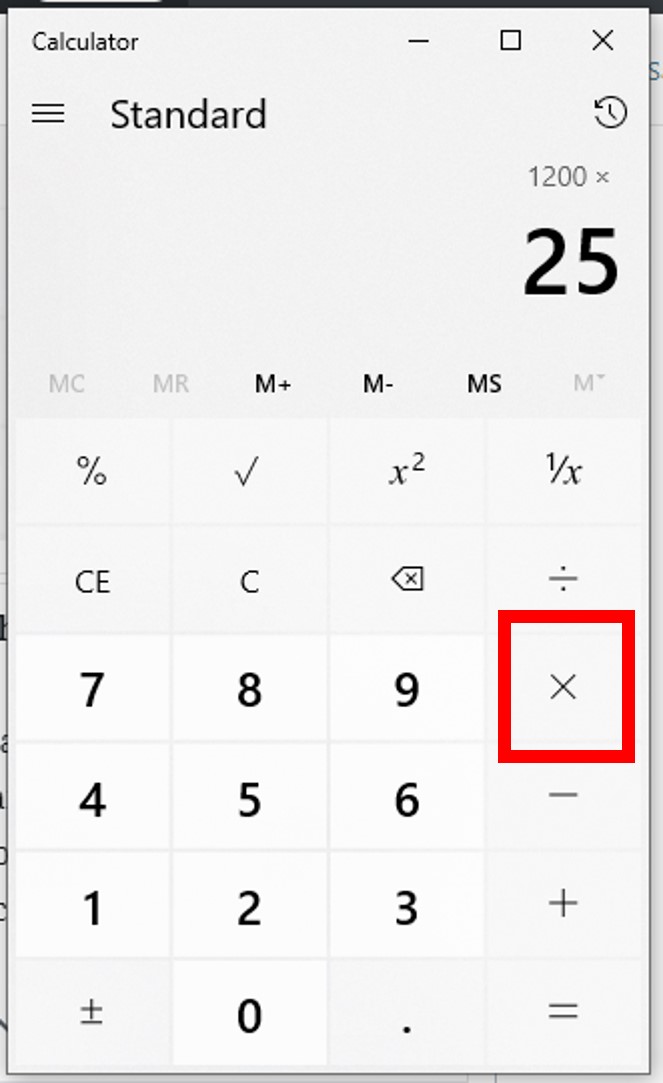
Moving beyond simple “percent of” calculations, let’s explore more complex scenarios that often arise in data analysis, financial planning, and project management.
Calculating Percentage Increase or Decrease
This is essential for tracking growth, decline, or relative change over time. For example, comparing sales figures from one quarter to the next, or monitoring changes in website traffic.
Formula: ((New Value - Old Value) / Old Value) x 100
Example: A product price increased from $80 to $100.
- Find the difference:
100 - 80 = 20 - Divide the difference by the original (old) value:
20 / 80 = 0.25 - Multiply by 100 to get the percentage:
0.25 x 100 = 25%
- Steps on a calculator:
(100 - 80) / 80 x 100 =(ensure to use parentheses or calculate100 - 80first, then divide, then multiply).100 - 80 =(20)/ 80 =(0.25)x 100 =(25)
If the new value is smaller than the old value, the result will be negative, indicating a percentage decrease.
Reversing the Calculation: Finding the Original Value
Sometimes you know the final value after a percentage change and need to find the starting value. This is common when sales tax has been added or a discount applied, and you want to know the pre-tax or pre-discount price.
Formula for Increase: Original Value = Final Value / (1 + Percentage Increase as Decimal)
Formula for Decrease: Original Value = Final Value / (1 - Percentage Decrease as Decimal)
Example 1: An item costs $120 after a 20% markup. What was the original price?
- Convert the percentage increase to a decimal:
20% = 0.20 - Add 1 to it:
1 + 0.20 = 1.20 - Divide the final value by this result:
120 / 1.20 = 100- Steps on a calculator:
120 / 1.20 =(100)
- Steps on a calculator:
Example 2: An item costs $120 after a 20% discount. What was the original price?
- Convert the percentage decrease to a decimal:
20% = 0.20 - Subtract from 1:
1 - 0.20 = 0.80 - Divide the final value by this result:
120 / 0.80 = 150- Steps on a calculator:
120 / 0.80 =(150)
- Steps on a calculator:
This “reverse percentage” calculation is a powerful technique for forensic analysis of pricing, taxes, and performance metrics.
Navigating Percentages on Scientific and Smartphone Calculators
While the fundamental principles remain, scientific calculators and smartphone apps offer additional functionalities or user interfaces.
- Scientific Calculators: Often prioritize order of operations, meaning you can type in complex expressions like
120 / (1 + 0.20)directly. They might have specific function keys for percentage operations, but these usually act as a simple “divide by 100” or a specialized memory function, rather than performing the full calculation automatically like some basic calculators. - Smartphone Calculator Apps:
- iOS Calculator (Apple): Generally acts like a basic calculator for percentage operations (
100 + 10% = 110). For finding a percentage of a number,100 x 10% = 10. This can be intuitive but also misleading if you expect scientific calculator behavior. - Android Calculator (Google): Often behaves more like a scientific calculator. The
%button, when used in conjunction withx, usually converts the number to a decimal. For instance,100 x 10 %might display10or require=for the final answer. - Dedicated Percentage Apps: Many app stores offer specialized percentage calculators that streamline specific tasks like tips, discounts, or tax calculations. These can be very convenient for frequent, specific uses.
- iOS Calculator (Apple): Generally acts like a basic calculator for percentage operations (
The key is to spend a few minutes understanding your specific device’s logic, especially concerning the percent button. A quick test with a known calculation (e.g., 100 + 10%) will reveal its behavior.
Common Pitfalls and Best Practices for Percent Calculations
Even with a clear understanding of the mechanics, mistakes can happen. Awareness of common pitfalls and adherence to best practices can significantly enhance accuracy and efficiency.
Understanding Calculator Logic Variations
As discussed, the primary pitfall is the inconsistent behavior of the % button. Always remember:
- Test Your Calculator: Before tackling an important calculation, perform a simple one with a known answer (e.g., what is 10% of 100?). This helps you understand how your specific device interprets inputs.
- Prefer Decimal Conversion: The most robust method for any percentage calculation is to convert the percentage to its decimal equivalent (e.g., 25% becomes 0.25) and then perform multiplication or division. This eliminates ambiguity.
- Parentheses are Your Friend: For complex expressions, especially on scientific calculators, use parentheses to enforce the correct order of operations. This prevents errors when combining multiple percentage changes or other arithmetic.
Double-Checking Your Work: The Human Element
Even the most advanced calculators are only as good as the input they receive.
- Estimate: Before hitting “equals,” quickly estimate the answer. If you’re taking 10% off $100, you know the answer should be around $90. If your calculator shows $99.90 or $10, you know something went wrong.
- Reverse the Calculation: If you’ve added a percentage, try subtracting it to see if you get back to the original number. This is especially useful for checking the “find the original value” type problems.
- Use a Second Method: If time permits, calculate the same problem using a slightly different method or a different calculator (e.g., your phone app vs. a physical calculator) to cross-verify the result.
Leveraging Online and App-Based Calculators
For specific or recurring percentage calculations, dedicated online tools and mobile apps can offer enhanced functionality and user-friendliness.
- Online Calculators: Websites like Google’s built-in calculator (just type “percentage calculator” into the search bar) or specialized finance sites provide interfaces specifically designed for common percentage problems (e.g., calculating tips, sales tax, loan interest).
- Specialized Apps: Many apps focus on a niche, such as “Tip Calculator,” “Discount Calculator,” or “Mortgage Calculator,” which often incorporate percentage calculations seamlessly. These can be particularly helpful for rapid, context-specific computations.
- Spreadsheets: For extensive lists of data requiring percentage calculations, spreadsheet software (like Excel or Google Sheets) offers unparalleled power and flexibility, allowing you to apply formulas across entire datasets efficiently.
Beyond the Basics: Practical Applications and Future Trends
Mastering percentage calculations on your calculator isn’t just about passing a math test; it’s about empowering yourself to make informed decisions in a world saturated with numerical data.
Everyday Tech and Percentage Use Cases
Consider the myriad ways percentages manifest in our technological interactions:
- File Compression: How much smaller is a compressed file compared to its original?
- Network Performance: What percentage of network bandwidth is being utilized?
- Software Updates: What percentage of a software update has been downloaded or installed?
- Cloud Storage: How much of your allotted cloud storage have you used?
- Progress Tracking: From project management dashboards to personal fitness apps, percentages visually communicate progress towards a goal.
Understanding how to calculate and interpret these percentages directly impacts your efficiency and comprehension in using technology.

The Evolution of Computational Tools
The journey of the calculator, from mechanical marvels to sophisticated silicon chips and now ubiquitous software applications, mirrors our increasing reliance on precise numerical processing. Future trends in computational tools are likely to integrate more natural language processing, allowing users to simply “ask” their device for complex percentage calculations, rather than manually inputting numbers and operations. AI-powered assistants are already capable of this to some extent. However, even with these advancements, a fundamental understanding of how percentages work and the underlying calculator logic will remain invaluable for verifying results and developing critical thinking skills.
In conclusion, while the humble calculator button can be a source of bewilderment, equipping yourself with a clear understanding of percentage principles and consistent calculation methods will transform it into an indispensable tool. By prioritizing decimal conversion over the enigmatic ‘%’ button, practicing different scenarios, and double-checking your work, you can navigate the world of percentages with confidence and precision, making technology work smarter for you.
aViewFromTheCave is a participant in the Amazon Services LLC Associates Program, an affiliate advertising program designed to provide a means for sites to earn advertising fees by advertising and linking to Amazon.com. Amazon, the Amazon logo, AmazonSupply, and the AmazonSupply logo are trademarks of Amazon.com, Inc. or its affiliates. As an Amazon Associate we earn affiliate commissions from qualifying purchases.