
In the evolving landscape of digital personal finance, the tools we use to manage our capital must be under constant evaluation. For over two decades, PayPal has stood as the titan of online payment processing, bridging the gap between traditional banking and the digital marketplace. However, as financial technology matures, many individuals and small business owners find that their financial needs are shifting. Whether you are streamlining your digital footprint, migrating to platforms with lower transaction fees, or moving toward decentralized finance (DeFi) solutions, knowing how to properly offboard from a major financial service is a critical skill in modern money management.
Closing a PayPal account is not merely a matter of clicking a button; it is a strategic financial move that requires careful preparation to ensure no capital is lost and no recurring obligations are disrupted. This guide provides a professional roadmap for liquidating your presence on the platform while maintaining your financial integrity.
Preparing Your Finances for Account Closure
Before initiating the permanent deletion of your account, you must conduct a thorough audit of your current financial standing within the platform. PayPal functions as a secondary ledger for many users, and failing to clear this ledger properly can result in trapped funds or missed payment obligations.
Settling Outstanding Balances and Disputes
The most common hurdle in closing a financial account is an unresolved balance. PayPal will not allow an account to be closed if it has a negative balance or if there are pending disputes. From a personal finance perspective, a negative balance is essentially an unsecured debt. You must resolve any “item not received” or “significantly not as described” claims before proceeding. If your account is in the red, you must transfer funds from a linked bank account to bring the balance to zero. Conversely, if you have ongoing disputes where you are the claimant, closing the account will effectively forfeit your right to a refund, as the platform will no longer have a venue to credit your returned capital.
Transferring Remaining Funds to a Linked Bank Account
Liquidity is the cornerstone of effective money management. Any “fiat” currency sitting in your PayPal balance is capital that is not earning interest in a high-yield savings account or being utilized in your investment portfolio. To begin the closure process, you must initiate a “Withdraw” or “Transfer” command.
For optimal financial efficiency, choose the standard transfer to your linked bank account. While PayPal offers “Instant Transfers” for a fee (usually a percentage of the total), a professional approach to finance prioritizes the preservation of capital. Wait the 1–3 business days for the standard ACH transfer to clear. Ensure that your balance reflects exactly $0.00 before moving to the next step. Even a remaining balance of a few cents can trigger an error during the final closure phase.
Auditing Recurring Payments and Subscriptions
One of the most overlooked aspects of digital finance is the “set it and forget it” nature of subscriptions. PayPal often acts as a clearinghouse for monthly software-as-a-service (SaaS) fees, streaming services, and charitable donations.
Before canceling, go to your “Automatic Payments” dashboard. List every active subscription and migrate those payment methods to your new preferred financial tool—be it a credit card with better rewards or a dedicated business checking account. If you close your PayPal account without re-routing these payments, you risk service interruptions or “failed payment” penalties from your service providers, which can negatively impact your professional standing or even your credit score in extreme cases of missed contractual obligations.
The Step-by-Step Financial Exit Strategy
Once your balance is zeroed and your subscriptions are migrated, you can proceed with the technical termination of the account. It is important to note that from a financial security standpoint, you should perform these actions on a secure, private network to prevent any hijacking of your sensitive financial data during the exit process.
Navigating the Desktop Interface
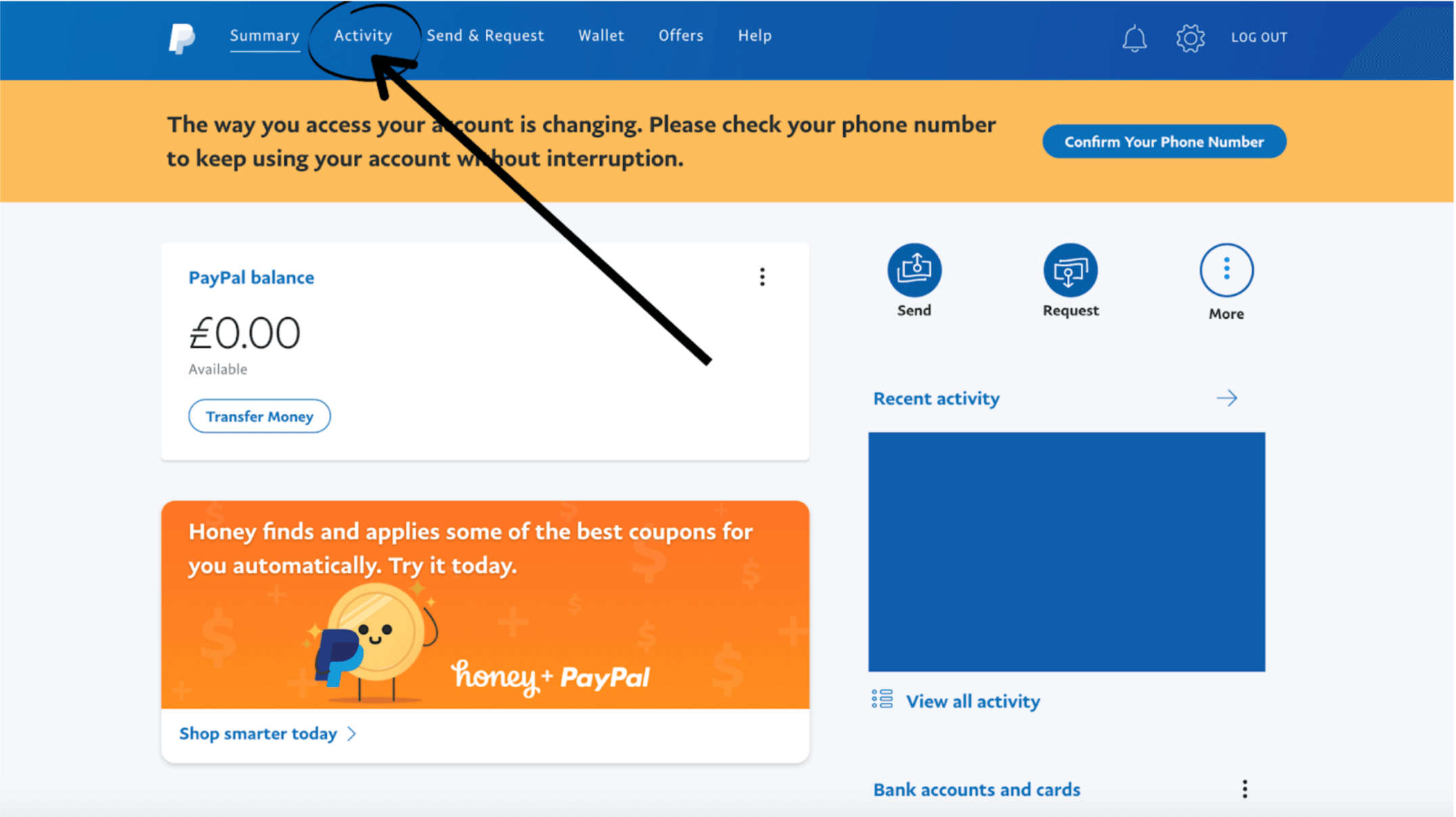
For a full permanent closure, using a desktop browser is the most reliable method. Log in to your account and navigate to the “Settings” icon (the gear symbol) near the logout button. Within the “Account” tab, scroll to the bottom of the page where you will find the “Close your account” option.
PayPal may ask for a reason for your departure. From a brand and market feedback perspective, being honest about high fees or better alternatives provides the company with the data it needs to improve, but for your purposes, this is a formality. The system will perform a final check for pending transactions or holds. If your financial house is in order, the system will finalize the request.
Limitations of the Mobile App Closure
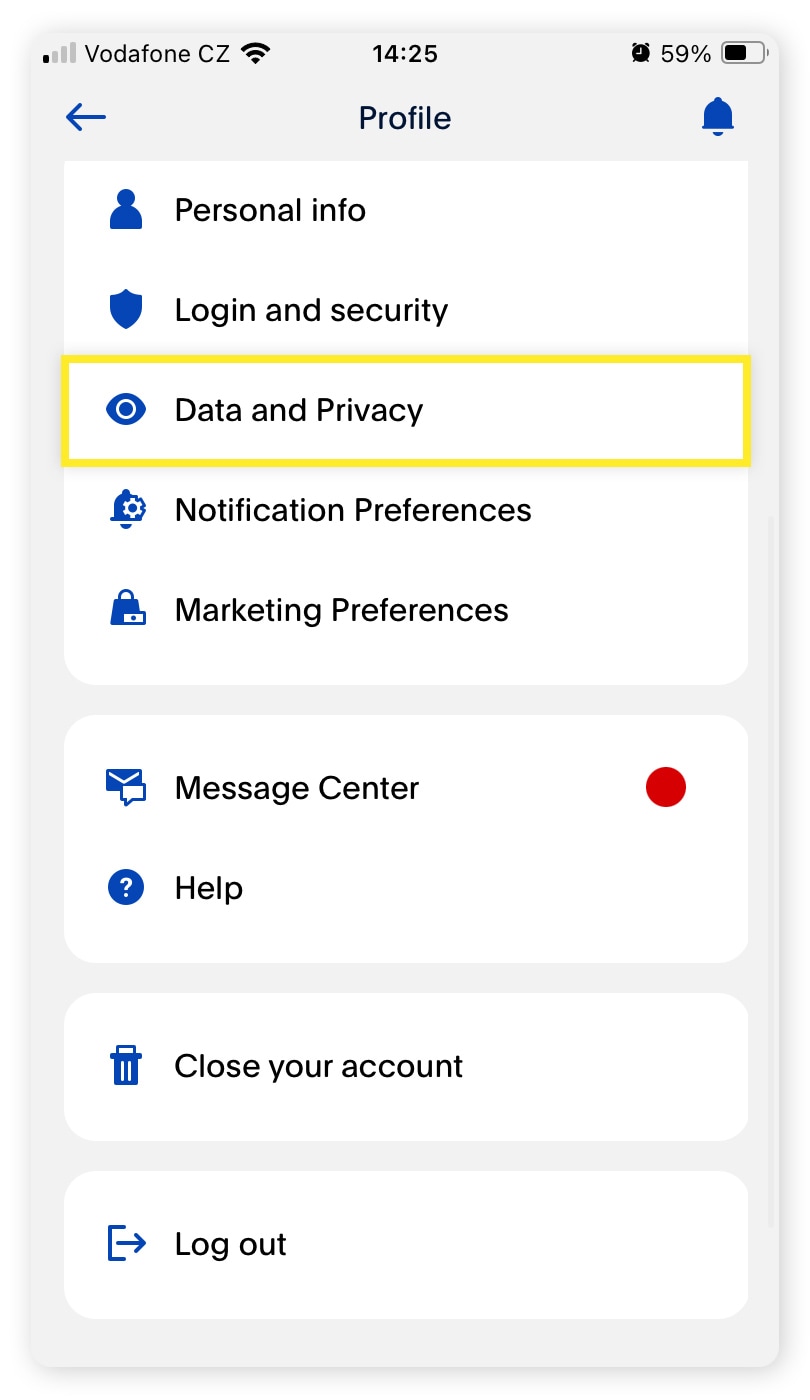
It is worth noting that the PayPal mobile application often lacks the deep administrative functionality required to fully decommission an account. While the app is excellent for transactional speed and mobile money management, it is not the ideal tool for permanent account closure. If you attempt to close your account via a smartphone and find the option missing or unresponsive, revert to a standard web browser. This ensures that the “Digital Handshake” between your request and the server is fully executed without the interference of app-specific cache issues.
Confirming the Final Account Termination
Upon successful closure, you should receive a confirmation email. This is a vital financial document. Save this email as a PDF or print a physical copy for your records. In the event of a future audit or a question regarding a past transaction, this document serves as proof that the account was closed in good standing. Once the account is closed, it cannot be reopened; any future need for the platform’s services will require the creation of an entirely new financial profile.
Protecting Your Financial Identity After PayPal
Closing an account is a significant step in “financial hygiene.” However, the end of the account does not mean the end of your relationship with the data generated by that account. Protecting your financial identity requires a post-closure strategy.
Managing Data Privacy and Financial History
PayPal, like all major financial institutions, is required by law to retain certain transactional records for a period of years to comply with Anti-Money Laundering (AML) and Know Your Customer (KYC) regulations. While you can no longer access the dashboard, your history exists in their archives.
Before you click “Close,” you must download your transaction history for the current and previous fiscal years. This is essential for tax preparation. If you are an independent contractor or a business owner, these records represent your deductible expenses and gross income. Once the account is closed, retrieving these documents becomes an arduous process involving customer support and manual verification.
Preventing Unintended Reactivations
In some instances, a lingering “Pre-approved Payment” or a late-arriving refund can complicate the closure. While a closed account generally stays closed, ensuring that your linked bank accounts and credit cards are also aware of the change can add a layer of security. If you are moving away from PayPal due to security concerns, it is a wise financial practice to request a new card number from your primary bank to ensure that the “tokenized” connection between your bank and the defunct PayPal account is completely severed.
Transitioning to Alternative Financial Tools
The decision to cancel PayPal often stems from a desire for a more specialized financial tool. For those focused on personal finance, moving toward a dedicated high-yield checking account or a “Neobank” might offer better interest rates. For business owners, platforms like Stripe offer more robust integration for e-commerce, while Wise (formerly TransferWise) provides significantly better exchange rates for international capital movement. Diversifying your financial tools prevents “platform dependency” and allows you to optimize for the lowest fees and highest security.
Evaluating the Cost-Benefit of Modern Payment Gateways
The final stage of canceling a service is the retrospective analysis of why the tool no longer served your financial goals. This is a core tenet of wealth management: constantly auditing your “overhead.”
Understanding Transaction Fee Structures
PayPal’s fee structure—often a combination of a percentage plus a fixed fee—can eat into the margins of a small business or the budget of a freelancer. By canceling and moving to a service that offers flat-rate pricing or tiered volume discounts, you are effectively increasing your net income. When you close an account, you should calculate your “saved overhead” to see how much more capital you will retain over the next fiscal year.

The Role of Digital Wallets in a Diversified Portfolio
While you may be canceling PayPal, the concept of the digital wallet remains a vital part of a modern financial portfolio. Digital wallets provide a layer of abstraction between your primary bank account and the internet, offering a degree of fraud protection. As you transition, consider where your “liquid digital cash” will live. Whether it is in a brokerage account’s money market fund or a highly secure digital banking app, the goal is to maintain the convenience of digital payments without the specific drawbacks that led you to cancel your previous provider.
In conclusion, canceling a PayPal account is a strategic move that reflects a proactive approach to personal and business finance. By settling balances, auditing subscriptions, and securing your data, you transition from one financial era to the next with your capital and your reputation intact. This process is not just about closing a door; it is about optimizing your financial hallway for future growth and greater fiscal control.
aViewFromTheCave is a participant in the Amazon Services LLC Associates Program, an affiliate advertising program designed to provide a means for sites to earn advertising fees by advertising and linking to Amazon.com. Amazon, the Amazon logo, AmazonSupply, and the AmazonSupply logo are trademarks of Amazon.com, Inc. or its affiliates. As an Amazon Associate we earn affiliate commissions from qualifying purchases.