
In an era defined by information and connectivity, Google has transcended its origins as a simple search engine to become an indispensable digital ecosystem. From the moment we wake to the information we seek throughout the day, Google’s myriad services subtly and profoundly shape our interactions with the world. For many, “Googling” has become synonymous with finding answers, yet this verb barely scratches the surface of the vast capabilities the company offers. Far from being a monolithic entity, Google is a dynamic collection of tools, platforms, and intelligent features designed to enhance productivity, facilitate communication, organize our lives, and connect us to a world of knowledge.

Understanding “how can I use Google” is no longer just about typing queries into a search bar; it’s about leveraging an integrated suite of technologies that can transform how we work, learn, travel, and even manage our personal well-being. This article delves into the diverse functionalities of Google, guiding users—from novices to power users—through its most impactful offerings. We will explore how to harness Google’s advanced search capabilities, maximize productivity with its Workspace suite, navigate the world with its location services, tap into its cutting-edge AI, and secure your digital footprint. By the end, you’ll gain an insightful perspective into optimizing your interaction with this pervasive digital giant, empowering you to unlock its full potential in every facet of your personal and professional life.
Mastering Information Retrieval: Beyond Basic Search
While Google’s search engine remains its most iconic contribution, the art of information retrieval has evolved far beyond simple keyword entry. To truly leverage Google’s unparalleled indexing capabilities, users must understand the nuances of its search algorithms and the specialized tools at their disposal.
Advanced Search Operators for Precision
For researchers, students, and professionals alike, mastering advanced search operators can dramatically refine search results, cutting through the noise to pinpoint exact information. Using quotation marks ("phrase") ensures an exact phrase match, while the minus sign (-keyword) excludes unwanted terms. The site:domain.com operator restricts searches to a specific website, invaluable for finding content within a particular source. The filetype:pdf operator filters results by file type, perfect for locating reports or academic papers. Other powerful operators include OR for broader results, intitle: or inurl: to search within page titles or URLs, and related: to find similar websites. These tools transform a broad query into a laser-focused investigation, saving invaluable time and yielding more relevant data.
Specialized Search Tools for Niche Information
Google’s ecosystem extends to specialized search engines designed for specific types of information. Google Scholar is an indispensable resource for academic research, indexing scholarly literature across disciplines, including peer-reviewed papers, theses, books, and abstracts. It allows users to cite sources, track citations, and discover related articles, making it a cornerstone for scientific and academic communities. For current events, Google News aggregates headlines from thousands of news sources worldwide, allowing users to customize their feeds, explore trending topics, and delve into comprehensive coverage of global events. Meanwhile, Google Images offers a powerful visual search engine, including a reverse image search feature that allows users to upload an image and find its source, similar images, or related content – a critical tool for verification and visual discovery.
Google Alerts: Staying Informed Proactively
In an age of constant information flow, staying proactively informed is paramount. Google Alerts enables users to monitor the web for new content related to specific keywords, phrases, or topics. Whether tracking brand mentions, competitor activities, industry news, or personal interests, Alerts delivers relevant updates directly to your inbox or RSS feed as soon as new content is published. This automated monitoring system acts as your personal research assistant, ensuring you never miss critical developments without constantly checking search results manually. It’s a powerful tool for reputation management, competitive intelligence, and keeping abreast of personal passions.
Elevating Productivity and Collaboration with Google Workspace
Google Workspace, formerly G Suite, is a comprehensive suite of cloud-based productivity and collaboration tools that have redefined how individuals and teams work. Seamlessly integrated and accessible from any device, Workspace eliminates the barriers of location and software compatibility, fostering real-time collaboration and streamlined workflows.
Gmail: The Intelligent Communication Hub
Gmail is far more than just an email service; it’s an intelligent communication hub. Its intuitive interface, robust spam filtering, and generous storage capacity are just the beginning. Advanced features like Smart Compose and Smart Reply leverage AI to help draft emails faster, while powerful search functions make finding old messages effortless. Organization tools such as labels, filters, and priority inbox enable users to manage their communication flow efficiently. Furthermore, Gmail integrates seamlessly with other Google services like Calendar and Drive, allowing users to schedule meetings or share files without leaving their inbox, transforming it into a central point for daily digital interactions.
Google Drive: Your Centralized Cloud Workspace
Google Drive serves as the central nervous system of Google Workspace, providing secure cloud storage for all your files. Beyond mere storage, Drive facilitates seamless sharing and collaborative access, making it the ideal platform for team projects. Users can store documents, spreadsheets, presentations, images, and videos, accessing them from any device with an internet connection. Key features include automatic syncing, version history (allowing rollback to previous edits), and granular sharing permissions. This eliminates the need for email attachments, reduces data loss risks, and ensures everyone is working on the most current version of a document, dramatically enhancing teamwork and data integrity.
Google Docs, Sheets, and Slides: Real-time Collaborative Content Creation
The core applications of Google Workspace — Docs, Sheets, and Slides — offer powerful, browser-based alternatives to traditional office software. Their standout feature is real-time collaboration: multiple users can simultaneously edit the same document, spreadsheet, or presentation, seeing each other’s changes as they happen. This functionality revolutionizes team projects, brainstorming sessions, and content creation workflows, allowing for immediate feedback and iterative development. Beyond collaboration, these tools offer a rich set of formatting options, templates, and integration capabilities, ensuring professional-quality output while maintaining accessibility and ease of use.
Google Calendar: Seamless Scheduling and Event Management
Google Calendar is an indispensable tool for personal and professional organization, simplifying scheduling and event management. Users can create multiple calendars for different aspects of their lives (work, personal, projects), share them with colleagues or family members, and easily manage invitations and RSVPs. Its intelligent features allow for quick event creation, setting reminders, and even finding optimal meeting times when scheduling with multiple attendees. Deep integration with Gmail and Google Meet means that meeting invites automatically populate calendars and provide direct links for video conferencing, making Google Calendar a central hub for planning and coordinating all your activities.
Navigating and Interacting with the World through Google Services
Google’s impact extends beyond information and productivity, playing a crucial role in how we navigate the physical world and interact with digital content. Its suite of services bridges the gap between our online activities and real-world experiences.
Google Maps: Your Essential Navigation and Exploration Tool
Google Maps has become the gold standard for navigation and local exploration. More than just a tool for directions, it offers real-time traffic updates, public transit information, and detailed street views. Users can discover local businesses, read reviews, explore points of interest, and even plan multi-stop journeys. Its extensive database covers millions of locations globally, providing everything from opening hours to accessibility information. Whether you’re commuting, planning a road trip, or seeking a new restaurant, Google Maps offers an unparalleled blend of utility and detail, making it an indispensable companion for modern travel and local discovery.
Google Translate: Bridging Language Barriers Instantly
In an increasingly globalized world, language barriers can be significant impediments. Google Translate offers a powerful solution, capable of translating text, voice, images, and even real-time conversations across dozens of languages. Its web interface and mobile app allow users to quickly translate phrases, documents, or entire web pages. The impressive “conversation mode” facilitates spoken dialogue between individuals speaking different languages, while the camera translation feature allows users to point their phone at signs or menus and see instant translations overlaid on the image. Google Translate democratizes communication, fostering cross-cultural understanding and enabling seamless interactions in diverse linguistic environments.
Google Photos: Smart Visual Organization and Storage
Google Photos provides a comprehensive solution for managing your digital image collection, combining unlimited high-quality cloud storage (though this has changed to a capped limit for new photos after June 2021, existing high-quality photos remain free) with intelligent organization features. Its AI-powered search allows users to find photos based on people, places, objects, or even emotions, without needing to tag them manually. Automatic backups ensure your memories are safe, while features like auto-generated albums, collages, and cinematic photos bring your pictures to life. Sharing options are robust, allowing for easy collaboration on albums with friends and family, making Google Photos an essential tool for preserving and sharing life’s visual moments.
Google Chrome: The Personalized Browser Experience
Google Chrome dominates the web browser market for good reason: it offers speed, security, and extensive customization options. Its intuitive interface, robust developer tools, and vast library of extensions (from productivity enhancers to ad blockers) allow users to tailor their browsing experience precisely to their needs. Synchronization across devices ensures that bookmarks, history, and passwords are accessible wherever you sign in. With features like tab grouping, reading list, and an integrated password manager, Chrome serves as the primary gateway to the internet for billions, continually evolving to meet the demands of modern web usage.
Harnessing Intelligence: Google’s AI and Smart Features
At the heart of many of Google’s innovations is its pioneering work in artificial intelligence and machine learning. These intelligent capabilities are woven throughout its ecosystem, making services more intuitive, personalized, and proactive.
Google Assistant: Your Voice-Activated Digital Companion
Google Assistant is Google’s voice-activated AI, designed to be your personal digital companion. Available on smartphones, smart speakers (like Google Nest), smart displays, and other devices, the Assistant can answer questions, set alarms, manage smart home devices, play music, send messages, and even tell jokes. Its ability to understand natural language and execute complex commands makes interactions feel fluid and intuitive. By integrating with countless third-party services and Google’s own applications, the Assistant streamlines daily tasks, offers hands-free convenience, and proactively provides relevant information tailored to your routines and preferences.
Google Lens: Visual Search and Contextual Understanding
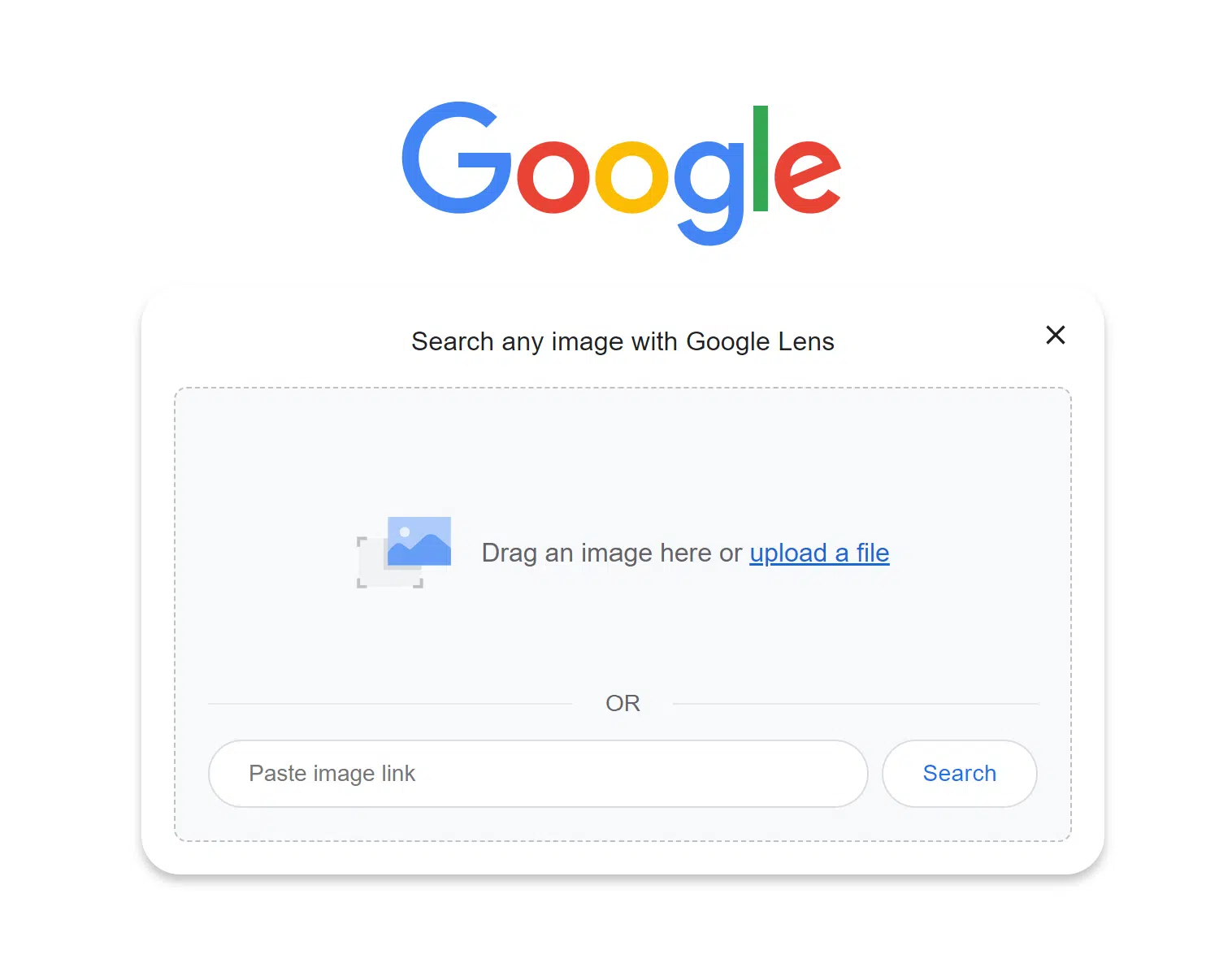
Google Lens represents a revolutionary approach to interacting with the world: visual search. Using your smartphone’s camera, Lens can identify objects, animals, plants, and landmarks. It can translate text in real-time, copy text from physical documents, solve math problems, or even help you shop by identifying products. By simply pointing your camera, Lens processes the visual information, offering contextual insights and actions. Whether you’re identifying a flower, translating a menu in a foreign country, or getting reviews for a restaurant by pointing at its sign, Google Lens transforms your camera into an intelligent tool for understanding and interacting with your surroundings.
Google Discover & Personalized Content Feeds
Google Discover is a personalized content feed integrated into the Google app and Chrome’s new tab page. Leveraging AI, Discover learns your interests, browsing habits, and search history to curate a stream of articles, videos, and news stories that are highly relevant to you. It’s designed to provide interesting content before you even search for it, acting as a proactive content recommendation engine. This personalized feed ensures that you stay updated on topics you care about, from sports scores and weather forecasts to deep dives into hobbies and breaking news, all tailored to your evolving digital persona.
Ensuring Digital Well-being and Security with Google
As Google becomes more integrated into our lives, managing our digital well-being and ensuring robust security practices are paramount. Google provides tools and settings to empower users with control over their data and online experience.
Privacy Controls and Data Management
Google offers extensive privacy controls that allow users to manage their data. Through the “My Activity” page, users can review and delete their search history, YouTube watch history, location history, and voice & audio activity. The “Privacy Checkup” guides users through critical privacy settings, making it easy to understand and adjust how their data is collected and used. Users can also control ad personalization, deciding what information Google uses to show them relevant ads. These tools provide transparency and empower individuals to make informed choices about their digital footprint within the Google ecosystem.
Robust Account Security Measures
Securing your Google account is crucial, and Google offers powerful account security measures. Two-Factor Authentication (2FA), also known as two-step verification, adds an essential layer of security by requiring a second form of verification (like a code from your phone) in addition to your password. The “Security Checkup” tool proactively guides users through improving their account security, recommending actions like reviewing third-party access, checking recent activity, and updating recovery options. Google also employs advanced machine learning to detect suspicious activity and alert users to potential compromises, safeguarding against unauthorized access and protecting sensitive information.
Digital Wellbeing Tools
Recognizing the importance of a healthy relationship with technology, Google has introduced Digital Wellbeing tools. These features, often found in Android devices and integrated into Chrome, help users monitor and manage their screen time. Dashboards provide insights into app usage, while features like “Focus Mode” allow users to pause distracting apps during critical tasks. “Wind Down” mode prepares users for sleep by fading the screen to grayscale and silencing notifications. These tools aim to help users cultivate healthier digital habits, reduce screen addiction, and maintain a balanced lifestyle in an increasingly connected world.

Conclusion
The question “how can I use Google?” quickly transforms into an exploration of virtually every aspect of modern digital life. From the fundamental act of seeking information to orchestrating complex projects, navigating unfamiliar cities, fostering seamless communication, and even nurturing our digital well-being, Google’s services are interwoven into the fabric of our daily existence. Its ongoing commitment to innovation, particularly in artificial intelligence, continues to expand its capabilities, making its tools not just more powerful, but also more intuitive and anticipatory.
By understanding and strategically leveraging the diverse functionalities discussed—from advanced search and the collaborative power of Google Workspace to the navigational prowess of Maps and the intelligent assistance of its AI—users can unlock unprecedented levels of efficiency, knowledge, and convenience. Google is not merely a collection of apps; it is an integrated ecosystem designed to empower individuals and organizations to achieve more. Embrace the full spectrum of its offerings, customize your experience, and harness the immense potential of the world’s foremost digital platform to enhance every dimension of your personal and professional journey.
aViewFromTheCave is a participant in the Amazon Services LLC Associates Program, an affiliate advertising program designed to provide a means for sites to earn advertising fees by advertising and linking to Amazon.com. Amazon, the Amazon logo, AmazonSupply, and the AmazonSupply logo are trademarks of Amazon.com, Inc. or its affiliates. As an Amazon Associate we earn affiliate commissions from qualifying purchases.