
In an increasingly digital financial landscape, the humble check might seem like a relic of the past. Yet, for many individuals and businesses, physical checks remain an essential tool for various transactions, from paying rent to gifting money or settling specific bills. Bank of America, one of the largest financial institutions in the United States, continues to provide multiple convenient avenues for its customers to obtain checks. Navigating these options ensures you always have the right payment method at hand when you need it.
This comprehensive guide will walk you through the process of acquiring checks from Bank of America, exploring each method in detail, discussing customization and security features, and offering insights into managing your checkbook effectively in today’s financial ecosystem. Whether you’re a new account holder, running low on your current supply, or simply prefer traditional payment methods, understanding your options is key to seamless financial management.
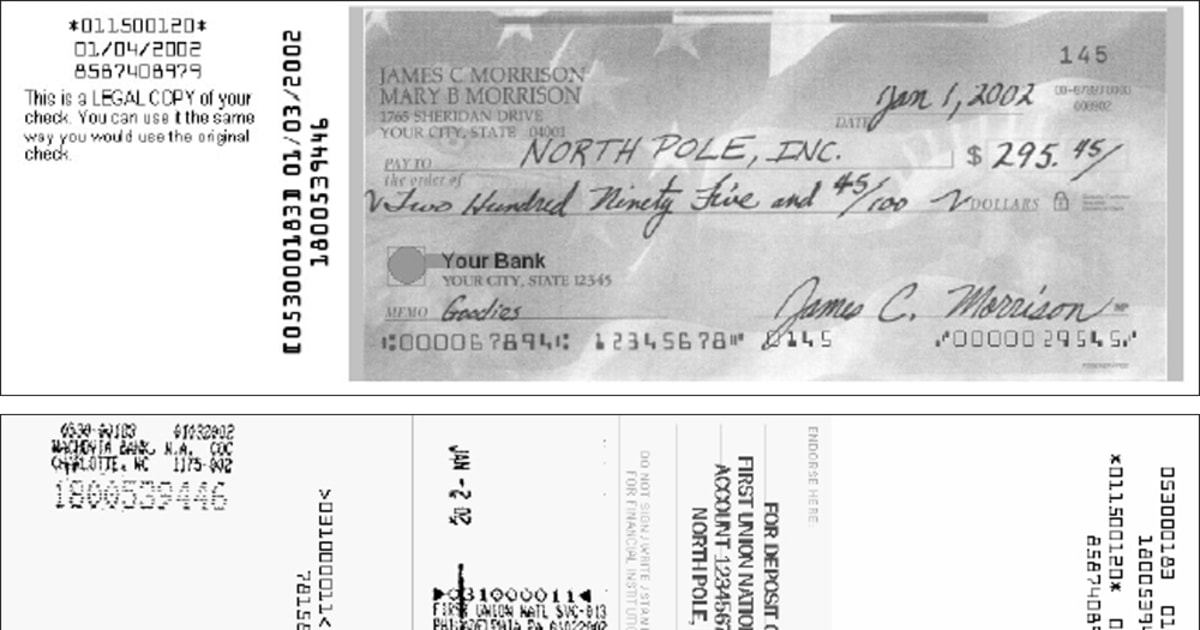
Understanding Your Checking Account and Check Needs
Before you embark on ordering checks, it’s beneficial to briefly consider why you need them and what type of checking account you hold with Bank of America. This foundational understanding will streamline the ordering process and ensure you select the best options for your specific requirements.
Why You Might Need Physical Checks
While digital payment solutions like Zelle, online bill pay, and debit/credit cards have gained immense popularity, physical checks still serve crucial functions:
-
Rent Payments: Many landlords, especially smaller property owners, still prefer or require checks for monthly rent payments.
-
Utility Bills: Some utility companies, particularly local ones, might offer discounts or only accept checks for certain payment plans.
-
Contractors and Services: Paying independent contractors, landscapers, or home repair services often involves checks, especially for larger sums.
-
Gifts and Donations: Personalized checks can be a thoughtful way to give monetary gifts or make donations to charities.
-
Proof of Payment: A cancelled check serves as verifiable proof of payment, which can be invaluable for record-keeping and dispute resolution.
-
Backup Method: In situations where digital systems are down or unavailable, having a checkbook provides a reliable backup payment method.
-
Specific Institutions: Certain government agencies, schools, or niche organizations may still primarily operate with check payments.
Types of Checking Accounts at Bank of America
Bank of America offers several types of checking accounts, such as Advantage SafeBalance, Advantage Plus, and Advantage Relationship Banking. While the specific features and benefits vary between these accounts, the process of ordering checks is generally consistent across all checking products. What might differ are the fees associated with checks, which can sometimes be waived or reduced for higher-tier accounts or preferred customers. Ensure you know your account type and associated benefits before placing an order.
Key Information Needed Before Ordering Checks
To ensure a smooth and accurate check order, have the following information readily available:
-
Bank of America Account Number: This is the primary identifier for your checking account.
-
Bank of America Routing Number: This nine-digit code identifies Bank of America as your financial institution. It’s typically found on the bottom left of your existing checks, on your bank statements, or within your online banking portal.
-
Your Name and Address: Ensure this matches the information Bank of America has on file for your account. This will be printed on your checks.
-
Phone Number (Optional but Recommended): For contact purposes if there are issues with your order.
-
Starting Check Number (Optional): If you want your new checks to pick up where your old ones left off, you’ll need the number of your last used check. Otherwise, the order will start with a default number (e.g., 001, 101).
Having this information at your fingertips will make any ordering method significantly faster and reduce the chance of errors.
Multiple Convenient Ways to Order Checks from Bank of America
Bank of America understands that customers have diverse preferences when it comes to managing their banking needs. As such, they offer several convenient channels to order new checks, catering to both digital natives and those who prefer traditional in-person or phone interactions.
Ordering Online Through Bank of America’s Website
For most customers, ordering checks online is the quickest and most straightforward method.
-
Log In to Online Banking: Visit Bank of America’s official website (bankofamerica.com) and log in to your online banking account using your User ID and Passcode.
-
Navigate to Your Checking Account: Once logged in, select the specific checking account for which you want to order checks.
-
Find the “Order Checks” Option: Look for a link or tab labeled “Order Checks,” “Order Supplies,” or similar. This is often found under “Account Services,” “Customer Service,” or directly within the details of your checking account summary.
-
Select Your Checks: You’ll typically be redirected to Bank of America’s preferred check printer, usually Deluxe. Here, you can choose from a variety of designs, from standard options to more elaborate themed checks. You can also select the number of checks per box and the quantity of boxes.
-
Customize and Verify Information: Confirm that your name, address, account number, and routing number are correct. This is also where you can add optional security features, choose unique fonts, or select a starting check number.
-
Review Your Order: Double-check all details, including the total cost, shipping address, and estimated delivery date.
-
Place Your Order: Confirm your selection and payment. The cost of the checks will typically be debited directly from your Bank of America checking account.
Ordering Via the Bank of America Mobile App
The Bank of America mobile app offers a streamlined experience for managing your accounts on the go, and ordering checks is no exception.
-
Open and Log In to the Mobile App: Launch the Bank of America app on your smartphone or tablet and log in using your credentials.
-
Select Your Checking Account: Tap on the checking account from which you wish to order checks.
-
Access Account Services: Look for an option like “Manage Account,” “Account Services,” or a menu icon (often three horizontal lines) that leads to more account options.
-
Find “Order Checks & Deposit Slips”: Within the services menu, you should find a clear link for ordering checks and deposit slips.
-
Follow On-Screen Prompts: The app will guide you through a similar process as the online banking portal, allowing you to select designs, customize details, and confirm your order through the integrated check printer interface.
-
Confirm and Submit: Review your order summary and finalize the purchase.
Ordering In-Person at a Bank of America Branch
For those who prefer face-to-face assistance or have specific questions, visiting a Bank of America branch is an excellent option.
-
Locate a Branch: Use the Bank of America website or mobile app to find the nearest branch location.
-
Visit During Business Hours: Ensure you visit during the branch’s operating hours.
-
Speak with a Teller or Customer Service Representative: Inform them that you wish to order checks for your account. They will typically ask for your account details and identification (such as a driver’s license or state ID) to verify your identity.
-
Review Options: The representative can guide you through the available check designs, customization options, and pricing. They can also assist with any address changes or other account updates that might impact your checks.
-
Place Order and Pay: The representative will help you place the order. The cost will be deducted from your account, or you can pay with an alternative method if available.
-
Temporary Checks (If Needed): If you need checks immediately, the branch may be able to print a small batch of temporary checks on the spot. These are usually generic, unpersonalized checks but can be invaluable for urgent payments until your permanent order arrives.
Ordering by Phone

If you prefer to speak directly with a representative from the comfort of your home, ordering by phone is another viable option.
-
Call Customer Service: Dial Bank of America’s customer service number, which can be found on their website, the back of your debit card, or your bank statement (e.g., 1-800-432-1000).
-
Navigate the Automated System: You may need to navigate through an automated menu. Select the option related to account services, checking accounts, or speaking with a representative.
-
Verify Your Identity: Once connected to a representative, you will need to verify your identity using personal information, account details, and possibly security questions.
-
Request to Order Checks: Clearly state that you wish to order checks for your checking account.
-
Provide Details and Select Options: The representative will guide you through the available options, confirm your details, and help you customize your order.
-
Confirm and Finalize: The representative will confirm the total cost and estimated delivery time. The payment will typically be processed from your Bank of America checking account.
Customization, Security, and Cost Considerations
When ordering checks, it’s not just about getting a new supply; it’s also about making informed choices regarding personalization, enhancing security, and understanding the associated costs. These factors play a crucial role in both the utility and safety of your checks.
Personalizing Your Checks
Bank of America, through its partnership with check printers like Deluxe, offers a wide range of customization options:
-
Design and Theme: From classic professional designs to scenic landscapes,卡通人物, or charitable themes, you can choose a design that reflects your personality or interests.
-
Font Style: Select a font for your name and address that you find appealing and legible.
-
Optional Information: You can often choose to include additional contact information (like an email address) or specific titles on your checks, though generally, less information is better for security.
-
Monograms or Logos: For business accounts, there’s often an option to include your company logo.
Enhancing Security Features
Checks, by nature, carry sensitive financial information. Modern checks come with various security features to deter fraud:
-
Security Features Printed on Checks: Look for features like microprinting, heat-sensitive ink, chemical-wash detection, and security warning boxes that indicate the check includes these protective elements.
-
Fraud Protection Services: Bank of America may offer additional fraud protection services or tips for managing your checks securely.
-
Sequential Check Numbers: Ensuring your checks are sequentially numbered helps you keep track of payments and identify missing or fraudulent checks more easily. Always start with a new sequence if your old checks ran out.
-
Safeguard Your Checks: Always store unused checks in a secure location, never leave them unattended, and reconcile your bank statements regularly to spot any unauthorized transactions promptly.
Understanding the Costs Involved
The cost of ordering checks can vary significantly based on several factors:
-
Standard vs. Premium Designs: Basic, no-frills checks are typically the least expensive, while specialized designs, themed checks, or those with unique graphics will cost more.
-
Quantity: Checks are usually sold in boxes of 100, 150, or more. Buying in larger quantities often reduces the per-check cost but requires a larger upfront investment.
-
Security Features: Opting for enhanced security features may add to the overall cost.
-
Shipping Fees: Standard shipping is often free, but expedited shipping options will incur additional charges.
-
Account Type Benefits: As mentioned, some Bank of America checking accounts (e.g., higher-tier Advantage Relationship Banking) may offer free standard checks or discounts on premium options as part of their benefits package. Always check your account’s specific terms and conditions.
Receiving Your Checks
Once ordered, checks are typically printed and mailed to the address on file for your account.
-
Delivery Times: Standard delivery usually takes 7-10 business days. Expedited shipping options can deliver checks within 2-3 business days, often for an extra fee.
-
Tracking: Some check orders may come with a tracking number, which you can use on the check printer’s website to monitor the delivery status.
-
Verify Upon Arrival: Once your checks arrive, quickly verify that all information (name, address, account number, routing number) is correct and that the check numbers are in the expected sequence.
Alternative Payment Methods and Managing Your Finances Effectively
While checks remain relevant, a modern financial strategy also incorporates a variety of other payment methods. Understanding when to use a check versus a digital alternative is crucial for efficient money management.
When Digital Payments Can Replace Checks
Bank of America offers robust digital tools that can often eliminate the need for a physical check:
-
Online Bill Pay: Set up recurring or one-time payments directly from your checking account to pay utilities, credit cards, loans, and more. Bank of America sends the payment electronically or, if the payee isn’t electronic, will even mail a physical check on your behalf without you needing a checkbook.
-
Zelle: For person-to-person payments, Zelle allows you to send money directly from your Bank of America app to friends, family, or even small businesses who also use Zelle, typically within minutes.
-
Debit Card: For everyday purchases and withdrawals, your Bank of America debit card offers instant transactions and direct access to funds in your checking account.
-
ACH Transfers: For larger, recurring transfers between bank accounts (e.g., direct deposit, paying rent to a property management company), Automated Clearing House (ACH) transfers are a secure and common electronic method.
Reordering Checks: A Seamless Process
Once you’ve placed your initial order, reordering checks is usually even simpler. Most online banking and mobile app interfaces will offer a “reorder checks” option that pre-fills your previous choices, requiring just a quick review and confirmation. Some check printers even send reminders when your supply is running low. It’s a good practice to reorder when you’re down to about 25-50 checks to avoid running out unexpectedly.
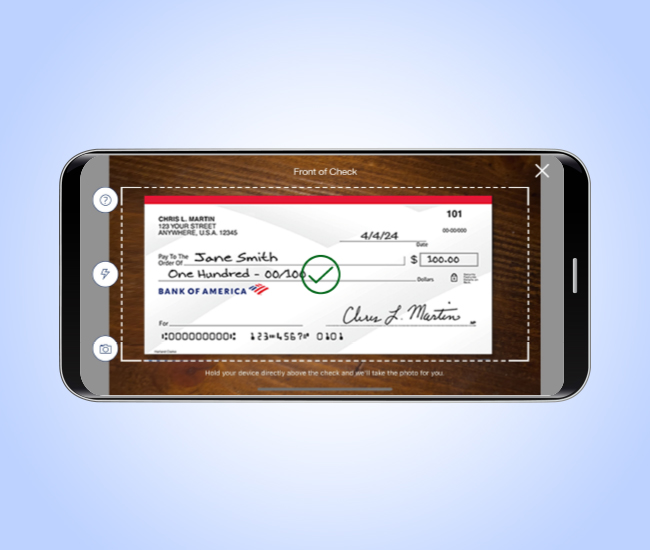
Best Practices for Managing Your Checkbook
Even in the digital age, good checkbook management habits are beneficial:
-
Record All Transactions: Keep a meticulous record of every check you write, including the check number, date, payee, and amount. This helps prevent overdrafts and makes reconciliation easier.
-
Reconcile Regularly: Compare your check register with your Bank of America bank statements (or online transaction history) at least monthly to identify any discrepancies, errors, or unauthorized transactions.
-
Shred Old Checks: When closing an account or disposing of old, unused checks, shred them thoroughly to prevent sensitive information from falling into the wrong hands.
-
Be Mindful of Security: Never pre-sign checks, and always fill out all necessary fields completely to prevent alteration. Avoid giving out blank checks.
Obtaining checks from Bank of America is a straightforward process, whether you opt for the convenience of online ordering, the personal touch of an in-branch visit, or the simplicity of a phone call. By understanding the available options, considering customization and security features, and integrating checks into a broader financial management strategy, you can ensure you’re always equipped to handle your payment needs efficiently and securely.
aViewFromTheCave is a participant in the Amazon Services LLC Associates Program, an affiliate advertising program designed to provide a means for sites to earn advertising fees by advertising and linking to Amazon.com. Amazon, the Amazon logo, AmazonSupply, and the AmazonSupply logo are trademarks of Amazon.com, Inc. or its affiliates. As an Amazon Associate we earn affiliate commissions from qualifying purchases.