
In the rapidly evolving landscape of cloud-native development, the Serverless Framework (SLS) has emerged as the industry standard for deploying functions-as-a-service (FaaS). Whether you are building a small API or a complex microservices architecture, understanding the nuances of the deployment lifecycle is critical. One of the most frequent questions encountered by developers—especially those transitioning from traditional server environments—is: “Do I need to install dependencies before running the sls package command?”
The short answer is a definitive yes, but the technical “why” and “how” involve a deep dive into how modern software packaging works, the architecture of AWS Lambda, and the best practices for maintaining lean, performant cloud infrastructure.
Understanding the Serverless Packaging Mechanism
To understand why dependencies are vital during the packaging phase, we must first look at what happens under the hood when you execute serverless package (or its shorthand, sls package).
How sls package Functions
The sls package command is designed to prepare your service for deployment without actually pushing it to the cloud provider. It creates a .serverless directory containing CloudFormation templates and, most importantly, a ZIP file of your code. This ZIP file is the “artifact” that will eventually be uploaded to an S3 bucket and mapped to your Lambda function.
Unlike some compiled languages where a build step might embed libraries into a binary, interpreted languages like Node.js or Python rely on the file system. When the Serverless Framework creates that ZIP file, it looks at your project directory and bundles the files it finds. If your node_modules folder is empty or missing, the resulting artifact will only contain your source code. Consequently, when the Lambda function triggers in the cloud, it will immediately crash with a “Module Not Found” error.
The Role of the Deployment Artifact
In the realm of serverless computing, the deployment artifact is the single source of truth. AWS Lambda, Google Cloud Functions, and Azure Functions provide the runtime environment (e.g., Node.js 18.x), but they do not provide your third-party libraries. If your code requires axios for HTTP requests or lodash for data manipulation, those libraries must exist physically within the ZIP file.
The sls package command essentially takes a snapshot of your local environment. Therefore, the state of your project folder at the moment of packaging determines the viability of your deployment.
Why Dependencies Must Be Pre-Installed
The necessity of installing dependencies before packaging is rooted in the architecture of cloud runtimes and the separation of concerns between development and production environments.
The node_modules Hierarchy
In a typical Node.js project, the node_modules folder can become quite large, often containing thousands of files. While this is often joked about in the developer community, these files are the lifeblood of your application. When you run npm install or yarn install, you are populating this directory based on your package.json and package-lock.json files.
Because the Serverless Framework does not automatically run an installation script during the package command (unless specifically configured via certain plugins), it assumes that you, the developer, have already prepared the environment. Packaging without a prior install results in a “skeleton” artifact that lacks the muscle required to perform tasks.
Development vs. Production Dependencies
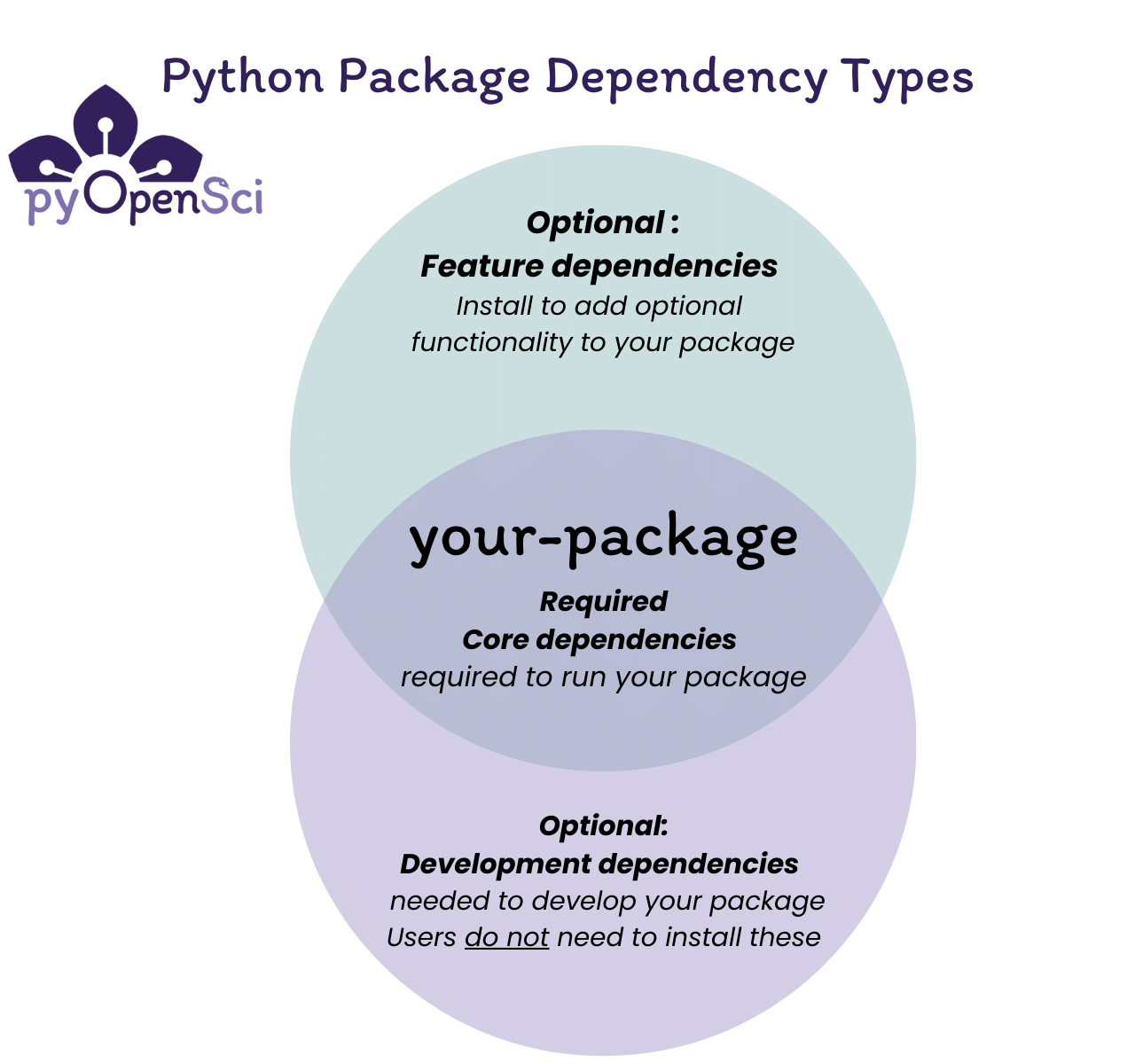
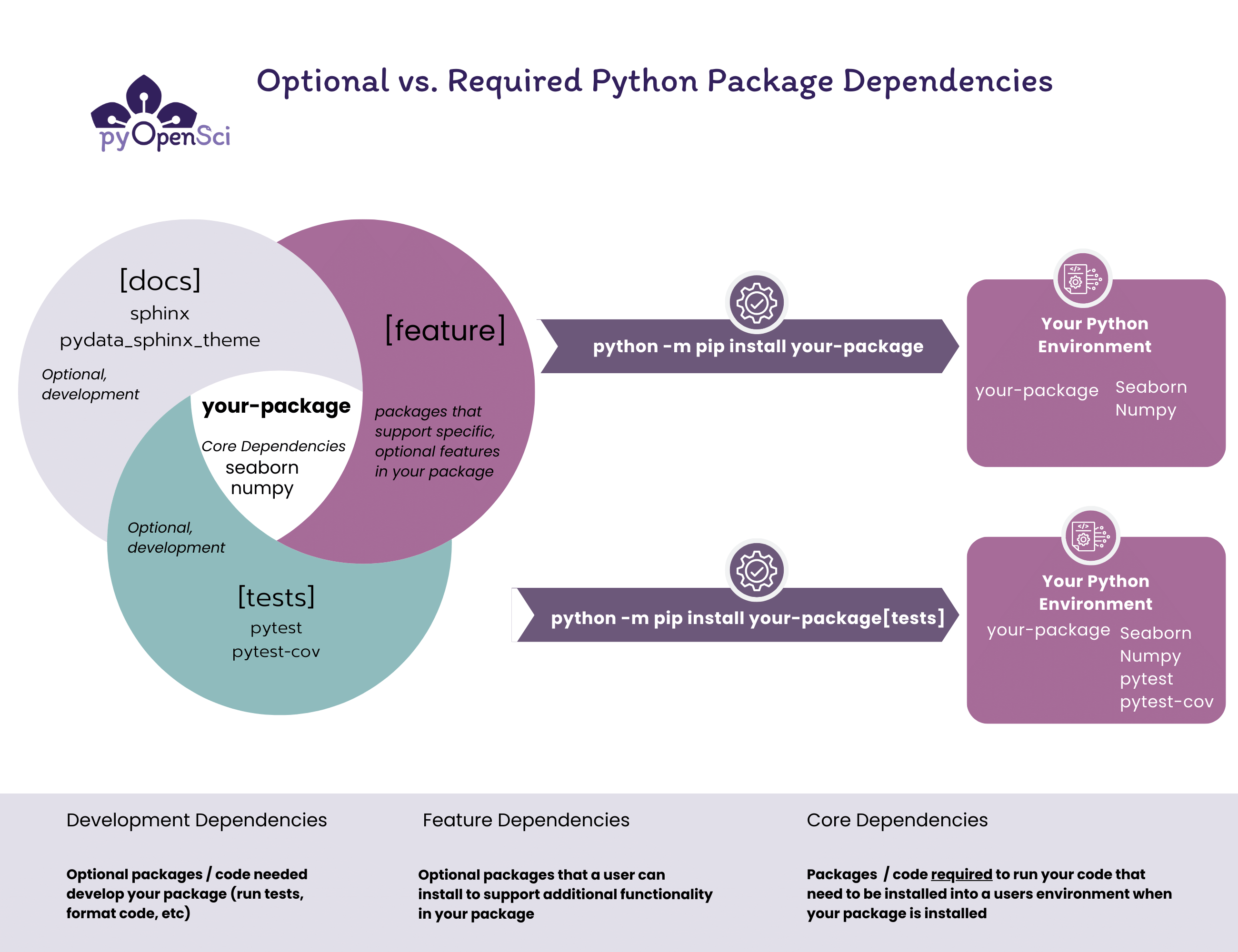
A crucial distinction every tech professional must make is between dependencies and devDependencies.
- Dependencies: Required for the application to run (e.g., Express, AWS SDK, database drivers).
- DevDependencies: Required for the development process (e.g., Test runners like Jest, linters like ESLint, or the Serverless Framework itself).
When preparing for sls package, you technically only need the production dependencies. However, the standard npm install command installs both. Advanced developers often optimize their workflow by running npm install --production right before packaging to ensure that the final artifact is as small as possible, excluding heavy testing frameworks that are unnecessary in the cloud runtime.
Optimization Strategies for Lean Packages
In the world of serverless, size matters. AWS Lambda has a deployment package size limit (usually 50MB for direct uploads and 250MB unzipped). Large packages also lead to “Cold Starts,” where the cloud provider takes longer to initialize your function because it has to pull and unzip a massive artifact.
Using Exclude and Include Patterns
The Serverless Framework provides a powerful configuration block in the serverless.yml file under the package key. You can use individually: true to package functions separately, and use patterns to whitelist or blacklist specific files.
For example, you should always exclude files like .gitignore, README.md, and especially your test folders. By refining what goes into the ZIP, you ensure that even though you “installed” everything, only the essential components are “packaged.”
The Strategic Use of Layers
If you find that your dependencies are consistently large (for example, when using heavy libraries like Pandas in Python or Canvas in Node.js), you should consider AWS Lambda Layers. Layers allow you to pull your dependencies out of the main deployment artifact and host them separately.
When using Layers, you still need to install your dependencies locally to test them, but the sls package command can be configured to ignore the local node_modules and instead link the function to the Layer. This keeps your main deployment artifact incredibly small and speeds up the deployment cycle significantly.
Advanced Tools and Automation in the CI/CD Pipeline
In a professional DevOps environment, manually running npm install and sls package on a local machine is discouraged. Instead, these steps are automated through CI/CD pipelines using tools like GitHub Actions, GitLab CI, or Jenkins.
Serverless Plugins: Webpack and Esbuild
To further complicate (and improve) the answer to our original question, many modern serverless projects use transpilers or bundlers. Plugins like serverless-webpack or serverless-esbuild change the packaging workflow.
When you use serverless-esbuild, for example, the plugin actually intercepts the sls package command. It looks at your code, determines exactly which dependencies are actually used (a process called tree-shaking), and bundles only those specific bits of code into the artifact. In this scenario, you still need the dependencies installed on the machine performing the build so the bundler can find them, but the final node_modules folder isn’t just zipped up raw. This results in the most efficient packages possible.
Best Practices for CI/CD
In a pipeline, the workflow should strictly follow these steps:
- Checkout Code: Pull the latest version from the repository.
- Install Dependencies: Run
npm ci(Clean Install). This is preferred overnpm installin automated environments because it strictly adheres to thepackage-lock.jsonand ensures a reproducible build. - Run Tests: Ensure the code is functional.
- Prune Dependencies: If not using a bundler, run
npm prune --productionto remove development tools. - Run Package/Deploy: Execute
sls packageorsls deploy.
By following this sequence, you guarantee that the “Tech” side of your operation—the software itself—is robust, secure, and optimized for the cloud environment.

Conclusion: The Verdict on Dependency Installation
To conclude, installing dependencies before running sls package is not just a recommendation; it is a functional requirement for any standard Serverless Framework project. The package command is a mirroring tool—it takes what you have and prepares it for the cloud. If your local environment is incomplete, your cloud environment will be broken.
However, as we have explored, the modern tech professional does not stop at a simple npm install. By leveraging production-only installs, utilizing excludes/includes, exploring Lambda Layers, and implementing high-performance bundlers like Esbuild, you can transform a standard deployment into a high-performance, cost-effective serverless machine.
Understanding this workflow is the difference between a developer who simply “writes code” and a software engineer who builds scalable, efficient cloud systems. Ensure your node_modules are ready, your serverless.yml is optimized, and your packaging process will be seamless every time.