
In an increasingly digital world, the quest for online privacy has become a paramount concern for individuals and businesses alike. We all want to believe that when we engage with a tool designed for privacy, like “Incognito Mode” or “Private Browsing,” our digital footsteps vanish without a trace. The question, “Can Wi-Fi see what you search on Incognito?” often surfaces from this very hope, encapsulating a widespread misunderstanding about how internet privacy, network infrastructure, and browser functionalities truly intersect. The simple answer is both yes and no, but primarily, the underlying Wi-Fi network and those who control it can indeed see significant aspects of your online activity, even when using Incognito mode. Understanding why requires a deeper dive into technology, the economics of data, and the evolving landscape of digital security and brand trust.
Understanding Incognito Mode: More Myth Than Magic
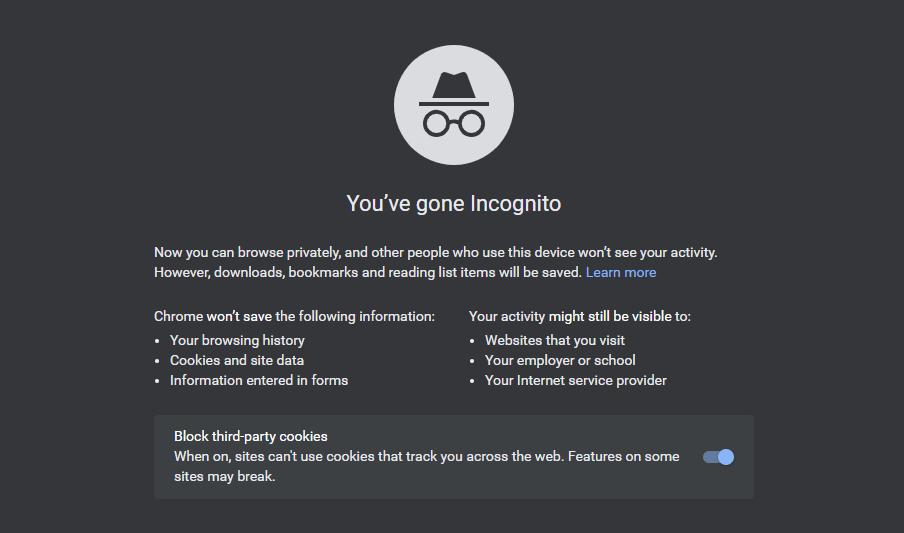
Incognito mode, private browsing, or whatever a specific browser chooses to call it, is arguably one of the most misunderstood features in modern web browsers. Many users activate it with the belief that it grants them invisibility on the internet, shielding their activities from all prying eyes. This perception, while comforting, is a significant departure from its actual technical purpose.
What Incognito Really Does (and Doesn’t Do)
At its core, Incognito mode is a local privacy feature designed to manage data on your device. When you open an Incognito window, your browser essentially creates a temporary, isolated session. During this session:
- It doesn’t save your browsing history: Once you close all Incognito windows, the URLs you visited are wiped from your device’s history log.
- It doesn’t save cookies or site data: Websites you visit won’t leave persistent cookies on your device, meaning you’ll appear as a new visitor each time you access them in Incognito. This also means you’re automatically logged out of any accounts when the session ends.
- It doesn’t save information entered in forms: Auto-fill data isn’t recorded.
- It doesn’t retain temporary files: Downloaded files are typically kept, but temporary files associated with browsing are discarded.
This functionality is incredibly useful for several scenarios: checking email on a friend’s computer, briefly signing into a different account on a shared device, or simply preventing targeted ads from immediately appearing after a one-off search for a gift. It’s about maintaining a clean slate on your browser and preventing other local users of the same device from seeing your activity.
However, the critical caveat, often overlooked, is what Incognito mode doesn’t do:
- It does NOT hide your IP address: Your device’s unique identifier on the internet remains visible.
- It does NOT encrypt your internet traffic: The data packets flowing between your device and the websites you visit are not automatically encrypted by Incognito mode itself.
- It does NOT stop your Internet Service Provider (ISP) from seeing your activity: Your ISP still routes all your traffic.
- It does NOT prevent websites from tracking you: Sites can still use your IP address, browser fingerprinting, or other methods to identify and track your activity during that session, even if they don’t leave permanent cookies.
- It does NOT make you anonymous to network administrators: If you’re on a work, school, or public Wi-Fi network, the network owner can still monitor your traffic.
Think of Incognito mode like a secret agent who cleans up their tracks after leaving a room, but the security cameras (Wi-Fi network, ISP) still recorded them entering and exiting.
The Wi-Fi Watcher: Who’s Behind the Router?
The Wi-Fi network itself is the conduit through which all your online data flows. It’s the highway, and your Incognito browser is merely a specific type of vehicle. Regardless of what happens inside your car, the highway patrol (the Wi-Fi network’s owner/administrator) can see which exit you take and often, where you’re headed.
Your ISP: The Unseen Gatekeeper
Your Internet Service Provider (ISP) is perhaps the most significant entity that can see what you search, regardless of Incognito mode. Every piece of data you send or receive passes through your ISP’s servers. They assign your IP address, route your traffic, and effectively act as the gatekeeper to the internet.
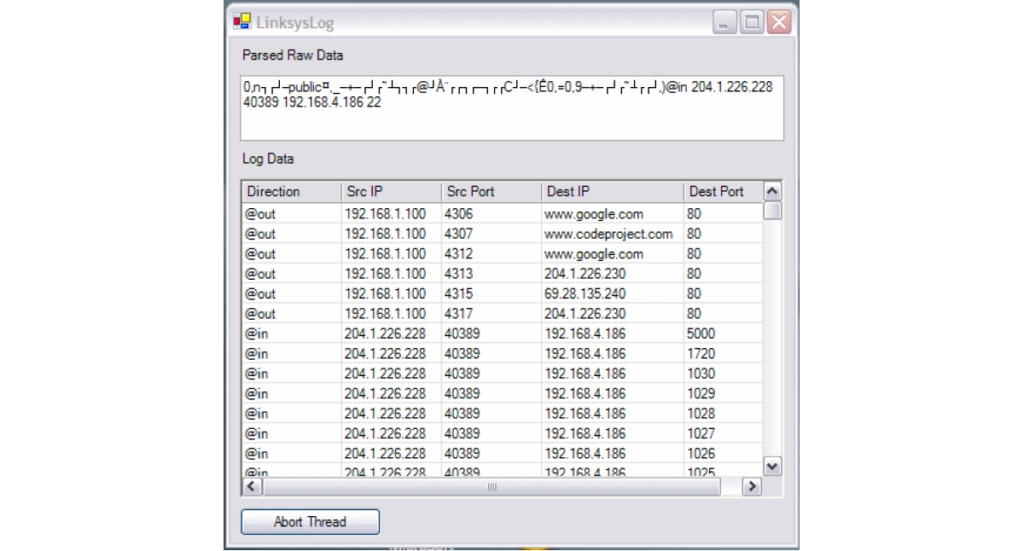
- Data Logs: ISPs routinely log metadata about your internet usage, including the websites you visit (via DNS requests), the amount of data transferred, and your IP address. While they might not be able to see the specific content of an encrypted page (like an HTTPS-secured banking site), they can certainly see that you connected to “bankofamerica.com” at a specific time.
- Legal Obligations: ISPs are often legally obligated to retain certain data for a specific period, making it accessible to law enforcement or government agencies with appropriate warrants.
- Data Monetization: In some regions, ISPs have, or seek to have, the right to collect and even sell anonymized or aggregated browsing data to third parties for advertising or market research purposes. This aligns with the “Money” aspect of our discussion – your browsing habits, even if not tied directly to your name, hold significant monetary value for data brokers and advertisers.
Network Administrators: Corporate and Educational Eyes
If you’re using a Wi-Fi network provided by your employer, school, or any other organization, a network administrator is typically in control. These administrators have much more granular control over the network traffic than a typical home user.
- Monitoring Tools: Organizations often deploy sophisticated network monitoring tools, firewalls, and content filters. These tools can perform Deep Packet Inspection (DPI) to analyze the contents of data packets, block access to certain websites, and log user activity.
- Policy Enforcement: Companies and schools have legitimate reasons to monitor network usage, such as ensuring productivity, preventing access to inappropriate content, or protecting against cybersecurity threats. Their “Brand” reputation can be at stake if their network is used for illicit activities.
- Identifiable Activity: Even if your browser doesn’t save your history, the network logs will show your device’s IP address and MAC address connecting to specific external IP addresses and domain names. They can often link these back to your user account within the organization.
Public Wi-Fi: The Wild West of Data
Public Wi-Fi networks (at coffee shops, airports, libraries, etc.) are generally the least secure and pose the highest risk to privacy.
- Unknown Control: You often don’t know who owns or administers the network. It could be a legitimate business, or it could be a malicious actor setting up a “rogue” hotspot to intercept data.
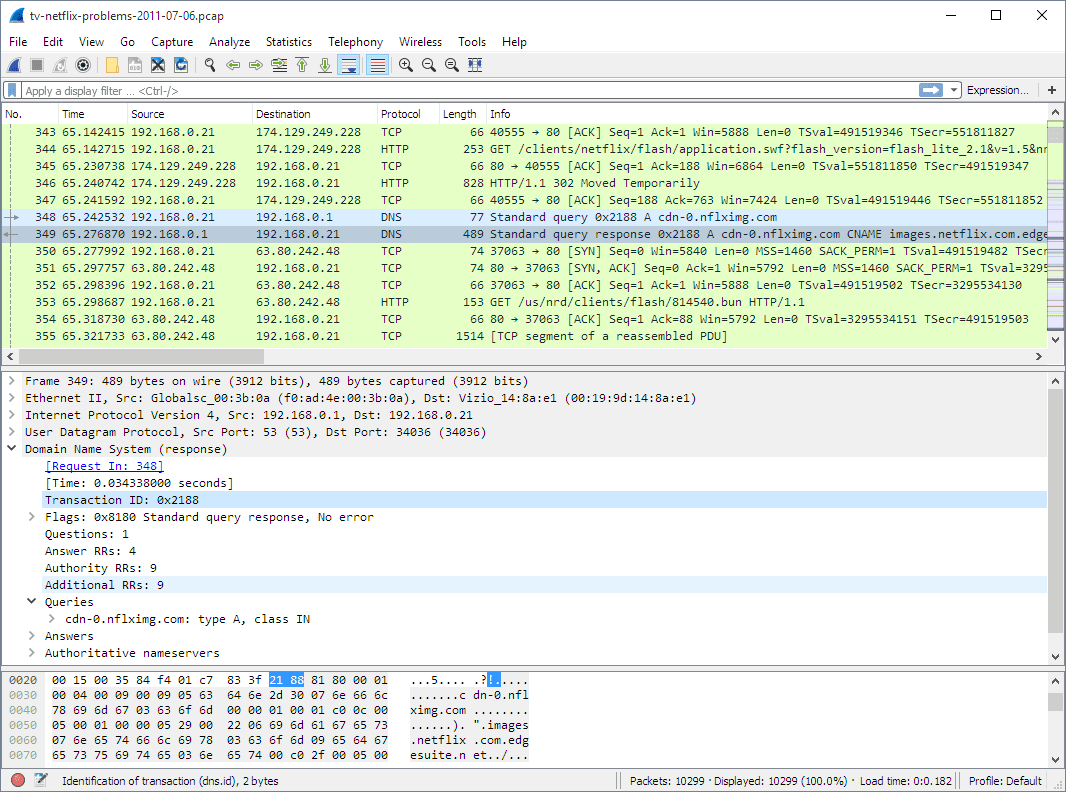
- Lack of Encryption: Many public Wi-Fi networks offer little to no encryption, making it easier for anyone on the same network with the right tools to “sniff” or intercept your traffic. Even if your browser uses HTTPS for specific websites, the connection to the Wi-Fi router itself might be vulnerable.
- Man-in-the-Middle Attacks: Malicious actors can set up fake Wi-Fi hotspots designed to trick users into connecting. Once connected, they can route your traffic through their system, effectively acting as a “man in the middle” and seeing everything you do, including potentially unencrypted login credentials.
- Data Collection for “Free” Wi-Fi: Many providers of “free” public Wi-Fi monetize their service by collecting user data. By accepting their terms and conditions, you might be granting them permission to track your browsing habits, location data, and even demographic information, which they can then sell to advertisers, impacting the “Money” aspect.
Beyond Incognito: True Digital Privacy Tools
Given that Incognito mode offers only local privacy, achieving true anonymity or robust privacy online requires additional layers of protection, leveraging specific technologies. This moves us firmly into the realm of advanced digital security (Tech).
The Power of a VPN: Your Encrypted Tunnel
A Virtual Private Network (VPN) is one of the most effective tools for enhancing online privacy. A VPN works by creating an encrypted tunnel between your device and a remote VPN server.
- Encryption: All data flowing through this tunnel is encrypted, meaning that your ISP, Wi-Fi network owner, and anyone else trying to intercept your traffic will only see scrambled data. They won’t know the content of your communications.
- IP Masking: Your IP address is masked by the VPN server’s IP address. To the websites you visit, it appears as though you are browsing from the location of the VPN server, not your actual location. This makes it significantly harder for websites and third parties to track your activity back to you.
- Circumventing Monitoring: While a VPN won’t make you invisible to the VPN provider itself (which is why choosing a reputable, no-logs VPN is crucial), it effectively hides your browsing activity from your ISP and the local Wi-Fi network you’re connected to. They’ll only see an encrypted connection to the VPN server, not the websites you’re visiting.
- Cost vs. Privacy (Money): Good VPNs often come with a subscription fee. This highlights a critical “Money” consideration: true privacy and security often require an investment. Free VPNs can be risky, as they might monetize your data in other ways, compromising the very privacy they claim to offer.
Other Essential Privacy Enhancements
Beyond VPNs, several other tools and practices contribute to a more private online experience:
- Tor Browser: For maximum anonymity, the Tor Browser routes your internet traffic through a decentralized network of volunteer-operated relays, making it extremely difficult to trace your activity. It’s slower but offers unparalleled privacy.
- HTTPS Everywhere: While most major websites now use HTTPS by default, ensuring all your connections are encrypted is crucial. Browser extensions like “HTTPS Everywhere” can help force encrypted connections where available.
- DNS-over-HTTPS (DoH) / DNS-over-TLS (DoT): Your DNS requests (which translate website names like “google.com” into IP addresses) can often be unencrypted, allowing your ISP or network admin to see which websites you intend to visit. DoH and DoT encrypt these requests, adding another layer of privacy.
- Privacy-Focused Browsers and Search Engines: Browsers like Brave and Firefox, and search engines like DuckDuckGo, prioritize user privacy by blocking trackers, limiting data collection, and offering enhanced security features.
- Network Security Protocols (WPA3): Ensuring your home Wi-Fi network uses the latest encryption protocols like WPA3 makes it much harder for unauthorized individuals to snoop on your local network traffic.
The Brand and Business of Privacy: Why It Matters
The discussion around Wi-Fi, Incognito, and privacy isn’t just a technical one; it profoundly impacts brand perception, consumer trust, and the economics of the digital world. Data, often harvested from browsing activity, is a multi-billion-dollar industry, touching on our “Brand” and “Money” topics.
Data Monetization and Targeted Advertising
The primary “Money” incentive for tracking user activity, even in the most ostensibly anonymous ways, is data monetization. Browsing habits, purchase intentions, demographic inferences, and online behaviors are incredibly valuable commodities.
- Targeted Ads: The entire ecosystem of online advertising relies on collecting data to deliver highly targeted advertisements. Even if your Incognito session doesn’t leave local cookies, your IP address can still be used to build a profile that influences the ads you see.
- Predictive Analytics: Businesses use aggregated browsing data to understand market trends, predict consumer behavior, and inform product development.
- The “Free” Paradox: Many “free” online services, including public Wi-Fi, social media platforms, and search engines, often operate on a business model where user data is the currency. Understanding this exchange is crucial for consumers.
Building Trust in a Data-Driven World
For businesses, privacy is no longer just a compliance issue; it’s a fundamental aspect of “Brand” reputation and customer loyalty.
- Consumer Expectations: Users are increasingly aware of data collection practices and demand greater transparency and control over their personal information. Brands that are perceived as careless or exploitative with data risk losing customer trust and loyalty.
- Privacy as a Differentiator: Companies that genuinely prioritize and implement strong privacy measures can build a competitive advantage, attracting customers who value digital security.
- Ethical Data Handling: The way an organization handles user data reflects its brand values. A commitment to ethical data practices, transparent privacy policies, and robust security measures can enhance a brand’s reputation and foster long-term customer relationships. Conversely, data breaches or misuse of personal information can lead to severe reputational damage and financial penalties.
Navigating the Digital Landscape with Confidence
In conclusion, the belief that “Incognito mode” offers comprehensive anonymity from your Wi-Fi network is a pervasive myth. While it provides a useful layer of local privacy on your device, it does not hide your online activities from your Internet Service Provider, network administrators, or even the websites you visit. The Wi-Fi network acts as a crucial intermediary, and those who control it have significant visibility into your digital destinations.
True digital privacy is not a one-click solution; it’s a layered approach, a combination of understanding the technology (Tech), recognizing the financial incentives behind data collection (Money), and proactively employing tools and practices that reflect a commitment to personal digital security. Investing in a reputable VPN, using privacy-focused browsers, and being mindful of the networks you connect to are essential steps. By understanding these nuances, users can move beyond misconceptions and adopt informed strategies, allowing them to navigate the vast digital landscape with greater confidence and control over their personal information.
aViewFromTheCave is a participant in the Amazon Services LLC Associates Program, an affiliate advertising program designed to provide a means for sites to earn advertising fees by advertising and linking to Amazon.com. Amazon, the Amazon logo, AmazonSupply, and the AmazonSupply logo are trademarks of Amazon.com, Inc. or its affiliates. As an Amazon Associate we earn affiliate commissions from qualifying purchases.