
In the intricate landscape of personal finance, a debit card serves as more than just a piece of plastic; it is a critical conduit for managing daily expenditures, accessing funds, and navigating the digital economy. For account holders with Chase, understanding the process of obtaining a new debit card, whether due to expiration, loss, damage, or fraud, is an essential component of responsible financial stewardship. This guide will meticulously outline the steps involved, while also embedding the discussion within broader principles of personal finance, security, and efficient money management. Our aim is to equip you with the knowledge not just to replace your card, but to integrate this process into a proactive approach to your financial well-being.
The Indispensable Role of Your Debit Card in Personal Finance
A debit card is arguably one of the most frequently used financial tools in an individual’s arsenal. Linked directly to your checking account, it offers immediate access to your funds, facilitating everything from grocery shopping to online bill payments. Its utility is profound, yet often underestimated until a replacement becomes necessary.
Beyond Transactions: Understanding Debit Card Utility
The core function of a debit card is, of course, to enable transactions without carrying cash. However, its utility extends far beyond mere purchasing power. It serves as a gateway to your primary checking account, allowing for ATM withdrawals, balance inquiries, and even deposits at compatible machines. For many, it’s the primary instrument for budgeting and tracking expenses, as every transaction is recorded and easily accessible through online banking or mobile apps. This real-time visibility is invaluable for personal finance management, allowing individuals to monitor spending patterns, categorize expenses, and adhere to financial goals.
Moreover, a debit card often comes with integrated security features, such as EMV chip technology for enhanced protection against counterfeiting, and increasingly, contactless payment capabilities for speed and convenience. It’s a cornerstone of financial liquidity and accessibility, bridging the gap between your earned money and your immediate spending needs. Understanding its multi-faceted role underscores why a malfunctioning or missing card can disrupt daily financial operations and why knowing the replacement procedure is so vital.
When a Replacement Becomes Essential: Scenarios and Solutions
Life happens, and with it come various circumstances that necessitate ordering a new debit card. Recognizing these scenarios promptly and understanding the appropriate response is key to minimizing financial disruption and maintaining security.
- Expiration: All debit cards have an expiration date, typically every 3-5 years. Banks usually mail a new card automatically a few weeks before your current card expires. However, if it hasn’t arrived, or if your address has changed, you’ll need to proactively request one. This is a common, low-stress scenario that allows for a smooth transition.
- Lost or Stolen: This is perhaps the most urgent scenario. A lost or stolen card poses a significant security risk, as unauthorized individuals could attempt to access your funds. Immediate action—reporting the loss to Chase and requesting a new card—is paramount to protect your assets. This often involves canceling the old card immediately to prevent fraudulent activity.
- Damaged or Malfunctioning: Wear and tear can render a card unreadable by card readers or ATMs. A cracked chip, faded magnetic stripe, or bent card can prevent transactions from going through. While less severe than a lost card, a damaged card can be equally disruptive to your daily financial activities, making a replacement necessary.
- Fraudulent Activity: If you notice suspicious transactions on your account that you did not authorize, your card details may have been compromised. In such cases, reporting the fraud to Chase is critical. They will typically cancel the compromised card and issue a new one to prevent further unauthorized use, initiating an investigation into the fraudulent charges.
- Travel or International Use: Sometimes, for enhanced security when traveling internationally, or if your card has had excessive international usage reported, banks might recommend or automatically issue a new card to mitigate potential fraud risks associated with certain regions or transaction patterns.
In each of these situations, the goal is not just to replace the physical card, but to ensure the continuous, secure, and uninterrupted access to your funds, which is a fundamental aspect of effective personal finance management.
Streamlined Pathways to Ordering Your New Chase Debit Card
Chase, like most modern financial institutions, offers multiple convenient channels for customers to request a new debit card. These pathways are designed to cater to different preferences and urgency levels, ensuring that you can initiate a replacement efficiently, regardless of your situation.
Digital Efficiency: Online Banking and Mobile App
For the tech-savvy individual who values speed and convenience, Chase’s digital platforms—online banking and the mobile app—are the most efficient routes for ordering a new debit card. These platforms provide secure, self-service options available 24/7, making them ideal for non-urgent replacements or for individuals comfortable managing their finances digitally.
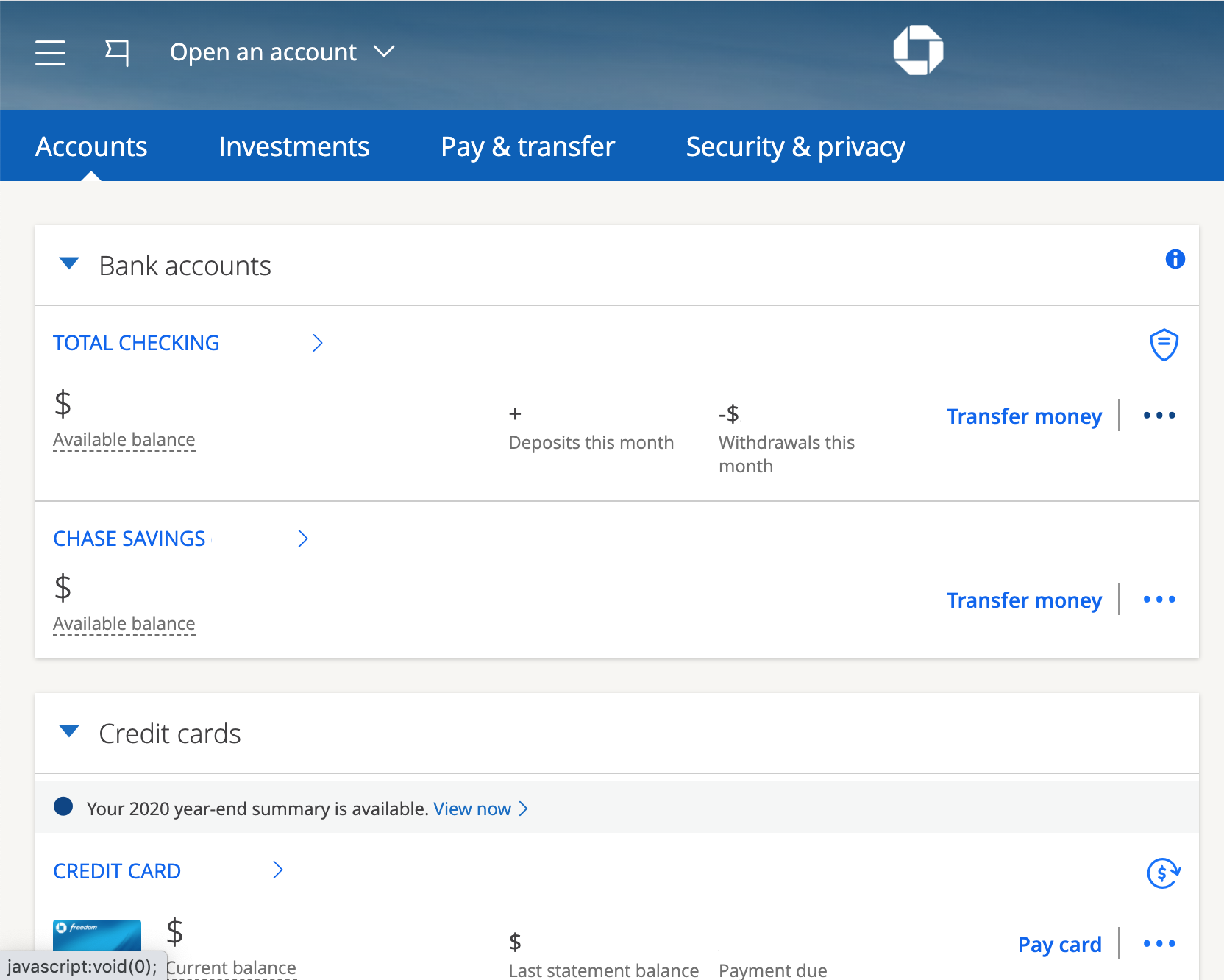
- Chase Online Banking: To order a card via the web, you’ll typically log into your Chase account at Chase.com. Once logged in, navigate to the “Customer Center” or “Account Services” section. There, you should find an option related to “Debit Card Services” or “Order a Replacement Card.” The system will guide you through confirming your account details, shipping address, and the reason for the replacement. This method offers a comprehensive overview of your accounts and allows for easy verification of details before submission.
- Chase Mobile App: The mobile app offers an equally intuitive experience. After logging in, you can often find the option to manage your debit card under the specific account details or within a dedicated “Services” or “More” menu. Look for options like “Replace Card,” “Order New Card,” or “Card Services.” The app streamlines the process, often pre-populating information and making it a matter of a few taps to confirm and submit your request. Both digital methods provide immediate confirmation of your request and often allow you to track the delivery status of your new card.
Personalized Support: Phone and In-Branch Options
While digital channels are efficient, some situations or preferences may call for more direct, personalized assistance. Chase provides robust support through its customer service phone lines and physical branch locations.
- Phone Support: If you prefer to speak directly with a representative, or if your situation is urgent (e.g., a lost or stolen card requiring immediate cancellation), calling Chase’s customer service number is an excellent option. You’ll typically need to verify your identity, after which a representative can guide you through the process of canceling your old card and ordering a new one. They can also answer specific questions regarding delivery times, temporary card options, or address any complex account issues. This method ensures that critical security measures are taken swiftly and that you receive direct, human assistance.
- In-Branch Visit: For those who prefer face-to-face interaction or require immediate assistance (e.g., needing a temporary card on the spot for critical transactions), visiting a local Chase branch is a viable solution. A bank teller or personal banker can assist you with canceling your old card, ordering a new one, and providing a temporary card if available and necessary. This option is particularly useful if you have multiple questions, require assistance with other banking services simultaneously, or simply feel more secure handling sensitive requests in person. It also provides an opportunity to update personal information, such as your address, if that’s a contributing factor to not receiving an automatic replacement.
Choosing the right pathway depends on your comfort level with technology, the urgency of your need, and any specific questions or concerns you might have regarding your account or the replacement process.
A Step-by-Step Guide to Requesting Your Replacement Card
Once you’ve decided on the best channel for your situation, the actual process of requesting a new card is straightforward. Following these steps will ensure a smooth and accurate replacement.
Initiating Your Request: Navigating Chase’s Platforms
The first step is always to access the relevant platform.
- Online/App: Log in using your secure credentials (username and password, possibly with two-factor authentication). For lost or stolen cards, immediately look for an option to “Report a Lost or Stolen Card” first, as this will trigger the cancellation of your old card to prevent unauthorized use. For other reasons (damaged, expired), navigate to the “Account Services” or “Card Services” section associated with your checking account.
- Phone: Dial Chase’s customer service number (usually found on the back of your existing card, on your bank statements, or on Chase.com). Be prepared to verify your identity using personal information such as your account number, Social Security number, or date of birth. Clearly state your reason for needing a new card.
- In-Branch: Visit any Chase branch during business hours. A representative will greet you and guide you to the appropriate personnel. Bring a valid form of identification (e.g., driver’s license, passport).
Confirmation and Customization: Ensuring Accuracy
Regardless of the channel, you will be prompted to confirm essential details.
- Account Selection: If you have multiple Chase accounts, ensure you select the correct checking account for which you need a new debit card.
- Shipping Address: This is crucial. Double-check that the shipping address displayed is current and accurate. If your address has changed, update it before ordering the card, or inform the representative if you’re on the phone or in person. An incorrect address will delay delivery and could pose a security risk.
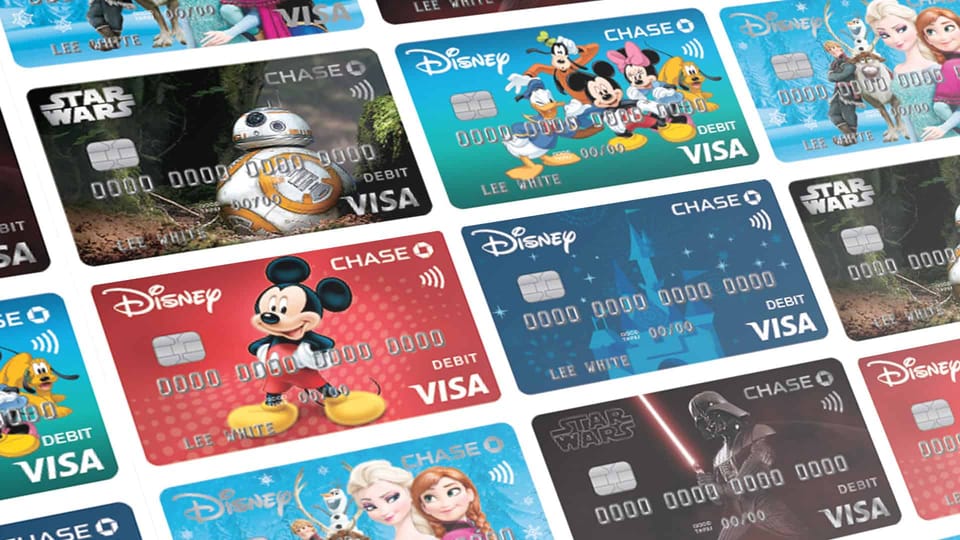
- Card Type: In some cases, Chase may offer different debit card designs or features. Confirm that you are requesting the standard debit card linked to your checking account unless you specifically intend to change card types.
- Reason for Replacement: You’ll typically be asked to select a reason (lost, stolen, damaged, expired, etc.). This helps Chase categorize the request and apply appropriate security measures.
Review all information carefully before finalizing your request. Any errors at this stage could lead to delays or further complications in receiving your new card.
Understanding Delivery: What to Expect Post-Order
Once your request is submitted, attention turns to the delivery of your new card.
- Delivery Timelines: Standard delivery for a new debit card usually takes 7-10 business days. However, this can vary based on your location and current mail service speeds. If you need a card more urgently, inquire about expedited shipping options (which may incur a fee) or if a temporary card can be issued at a branch.
- Tracking: While direct tracking for standard mail isn’t always available, Chase might provide an estimated delivery window or notify you once the card has been shipped.
- What to Expect in the Mail: Your new debit card will arrive in a plain, unmarked envelope, typically separate from the PIN. This is a security measure to prevent unauthorized access to both card and PIN simultaneously. Do not discard any official-looking mail without opening it, as it could contain your new card or activation instructions.
- PIN: If you need a new PIN, or if you’ve forgotten your existing one, you’ll usually have options to request a new PIN (which will be mailed separately) or set a custom PIN through online banking, the mobile app, or by calling an automated system. Remember, never write your PIN on your card or store it with your card.
Upon receiving your new card, the journey of seamless financial management continues with activation and integration into your spending habits.
Maximizing Security and Utility with Your New Debit Card
Receiving your new Chase debit card is not the final step; it’s the beginning of a renewed commitment to secure and effective personal finance management. Several crucial actions must be taken immediately to activate the card and integrate it seamlessly into your financial life, while also fortifying your overall financial security.
Activating Your Card and Securing Your Financial Footprint
Activating your new debit card is a non-negotiable first step. Until activated, the card cannot be used for transactions, serving as a protective measure against theft in transit.
- Activation Methods: Chase provides several convenient ways to activate your card:
- Online: Log in to Chase Online Banking or the mobile app, navigate to “Card Services” or your specific debit card details, and follow the prompts to activate.
- Phone: Call the activation number provided on a sticker on your new card or in the accompanying letter. You’ll typically enter your card number and verify your identity.
- ATM: Make a transaction (e.g., balance inquiry or withdrawal) at a Chase ATM using your new card and PIN.
- Setting Your PIN: If you received a new PIN or need to set a custom one, follow the instructions provided. Memorize your PIN and never share it or write it down. A strong, unique PIN is a fundamental layer of security for your account.
- Sign the Back: Immediately sign the signature panel on the back of your new card. This is a simple but effective security measure, making it harder for unauthorized users to forge your signature if they were to try and use the card fraudulently.
By promptly activating your card and securing your PIN, you effectively establish your renewed financial footprint, ready for safe and responsible use.
Managing Recurring Payments: A Crucial Financial Update
One of the most overlooked, yet critical, steps after receiving a new debit card is updating any recurring payments or subscriptions linked to your old card number. Failure to do so can lead to missed payments, service interruptions, late fees, and potential damage to your credit score if those payments are for credit accounts.
- Compile a List: Before your new card arrives, create a comprehensive list of all services, subscriptions, and bills that automatically charge your debit card. This might include streaming services, utility bills, gym memberships, insurance premiums, online retail subscriptions, and mobile phone bills.
- Update Each Provider: As soon as your new card is activated, go through your list and update the payment information for each provider. Most companies allow you to do this through their websites, mobile apps, or by calling their customer service.
- Monitor for Missed Payments: For a few billing cycles after the change, diligently monitor your bank statements and subscription accounts to ensure all recurring payments are processed successfully with your new card details. This proactive approach prevents unexpected service disruptions or charges.
This attention to detail is a hallmark of diligent personal finance management, ensuring that the convenience of automated payments doesn’t become a source of financial stress due to a card replacement.

Vigilance and Fraud Prevention: Protecting Your Assets
Your new debit card comes with Chase’s security features, but your active participation in fraud prevention is equally vital. Proactive vigilance is the strongest defense against financial crime.
- Monitor Account Activity Regularly: Routinely review your Chase account statements, either through online banking or the mobile app. Look for any unfamiliar transactions, no matter how small. Early detection of fraudulent activity is crucial for limiting potential losses.
- Set Up Account Alerts: Utilize Chase’s alert features. You can typically set up notifications for large transactions, international purchases, ATM withdrawals, or even low balances. These real-time alerts empower you to react quickly to suspicious activity.
- Securely Dispose of Your Old Card: Once your new card is active and all recurring payments are updated, securely destroy your old card. Do not simply throw it in the trash. Cut it into multiple pieces, ensuring the chip, magnetic stripe, and account number are completely unreadable. This prevents anyone from retrieving your old card details from discarded waste.
- Understand Chase’s Fraud Protection: Familiarize yourself with Chase’s zero-liability policy for unauthorized transactions. While this provides a safety net, it doesn’t negate the need for your vigilance. Reporting fraud promptly is usually a condition for this protection.
By embracing these practices—activating correctly, updating diligently, and monitoring vigilantly—you transform the administrative task of ordering a new debit card into an opportunity to strengthen your overall personal financial security and maintain seamless control over your money. This comprehensive approach is what truly defines responsible financial management in the modern age.
aViewFromTheCave is a participant in the Amazon Services LLC Associates Program, an affiliate advertising program designed to provide a means for sites to earn advertising fees by advertising and linking to Amazon.com. Amazon, the Amazon logo, AmazonSupply, and the AmazonSupply logo are trademarks of Amazon.com, Inc. or its affiliates. As an Amazon Associate we earn affiliate commissions from qualifying purchases.