
In the intricate world of personal finance, business operations, and investment strategies, percentages are not just mathematical concepts; they are the bedrock of informed decision-making. From understanding the true cost of a discounted item to calculating interest on a loan or assessing the growth of your investments, a firm grasp of percentage calculations is indispensable. While the underlying math might seem daunting to some, the modern calculator—whether a physical device, a smartphone app, or a spreadsheet function—demystifies the process, transforming complex figures into actionable insights.
This article delves into the practicalities of using a calculator to master percentage calculations, specifically tailored for those navigating the financial landscape. We’ll move beyond the simple press of buttons to illuminate the financial contexts where these calculations become critical, offering a pathway to greater financial literacy and confidence. Understanding how to efficiently and accurately calculate percentages is more than a technical skill; it’s a fundamental aspect of managing your money wisely, making sound investments, and navigating the economic realities of daily life.
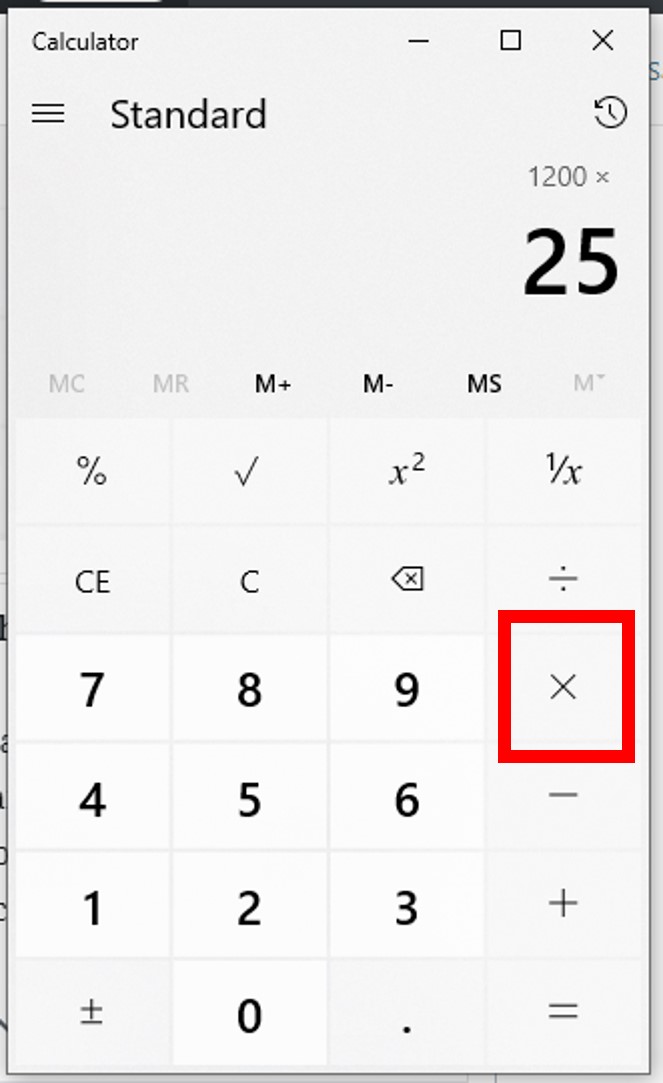
The Core Mechanics: Basic Percentage Calculations for Financial Understanding
At its heart, a percentage represents a fraction of 100. The phrase “per cent” literally means “per hundred.” This fundamental understanding is key to unlocking all other percentage calculations on your calculator. Whether you’re dealing with discounts, interest rates, or profit margins, everything boils down to these core operations.
Finding a Percentage of a Number
This is perhaps the most common percentage calculation you’ll encounter. You want to know what a certain percentage of a total amount is. For example, if you’re trying to figure out the sales tax on an item, or a commission earned on a sale.
Method 1: Using the Percentage Key (%)
Most calculators have a dedicated ‘%’ key. While its exact function can vary slightly between models, it typically performs the division by 100 for you.
- Example: Calculate 15% of $200.
- Enter:
200 - Press:
x(multiplication) - Enter:
15 - Press:
% - The calculator will usually display
30. (On some calculators, you might need to press=after%.)
- Enter:
Method 2: Converting Percentage to Decimal
This method is universally reliable and often more intuitive for complex calculations or when a ‘%’ key isn’t available (e.g., in spreadsheets). To convert a percentage to a decimal, divide it by 100. So, 15% becomes 0.15.
- Example: Calculate 15% of $200.
- Enter:
200 - Press:
x(multiplication) - Enter:
0.15 - Press:
= - The result is
30.
- Enter:
This method is particularly valuable as it reinforces the underlying mathematical principle that a percentage is simply a decimal multiplier.
Expressing One Number as a Percentage of Another
Often, you’ll need to determine what percentage one number represents of a larger total. This is crucial for understanding market share, grading performance, or analyzing budget allocations.
Method: Divide the part by the whole, then multiply by 100.
- Example: If you spent $50 on groceries from a total monthly budget of $500, what percentage of your budget did groceries consume?
- Enter:
50 - Press:
/(division) - Enter:
500 - Press:
=(The result is0.1) - Press:
x(multiplication) - Enter:
100 - Press:
= - The result is
10. So, groceries account for 10% of your budget.
- Enter:
Alternatively, if your calculator has a percentage key that functions directly for this:
- Enter:
50 - Press:
/ - Enter:
500 - Press:
=(displays0.1) - Press:
%(some calculators will automatically multiply by 100 and display10).
Calculating Percentage Increase or Decrease
Understanding how a value has changed over time is fundamental to tracking financial performance, whether it’s the growth of an investment or the depreciation of an asset.
Method:
- Find the difference between the new value and the original value.
- Divide this difference by the original value.
- Multiply by 100 to get the percentage.
-
Example (Increase): Your investment grew from $1,000 to $1,200. What is the percentage increase?
- Difference:
1200 - 1000 = 200 - Enter:
200 - Press:
/ - Enter:
1000(original value) - Press:
=(Result is0.2) - Press:
x - Enter:
100 - Press:
= - The result is
20. This is a 20% increase.
- Difference:
-
Example (Decrease): A stock you own dropped from $50 to $45. What is the percentage decrease?
- Difference:
50 - 45 = 5 - Enter:
5 - Press:
/ - Enter:
50(original value) - Press:
=(Result is0.1) - Press:
x - Enter:
100 - Press:
= - The result is
10. This is a 10% decrease.
- Difference:
Remember, for a percentage decrease, the numerator (the difference) should always be positive, representing the amount of decrease.
Real-World Financial Applications: Putting Percentages to Work
The true power of mastering percentage calculations on a calculator comes alive when applied to everyday financial scenarios. These aren’t just academic exercises; they are practical tools for managing your money effectively.
Navigating Sales, Discounts, and Sales Tax
Shopping often involves a flurry of percentages. Knowing how to quickly calculate discounts and sales tax can save you money and ensure you understand the final price.
-
Discounts: If an item costs $80 and is 25% off.
- Calculate the discount amount:
80 x 0.25 = 20. - Subtract from the original price:
80 - 20 = 60. The final price is $60. - Alternatively, if an item is 25% off, you are paying 75% of the original price:
80 x 0.75 = 60.
- Calculate the discount amount:
-
Sales Tax: If an item costs $60 and the sales tax is 7%.
- Calculate the tax amount:
60 x 0.07 = 4.20. - Add to the price:
60 + 4.20 = 64.20. The total cost is $64.20.
- Calculate the tax amount:
Calculating Tips and Gratuities
When dining out, tipping can sometimes be a quick mental math challenge, especially with varying service qualities. Your calculator ensures accuracy and fairness.

- Example: Your restaurant bill is $45, and you want to leave a 15% tip.
- Calculate the tip amount:
45 x 0.15 = 6.75. - Add to the bill:
45 + 6.75 = 51.75. Your total outlay is $51.75.
- Calculate the tip amount:
Understanding Interest Rates: Loans and Savings
Interest is the cost of borrowing money or the return on lending/saving money. It’s almost always expressed as a percentage.
-
Simple Interest (Annual): If you borrow $1,000 at a 5% annual simple interest rate for one year.
- Interest amount:
1000 x 0.05 = 50. - Total to repay:
1000 + 50 = 1050.
- Interest amount:
-
Interest on Savings: If you have $5,000 in a savings account earning 2% interest annually.
- Interest earned in one year:
5000 x 0.02 = 100. - New balance:
5000 + 100 = 5100.
- Interest earned in one year:
Analyzing Financial Growth and Loss: Investments and Budgets
Whether you’re tracking your investment portfolio or reviewing your monthly budget, percentages provide a clear, standardized way to measure performance and allocate resources.
-
Investment Return: If you invested $10,000 and it grew to $10,800 in a year.
- Percentage growth:
(10800 - 10000) / 10000 x 100 = 8%.
- Percentage growth:
-
Budget Allocation: If your housing costs are $1,200 out of a $4,000 monthly income.
- Percentage of income:
(1200 / 4000) x 100 = 30%. This helps you see if you’re within your target budget percentages (e.g., 30% for housing).
- Percentage of income:
Beyond Basic Calculators: Enhancing Financial Precision
While standard calculators are excellent for everyday percentage tasks, the financial world often demands more sophisticated tools and functionalities. Understanding these can further enhance your financial analysis.
The Power of Scientific and Financial Calculators
Dedicated financial calculators (like those from HP or Texas Instruments) are programmed with specific financial functions, making complex calculations like compound interest, loan amortizations, and future value much faster. For instance, computing compound interest over multiple periods manually using a basic calculator is tedious.
-
Compound Interest: The formula is
A = P(1 + r/n)^(nt), where:- A = the future value of the investment/loan, including interest
- P = the principal investment amount (the initial deposit or loan amount)
- r = the annual interest rate (as a decimal)
- n = the number of times that interest is compounded per year
- t = the number of years the money is invested or borrowed for
While a basic calculator can handle this step-by-step, a financial calculator allows you to input P, r, n, and t, and directly compute A, or even solve for any of the other variables.
Leveraging Spreadsheets for Advanced Financial Modeling
For ongoing financial management, business analysis, or investment modeling, spreadsheet software like Microsoft Excel or Google Sheets offers unparalleled power. They automate percentage calculations and allow for dynamic scenario planning.
- Creating Percentage-Based Formulas: You can set up columns for original values, percentage changes, and resulting new values.
- For example, in Excel, if
A1contains an original price andB1contains a discount percentage (e.g.,25%or0.25), you can calculate the discounted price inC1with the formula=A1*(1-B1).
- For example, in Excel, if
- Return on Investment (ROI) and Profit Margins: Spreadsheets simplify tracking these critical business metrics.
- ROI:
((Current Value - Original Cost) / Original Cost) x 100. - Profit Margin:
((Revenue - Cost of Goods Sold) / Revenue) x 100.
- ROI:
These tools go beyond simple one-off calculations, enabling comprehensive financial analysis, budgeting, and forecasting that would be impractical with a handheld calculator alone.
Tips for Accuracy and Efficiency in Percentage Calculations
Even with the aid of a calculator, errors can occur. Adopting a few best practices can significantly improve your accuracy and speed.
Always Double-Check Your Input
The most common source of error is incorrect data entry. Before hitting ‘equals’, quickly review the numbers you’ve entered. For critical calculations, it’s often wise to perform the calculation twice, perhaps using a slightly different method if possible (e.g., decimal conversion instead of the ‘%’ key) to confirm the result.
Understand the Context of Your Calculation
Before you even touch the calculator, be clear about what you’re trying to achieve. Are you calculating a discount off a price or a sales tax on top of a price? Is it a percentage increase or decrease? A common mistake is to confuse the base number (the “whole”) in percentage increase/decrease calculations. Always divide by the original amount.
Utilize Calculator Memory Functions
Many calculators have memory functions (M+, M-, MR, MC). These can be incredibly useful for multi-step calculations, preventing you from having to write down intermediate results. For instance, if you’re calculating total expenses for a budget and each expense has a different percentage increase, you can add each calculated increase to the memory.
Practice Regularly
Like any skill, proficiency in calculator-based percentage calculations comes with practice. The more you apply these methods to your daily financial activities—whether it’s checking sale prices, balancing your budget, or reviewing investment statements—the more intuitive and faster you will become. This regular engagement builds not just skill, but also a deeper confidence in your financial decision-making.

Conclusion: Empowering Your Financial Journey with Calculator Savvy
In the dynamic world of money, percentages are the universal language for expressing change, value, and proportion. Mastering their calculation on a calculator is not merely a mathematical exercise; it’s a vital skill that empowers you to take control of your financial journey. From the simplest daily transactions to complex investment analyses, the ability to accurately and efficiently compute percentages is a cornerstone of financial literacy.
By understanding the basic mechanics, applying them to real-world financial scenarios, exploring more advanced tools, and adhering to best practices, you transform your calculator from a simple device into a powerful financial ally. This proficiency fosters confidence, enables smarter spending, informed investing, and ultimately, a clearer path towards achieving your financial goals. Embrace the calculator, demystify the percentages, and unlock a more insightful and secure financial future.
aViewFromTheCave is a participant in the Amazon Services LLC Associates Program, an affiliate advertising program designed to provide a means for sites to earn advertising fees by advertising and linking to Amazon.com. Amazon, the Amazon logo, AmazonSupply, and the AmazonSupply logo are trademarks of Amazon.com, Inc. or its affiliates. As an Amazon Associate we earn affiliate commissions from qualifying purchases.