
The world of digital art is constantly evolving, with powerful and intuitive software playing a crucial role in bringing creative visions to life. For many artists, Autodesk Sketchbook has been a go-to application, renowned for its clean interface and robust drawing tools. However, a common question arises for Linux users: “Can I install Sketchbook on Linux?” This article delves into the current status of Sketchbook on Linux, explores alternative solutions for the Linux ecosystem, and provides guidance for digital artists looking to optimize their creative workflow on their preferred operating system.
Understanding Sketchbook’s Linux History and Current Status
Autodesk Sketchbook has a somewhat complex history when it comes to Linux support. For a period, Sketchbook Pro was available as a native Linux application. This offered a seamless experience for artists who preferred the open-source nature of Linux for their creative endeavors. However, Autodesk eventually discontinued the native Linux version of Sketchbook Pro. This decision left many Linux-based artists searching for alternatives or workarounds.
More recently, Autodesk made a significant shift by releasing Sketchbook as a free application, available across multiple platforms. This included Windows, macOS, iOS, and Android. The decision to make Sketchbook free was a welcome one for artists worldwide. However, it did not immediately translate to a renewed native Linux release.
The Official Stance and What it Means
As of the latest information available, Autodesk does not officially offer a native Linux version of Sketchbook. This means you won’t find a downloadable installer directly from the Autodesk website that is designed to run on distributions like Ubuntu, Fedora, Debian, or Arch Linux. This absence can be a significant hurdle for artists who have built their entire workflow around the Sketchbook interface and tools.
The implications of this are clear: direct installation via traditional means is not an option. However, this doesn’t necessarily spell the end of the road for Sketchbook enthusiasts on Linux. The tech landscape is dynamic, and creative solutions often emerge when official support is lacking.
Exploring Workarounds and Alternatives for Linux Artists
While a direct native installation might not be on the cards, the resourceful nature of the Linux community often leads to innovative workarounds. Furthermore, the Linux ecosystem boasts a rich selection of powerful and capable digital art applications that can serve as excellent alternatives to Sketchbook.
Can Sketchbook be Run via Compatibility Layers?
One avenue often explored by Linux users is the use of compatibility layers, such as WINE (Wine Is Not an Emulator). WINE allows Windows applications to run on Linux by translating Windows API calls into POSIX calls on the fly.
WINE: A Potential, Yet Imperfect, Solution
The possibility of running Sketchbook on Linux via WINE exists. It’s not uncommon for users to attempt to install Windows versions of software using WINE. However, the success rate and stability can vary significantly depending on the specific application and the version of WINE being used.
Challenges with WINE:
- Stability Issues: Even if Sketchbook installs via WINE, it might suffer from crashes, glitches, or performance issues. Drawing applications, which rely heavily on precise input and rendering, are particularly sensitive to these problems.
- Feature Incompleteness: Certain features, especially those that interact deeply with the operating system or require specific hardware acceleration, might not function correctly or at all under WINE.
- Installation Complexity: Getting WINE to work with a specific application can sometimes be a trial-and-error process, requiring specific configurations and library installations.
- No Official Support: If you encounter problems running Sketchbook through WINE, you will not receive any official support from Autodesk. The community might offer help, but solutions are not guaranteed.
Recommendation for WINE:
While it’s technically possible to try installing Sketchbook on Linux using WINE, it’s generally not recommended for professional or consistent use. The potential for instability and frustration often outweighs the benefits, especially when robust native alternatives are available. If you are curious, you can explore forums and communities dedicated to WINE and Sketchbook to see if others have had success, but proceed with low expectations for a seamless experience.
Native Linux Alternatives to Sketchbook
The Linux operating system is home to a vibrant and growing collection of excellent digital art software. Many of these applications offer features comparable to, and in some cases exceeding, those found in Sketchbook. For Linux users seeking a powerful and stable drawing experience, exploring these native alternatives is often the most practical and rewarding path.
Krita: The Powerhouse for Digital Painting
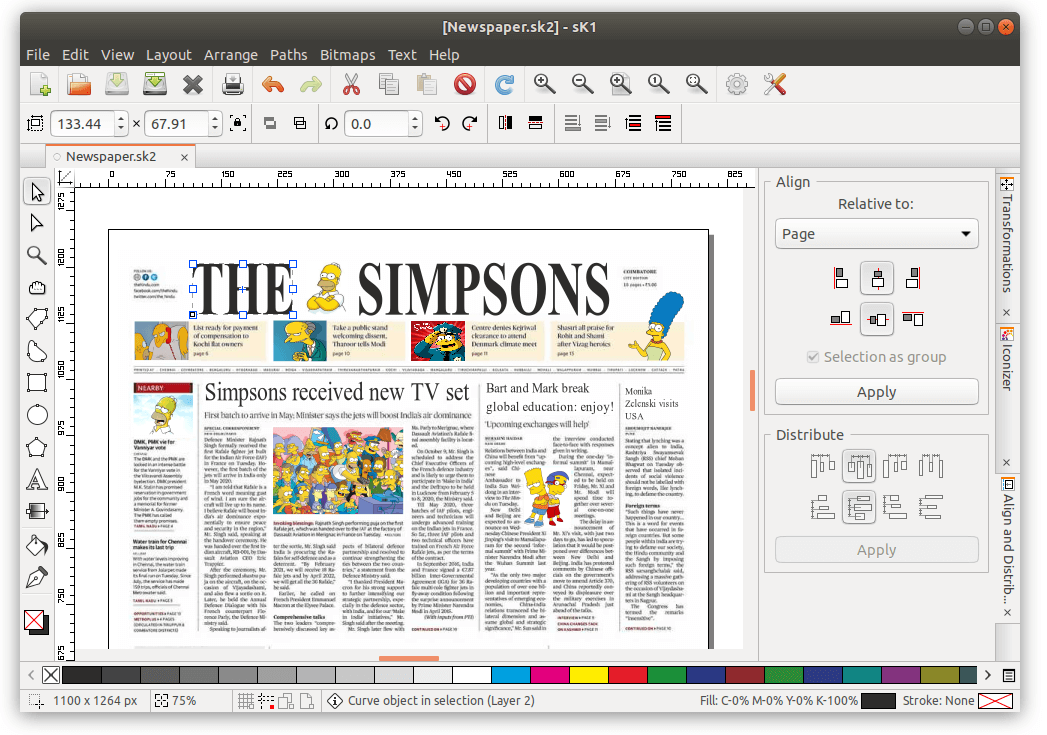
When discussing digital art on Linux, Krita is often the first application that comes to mind, and for good reason. Developed by artists for artists, Krita is a free and open-source painting program that rivals professional-grade software on other platforms.
- Key Features of Krita:
- Advanced Brush Engine: Krita boasts one of the most sophisticated brush engines available, allowing for incredible customization and the creation of unique textures and effects.
- Layer Management: Comprehensive layer management tools, including grouping, masks, blending modes, and filter layers, provide immense control over the artistic process.
- Color Management: Krita offers robust color management capabilities, ensuring accurate color representation across different devices and workflows.
- Animation Tools: For those venturing into animation, Krita includes a full suite of animation tools, making it a versatile choice for multimedia artists.
- User Interface: While initially daunting, Krita’s interface is highly customizable and can be tailored to individual preferences, mirroring the flexibility often associated with Linux itself.
- Cross-Platform Availability: While we’re focusing on Linux, Krita is also available on Windows and macOS, making it a familiar tool for artists moving between operating systems.
Krita is actively developed, with frequent updates that introduce new features and improve performance. It’s a testament to the power and innovation present within the open-source creative software community.
GIMP: The Versatile Image Editor
While often positioned as a Photoshop alternative, GIMP (GNU Image Manipulation Program) also possesses significant capabilities for digital painting and drawing. It’s a mature, free, and open-source image editor that has been a staple in the Linux creative toolkit for years.
- Key Features of GIMP relevant to drawing:
- Brush Customization: GIMP supports a wide range of brushes, and users can import or create custom brushes.
- Layer System: It has a robust layer system similar to other image editors, allowing for non-destructive editing and complex compositions.
- Extensibility: GIMP can be extended with plugins and scripts, further enhancing its functionality for various artistic tasks.
- Color Tools: Offers comprehensive color manipulation and adjustment tools.
While GIMP might not have the dedicated brush engine and focus on digital painting that Krita offers, its versatility makes it a strong contender for artists who also need powerful image editing capabilities.
Other Notable Linux Drawing Applications:
Beyond Krita and GIMP, the Linux landscape offers other specialized tools:
- MyPaint: A lightweight and distraction-free painting program, MyPaint is excellent for concept art and sketching. It focuses on a simple interface and a highly customizable brush engine.
- Inkscape: While primarily a vector graphics editor, Inkscape can be used for line art and certain types of illustration where scalability is crucial. Its Bézier curves and object manipulation tools are incredibly precise.
- Pinta: A simpler drawing and image editing application, Pinta is a good option for beginners or those looking for a more straightforward tool.
Optimizing Your Digital Art Workflow on Linux
The absence of native Sketchbook on Linux doesn’t diminish the potential for a thriving digital art practice. Instead, it encourages exploration and adaptation. By embracing the tools and workflows available within the Linux ecosystem, artists can build highly efficient and personalized creative environments.
Leveraging Linux for a Streamlined Creative Process
Linux, with its open-source nature and vast customization options, is inherently suited for artists who want to fine-tune their workflow.
- Customizable Desktop Environments: Whether you prefer GNOME, KDE Plasma, XFCE, or another, you can tailor your desktop to minimize distractions and maximize screen real estate for your canvas. Docking applications, virtual desktops, and custom shortcuts can significantly speed up your workflow.
- System Resource Management: Linux is often praised for its efficient use of system resources. This can be particularly beneficial for demanding creative applications, ensuring smoother performance even on less powerful hardware.
- Scripting and Automation: For repetitive tasks, Linux offers powerful scripting capabilities (Bash, Python, etc.). You can automate file management, batch processing, or even custom shortcuts for your art software.
- Integration with Other Creative Tools: Linux easily integrates with a wide range of open-source tools for video editing (Kdenlive, Shotcut), audio production (Ardour, Audacity), and 3D modeling (Blender), allowing for a holistic creative ecosystem.
Hardware Considerations for Digital Artists on Linux
Regardless of your operating system, the right hardware is crucial for a positive digital art experience. For Linux users, ensuring compatibility is key.
- Drawing Tablets: Major drawing tablet manufacturers like Wacom, Huion, and XP-Pen generally have excellent Linux support. Drivers are often readily available, either pre-installed in popular distributions or easily downloadable. Features like pen pressure sensitivity and tilt recognition typically work without issue.
- Performance: As with any operating system, more powerful hardware will lead to a smoother experience. A capable processor, sufficient RAM, and a good graphics card will benefit any digital art application, especially when working with large files or complex brushes.
- Monitor Calibration: Accurate color representation is vital for digital artists. Ensure your monitor is properly calibrated, and that your Linux distribution’s color management tools are configured correctly.

The Future of Digital Art on Linux
The question of “Can I install Sketchbook on Linux?” highlights a broader trend: the increasing maturity and capability of Linux as a platform for creative professionals. While specific software availability can fluctuate, the underlying strength of the Linux ecosystem lies in its adaptability, community support, and the continuous development of powerful open-source alternatives.
For digital artists on Linux, the focus shifts from seeking specific proprietary applications to exploring and mastering the excellent native tools available. Applications like Krita and GIMP are not merely substitutes; they are world-class creative suites in their own right, offering unique features and a freedom that aligns perfectly with the ethos of Linux.
In conclusion, while a direct installation of Autodesk Sketchbook on Linux is not officially supported, the Linux operating system offers a rich and powerful environment for digital artists. By embracing native alternatives like Krita and GIMP, and by optimizing your workflow and hardware, you can create stunning art on Linux without compromise. The digital art world on Linux is not about limitations; it’s about boundless creative potential.
aViewFromTheCave is a participant in the Amazon Services LLC Associates Program, an affiliate advertising program designed to provide a means for sites to earn advertising fees by advertising and linking to Amazon.com. Amazon, the Amazon logo, AmazonSupply, and the AmazonSupply logo are trademarks of Amazon.com, Inc. or its affiliates. As an Amazon Associate we earn affiliate commissions from qualifying purchases.