
In the ever-expanding universe of digital entertainment, streaming services have become indispensable. Among the prominent players, Paramount Plus stands out with its rich library spanning live sports, breaking news, and an expansive collection of on-demand content from CBS, Showtime, Comedy Central, MTV, BET, Nickelodeon, and the Paramount Pictures vault. For tech-savvy users and casual streamers alike, understanding the technical pathways to access this content is crucial for a seamless viewing experience. This guide delves deep into the technological infrastructure and practical steps required to watch Paramount Plus, ensuring you can enjoy your favorite shows and movies across a multitude of devices. We’ll explore device compatibility, installation procedures, optimal streaming practices, and essential troubleshooting tips, all viewed through a purely technological lens.

Navigating the Paramount Plus Ecosystem: Understanding the Service
Before diving into the “how-to,” it’s essential to understand Paramount Plus not just as a content provider, but as a sophisticated software application designed to deliver high-quality media across diverse hardware. Its ecosystem is built upon robust streaming technology, requiring specific technical conditions to function optimally.
A Glimpse into Paramount Plus’s Content Library (Tech Perspective)
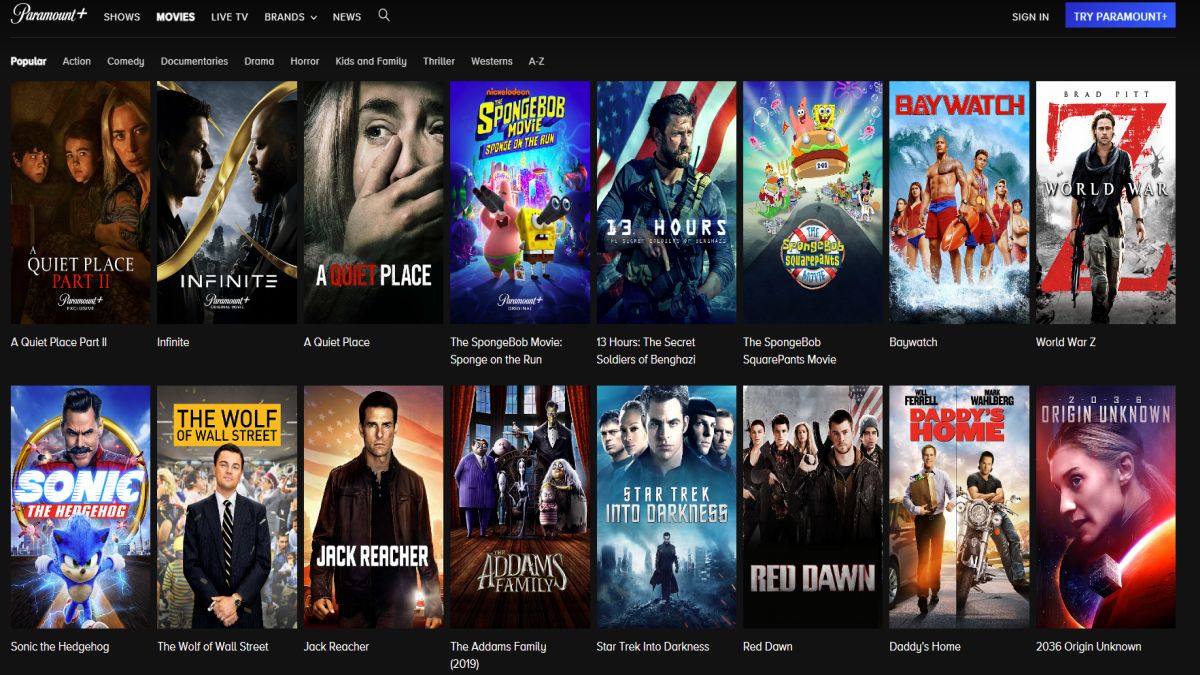
While the appeal of Paramount Plus lies in its vast content, from a technical standpoint, this translates to a massive data repository optimized for various resolutions and bitrates. The service streams content in resolutions up to 4K Ultra HD with HDR support on compatible devices and internet connections. This multi-resolution delivery system automatically adjusts to your device’s capabilities and network bandwidth, a key technical feature ensuring a balance between picture quality and buffer-free playback. The inclusion of live channels, such as CBS and CBS Sports, further highlights the complexity of its real-time data streaming infrastructure, requiring low latency and stable connections.
Core Technical Requirements for Streaming
To ensure a smooth Paramount Plus experience, certain technical prerequisites must be met. At its foundation, reliable internet connectivity is paramount. For standard definition (SD) content, a minimum download speed of 3 Mbps is typically recommended. For high definition (HD) content, 5-10 Mbps is advisable, and for 4K Ultra HD streaming, a consistent 25 Mbps or higher is generally required. The service leverages adaptive bitrate streaming protocols, which dynamically adjust video quality based on current network conditions. This prevents buffering by lowering the stream quality when bandwidth fluctuates, then increasing it again when conditions improve. Additionally, devices must meet specific operating system (OS) versions to support the latest app functionalities and security protocols, ensuring compatibility and stable performance.
Universal Accessibility: Devices and Platforms for Paramount Plus
Paramount Plus is engineered for widespread accessibility, offering dedicated applications and browser support across a comprehensive range of smart devices. Understanding where and how to access the service involves familiarity with these diverse technological platforms.
Smart TVs: Seamless Integration with Your Living Room
Modern smart televisions are often the primary viewing hub for streaming services, and Paramount Plus offers native app support for a wide array of brands. This includes major players like Samsung (Tizen OS, 2017 models and newer), LG (webOS, 2017 models and newer), Vizio (SmartCast), and Android TV-powered devices (Sony, Hisense, TCL). The integration involves downloading the Paramount Plus app directly from the TV’s app store. These apps are designed to leverage the TV’s native display capabilities, offering features like 4K HDR playback and surround sound output through HDMI ARC/eARC connections, provided the TV and connected audio system support these standards. Installation is straightforward: navigate to the app store, search for “Paramount Plus,” download, and install.
Streaming Devices: Portable Powerhouses for Any TV
Dedicated streaming devices transform any HDMI-enabled display into a smart TV capable of running Paramount Plus. These compact gadgets are often preferred for their processing power, consistent performance, and user-friendly interfaces.
- Roku Devices: Paramount Plus is fully integrated across the Roku ecosystem, from Roku Express to Roku Ultra and Roku TVs. Users can add the “Paramount+” channel from the Roku Channel Store.
- Amazon Fire TV Devices: All Amazon Fire TV Sticks, Fire TV Cubes, and Fire TV Edition televisions support the Paramount Plus app, available for download from the Amazon Appstore.
- Apple TV: Both Apple TV HD (4th generation) and Apple TV 4K models provide access to the Paramount Plus app via the tvOS App Store.
- Google Chromecast: While Chromecast devices (including Chromecast with Google TV) primarily rely on “casting” content from mobile devices or web browsers, Chromecast with Google TV offers a native Android TV interface where the Paramount Plus app can be installed directly. Older Chromecasts require the app on a separate device to initiate the cast.
Mobile Devices & Tablets: Entertainment On-the-Go
The Paramount Plus mobile application extends the viewing experience to smartphones and tablets, catering to the demand for portable entertainment.
- iOS Devices: Compatible with iPhones and iPads running iOS 13.0 or later. The app is downloadable from the Apple App Store.
- Android Devices: Supports Android phones and tablets running Android OS 5.0 or later. The app is available on the Google Play Store.
These mobile apps are optimized for smaller screens, offer features like offline downloads (for subscribers to certain plans), and often include parental control settings directly within the app’s configuration. They also utilize device-specific functionalities such as push notifications and integration with system-wide media controls.
Web Browsers: Desktop and Laptop Viewing
For those who prefer a larger screen or are working on a computer, Paramount Plus is fully accessible via standard web browsers. The service supports a range of popular browsers on both Windows and macOS operating systems.
- Supported Browsers: Google Chrome, Mozilla Firefox, Microsoft Edge, and Apple Safari (on macOS).
- Access Method: Simply navigate to paramountplus.com, log in or sign up, and start streaming. The web interface is responsive, adapting to different screen sizes, and often provides a robust alternative to dedicated applications, especially for troubleshooting or quick access. Browser-based streaming relies on HTML5 video players and requires up-to-date browser versions for optimal performance and security.
Gaming Consoles: Beyond Gaming, Into Streaming
Modern gaming consoles have evolved into comprehensive entertainment hubs, and Paramount Plus is available on several leading platforms.
- PlayStation Consoles: PlayStation 4 and PlayStation 5 consoles can download the Paramount Plus app from the PlayStation Store.
- Xbox Consoles: Xbox One, Xbox Series S, and Xbox Series X also offer the Paramount Plus app through the Microsoft Store.
These console applications are designed to integrate with the console’s existing user interface and control schemes, offering a familiar experience for gamers transitioning to streaming.
Getting Started: Initial Setup and App Navigation
Once you’ve identified your preferred device, the process of getting Paramount Plus up and running involves a few key technical steps, from installation to mastering the user interface.

Downloading and Installing the Paramount Plus App
The installation process is largely standardized across platforms. For smart TVs, streaming devices, mobile devices, and gaming consoles, it typically involves:
- Accessing the App Store: Navigate to your device’s native app store (e.g., Apple App Store, Google Play Store, Roku Channel Store, Amazon Appstore, PlayStation Store, Microsoft Store).
- Searching: Use the search function to look for “Paramount Plus.”
- Download and Install: Select the official Paramount Plus app and initiate the download. The app will automatically install after downloading.
- Launch: Once installed, open the app.
On web browsers, no installation is required; simply visit paramountplus.com. Ensure your device has sufficient storage space for the app (usually minimal, but good practice) and that your internet connection is stable during the download process to avoid corruption.
Account Creation and Subscription Management
Upon launching the app or visiting the website for the first time, you’ll be prompted to sign in or create an account. Account creation is a digital registration process where you provide an email address, create a password, and select a subscription plan. Payment information is securely processed through the app store’s billing system (for in-app subscriptions) or Paramount Plus’s direct payment gateway (for website subscriptions). From a technical standpoint, this involves secure data transmission (SSL/TLS encryption) to protect personal and financial details. Subscription management, including changing plans or canceling, is typically handled within the app’s settings section or via the paramountplus.com website, which redirects to your account portal.
Mastering the User Interface: Features for Enhanced Viewing
The Paramount Plus user interface (UI) is designed for intuitive navigation, but understanding its technical features can enhance your viewing experience.
- Profiles: This feature allows multiple users within a household to have personalized viewing histories, recommendations, and watch lists. Technically, each profile stores user-specific metadata linked to the primary account.
- Watchlist: A curated list of content you intend to watch. This list is cloud-synced across all your logged-in devices, leveraging backend data storage.
- Continue Watching: Automatically tracks your progress in shows and movies, allowing you to resume playback from where you left off on any device. This relies on real-time playback data synchronization.
- Search Functionality: An algorithmic search engine that scans the entire content library for keywords, genres, actors, or titles.
- Content Categories and Recommendations: Content is categorized and recommendations are generated using machine learning algorithms that analyze your viewing habits and preferences.
Optimizing Your Streaming Experience: Tech Tips and Troubleshooting
Even with the right devices and subscriptions, technical hitches can arise. Proactive optimization and effective troubleshooting are key to maintaining an uninterrupted Paramount Plus experience.
Ensuring Optimal Internet Connectivity
Your internet connection is the backbone of streaming.
- Bandwidth: Verify your internet speed using online speed tests (e.g., Speedtest.net) to ensure it meets or exceeds Paramount Plus’s recommendations for your desired quality.
- Wi-Fi Strength: For wireless connections, ensure your device is close enough to your router to receive a strong signal. Wi-Fi extenders or mesh networks can improve coverage in larger homes.
- Ethernet Connection: Whenever possible, use an Ethernet cable to connect your streaming device directly to your router. This provides a more stable, faster, and lower-latency connection than Wi-Fi, significantly reducing buffering.
- Router Reboot: A simple reboot of your modem and router can often resolve temporary network congestion or IP address conflicts.
Device Compatibility and Software Updates
Outdated software is a common culprit for streaming issues.
- Operating System (OS) Updates: Regularly check for and install the latest OS updates for your smart TV, streaming device, mobile device, or gaming console. These updates often include performance enhancements, security patches, and improved app compatibility.
- App Updates: Ensure the Paramount Plus app itself is updated to the latest version. App developers frequently release updates to fix bugs, introduce new features, and improve streaming stability. Many app stores offer automatic updates, which should generally be enabled.
Common Streaming Issues and Quick Fixes
- Buffering or Lag:
- Diagnosis: Often indicates insufficient bandwidth or network congestion.
- Fixes: Reduce other network activity, connect via Ethernet, reboot router, lower streaming quality settings if available, or try streaming at off-peak hours.
- App Crashing or Freezing:
- Diagnosis: Can be caused by corrupted app data, insufficient device memory, or an outdated app/OS.
- Fixes: Force-close and restart the app, clear the app’s cache (in device settings), restart the device, update the app/OS, or reinstall the app.
- Login Issues:
- Diagnosis: Incorrect credentials, network problems preventing authentication, or account-specific issues.
- Fixes: Double-check username/password, reset password, verify internet connection, or contact Paramount Plus support if account lockout persists.
- No Sound or Picture:
- Diagnosis: Device audio/video settings, app malfunction, or corrupted content stream.
- Fixes: Check device volume and mute settings, test other apps, restart the stream, restart the device, or reinstall the app.
Advanced Features: Offline Downloads and Parental Controls
- Offline Downloads (Select Plans): For users on higher-tier plans, the mobile app offers the technical capability to download select content for offline viewing. This encrypts the content and stores it locally on your device for a limited time, using device storage efficiently.
- Parental Controls: Paramount Plus provides robust parental control settings within the app, allowing users to restrict content based on ratings. This feature leverages a content rating system and requires a PIN to access restricted profiles or content, ensuring children only view age-appropriate material. These settings are typically managed from the main account settings and apply across all devices associated with that account.
Regional Availability and Global Access Considerations
The geographic distribution of digital content is a complex technical and legal challenge, and Paramount Plus is no exception. Understanding where and how the service is officially available is crucial.
Understanding Geographic Restrictions
Paramount Plus operates under licensing agreements that vary by region, leading to geo-restrictions. This means that certain content, or even the entire service, may only be accessible from specific countries. The service uses IP address detection technology to determine your geographic location. If your IP address indicates you are in an unsupported region, or if content is licensed only for specific territories, access will be blocked. This is a standard technical measure employed by virtually all streaming services to comply with their content distribution rights.
VPNs and Their Technical Implications
Some users attempt to bypass geo-restrictions using Virtual Private Networks (VPNs). A VPN technically reroutes your internet traffic through a server in a different location, making it appear as though you are browsing from that region. While this might sometimes circumvent geo-blocks, Paramount Plus and other streaming services are constantly improving their VPN detection technologies. Using a VPN can lead to:
- Connection Issues: Slower speeds or buffering due to the additional routing.
- Blocked Access: Many VPN IP addresses are identified and blacklisted by streaming services, leading to error messages.
- Terms of Service Violations: Using a VPN to bypass geo-restrictions often violates a streaming service’s terms of service, which could result in account suspension.
Therefore, while technically feasible, using VPNs for accessing Paramount Plus content outside its licensed regions carries significant technical and user agreement risks.
In conclusion, accessing Paramount Plus is a straightforward process once you understand the underlying technical requirements and available platforms. From ensuring optimal internet speeds to selecting the right device and leveraging app features, a tech-informed approach guarantees a superior streaming experience. By following this guide, you are well-equipped to navigate the Paramount Plus ecosystem efficiently, bringing its vast library of entertainment directly to your preferred screens.
aViewFromTheCave is a participant in the Amazon Services LLC Associates Program, an affiliate advertising program designed to provide a means for sites to earn advertising fees by advertising and linking to Amazon.com. Amazon, the Amazon logo, AmazonSupply, and the AmazonSupply logo are trademarks of Amazon.com, Inc. or its affiliates. As an Amazon Associate we earn affiliate commissions from qualifying purchases.