
The strategic depth and replayability of Civilization VI are undeniable, but for many seasoned players, the true longevity of the game lies in its vibrant modding community. Mods can introduce anything from new civilizations and unique units to significant gameplay overhauls and crucial quality-of-life improvements, breathing fresh life into countless hours of empire-building. However, the prospect of taking these custom experiences into the realm of multiplayer often raises a critical question: Can mods simply auto-install for all players in a Civ 6 multiplayer game?
The short answer, unfortunately, is no – not in the seamless, host-initiated auto-install fashion that many might hope for. While modern game launchers and platforms like Steam have significantly streamlined the process of installing single-player mods, the intricacies of multiplayer synchronization introduce a layer of complexity that prevents true “auto-installation” in Civilization VI. This reality often leaves new and even experienced players grappling with desynchronization errors, frustrating game crashes, and a general lack of clarity on how to successfully unite a group of friends under the banner of a common modded experience.

This article delves deep into the mechanics of Civ 6 multiplayer modding, demystifying the challenges and providing a comprehensive guide to ensuring all players are on the same page, technically speaking. We’ll explore why “auto-install” is a misnomer, how to leverage existing tools and best practices, and offer insights into common pitfalls and their solutions. For anyone looking to elevate their multiplayer Civ 6 sessions beyond the vanilla experience, understanding these dynamics is not just helpful—it’s essential for maintaining both game stability and group camaraderie.
The Illusion of Automation: Unpacking Civ 6 Multiplayer Modding
The desire for automatic mod installation in multiplayer games is perfectly understandable. In an era where digital distribution platforms effortlessly manage game updates and DLC, the expectation is often that mods, too, should be simple to deploy across all participants. However, the architecture of Civilization VI, like many other strategy games, presents unique challenges that preclude such a straightforward solution.
The Core Challenge: Why “Auto-Install” Isn’t Quite a Reality
At the heart of the matter lies the fundamental principle of multiplayer game integrity: every player’s game client must be in an identical state to prevent “desynchronization.” Desyncs occur when the game states on different players’ machines diverge, even by the smallest margin. This could be due to a unit moving differently, a resource generating a different amount, or a combat outcome varying across clients. When these discrepancies arise, the game often becomes unplayable, leading to crashes or an inability to continue.
When mods are introduced, they modify game files, introduce new rules, or alter existing assets. For a modded multiplayer game to run smoothly, every single player must have:
- The exact same mods installed.
- The exact same versions of those mods.
- The exact same load order for those mods.
If even one player is missing a mod, has a different version, or has their mods loading in a conflicting sequence, the likelihood of desyncs skyrockets. Unlike official DLC, which is usually centrally managed and automatically distributed by the game client or platform, mods are community-created additions. The game itself doesn’t have a built-in mechanism to detect a host’s mod list, download those mods for joining players, and then automatically install and enable them in the correct order. This technical limitation is why the “auto-install” dream remains just that – a dream. The responsibility largely falls on the players themselves to ensure uniformity across all game clients.
The Appeal of Modded Multiplayer: Beyond Vanilla Frontiers
Despite the technical hurdles, the allure of modded Civilization VI multiplayer remains incredibly strong. Why do players invest the time and effort into setting up these potentially complex configurations? The reasons are numerous and compelling, often revolving around a desire for enhanced gameplay and a personalized experience.
Firstly, mods offer unparalleled variety and replayability. Even with Civ 6’s extensive roster of official civilizations and game modes, the community continually innovates. New custom civilizations, each with unique abilities and units, can dramatically alter strategic considerations. Entirely new game mechanics, such as advanced diplomacy systems, expanded espionage, or alternative victory conditions, can transform the core gameplay loop. For groups who have played countless vanilla games, mods provide a refreshing change of pace and an endless well of new content to explore together.
Secondly, mods can significantly address quality-of-life issues and balance discrepancies that players might perceive in the base game. UI improvements, such as better resource overlays, clearer trade route management, or enhanced turn notifications, can make the game more enjoyable and less cumbersome. Balance mods can fine-tune civ abilities, unit strengths, or technology costs, creating a more competitive and fair multiplayer environment. These enhancements, often born from deep community engagement and understanding of the game’s mechanics, contribute to a more polished and satisfying overall experience.
Finally, mods foster a sense of community and shared experience. Discovering, selecting, and implementing a mod list for a multiplayer group becomes a collaborative effort. It’s a process that encourages discussion, compromise, and a shared anticipation of the new dynamics these mods will introduce. For many, the ability to tailor their Civilization VI experience to their exact preferences, and then share that bespoke adventure with friends, is the ultimate expression of the game’s enduring appeal. This collaborative aspect, while sometimes challenging, ultimately deepens the bond within gaming groups, transforming a potentially solitary pursuit into a rich, shared digital journey.
Navigating the Technical Landscape: How Mods Work (and Don’t Work) in Civ 6 Multiplayer
Successfully running a modded Civ 6 multiplayer game hinges on understanding the tools and processes available for managing mods. While there’s no magical “auto-install” button, the community and developers have provided systems that, with a bit of coordination, can achieve the necessary synchronization.
Understanding Mod Compatibility and Desynchronization
The primary enemy of modded multiplayer is desynchronization, or “desync.” A desync occurs when the game state on one player’s computer differs from another’s. In Civilization VI, a deterministically simulated game, every action and random event (like barbarians spawning or resource yields) must resolve identically on all clients. If a mod alters any of these deterministic elements differently on different machines, a desync is inevitable.
Types of Mods and Desync Risk:
- Gameplay-altering mods: These include new civilizations, units, buildings, policy changes, balance adjustments, or new game mechanics. These mods directly impact the core simulation and are the most prone to causing desyncs if not perfectly synchronized across all players. Any deviation in their installation or version can immediately break the game.
- UI/QoL (Quality-of-Life) mods: These mods typically change only the user interface or add visual overlays without altering core gameplay logic. Examples include better reports, improved map pins, or expanded tooltips. Many UI mods are client-side only, meaning each player can have them installed independently without affecting other players’ game states, as long as they don’t change any game data. However, even some UI mods can subtly interact with game data and cause issues, so caution is always advised. When in doubt, assume all mods need to be synchronized.
The key takeaway is that for any mod that affects gameplay logic, every single player must have it, it must be the exact same version, and it must be loaded in the exact same order. This rigorous requirement is what makes the “auto-install” concept so difficult to implement without direct, deep integration into the game engine itself.
The Role of the Steam Workshop: Your Primary Synchronization Tool
For Civilization VI players on PC, the Steam Workshop is the undisputed cornerstone of mod management and, by extension, multiplayer synchronization. It’s the closest thing to an “auto-installer” that exists, though it still requires manual action from each player.
How it works:
- Subscription: Mod creators upload their creations to the Steam Workshop. Players can then “subscribe” to these mods. Subscribing automatically downloads the latest version of the mod to their game directory.
- Automatic Updates: When a mod creator updates their mod on the Workshop, Steam will typically download the update automatically for all subscribers. This feature is crucial for maintaining version consistency in multiplayer.
- In-Game Mod Browser: Civ 6 features an in-game mod browser that integrates directly with the Steam Workshop. Players can browse, subscribe, and enable/disable mods from within the game’s main menu.
Best Practices for Steam Workshop in Multiplayer:
- Curated List: The host (or group leader) should create a definitive list of mods the group intends to use. This list should ideally include direct links to the Steam Workshop pages for each mod.
- Mandatory Subscription: Every player must go to each mod’s Steam Workshop page and click the “Subscribe” button. They should then launch Civ 6, go to the “Additional Content” menu, and ensure all selected mods are enabled.
- Version Control: Steam Workshop generally handles version control well, but occasionally a player might have an outdated version if Steam hasn’t synced properly. A quick restart of Steam and Civ 6 usually fixes this. Players should be instructed to check their “Additional Content” menu to confirm all mods are enabled and appear correctly.
- Load Order: While Civ 6’s mod manager has some basic load order capabilities, it’s not as robust as dedicated external tools. For highly sensitive mod combinations, players might need to manually adjust their
Modinfofiles or use external mod managers if load order becomes a consistent problem.
The Steam Workshop significantly reduces the friction of mod distribution, making it the preferred method for most groups. It centralizes mod discovery and updates, streamlining the process of getting everyone on the same page.
Beyond Steam Workshop: Leveraging Manual Methods and Community Tools
While the Steam Workshop is excellent, some situations might require alternative approaches or supplementary tools, especially for troubleshooting or niche mods not available on the Workshop.
Manual Mod Installation:
- Some mods are distributed as
.zipfiles or other archives outside of Steam. These typically need to be unzipped and placed in the Civilization VI mods folder (usuallyDocumentsMy GamesSid Meier's Civilization VIMods). - Caution: This method is highly prone to errors in multiplayer. Ensuring everyone has the exact same files, in the exact same directory structure, is challenging. Version control becomes a nightmare, as there are no automatic updates. This approach should be a last resort for multiplayer.
Mod Managers and Launchers:
- While Civ 6 has an in-game mod manager, it’s quite basic. For advanced users or complex mod lists, external tools exist, often community-developed, that provide more granular control over mod enabling/disabling and load order.
- These tools can help players quickly identify missing mods or diagnose load order conflicts. They don’t auto-install mods for others but empower individual players to manage their own mod environment more effectively. Examples might include various community-made launchers or utilities designed for mod load order management. When dealing with a large number of mods, especially those that might interact in unexpected ways, these tech-focused tools can be invaluable for maintaining productivity and reducing troubleshooting time.
Dedicated Servers and Hosting (Limited Relevance):
- Unlike some other games (e.g., Minecraft), Civ 6 doesn’t widely support community-run dedicated servers in a way that would automatically distribute and manage mods for joining players. The game’s multiplayer is primarily peer-to-peer or hosted directly by one of the players via Steam. Therefore, the responsibility for mod synchronization remains client-side.
Ultimately, the core principle remains: manual verification and coordination among players are indispensable. The Steam Workshop simplifies distribution, but it does not remove the individual player’s responsibility to ensure their game client is configured identically to the host’s.
A Step-by-Step Blueprint for Successful Modded Multiplayer Sessions
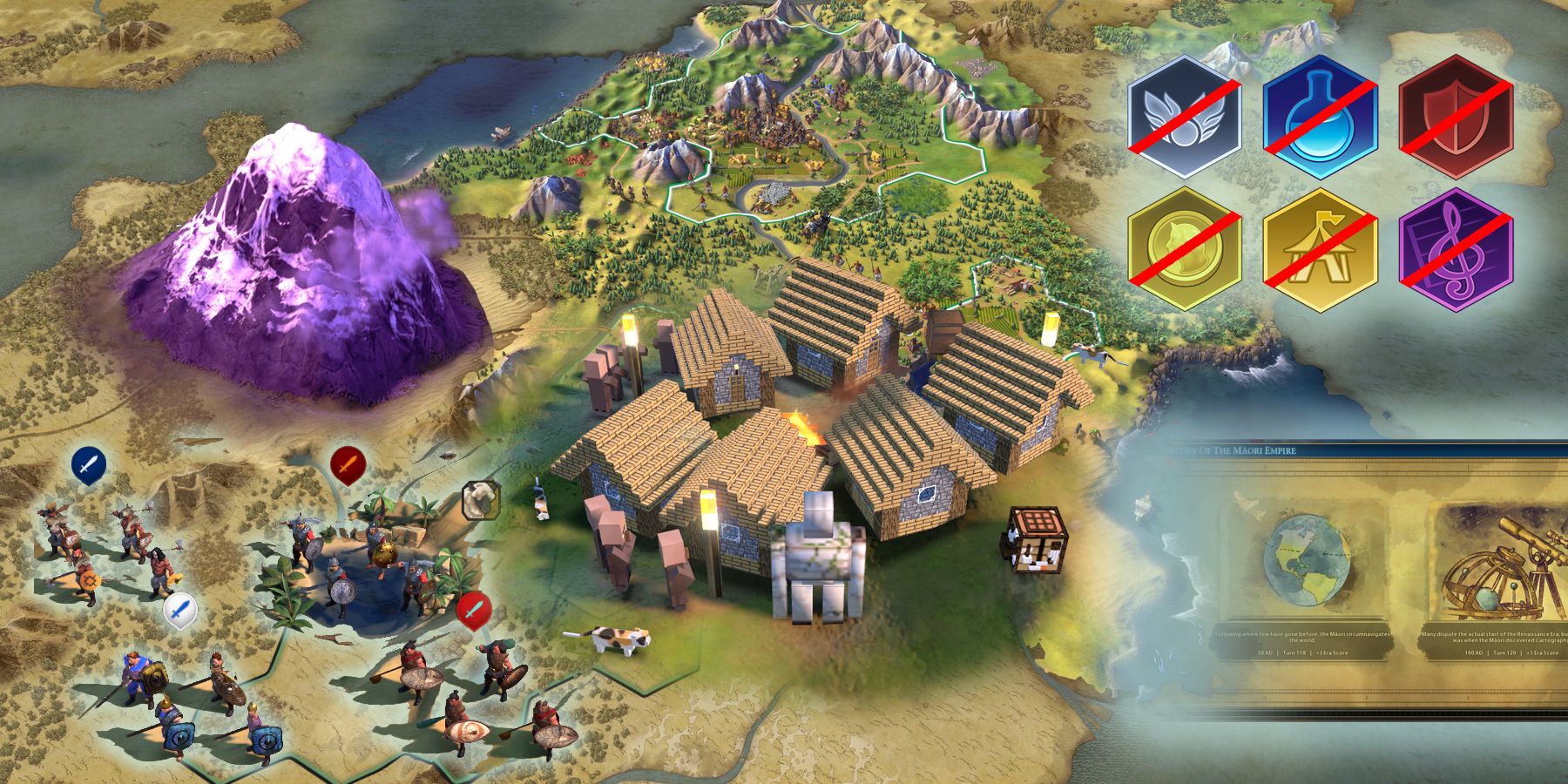
Achieving a stable, modded Civ 6 multiplayer game requires a systematic approach. By following these steps, groups can significantly reduce the likelihood of desyncs and frustration, ensuring a smoother gaming experience.
Pre-Game Consensus: Building Your Mod List Together
The first and most crucial step occurs before anyone even launches the game: agree on the mods. This collaborative effort sets the foundation for a successful session.
- Appoint a Mod Leader/Host: Typically, the game host takes on this role, but any technically savvy and organized player can lead the mod selection process.
- Discuss and Select Mods: As a group, decide which mods you want to play with. Consider:
- Purpose: Are you looking for new civs, balance changes, or UI improvements?
- Compatibility: Check mod descriptions for known conflicts with other popular mods. Mod authors often list compatible/incompatible mods.
- Stability: Prioritize mods that are well-rated, frequently updated, and known for their stability. Avoid experimental or very old mods unless you’re prepared for troubleshooting.
- Create a Shared Mod List: Compile a definitive list of chosen mods. The best practice is to include:
- The mod’s name.
- A direct link to its Steam Workshop page.
- Any specific notes or installation instructions from the mod author.
- (Optional but Recommended) A desired load order if the mod authors provide one or if the group agrees on a specific sequence to prevent conflicts.
- Communicate Clearly: Share this list with everyone involved in the multiplayer game. Platforms like Discord, dedicated chat groups, or even a simple shared document (Google Docs, Notion) are ideal for this. Ensure everyone acknowledges and understands the list.
This pre-game collaboration is where “Brand” subtly comes into play. A well-curated mod list, perhaps even with a group “brand” or theme, can create a unique identity for your gaming sessions, making them more memorable and enjoyable for all involved.
The Installation Gauntlet: Ensuring Every Player is Equipped
Once the mod list is finalized, every player must take responsibility for installing and enabling the mods correctly.
- Subscribe to All Mods: Each player must visit every Steam Workshop link from the shared list and click “Subscribe.” This ensures the mods are downloaded.
- Launch Civ 6 and Enable Mods:
- After subscribing, launch Civilization VI.
- From the main menu, go to “Additional Content” -> “Mods.”
- Verify that all the selected mods appear in the list and are checked/enabled. If a mod isn’t showing up or isn’t enabled, troubleshoot its subscription (restarting Steam, unsubscribing/resubscribing).
- Confirm Load Order (If Applicable): If your group decided on a specific load order, this is where players would manually adjust it within the Civ 6 mod manager (if it provides enough control) or via external tools. This step is often overlooked but can be critical for complex mod combinations.
- Quick Check-in: Before starting the game, each player should confirm to the host that they have subscribed to and enabled all mods on the list. A simple “Mod check: OK” in a group chat can save significant time later.
This phase is where the “Tech” aspect is most prominent. Each player essentially becomes a system administrator for their own game client, managing software components (mods) and ensuring their compatibility and correct deployment. Attention to detail here is paramount for a smooth experience.
Launching the Modded Game: Critical Checks for the Host
The host plays a pivotal role in initiating the modded game and ensuring initial stability.
- Host Creates Game: The host launches Civ 6, goes to “Multiplayer” -> “Host Game.”
- Select Modded Game Mode: In the game setup screen, there will be an option (usually in a dropdown or checkbox) to enable mods. The host must ensure this is selected.
- Verify Enabled Mods (Host): The host should quickly double-check their own “Additional Content” -> “Mods” section one last time before inviting players, ensuring all chosen mods are enabled.
- Invite Players: Once the game lobby is set up with mods enabled, the host can invite other players via Steam.
- Pre-Game Lobby Check: As players join the lobby, the host should visually confirm that they are seeing the expected mod indicators (often a small icon next to player names or game details). If a player is missing a mod, the game might prevent them from joining, or indicate an incompatibility. This is the last chance to catch issues before loading into the game.
Troubleshooting Common Hurdles: Addressing Desyncs and Crashes
Even with meticulous preparation, issues can arise. Knowing how to troubleshoot effectively is key to preserving your group’s sanity.
- Immediate Desync/Crash on Game Start: This usually indicates a fundamental mismatch.
- Solution: All players should exit the game. Re-verify the mod list against enabled mods for everyone. Ensure everyone has the exact same version of Civ 6 (including all official DLC if used). Sometimes, simply restarting Steam and Civ 6 can resolve minor discrepancies.
- Desync During Gameplay (e.g., after a few turns): More insidious, this suggests a deeper inconsistency or a mod interaction that’s slowly diverging game states.
- Solution: The quickest fix is often to attempt a reload from the last autosave. If desyncs persist, try to identify if it happens after a specific action or turn. Systematically disable mods one by one (starting with the most recent additions or those known for potential instability) to isolate the culprit. This can be time-consuming but effective.
- “Missing Mod” or “Mod Mismatch” Errors:
- Solution: This is straightforward. The player(s) receiving the error must verify they have subscribed to and enabled the specified mod. The host might need to re-share the direct Steam Workshop link.
- Performance Issues: Mods, especially those with high-resolution assets or complex scripts, can impact game performance.
- Solution: Reduce the number of active mods, particularly those that heavily alter graphics or add numerous new units. Ensure all players meet the game’s recommended system requirements.
Patience and clear communication are paramount during troubleshooting. The “Money” theme subtly enters here: while mods are free, the “cost” of troubleshooting can be significant in terms of lost time and frustration. Investing time in a robust setup process upfront pays dividends in saved time and enhanced enjoyment later.
Optimizing Your Modded Experience: Best Practices and Advanced Considerations
Beyond the basic setup, a few advanced tips can help refine your modded Civ 6 multiplayer experience and ensure long-term stability.
Distinguishing Between Client-Side and Host-Side Mods
As mentioned, some mods only affect a player’s local experience and don’t need to be synchronized with others. These are typically UI or purely aesthetic mods.
- Client-Side Mods: Can be installed by individual players without requiring others to have them. Examples: UI mods that display information differently but don’t change game logic (e.g., Extended Diplomacy Ribbon, Better Report Screen).
- Host-Side (and thus All-Player-Side) Mods: Any mod that changes gameplay rules, unit stats, technologies, civ abilities, or adds new content. These must be identical for all players.
While identifying purely client-side mods can reduce the burden of synchronization, it’s often safer and simpler for multiplayer groups to treat all mods as requiring universal installation and activation, unless explicitly stated otherwise by the mod author. When in doubt, synchronize.
Performance and Stability: Managing Your Mod Loadout
Every mod adds a layer of complexity and potential overhead to the game. A heavily modded game can suffer from increased load times, slower turn processing, and reduced frame rates, even on powerful hardware.
- Be Selective: Resist the urge to install every cool mod you find. A smaller, well-curated list of essential mods often leads to a more stable and enjoyable experience than a massive, sprawling collection.
- Monitor Performance: Pay attention to how the game runs with your mod list. If performance degrades significantly, consider removing less critical mods.
- Prioritize Updates: Always ensure your mods are up-to-date. Mod authors frequently release patches to fix bugs and improve performance. Steam Workshop handles this automatically, but a manual check now and then is good practice. This directly relates to the “Tech” theme, as it involves proactive management of software components.
The Community Factor: Where to Find Support and Shared Configurations
The Civ 6 modding community is a treasure trove of knowledge and support.
- Mod Author Pages: The Steam Workshop pages for individual mods are often rich with comments, troubleshooting tips, and discussions about compatibility.
- Reddit & Forums: Subreddits like r/civ and dedicated Civfanatics forums are excellent places to ask questions, share mod lists, and find solutions to common issues.
- Discord Servers: Many Civ 6 communities and even individual mod authors run Discord servers where you can get real-time help, share screenshots of issues, and coordinate mod lists with your friends. This community engagement is key to navigating the complexities of modding and underscores the “Brand” of the Civ community itself – a collaborative and helpful ecosystem.
These platforms are invaluable for discovering new mods, understanding their nuances, and resolving problems, fostering a strong sense of shared learning and problem-solving among players.
The Future of Modding in Civilization 6 and Beyond: Tech Trends and User Experience
While Civilization VI may not offer a true “auto-install” feature for multiplayer mods, the landscape of gaming technology is constantly evolving. Modern game engines and platforms are increasingly recognizing the value of user-generated content and striving to integrate it more seamlessly. For future iterations of Civilization or other strategy titles, we might see advancements that improve the multiplayer modding experience:
- Integrated Mod Sync Tools: Imagine a future where the game client itself can detect the host’s mod list, automatically prompt joining players to download missing mods from a central repository (like an enhanced Steam Workshop), and even manage load order. This would be a significant leap in user experience, minimizing the manual “Tech” burden on players.
- Sandbox Environments: Advanced mod managers could potentially allow players to create “mod profiles” or sandbox environments, making it easier to switch between different mod sets without conflicting files, further enhancing productivity.
- AI-Driven Compatibility Checks: Future tools might leverage AI to analyze mod files and predict compatibility issues or optimal load orders, flagging potential desyncs before they even occur. This could transform troubleshooting from a tedious manual process into an intelligent, automated suggestion system.
- Blockchain for Mod Management?: While speculative, concepts like blockchain could theoretically be used for immutable versioning and distribution of mods, though this would involve significant platform integration and address potential “Money” implications for creators.
For now, Civilization VI players must rely on the existing tools and a healthy dose of coordination and communication. The journey to a perfectly synchronized, modded multiplayer game is a testament to the community’s dedication and the enduring appeal of tailoring one’s gaming experience. While auto-installation remains largely a wish, the robust methods available, combined with a committed group of players, make the dream of customized, collaborative empire-building a very achievable reality.
aViewFromTheCave is a participant in the Amazon Services LLC Associates Program, an affiliate advertising program designed to provide a means for sites to earn advertising fees by advertising and linking to Amazon.com. Amazon, the Amazon logo, AmazonSupply, and the AmazonSupply logo are trademarks of Amazon.com, Inc. or its affiliates. As an Amazon Associate we earn affiliate commissions from qualifying purchases.