
In the demanding world of game development, every second counts. From iterating on complex levels to compiling intricate shaders, the underlying hardware infrastructure significantly impacts a developer’s productivity and workflow. For those working with Unreal Engine – a powerhouse responsible for some of the most visually stunning and technically advanced games – the choice of storage device isn’t just a minor detail; it’s a critical decision that can make or break your development experience. The question “where to install Unreal Engine” invariably leads to one unequivocal answer: Solid State Drives (SSDs).

This article will delve deep into why SSDs are not merely recommended but are an absolute necessity for Unreal Engine development. We’ll explore the technical advantages, guide you through choosing the right type of SSD, offer strategic installation advice, and provide optimization tips to ensure your development environment is as efficient and responsive as possible.
The Unquestionable Advantage: Why SSDs Are Non-Negotiable for Unreal Engine Development
At its core, game development with Unreal Engine is an intensely I/O (Input/Output) heavy process. From loading massive game assets and textures to compiling C++ code and shaders, the engine constantly reads and writes vast amounts of data. Traditional Hard Disk Drives (HDDs), with their mechanical spinning platters, simply cannot keep pace with these demands. This is where SSDs shine, offering a profound upgrade in speed and responsiveness that directly translates into increased productivity and reduced frustration.
Eliminating the Bottleneck: How Storage Impacts Workflow
The most immediate and noticeable benefit of an SSD is the dramatic reduction in load times.
- Editor Loading: Launching the Unreal Editor itself, especially with a multitude of plugins and large default assets, can be a prolonged waiting game on an HDD. An SSD slashes this time, getting you into your workspace much faster.
- Project and Level Loading: Opening complex projects with hundreds of gigabytes of assets, or loading intricate levels, becomes significantly quicker. Developers can jump between different scenes and iterations with minimal delay, fostering a more fluid and creative workflow.
- Compilation Speed: Whether you’re compiling C++ code for gameplay logic or waiting for shaders to compile after an engine update or material change, disk I/O is a major factor. SSDs accelerate these processes by providing rapid access to the necessary files, dramatically cutting down compilation times. This is especially crucial for iterating quickly on code changes or visual effects.
- Asset Streaming and Texture Loading: Modern games feature incredibly detailed environments and high-resolution textures. Unreal Engine’s ability to stream these assets efficiently from storage directly impacts in-editor performance and runtime quality. An SSD ensures that textures and models load almost instantaneously, preventing pop-in and stuttering during playback in the editor and even during testing builds.
- Swarm Agent and Build Times: When building lighting or packaging projects, Unreal Engine often utilizes a distributed compilation system (Swarm Agent) and needs to access many small files quickly. SSDs significantly reduce the I/O overhead for these tasks, leading to faster build and packaging times.
The Cost of Slow Storage: Hidden Productivity Drain
While the raw speed difference is impressive, the real impact of slow storage extends far beyond simple waiting times. A sluggish development environment leads to:
- Developer Frustration: Constant waiting periods break concentration and can lead to burnout. The psychological toll of watching progress bars crawl can’t be overstated.
- Reduced Iteration Speed: Game development is an iterative process. Slow load and compile times directly hinder the ability to make quick changes, test them, and refine them. This slows down the entire development cycle.
- Wasted Time and Money: For professional studios, developer time is expensive. Hours spent waiting for software to respond or assets to load are billable hours that aren’t contributing to actual progress. Investing in fast storage is an investment in human capital.
- Impact on Large Projects and Teams: In large-scale projects with shared asset libraries and complex source control, slow storage can create bottlenecks across an entire team. Fetching updates, syncing files, and building collaborative branches all depend heavily on fast disk access.
In essence, an HDD transforms your powerful CPU and GPU into idling giants, constantly waiting for data to be fed to them. An SSD, on the other hand, unleashes the full potential of your system, ensuring that all components are working in harmony to deliver the fastest possible development experience.
Navigating the SSD Landscape: Choosing the Right Drive for Your UE Environment
Once you’re convinced that an SSD is the way to go, the next step is understanding the different types available and choosing the one that best suits your needs and budget. Not all SSDs are created equal, and their performance characteristics can vary significantly.
NVMe SSDs: The Pinnacle of Speed for Primary Installations
Non-Volatile Memory Express (NVMe) SSDs represent the cutting edge of consumer storage technology. They communicate with the system directly over the PCI Express (PCIe) bus, bypassing the older SATA interface altogether. This direct connection, coupled with NVMe’s optimized command queue, allows for dramatically higher throughput and lower latency compared to SATA drives.
- PCIe Interface Explained: PCIe is the same high-speed interface used by graphics cards, providing multiple “lanes” for data transfer. NVMe drives typically use 4 PCIe lanes (e.g., PCIe Gen 3×4 or Gen 4×4), offering theoretical bandwidths far exceeding SATA’s limits. PCIe Gen 4 NVMe drives can achieve sequential read/write speeds upwards of 7,000 MB/s, while PCIe Gen 3 NVMe drives still easily reach 3,500 MB/s.
- M.2 Form Factor: Most NVMe SSDs come in the compact M.2 form factor, which resembles a small stick of RAM and plugs directly into the motherboard, eliminating the need for separate power and data cables.
- Ideal Use: An NVMe SSD is the undisputed champion for your primary drive. This is where your operating system (Windows), Unreal Engine itself, and your currently active, most demanding projects should reside. The sheer speed ensures lightning-fast boot times, instantaneous application launches, and minimal latency for heavy Unreal Engine operations.
SATA SSDs: A Solid Step Up, But with Limitations
SATA (Serial Advanced Technology Attachment) SSDs were the first mainstream SSDs to emerge. They connect via the familiar SATA III interface, which has a theoretical maximum throughput of 600 MB/s. While significantly faster than any HDD, SATA SSDs are inherently limited by this interface when compared to NVMe drives.
- Suitability: SATA SSDs are still excellent upgrades from HDDs and are perfectly viable for many tasks. They can serve as secondary drives for storing less frequently accessed Unreal Engine projects, large asset libraries that aren’t actively being edited, or as a more budget-friendly option for your initial setup. They are also useful for systems that don’t have available M.2 NVMe slots.
- Comparison to NVMe: For Unreal Engine, the difference between a SATA and NVMe SSD is palpable, particularly during large file transfers, project loading, and compilation tasks. While a SATA SSD will still provide a vastly superior experience to an HDD, an NVMe drive offers a noticeable boost for the most demanding workloads.
Why HDDs Are a Relic for Modern Game Development
To be blunt, traditional HDDs have no place in a modern Unreal Engine development setup. Their mechanical nature, involving spinning platters and read/write heads, introduces fundamental limitations:
- Seek Times: The time it takes for the read/write head to move to the correct data location is measured in milliseconds, orders of magnitude slower than an SSD’s near-instantaneous access.
- Rotational Latency: Waiting for the desired data to spin under the read/write head adds further delay.
- Sequential vs. Random Access: While HDDs can achieve decent sequential read/write speeds for very large, contiguous files, their random read/write performance (critical for databases, operating systems, and game engines that access many small files simultaneously) is abysmal.
The performance gap between an HDD and even a basic SATA SSD is so vast that attempting to develop with Unreal Engine on an HDD will cripple your productivity and lead to constant frustration.
Capacity and Endurance: Planning for Growth
Unreal Engine projects can quickly balloon in size. Engine installations alone can be over 100GB, and individual projects, especially those with high-resolution assets, can easily exceed hundreds of gigabytes, sometimes even terabytes.
- Minimum Capacity: A 1TB SSD should be considered the absolute minimum for an Unreal Engine development machine. This provides enough space for your OS, the engine, and a couple of moderate-sized projects.
- Recommended Capacity: For serious developers or those working on multiple projects, a 2TB NVMe SSD is highly recommended. This offers ample room for several engine versions, numerous projects, and large asset libraries without constantly worrying about space.
- Professional Needs: For studios or developers working with massive datasets, 4TB or even larger NVMe SSDs are becoming increasingly common and invaluable.

Beyond raw capacity, consider endurance and NAND type. SSDs use different types of NAND flash memory (TLC, QLC). While QLC drives offer higher capacity at lower costs, they generally have lower endurance (number of write cycles) and can experience performance drops when their cache fills up. For a primary drive, a TLC (Triple-Level Cell) SSD with a DRAM cache is generally preferred for its better sustained performance and longevity, especially given the heavy write operations involved in game development.
Strategic Placement: Optimizing Your Unreal Engine Installation
Knowing which SSD to buy is only half the battle; knowing where to install Unreal Engine and your projects is equally crucial for maximizing performance. The goal is to ensure the most frequently accessed data resides on the fastest available storage.
The Primary Drive Imperative: OS, Engine, and Active Projects
The golden rule for Unreal Engine installation is to place it on your fastest available SSD, which is typically your main operating system (OS) drive.
- Co-locating Engine and OS: If your OS is installed on a fast NVMe SSD (as it should be for any modern PC), installing Unreal Engine directly on that same drive is often the best strategy. This ensures the engine benefits from the lowest possible latency and highest bandwidth available to your system. Everything runs from one super-fast drive, leading to optimal responsiveness for the entire system.
- Prioritizing Active Projects: Your primary, most active Unreal Engine project should also reside on this fastest drive. This includes the project files, content folder, and any frequently used plugins or assets. This direct access significantly speeds up opening the project, saving changes, and running PIE (Play In Editor) sessions.
Dedicated Drives for Massive Projects and Asset Libraries
While co-locating on the OS drive is ideal, storage space on your primary NVMe can become a premium. For developers dealing with multiple engine versions, extraordinarily large projects, or extensive shared asset libraries, a dedicated, secondary fast NVMe SSD can be a game-changer.
- Separate NVMe for Projects: Consider a second NVMe SSD specifically for your Unreal Engine projects and asset libraries if your primary OS drive is limited in space or if you simply want to separate your development data. This drive should also be NVMe to maintain high performance. For example, if your OS is on a 1TB NVMe, a 2TB or 4TB secondary NVMe for projects provides immense flexibility.
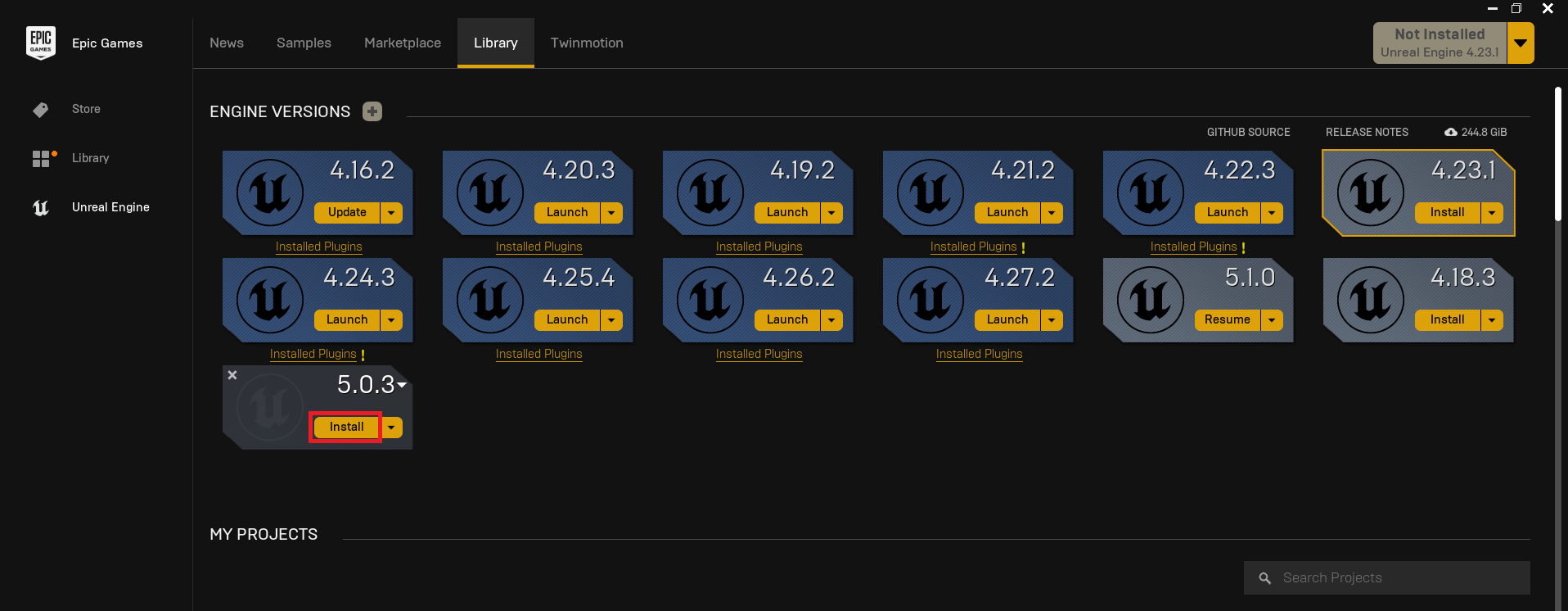
- Organizing Multiple Engine Versions: Unreal Engine often requires you to maintain multiple engine versions for compatibility with different projects or to test new features. These installations can consume significant space. While the latest, most used version should be on your primary drive, older or less frequently used versions can be stored on a secondary, fast SSD to save space on your main drive. The Epic Games Launcher makes it easy to manage installations across different drives.
- Shared Asset Repositories: If you have a vast library of reusable assets (e.g., Megascans, marketplace packs, custom assets), placing them on a dedicated fast SSD ensures they are readily available and load quickly into any project.
Managing Your Digital Workspace: Tips for Storage Hygiene
Even with ample SSD space, effective management is key to maintaining peak performance.
- Delete Old Engine Versions: Regularly review and delete older Unreal Engine versions that are no longer actively used. These can easily consume tens to hundreds of gigabytes.
- Clean Project Derivatives: Unreal Engine generates a lot of temporary files, shader caches, derived data, and build artifacts. Periodically cleaning your project’s “Saved,” “DerivedDataCache,” and “Intermediate” folders can free up substantial space. Use the “Clean Project” options within Unreal Engine or delete them manually (after backing up critical data, of course).
- Utilize Symbolic Links/Junctions: For advanced users, symbolic links or directory junctions (on Windows) can be powerful tools. They allow you to logically place a folder (like a project’s content folder) on your fast primary drive while its actual data resides on a secondary, larger drive. This can be complex to set up but offers great flexibility.
The goal is always to minimize the distance and maximize the speed between Unreal Engine and the data it needs to access most frequently.
Beyond the Installation: Maximizing Unreal Engine Performance
While installing Unreal Engine on a fast SSD is the foundational step, a truly optimized development environment requires attention to other system components and software settings. The fastest SSD in the world can still be bottlenecked if other parts of your system aren’t up to par.
RAM and CPU: The Unsung Heroes in Conjunction with Fast Storage
An SSD accelerates data retrieval, but your CPU and RAM are responsible for processing that data.
- Ample RAM: Unreal Engine is a memory-hungry application. 32GB of RAM is considered the standard for serious development, with 64GB or more highly recommended for large projects. Sufficient RAM reduces the system’s reliance on virtual memory (paging files) on the disk. When RAM is full, the OS moves inactive data to the page file on your SSD. While an SSD handles this much better than an HDD, relying heavily on the page file is still slower than having data in physical RAM.
- Powerful CPU: The CPU is crucial for compilation (C++ code, shaders), light baking, physics simulations, and general editor responsiveness. A multi-core, high-frequency CPU (e.g., Intel Core i7/i9 or AMD Ryzen 7/9) will directly benefit from the fast data delivery of an SSD, as it won’t be waiting for instructions or assets.
These components work in synergy. A fast SSD feeds data rapidly to a powerful CPU and abundant RAM, allowing the system to process information without bottlenecks.
Optimizing Unreal Engine Settings and Cache
Several Unreal Engine settings can be configured to take full advantage of your SSD.
- Shader Cache Location: Ensure Unreal Engine’s shader cache (derived data) is also located on your fastest SSD. This cache stores pre-compiled shaders, preventing repeated compilation and speeding up level loading and material changes. The default location is usually within your
Appdatafolder on the OS drive, which should already be an SSD. - Virtual Memory/Page File Settings: While modern Windows generally manages this well, you can ensure your page file is on your fastest SSD. Avoid setting a fixed, very small page file, as this can lead to system instability. Instead, let Windows manage it automatically on your SSD, or set a reasonable range if you prefer manual control.
- Project Settings for Asset Streaming: In your project settings, review asset streaming and texture pool sizes. While faster storage can handle higher settings, ensure they are balanced with your GPU memory to prevent memory overruns.
- Editor Preferences: Explore editor preferences related to content loading, asset discovery, and performance. Sometimes, disabling unnecessary features or background tasks can improve responsiveness.
Maintaining SSD Health for Long-Term Efficiency
SSDs, while robust, benefit from proper maintenance:
- TRIM Command: Ensure TRIM is enabled and working correctly. TRIM allows the operating system to inform the SSD which data blocks are no longer in use and can be wiped. This prevents performance degradation over time. Modern operating systems like Windows usually handle this automatically.
- Firmware Updates: Periodically check for firmware updates for your SSD from the manufacturer’s website. Firmware updates can improve performance, stability, and endurance.
- Monitoring SSD Health: Use tools provided by your SSD manufacturer or third-party utilities to monitor your drive’s S.M.A.R.T. (Self-Monitoring, Analysis and Reporting Technology) data. This provides insights into the drive’s health, temperature, and remaining lifespan.
- Avoid Filling SSDs to Capacity: While SSDs don’t suffer the same performance drop as HDDs when full, it’s generally good practice to leave 15-20% of the drive’s capacity free. This allows the drive’s garbage collection and wear-leveling algorithms to operate more efficiently, maintaining performance and extending longevity.
Conclusion: Your Foundation for Future-Proof Game Development
For anyone serious about developing games with Unreal Engine, the question of “where to install Unreal Engine SSD” isn’t a suggestion; it’s a fundamental requirement. Investing in a high-speed NVMe SSD for your operating system, the Unreal Engine installation itself, and your active projects is the single most impactful hardware upgrade you can make to your development workstation.
The benefits extend far beyond raw speed metrics, translating into a dramatically more efficient, enjoyable, and ultimately more productive workflow. By minimizing load times, accelerating compilation, and ensuring seamless asset streaming, SSDs empower developers to spend less time waiting and more time creating. Combine this with strategic installation choices, ample RAM, a powerful CPU, and diligent maintenance, and you create a development environment that is not just capable, but truly future-proofed against the ever-increasing demands of modern game development. Embrace the SSD, and unlock the full potential of your Unreal Engine creations.
aViewFromTheCave is a participant in the Amazon Services LLC Associates Program, an affiliate advertising program designed to provide a means for sites to earn advertising fees by advertising and linking to Amazon.com. Amazon, the Amazon logo, AmazonSupply, and the AmazonSupply logo are trademarks of Amazon.com, Inc. or its affiliates. As an Amazon Associate we earn affiliate commissions from qualifying purchases.