
In an increasingly interconnected world, where digital communication platforms serve as our primary means of staying in touch, WhatsApp has emerged as an undeniable titan. With billions of users spanning the globe, it’s not just an app for sending messages and sharing photos; it’s a vital tool for personal connections, professional networking, and even business transactions. Given its pervasive presence, it might seem like a trivial question, but “how do I know what my WhatsApp number is?” is a query that surprisingly many users find themselves asking. Perhaps you’ve changed phones, forgotten your primary number, or are setting up a new device. Whatever the reason, identifying your WhatsApp number is a fundamental step to managing your digital identity on the platform.
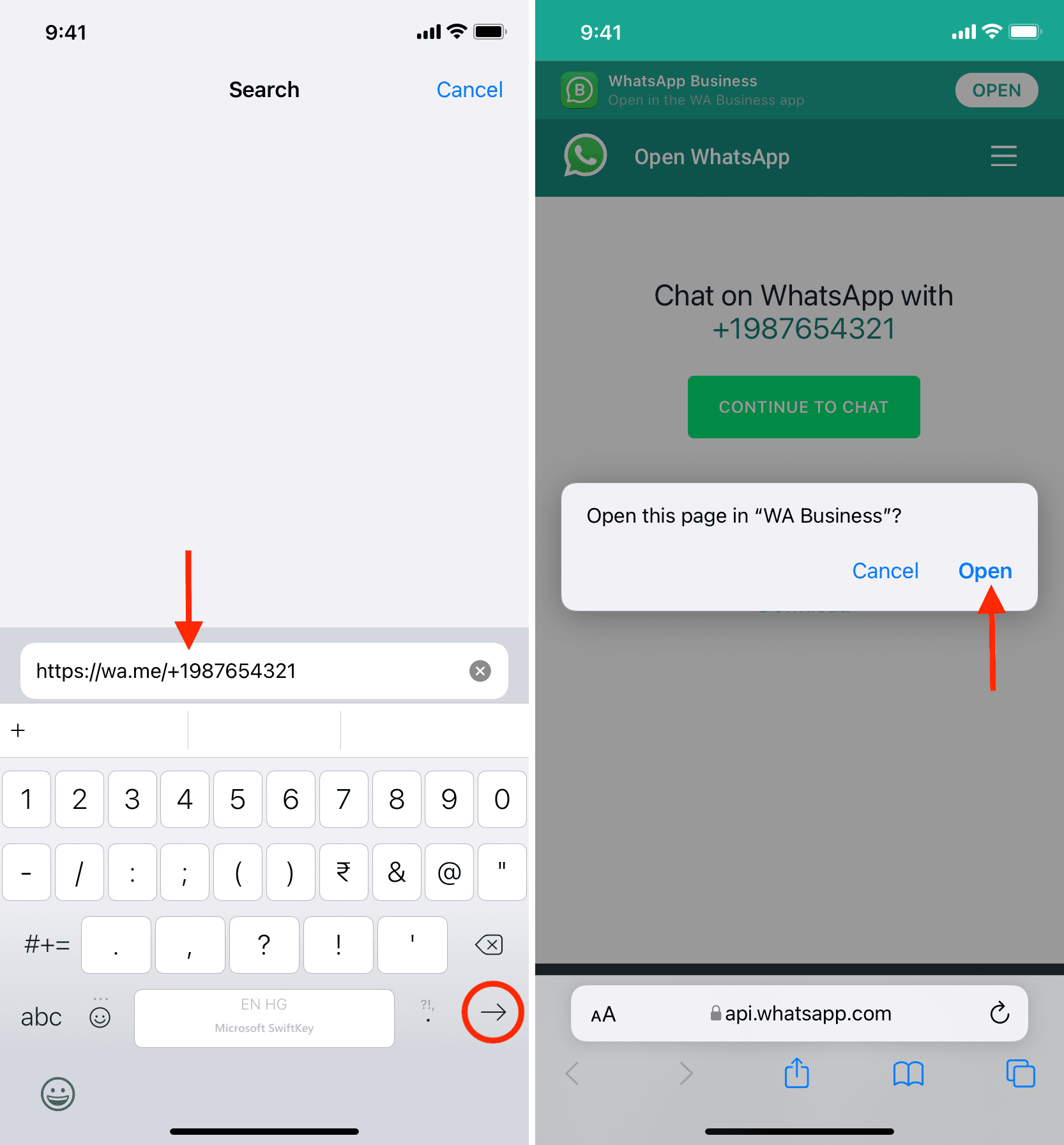
This article will not only guide you through the straightforward process of locating your WhatsApp number but will also delve into the deeper implications of this seemingly simple digit. We’ll explore its role in digital security, its significance for personal and corporate branding, and even its intersections with your financial well-being, all through the lens of technology, brand, and money – the core pillars of our digital existence. Understanding your WhatsApp number is more than just remembering a string of digits; it’s about mastering a key aspect of your digital presence.
The Core Methods: Instantly Discovering Your WhatsApp Identity
Finding your WhatsApp number is generally a straightforward process, built right into the application’s interface. Whether you’re an Android user or an iPhone enthusiast, the steps are designed to be intuitive. These core methods are your first line of defense against uncertainty and the quickest way to reaffirm your digital identity on the platform.
In-App Discovery: The Simplest Path
The most direct way to identify your WhatsApp number is through the app itself. WhatsApp stores your profile information, including the phone number associated with your account, within its settings menu.
For Android Users:
- Open WhatsApp: Launch the WhatsApp application on your Android smartphone.
- Access Settings: Tap the three vertical dots (More options) usually located in the top right corner of the chat screen. From the dropdown menu, select “Settings.”
- View Profile: In the Settings menu, tap on your profile picture or your name at the very top. This will take you to your profile screen.
- Locate Number: On your profile screen, you will see various details like your name, About status, and your registered phone number clearly displayed under the “Phone” section.
For iOS Users (iPhone):
- Open WhatsApp: Launch the WhatsApp application on your iPhone.
- Access Settings: Tap the “Settings” icon, typically found in the bottom right corner of the screen.
- View Profile: At the top of the Settings screen, tap on your profile picture or your name. This will lead you to your profile details.
- Locate Number: Your registered phone number will be listed prominently on this screen, usually under your name or a dedicated “Phone” field.
These in-app methods are designed for quick and easy access, assuming you have access to the device with the active WhatsApp account. It’s the primary way WhatsApp ensures you always know which number is linked to your digital conversations.
Cross-Referencing: Your Phone’s Address Book
While the in-app method is primary, sometimes we overlook the obvious. Your WhatsApp account is fundamentally linked to your phone’s contact list. If you’ve ever saved your own number in your phone’s address book (perhaps under “Me,” “My Number,” or your actual name), you can simply navigate to your phone’s contacts application. Search for your own entry, and your primary phone number will be listed there. Since WhatsApp uses this number for registration and verification, it will inherently be your WhatsApp number. This method is particularly useful if, for some reason, you’re having trouble accessing WhatsApp settings or if you just want to double-check against a different source. It relies on the basic principle that your phone number is your identifier, both for calls and for WhatsApp.
Asking a Friend: The Social Confirmation Method
In an era of digital interconnectedness, sometimes the simplest solution is to leverage your network. If you’re struggling to find your number through the app or your contacts, simply ask a friend or family member who has you saved in their WhatsApp contacts.
- Ask them to open your chat: Request your friend to open the chat conversation they have with you on WhatsApp.
- View your contact info: They can then tap on your name at the top of the chat screen. This will open your contact information page within WhatsApp.
- Locate your number: Your registered WhatsApp number will be clearly displayed on this contact information screen.
This method works because WhatsApp shares your registered phone number with people in your contacts who also use the app. It’s a quick, low-tech solution that leverages the social fabric of the platform.
Verifying with WhatsApp Web/Desktop
If you frequently use WhatsApp Web or the desktop application, you can also use these platforms to confirm your number, though they typically mirror the mobile app’s information.
- Open WhatsApp Web/Desktop: Launch the application or go to web.whatsapp.com in your browser.
- Link your device: If you haven’t already, link your mobile device by scanning the QR code.
- Access Profile: Once logged in, click on your profile picture in the top left corner (for WhatsApp Web) or in the sidebar (for desktop app).
- View Number: Your profile page will display your registered WhatsApp number.
This method confirms that the number tied to your mobile device is correctly synchronized across all your WhatsApp instances, offering an additional layer of verification for your primary WhatsApp identity.
Beyond the Basics: Understanding Your WhatsApp Number’s Broader Implications
While knowing how to find your WhatsApp number is crucial, understanding why it matters goes much deeper than simple connectivity. Your WhatsApp number isn’t just a string of digits; it’s a foundational element of your digital identity, impacting your security, privacy, and even your professional presentation.
Why Your WhatsApp Number Matters (More Than Just a Digit)
Your WhatsApp number is your primary key to a vast digital ecosystem. It’s what authenticates you, enables communication, and forms the basis of your profile.
- Security and Privacy Implications: Your number is directly linked to your account’s security. It’s used for the initial verification process and often for two-factor authentication (2FA). If this number falls into the wrong hands or is compromised, your entire WhatsApp account could be at risk, potentially leading to unauthorized access to your private conversations and contacts. Furthermore, your privacy settings often dictate who can see your “Last Seen,” “Profile Photo,” and “About” status, all linked to your number.
- Account Recovery: Should you ever lose access to your WhatsApp account (e.g., after a factory reset, losing your device, or simply forgetting your password if it were a password-based service), your registered phone number is the primary mechanism for recovery. WhatsApp sends a verification code to this number to confirm your identity and restore access to your chat history (if backed up).
- Maintaining Digital Identity: In an age where much of our lives are online, a consistent and secure WhatsApp number contributes significantly to your overall digital identity. It’s how colleagues, clients, and friends identify and reach you reliably. Any ambiguity or change without proper notification can lead to missed opportunities or confusion.
The Dual Identity: Personal vs. Business WhatsApp Numbers
For many, WhatsApp serves both personal and professional needs. However, simply using your personal number for business can blur lines and potentially undermine your “Brand” efforts. This is where the distinction between personal and business numbers, facilitated by the WhatsApp Business app, becomes critical.

- WhatsApp Business App Overview: Meta recognized the growing use of WhatsApp by small businesses and entrepreneurs, leading to the creation of the WhatsApp Business app. This separate application allows businesses to create professional profiles, set up automated messages (like greetings and away messages), organize contacts with labels, and even display product catalogs. It provides tools for customer service, marketing, and sales, all linked to a dedicated business number.
- Brand Consistency and Professionalism: Using a separate number for your business WhatsApp (even if it’s on the same device via Dual SIM or a separate device) projects a more professional image. It allows you to maintain consistent branding – from your profile picture and description to your communication style – specifically tailored to your business interactions. This avoids the unprofessionalism of having clients see your personal status updates or profile picture intended for friends and family. A clear separation reinforces your brand identity and seriousness.
Troubleshooting: When Your Number Isn’t Obvious
While the in-app methods are usually foolproof, there are rare instances where your number might not be immediately obvious, or you might be facing an issue.
- New Device/Reinstallation: If you’ve just installed WhatsApp on a new device or reinstalled it, you’ll go through the registration process again. This is where you’ll input and verify your number. If you’re unsure which number was previously linked, this process will guide you.
- Changed Phone Numbers: If you’ve changed your phone number but still want to keep your existing WhatsApp account, chat history, and groups, WhatsApp has a “Change Number” feature in its settings. This feature allows you to migrate your account information to your new number, preventing the loss of your digital history.
- SIM Card Issues: Sometimes, the problem isn’t with WhatsApp but with your SIM card. Ensure your SIM card is active and properly inserted, as WhatsApp needs a working phone number to verify and operate.
Safeguarding Your Digital Gateway: Security, Privacy, and Financial Prudence
Your WhatsApp number is more than just a contact point; it’s a digital gateway to your personal and professional life. In an age rife with cyber threats, securing this gateway is paramount, touching upon critical aspects of technology, privacy, and personal finance.
Protecting Your WhatsApp Number from Scams and Misuse
The prevalence of WhatsApp also makes it a target for malicious actors. Protecting your number and account from scams and misuse is crucial.
- Two-Factor Verification (2FA): This is perhaps the most important security feature for your WhatsApp account. By enabling 2FA (Settings > Account > Two-step verification), you add an extra layer of security beyond the SMS verification code. You’ll be asked to create a six-digit PIN that WhatsApp will periodically request. Even if someone gains access to your SIM card or intercepts your SMS codes, they won’t be able to activate your WhatsApp account without this PIN. This significantly bolsters your “Tech” security.
- Privacy Settings Deep Dive: WhatsApp offers granular privacy controls (Settings > Privacy). You can control who sees your “Last Seen,” “Profile Photo,” “About,” “Status updates,” and whether read receipts are on. Restricting these details, especially your profile photo, to “My Contacts” or “Nobody” can prevent strangers from identifying you or gathering information associated with your number. For businesses, careful consideration of privacy vs. visibility is part of “Brand” management.
- Recognizing Phishing Attempts: Be wary of unsolicited messages or calls asking for verification codes, personal information, or money. Scammers often attempt “SIM swap” scams or impersonate WhatsApp support to gain access to your account. WhatsApp will never ask for your 2FA PIN or personal details via chat. Understanding these “Tech” security threats is fundamental to protecting your “Money” and identity.
- Reporting and Blocking: If you receive suspicious messages or are harassed, use WhatsApp’s “Report” and “Block” features. This not only protects you but also helps WhatsApp identify and combat malicious activity.
The Financial Dimension: WhatsApp for Transactions and Business
WhatsApp’s utility extends beyond mere communication, venturing into financial transactions and business operations, making the security of your number directly tied to your “Money” interests.
- WhatsApp Pay and its Implications: In several countries, WhatsApp has integrated payment functionalities (WhatsApp Pay), allowing users to send and receive money directly within chats. This convenience highlights the financial sensitivity of your WhatsApp number. If your account is compromised, it could lead to unauthorized financial transactions. Thus, securing your number is directly securing your wallet.
- Business Transactions and Customer Service: For small businesses, WhatsApp Business is increasingly used for sending invoices, processing orders, and providing customer support. A secure and professionally managed WhatsApp number is essential for building trust with customers and handling financial details securely. Any lapse in security here can directly impact business revenue and reputation.
- Managing Financial Interactions Securely: Beyond direct payments, many people use WhatsApp to discuss financial matters, share banking details (though this is ill-advised), or coordinate money transfers. Exercising extreme caution with what financial information you share, and with whom, is critical. Always verify the identity of the person you’re chatting with, especially when money is involved.
When to Change Your WhatsApp Number (And How)
There are legitimate reasons to change your WhatsApp number, such as getting a new phone number or wanting to switch from a personal number to a dedicated business number.
- The “Change Number” Feature: WhatsApp’s “Change Number” feature (Settings > Account > Change Number) allows you to migrate your account information (profile, groups, chat history, settings) from your old number to your new one without losing your digital footprint. It also gives you the option to notify your contacts about your number change.
- Considerations: Before changing, ensure you have access to both the old and new SIM cards (at least temporarily for verification). Inform important contacts personally if you opt not to use the automated notification, especially if your number is critical for “Brand” or “Money” related communications.
Leveraging Your WhatsApp Number for Brand and Business Growth
Beyond personal communication and security, your WhatsApp number can be a powerful asset for building your “Brand” and driving “Money”-making opportunities, particularly for entrepreneurs, freelancers, and small businesses.
Building Your Personal Brand Through Professional WhatsApp Use
For professionals, freelancers, or anyone building a personal brand, WhatsApp can be an effective networking and client communication tool when used strategically.
- Crafting a Professional Profile: Use a professional profile picture (e.g., a headshot) and an “About” status that reflects your professional role or expertise. Avoid overly casual or personal statuses on a number used for professional interactions. This aligns with your overall “Brand Strategy.”
- Networking and Client Communication: Share your WhatsApp number judiciously with professional contacts or potential clients. It offers a direct, informal, yet efficient communication channel. Be responsive and maintain a professional tone, reflecting positively on your personal brand. Use labels in WhatsApp Business to organize your professional contacts.
WhatsApp as a Tool for Small Businesses and Entrepreneurs
The WhatsApp Business app, linked to a dedicated number, is a game-changer for small businesses, integrating seamlessly into their “Marketing” and “Sales” strategies.
- Customer Engagement and Support: WhatsApp allows businesses to offer real-time customer support, answer queries, and resolve issues efficiently. Its direct nature can foster stronger customer relationships and improve satisfaction, contributing to positive brand reputation.
- Marketing and Promotions: Businesses can use WhatsApp to send promotional messages (responsibly and with customer consent), share updates about new products or services, and even conduct limited-time offers. Features like “Catalogs” allow businesses to showcase products directly within the app, streamlining the shopping experience.
- Monetization Strategies Through WhatsApp: Beyond direct sales via catalogs, WhatsApp facilitates lead generation, appointment booking, and even takes direct orders. For service-based businesses, it can be the primary channel for booking consultations or providing personalized advice, directly translating into “Online Income.”
Integrating WhatsApp into Your Overall Digital Strategy
Your WhatsApp presence shouldn’t exist in a vacuum. For maximal impact on your “Brand” and “Money” objectives, it needs to be integrated with your other digital touchpoints.
- Website and Social Media Integration: Clearly display your WhatsApp Business number or a click-to-chat link on your website, social media profiles (Facebook, Instagram, LinkedIn), and email signatures. This makes it easy for customers and contacts to reach you on their preferred platform.
- Analytics and Optimization: While WhatsApp Business provides some basic messaging statistics, integrate its usage into your broader customer relationship management (CRM) and analytics efforts. Understand how customers interact, what queries are common, and how effectively WhatsApp converts leads into sales, allowing for continuous “Business Finance” optimization.
- Consistent Messaging: Ensure the tone, style, and brand messaging on WhatsApp align with your overall corporate identity across all other channels. Consistency builds trust and strengthens your brand presence.
Conclusion
Knowing your WhatsApp number is far more than a simple technicality; it’s a foundational aspect of managing your digital life. From the practical steps of in-app discovery to understanding its profound implications for your security, personal brand, and even financial interactions, your WhatsApp number acts as a critical identifier in the digital realm.
By understanding how to locate it, how to secure it with features like two-factor authentication, and how to leverage it professionally through the WhatsApp Business app, you transform a mere sequence of digits into a powerful tool. In an era where technology constantly shapes how we connect, brand ourselves, and manage our money, mastering your WhatsApp identity is an indispensable skill, ensuring you remain connected, secure, and strategically positioned for success. So, the next time you’re asked, “How do I know what my WhatsApp number is?” you’ll not only have the answer but also a comprehensive understanding of its vital importance.
aViewFromTheCave is a participant in the Amazon Services LLC Associates Program, an affiliate advertising program designed to provide a means for sites to earn advertising fees by advertising and linking to Amazon.com. Amazon, the Amazon logo, AmazonSupply, and the AmazonSupply logo are trademarks of Amazon.com, Inc. or its affiliates. As an Amazon Associate we earn affiliate commissions from qualifying purchases.