
In the modern digital landscape, the question “where is the nearest Apple Store?” is rarely answered by a physical map or a printed directory. Instead, it triggers a sophisticated sequence of technological events involving global satellite networks, complex algorithms, and seamless software integration. Finding a retail location has evolved from a simple geographical search into a masterclass in how hardware, software, and services converge to provide a frictionless user experience.
As we explore the tech stack behind this simple query, we uncover the evolution of geolocation services, the intricacies of the Apple Store app, and the cutting-edge privacy measures that protect user data. This article delves into the technological backbone that makes finding and interacting with the nearest Apple Store a cornerstone of the modern tech ecosystem.
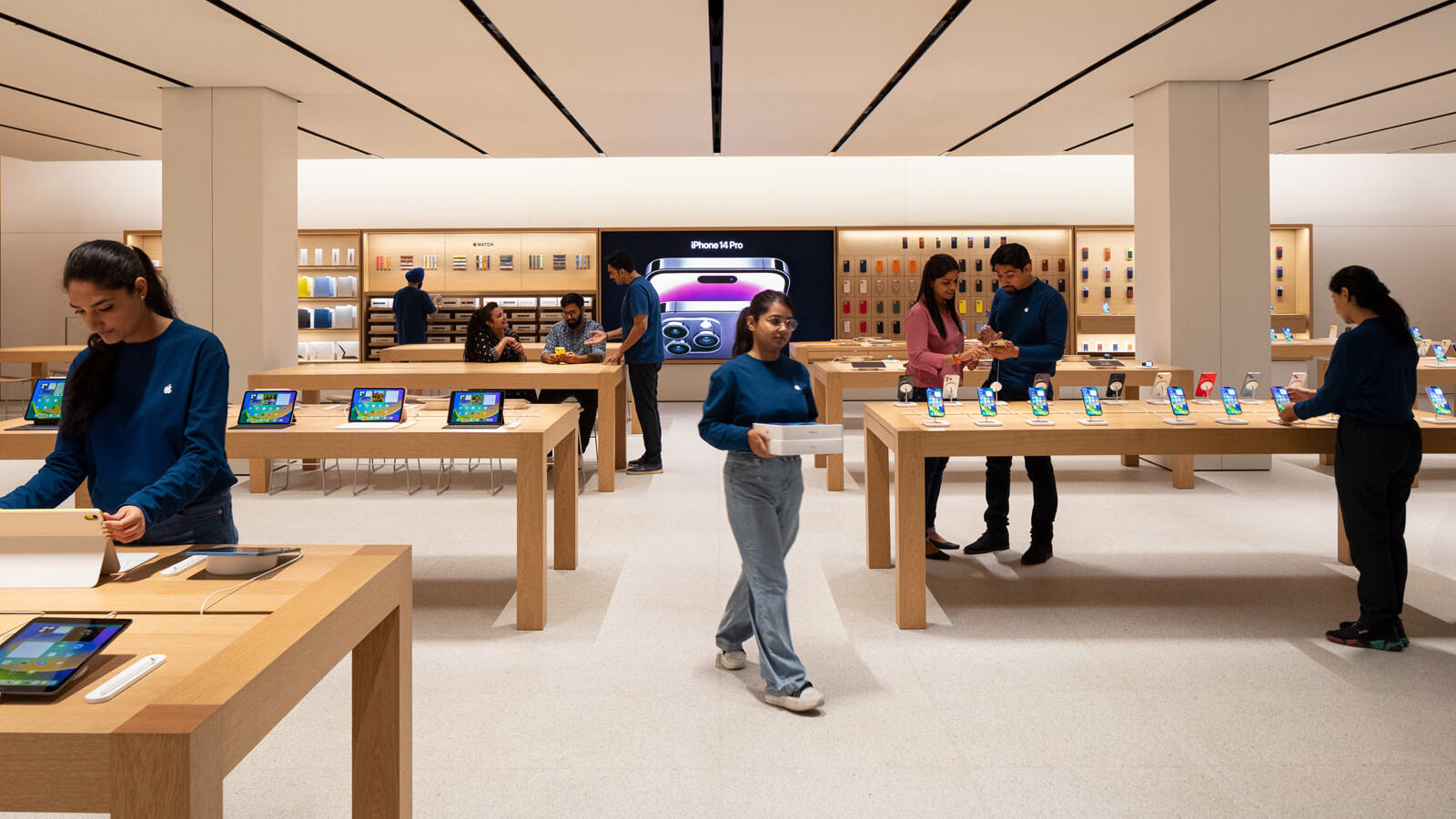
The Evolution of Geolocation: How We Find What We Need
At the heart of finding any physical location is the Global Navigation Satellite System (GNSS). While we commonly refer to this as GPS, modern devices utilize a variety of constellations, including GLONASS, Galileo, and QZSS, to provide pinpoint accuracy. When a user asks their device for the nearest Apple Store, they are engaging a high-tech infrastructure that orbits the Earth.
GPS and the Precision of Modern Mapping
The technical process of locating a user begins with trilateration. Your iPhone or Mac receives signals from at least four satellites to determine your precise latitude, longitude, and altitude. Over the last decade, the sensitivity of these receivers has increased exponentially. In urban environments, where “urban canyons” (tall buildings) can bounce satellite signals and cause inaccuracies, Apple utilizes “Assisted GPS” (A-GPS). This technology uses cellular tower data and Wi-Fi network information to “seed” the GPS receiver, allowing for a much faster time-to-first-fix (TTFF).
Furthermore, the integration of the Apple-designed motion coprocessors allows the device to use inertial sensors—accelerometers, gyroscopes, and magnetometers—to maintain an accurate location even when the satellite signal is briefly lost. This ensures that as you move toward the nearest Apple Store, your digital blue dot remains fluid and responsive.
Real-Time Data and Dynamic Routing
Finding the store is only the first half of the technological challenge; the second is getting there. Apple Maps utilizes massive datasets to provide dynamic routing. This involves processing real-time traffic telemetry from millions of endpoints. When you search for the nearest store, the backend servers calculate the most efficient path based on current road conditions, public transit schedules, and even pedestrian walkway data.
The technology behind this involves complex graph algorithms that weight different paths based on time, distance, and historical data. By using server-side processing, Apple can update these routes in real-time, rerouting users if an accident occurs or if a particular subway line is delayed. This level of computational power transforms a simple location query into an optimized travel plan.
The Apple Store App: A Hub for Hardware and Service
While a web browser can give you an address, the Apple Store app represents the pinnacle of retail-focused software engineering. It is not merely a catalog; it is a sophisticated interface that bridges the gap between digital intent and physical fulfillment.
Seamless Integration Between Digital and Physical Retail
The Apple Store app uses “Geofencing” technology to change its behavior based on your proximity to a retail location. As you approach the nearest Apple Store, the app can surface your “EasyPay” options, allow you to check in for a Genius Bar appointment, or notify staff that you have arrived to pick up an order.
Technically, this is achieved through the Core Location framework, which monitors for boundary crossings of specific geographic regions. This “contextual computing” ensures that the software is always one step ahead of the user’s needs. For example, if you have ordered a MacBook for pickup, the app uses low-energy Bluetooth (BLE) and Wi-Fi signatures to recognize when you enter the store, streamlining the hand-off process without the need for manual check-ins.
AI-Driven Recommendations and Inventory Tracking
Behind the sleek interface of the app lies a powerful inventory management system. When you search for a product at the nearest store, the app is performing real-time API calls to a global database. This ensures that the “In Stock” message you see is accurate to within minutes.
Moreover, the app uses machine learning models to provide personalized recommendations. By analyzing your current devices and their health—data gathered via the “Check Coverage” API—the app can suggest specific accessories or upgrade paths available at your local store. This integration of local inventory data with personalized user profiles creates a highly efficient shopping experience that minimizes the time spent in the physical aisle.
Privacy and Security in Location-Based Services

In the age of big data, the act of sharing one’s location is a significant privacy event. Apple has built its reputation on the “Privacy as a Human Right” philosophy, and this is reflected in the technology used to find your nearest store.
How Apple Protects User Data During Local Searches
When you search for “Apple Store near me,” Apple does not link your location to your Apple ID in a way that creates a permanent movement profile. Instead, it uses a process called “On-Device Intelligence” and “Identifier Rotation.” For many location-based tasks, the heavy lifting is done locally on the device’s Neural Engine, rather than on a central server.
When data must be sent to the cloud—for example, to fetch the latest traffic data—Apple employs “Differential Privacy.” This mathematical technique adds “noise” to the data so that the individual’s specific location cannot be reverse-engineered, while still allowing the system to understand the general request. The identifiers used for Map searches are frequently rotated, ensuring that a single user’s path across a city cannot be tracked over an extended period.
On-Device Processing vs. Cloud Computing
The shift toward on-device processing is a major trend in digital security. Modern iPhones contain a Secure Enclave that handles sensitive cryptographic keys. When you use your device to find or pay at an Apple Store, sensitive information—like your biometric data or credit card numbers—never leaves the device.
By keeping the location-matching logic on the device as much as possible, Apple reduces the attack surface for potential data breaches. This technical architecture ensures that the convenience of finding the nearest store does not come at the cost of personal digital security.
The Future of Indoor Navigation and Augmented Reality
The technology used to find an Apple Store is currently expanding from “finding the building” to “finding the product.” This transition relies on high-precision indoor positioning and Augmented Reality (AR).
Finding Your Way Inside the Store with LiDAR and AR
Many flagship Apple Stores have been mapped with centimeter-level precision. Using the LiDAR (Light Detection and Ranging) scanners found on Pro-model iPhones and iPads, the device can create a 3D mesh of its surroundings. In the future, this will allow for “Visual Positioning Systems” (VPS) where AR overlays guide a user directly to the specific table where the new iPhone 15 Pro or Vision Pro is displayed.
This involves complex computer vision algorithms that recognize architectural features and match them against a pre-loaded 3D map of the store. Instead of looking at a 2D floor plan, users can hold up their phones and see digital arrows projected onto the physical floor, directing them to the Genius Bar or the pickup counter.
The Role of Ultra-Wideband (UWB) Technology
Apple’s inclusion of the U1 and U2 chips in its hardware has revolutionized short-range spatial awareness. Ultra-Wideband technology operates at a very high frequency and can measure the time it takes for radio waves to travel between two devices with incredible accuracy.
In a retail environment, UWB allows for “Precision Finding.” If you are looking for a specific demo unit or trying to find a staff member who has been assigned to help you, UWB can guide you within inches. This technology is the same tech that powers AirTags, and its integration into the retail experience represents the next frontier of the “nearest store” query—transitioning from geographical navigation to spatial interaction.
Digital Connectivity and the Modern Tech Concierge
Ultimately, the technology used to find the nearest Apple Store serves to facilitate a human connection. However, even the “human” element—the Genius Bar—is underpinned by a massive digital infrastructure.

The Genius Bar Integration with Cloud Support
When you book an appointment at the nearest store, your device’s diagnostic history is synced to the cloud. By the time you arrive, the technician already has access to logs, crash reports, and battery health metrics via a specialized internal app called “MobileGenius.”
This backend integration ensures that the “Tech” in Apple is not just in the products sold, but in the service provided. The seamless flow of data from the user’s pocket, through the global mapping system, into the retail inventory database, and finally into the technician’s iPad, represents a complete technological circle.
The nearest Apple Store is not just a destination; it is a physical extension of the digital ecosystem we carry with us every day. Through the clever use of GPS, AI, privacy-first software, and emerging technologies like AR and UWB, the simple task of finding a store becomes an invisible, highly efficient display of modern technological prowess.
aViewFromTheCave is a participant in the Amazon Services LLC Associates Program, an affiliate advertising program designed to provide a means for sites to earn advertising fees by advertising and linking to Amazon.com. Amazon, the Amazon logo, AmazonSupply, and the AmazonSupply logo are trademarks of Amazon.com, Inc. or its affiliates. As an Amazon Associate we earn affiliate commissions from qualifying purchases.