
In today’s rapidly evolving financial landscape, managing your money across various digital platforms has become a fundamental aspect of personal finance. Neobanks like Chime and peer-to-peer (P2P) payment services like Cash App have revolutionized how we bank, pay, and invest. While both offer distinct advantages, the need to seamlessly transfer funds between them is a common requirement for many users looking to optimize their financial flexibility.
Whether you’re consolidating funds, paying a friend, or utilizing specific features of one app over another, understanding the mechanisms for moving money from your Chime account to Cash App is crucial. This guide provides a detailed, step-by-step walkthrough, highlighting the various methods, important considerations, and best practices to ensure your digital transfers are efficient, secure, and cost-effective.
Understanding Chime and Cash App: Essential Financial Tools
Before delving into the transfer process, it’s beneficial to grasp the core functionalities and unique propositions of both Chime and Cash App. These platforms are more than just apps on your phone; they are integral financial tools shaping modern money management.
Chime: The Mobile-First Banking Experience
Chime operates as a financial technology company, not a bank, providing banking services through its partners, The Bancorp Bank and Stride Bank, N.A. It has gained immense popularity by offering a compelling alternative to traditional banks. Chime accounts typically come with no monthly fees, no minimum balance requirements, and access to a vast network of fee-free ATMs.
Key features that position Chime as a robust personal finance tool include:
- Early Payday: Users can often receive their direct deposit up to two days earlier than with traditional banks, a significant advantage for budgeting and managing cash flow.
- SpotMe®: An overdraft protection service for eligible members, allowing small overdrafts without fees.
- Savings Features: Automatic savings tools like “Save When I Get Paid” and “Round Up” help users build their savings effortlessly.
- Credit Builder Visa® Card: A secured credit card designed to help users build credit without an annual fee or credit check.
Chime is primarily designed for individuals seeking a straightforward, fee-light, and mobile-centric banking experience, making it an excellent primary financial hub for many.
Cash App: The Versatile Peer-to-Peer Ecosystem
Cash App, developed by Block, Inc. (formerly Square, Inc.), started as a simple P2P payment service, enabling users to send and receive money instantly. However, it has evolved into a comprehensive financial ecosystem offering a broader range of services.
Key features that make Cash App a versatile financial tool include:
- Instant P2P Transfers: Send and receive money to and from other Cash App users quickly and easily.
- Cash Card: A customizable Visa debit card that allows users to spend funds from their Cash App balance anywhere Visa is accepted, often with “Boosts” offering instant discounts.
- Direct Deposit: Receive paychecks, tax refunds, and other payments directly into your Cash App account.
- Investing Features: Buy and sell stocks with as little as $1 and purchase Bitcoin directly within the app, democratizing access to investment opportunities.
- Tax Services: File taxes directly through the app, leveraging its financial data.
Cash App appeals to users looking for immediate payment solutions, a simple way to manage a spending card, and accessible entry points into investing and cryptocurrency.
Why Transfer Money Between Chime and Cash App? Practical Scenarios
The need to move funds between Chime and Cash App often arises from various practical personal finance scenarios. Understanding these motivations can help you determine the most suitable transfer method for your specific situation.
Consolidating Funds and Budgeting
Many individuals use Chime for their primary banking needs, including direct deposits, while also leveraging Cash App for specific P2P payments or its investing features. Transferring money allows you to consolidate funds from your main Chime account into Cash App when you need to:
- Fund a specific Cash App payment: If you need to send money to a friend who only uses Cash App, moving funds from Chime to Cash App ensures you have the necessary balance.
- Utilize Cash App’s investing features: If you want to buy stocks or Bitcoin via Cash App, you’ll need to transfer funds from your Chime account to your Cash App balance first.
- Take advantage of Cash Card Boosts: Moving funds to Cash App allows you to spend via the Cash Card and benefit from its instant discounts at various merchants.
- Emergency spending: In some cases, having funds available on both platforms can provide flexibility during unexpected expenses or when one service might be temporarily unavailable.
Optimizing Financial Features
Each platform offers unique benefits. Transferring money between them allows users to leverage these distinct advantages without fully committing to one over the other for all financial activities. For instance, you might rely on Chime for early direct deposit and robust savings tools, then move a portion of your funds to Cash App to capitalize on its instant payment capabilities or investment opportunities. This strategy empowers you to create a personalized financial ecosystem that best suits your needs.
Methods for Transferring Money from Chime to Cash App
There are primarily two main approaches to moving money from Chime to Cash App, each with its own steps, speed, and potential considerations.
Method 1: Linking Chime Directly to Cash App
This is often the most straightforward and recommended method, as it involves connecting your Chime account directly to your Cash App profile, treating Chime as a linked bank account.
Step-by-Step Instructions:
- Open Cash App: Launch the Cash App on your mobile device.
- Navigate to the Banking Tab: Tap on the “Banking” tab (the house icon or dollar amount) located on the bottom left of the screen.
- Link Bank Account: Under the “Cash Balance” section, tap on “Link Bank” or “Add Bank.”
- Find Chime: Cash App uses Plaid, a secure third-party service, to connect to thousands of financial institutions. You’ll be prompted to search for your bank. Type “Chime” into the search bar.
- Log into Chime: You will be redirected to Plaid’s secure interface, where you’ll need to enter your Chime online banking login credentials (username and password). This allows Plaid to securely verify your account and link it to Cash App.
- Authorize Connection: Follow the prompts to authorize the connection. You might receive a verification code from Chime to confirm your identity.
- Confirm Linkage: Once successful, you’ll see a confirmation that your Chime account has been linked to Cash App.
- Add Cash to Cash App: Now that Chime is linked, you can initiate a transfer.
- Go back to the “Banking” tab in Cash App.
- Tap “Add Cash.”
- Enter the desired amount you wish to transfer from Chime.
- Confirm the transfer. The funds will be debited from your linked Chime account and added to your Cash App balance.
Considerations for Direct Linking:
- Speed: Transfers initiated this way are typically standard ACH transfers, which can take 1-3 business days to clear. While Cash App offers “Instant Deposit” for moving money from Cash App to a bank, moving money into Cash App from a linked bank usually follows standard ACH timing.
- Security: Plaid provides a secure connection, ensuring your banking credentials are not directly shared with Cash App.
- Troubleshooting: If you encounter issues, ensure your Chime account is in good standing and that you’re using the correct login credentials. Sometimes, temporary glitches can occur, and trying again after a short while or contacting support may be necessary.
Method 2: Using Your Chime Debit Card to Fund Cash App
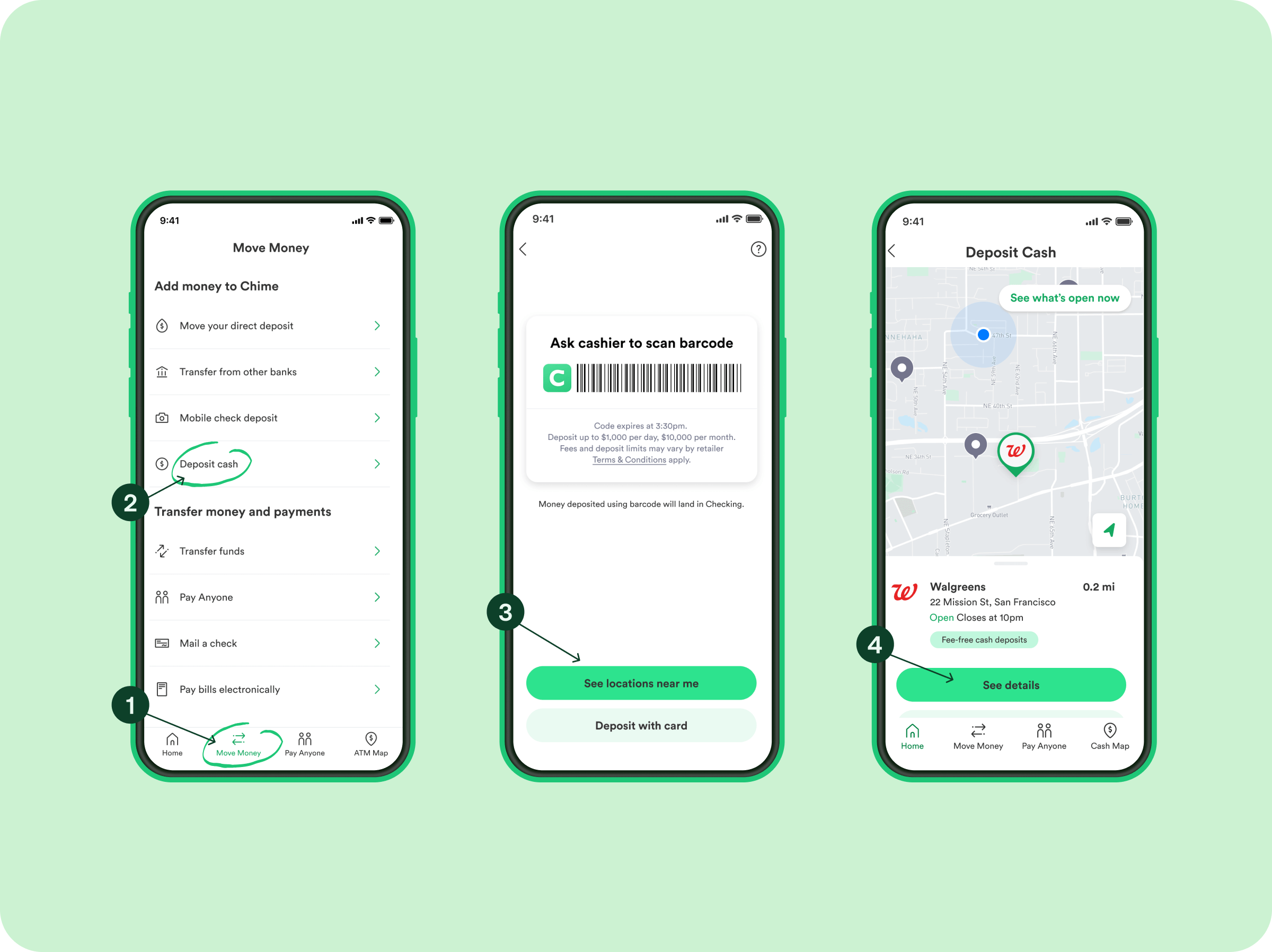
This method uses your Chime Visa Debit Card as the source of funds, similar to making an online purchase. It’s often favored for its speed.
Step-by-Step Instructions:
- Open Cash App: Launch the Cash App on your mobile device.
- Navigate to the Banking Tab: Tap on the “Banking” tab (the house icon or dollar amount) on the bottom left.
- Link Debit Card: Scroll down to the “Linked Banks” section and look for “Link Debit Card” or “Add Card.” If you already have cards linked, you might need to select “Add a Bank or Card.”
- Enter Chime Debit Card Details: You will be prompted to enter your Chime Visa Debit Card number, expiration date, CVV, and billing ZIP code. Ensure these details are accurate.
- Confirm Card Linkage: Once entered, Cash App will verify the card.
- Add Cash to Cash App: Now that your Chime debit card is linked:
- Go back to the “Banking” tab.
- Tap “Add Cash.”
- Enter the desired amount.
- Ensure the Chime debit card is selected as the source of funds (it may be automatically selected or you might need to choose it from a dropdown).
- Confirm the transfer.
Considerations for Debit Card Transfers:
- Speed: Transfers via debit card are generally faster, often instant or within minutes, because they function much like a point-of-sale transaction.
- Fees: Cash App typically does not charge a fee for standard transfers from a linked debit card. However, some banks might impose fees for debit card-based transactions to third-party apps, though this is rare for Chime.
- Chime Spending Limits: Be aware of Chime’s daily spending limits for debit card transactions. These limits can affect the maximum amount you can transfer to Cash App in a single day. Check your Chime app for your specific limits.
- Availability of Funds: Ensure you have sufficient funds in your Chime account before attempting a debit card transfer to avoid declines.
Important Considerations and Potential Issues
While transferring money between Chime and Cash App is generally straightforward, being aware of certain factors can help you avoid potential pitfalls and manage your personal finances more effectively.
Transfer Limits and Fees
- Cash App Limits: Cash App imposes limits on how much money you can send, receive, and add to your account over various periods (daily, weekly). These limits can vary based on whether your account is verified. Unverified accounts typically have lower limits. Check Cash App’s support section for the most current limits.
- Chime Limits: Chime also has daily spending limits for debit card transactions and ATM withdrawals. While direct bank transfers (ACH) usually don’t have explicit daily limits from Chime’s side, large transfers might be flagged for security review.
- Instant Transfer Fees: While standard transfers from Chime to Cash App are usually free, Cash App may charge a small fee (typically 0.5% – 1.75%) if you want to instantly transfer money from Cash App to a linked bank account or debit card. This is important if your ultimate goal is to move money quickly out of Cash App into another traditional bank account.
Transfer Timing and Delays
- ACH Transfers: As mentioned, direct bank transfers (ACH) can take 1-3 business days. Weekends and holidays do not count as business days, so plan accordingly if you need funds by a specific time.
- Debit Card Transfers: These are typically faster, often instant. However, sometimes there can be slight delays due to network processing or security checks.
- First-Time Transfers: Your first transfer or unusually large transfers might undergo additional security scrutiny, potentially causing slight delays.
Security and Fraud Prevention
- Phishing Scams: Be vigilant against phishing attempts. Always ensure you are logging into Chime and Cash App through their official apps or websites. Never share your login credentials with anyone.
- Two-Factor Authentication (2FA): Enable 2FA on both your Chime and Cash App accounts for an added layer of security. This protects your accounts even if your password is compromised.
- Public Wi-Fi: Avoid conducting financial transactions over unsecured public Wi-Fi networks.
- Contact Support: If you notice any suspicious activity or encounter persistent transfer issues, immediately contact the customer support teams for Chime or Cash App.
Common Troubleshooting Tips
- Incorrect Login Information: Double-check your Chime login credentials when linking via Plaid.
- Expired Card Details: Ensure your Chime debit card details (number, expiration, CVV) are correct and up-to-date.
- Insufficient Funds: Verify that you have enough money in your Chime account to cover the transfer amount.
- App Updates: Ensure both your Chime and Cash App are updated to the latest version.
- Internet Connection: A stable internet connection is vital for successful transactions.
Optimizing Your Financial Transfers Between Platforms
Effective money management extends beyond simply knowing how to move funds; it involves strategizing for efficiency, cost-effectiveness, and security.
Planning Ahead to Minimize Fees
If your transfers aren’t urgent, opt for the standard ACH transfer methods. While slightly slower, they are typically free, helping you avoid any potential instant transfer fees that Cash App might charge for moving money out of its platform quickly. Factor in the 1-3 business day timeframe for ACH when making financial plans.
Regularly Reviewing Transaction History
Make it a habit to regularly check the transaction history in both your Chime and Cash App accounts after every transfer. This ensures that the correct amount was moved, the transaction completed successfully, and helps you spot any unauthorized activity early. This vigilance is a cornerstone of sound personal finance.
Understanding the “Why” Behind Each Transfer
Before initiating a transfer, ask yourself why you’re moving the money. Is it for a specific bill, an investment, or a social payment? Understanding the purpose helps you categorize expenses, stick to your budget, and determine if the transfer is truly necessary. This reflective approach reinforces mindful spending and better financial control.
Leveraging Direct Deposit Features
For recurring needs, consider setting up direct deposit into Cash App if you frequently use it for daily spending or investing. This can streamline your financial flow, reducing the need for manual transfers from Chime if a portion of your income is specifically allocated for Cash App-centric activities.
Conclusion
The ability to seamlessly move money between digital financial tools like Chime and Cash App is a testament to the flexibility and convenience offered by modern fintech. By understanding the distinct features of each platform, selecting the appropriate transfer method—whether direct bank linkage or debit card transfer—and being mindful of fees, limits, and security protocols, you can effectively manage your digital finances.
This guide empowers you to make informed decisions, ensuring your money flows efficiently and securely between your Chime and Cash App accounts, supporting your overall personal finance goals with confidence and ease. As digital banking continues to evolve, mastering these fundamental transfer techniques will remain an invaluable skill for navigating your financial journey.
aViewFromTheCave is a participant in the Amazon Services LLC Associates Program, an affiliate advertising program designed to provide a means for sites to earn advertising fees by advertising and linking to Amazon.com. Amazon, the Amazon logo, AmazonSupply, and the AmazonSupply logo are trademarks of Amazon.com, Inc. or its affiliates. As an Amazon Associate we earn affiliate commissions from qualifying purchases.