
In the vast, intricate web of the internet, countless packets of data constantly traverse networks, carrying everything from streaming videos to financial transactions. While most users are familiar with protocols like TCP (Transmission Control Protocol) and UDP (User Datagram Protocol) which facilitate data exchange, there’s a quieter, yet profoundly critical, protocol working tirelessly behind the scenes: ICMP, the Internet Control Message Protocol. Often misunderstood or simply overlooked by those outside the realm of network engineering, ICMP serves as the internet’s diagnostic and error-reporting mechanism, providing the crucial feedback loop necessary for stable and efficient network operations. Without ICMP, the internet would be a much more fragile and challenging environment to manage, prone to silent failures and connectivity black holes.
The Foundation of Network Communication: Understanding ICMP
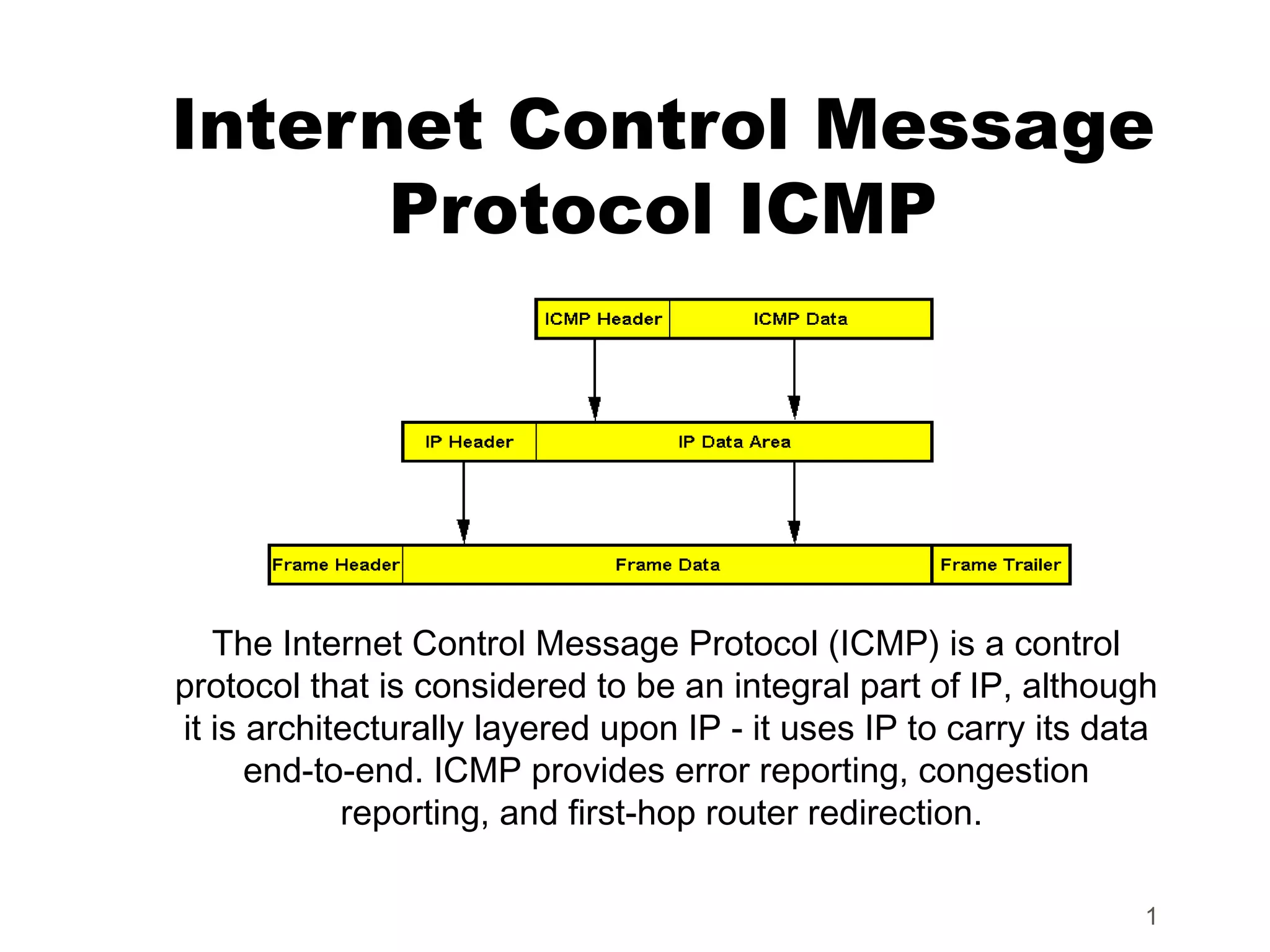
At its core, ICMP is not designed to carry application data, but rather to send control, error, and informational messages between network devices. It’s an integral part of the Internet Protocol (IP) suite, operating at the network layer (Layer 3) of the OSI model. Its primary function is to report errors and provide operational information about the IP processing of packets, making it indispensable for troubleshooting and maintaining network health.
What is ICMP? (Internet Control Message Protocol)
ICMP is a support protocol for IP. While IP is responsible for delivering packets from a source host to a destination host, it is inherently connectionless and “unreliable” in the sense that it doesn’t guarantee delivery, nor does it provide error detection and reporting on its own. This is where ICMP steps in. It provides a mechanism for hosts and routers to communicate issues with datagram delivery. Imagine sending a letter by mail; if the address is wrong, you might eventually get it back with a “Return to Sender” stamp and a reason. ICMP provides that “return to sender” mechanism for IP packets, informing the original sender about why its packet couldn’t reach its destination or encountered issues along the way.
Why is it Necessary?
The necessity of ICMP arises from the inherent simplicity and lack of state in the IP protocol. IP’s strength lies in its ability to route packets quickly and independently. However, this independence means that if a packet encounters a problem—such as an unreachable destination, a router that cannot forward it, or a packet that has looped too many times—IP itself doesn’t have a built-in mechanism to inform the sender. Without ICMP, a sender would simply transmit packets into a void, never knowing if they were successfully delivered, discarded, or rerouted incorrectly. ICMP fills this critical gap by providing a communication channel for network devices to exchange vital operational information, thus enhancing the overall reliability and diagnosability of IP-based networks. It’s the voice of the network, silently reporting back on its health and any obstacles it encounters.
Key ICMP Message Types and Their Functions
ICMP defines various types of messages, each serving a specific purpose in network diagnostics and control. Understanding these messages is key to comprehending ICMP’s utility.
Echo Request and Echo Reply (Ping)
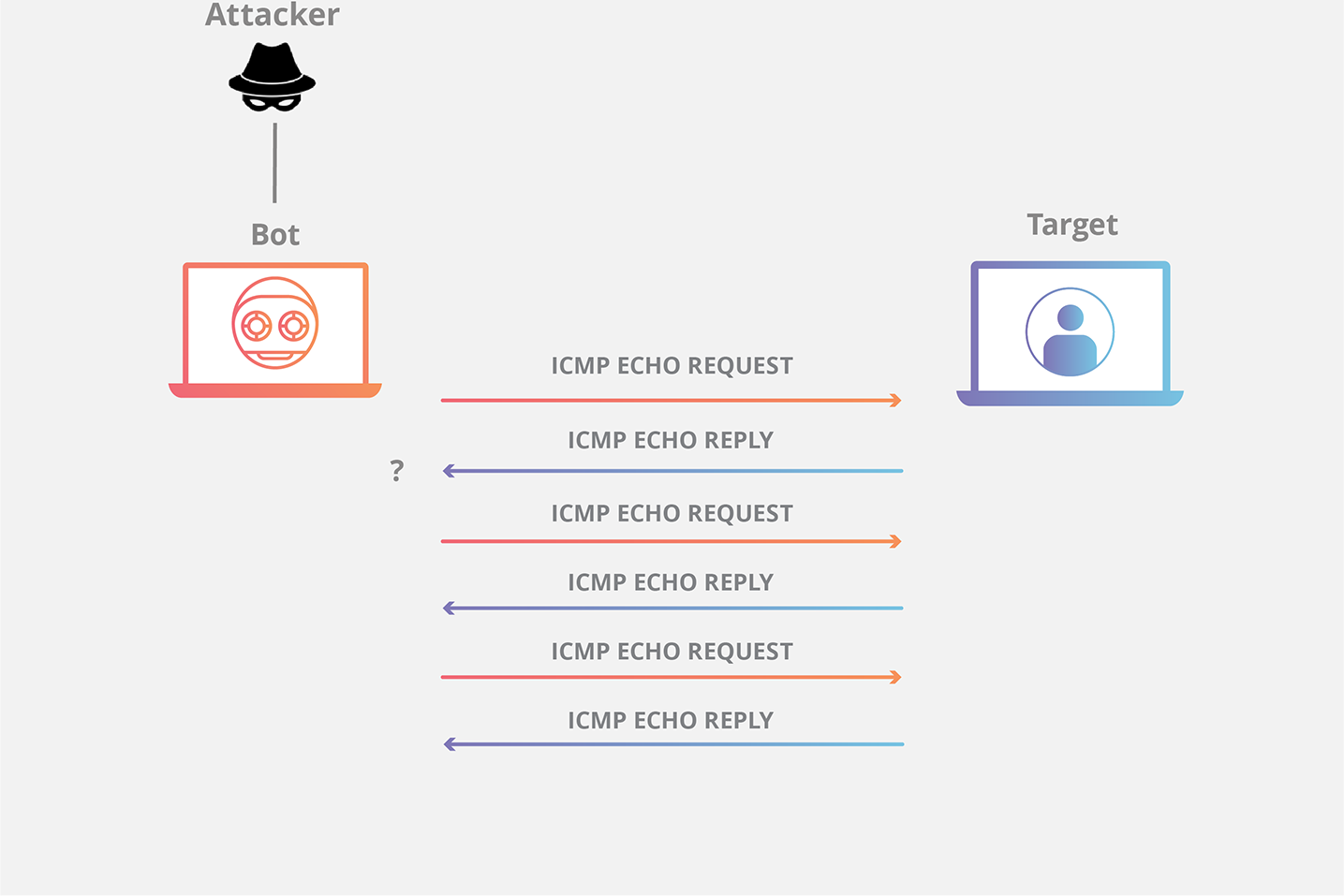
Perhaps the most well-known application of ICMP is the “ping” command. An Echo Request message is sent by a source host to a destination host to test connectivity. If the destination is reachable and able to process the request, it responds with an Echo Reply message. This exchange allows administrators to verify if a host is alive on the network, measure the round-trip time (latency) for packets to travel between the two points, and detect packet loss. Ping is the first tool often used when troubleshooting network connectivity issues, offering immediate insight into basic reachability.
Destination Unreachable
When a router or host cannot deliver an IP datagram to its final destination, it sends a Destination Unreachable message back to the source. This message includes a code that specifies the reason for the failure. Common codes include:
- Network Unreachable (Code 0): The router does not have a route to the specified network.
- Host Unreachable (Code 1): The host exists on a directly connected network, but it’s not responding.
- Protocol Unreachable (Code 2): The specified protocol (e.g., TCP, UDP) is not supported at the destination.
- Port Unreachable (Code 3): The specified port is closed or no application is listening on it.
- Fragmentation Required, and Don’t Fragment Bit Set (Code 4): The packet needs to be fragmented to traverse a network segment, but the ‘Don’t Fragment’ bit is set in the IP header.
These messages are invaluable for diagnosing routing problems, misconfigured firewalls, and service availability issues.
Time Exceeded (Traceroute/Tracert)
The Time Exceeded message is crucial for the operation of network diagnostic tools like traceroute (or tracert on Windows). Every IP packet contains a Time-To-Live (TTL) field, which is decremented by each router it passes through. If the TTL reaches zero before the packet reaches its destination, the router discards the packet and sends an ICMP Time Exceeded message back to the source. By sending packets with incrementally increasing TTL values, traceroute can map the path a packet takes through a network, identifying each router (hop) along the way. This helps pinpoint where delays occur or where packets might be dropped, aiding in the diagnosis of network congestion or routing loops.
Redirect
A Redirect message is sent by a router to a host on its directly connected network to inform the host of a better, more optimal route for a specific destination. For instance, if a host sends a packet to Router A, but Router A knows that Router B (also on the same local network) provides a shorter path to the destination, Router A will forward the packet and send an ICMP Redirect message to the host, advising it to send future packets for that destination directly to Router B. This mechanism helps optimize routing paths and reduce unnecessary traffic through suboptimal gateways.
ICMP in Network Diagnostics and Troubleshooting
The primary purpose of ICMP revolves around its utility in diagnosing and troubleshooting network problems. Its simple yet effective messaging system provides network administrators with indispensable tools to maintain the health and performance of complex network infrastructures.
The Power of Ping
Beyond merely checking if a host is “up,” ping offers a wealth of diagnostic information. A series of ping requests can reveal:
- Basic Connectivity: The most straightforward use, confirming a network path exists.
- Latency: The round-trip time indicates network speed and potential congestion. High latency often points to overloaded links or distant servers.
- Packet Loss: If not all echo requests receive echo replies, it indicates packet loss, which can be caused by congestion, faulty hardware, or security filtering.
- DNS Resolution Issues: Pinging by hostname instead of IP address can help determine if DNS resolution is working correctly.
Unveiling Network Paths with Traceroute/Tracert
Traceroute is an advanced diagnostic tool that leverages ICMP Time Exceeded messages to map the route an IP packet takes from a source to a destination. By revealing each router (hop) along the path, traceroute can:
- Identify Bottlenecks: High latency between specific hops can indicate congestion on a particular link or an overloaded router.
- Locate Faulty Routers: If the trace stops at a particular hop or shows significant packet loss after a certain point, it can pinpoint a problematic router.
- Map Network Topology: For administrators, it provides an understanding of how packets are routed through their own and external networks.
Error Reporting and Debugging
The various Destination Unreachable messages, along with Parameter Problem messages (indicating a malformed IP header), are vital for debugging network configurations and application issues. Understanding the specific ICMP error code received can immediately guide an administrator toward the root cause:
- A “Port Unreachable” message clearly points to an issue with an application not listening or a firewall blocking traffic to a specific port.
- A “Network Unreachable” message suggests a routing table problem.
- A “Fragmentation Required” error indicates an MTU (Maximum Transmission Unit) mismatch along the path, often requiring adjustments to packet sizes or network device configurations.
Security Implications and ICMP Filtering
While immensely useful for diagnostics, ICMP also has security implications. Its ability to reveal network topology and host status can be exploited by malicious actors during reconnaissance phases of an attack. Consequently, careful management and filtering of ICMP traffic are crucial for network security.
ICMP and Reconnaissance
Attackers often use ICMP messages for network reconnaissance:
- Ping Sweeps: Sending ICMP Echo Requests to a range of IP addresses to identify live hosts on a network. A host that responds to a ping is likely active and potentially vulnerable.
- OS Fingerprinting: Analyzing the specific responses of different operating systems to various ICMP messages can help identify the underlying OS of a target, aiding in the selection of OS-specific exploits.
- Traceroute: While legitimate, traceroute can be used by attackers to map internal network topologies, identify router vendors, and discover intermediate network segments that might be targeted.
Denial-of-Service (DoS) Attacks
ICMP can also be abused to launch Denial-of-Service (DoS) attacks:
- Ping Flood: Overwhelming a target host with a massive number of ICMP Echo Requests, consuming its bandwidth and processing resources, thereby rendering it unable to serve legitimate traffic.
- Smurf Attack: An older, but historically significant, DoS attack where an attacker sends a large number of ICMP Echo Requests to a network’s broadcast address, spoofing the source IP address to be that of the victim. All hosts on the network then respond to the victim, flooding it with traffic.
Why Filtering ICMP is Important (and its drawbacks)
To mitigate these security risks, many organizations implement ICMP filtering at their firewalls or network edge devices.
- Reducing Attack Surface: Blocking external ping requests can prevent attackers from easily identifying live hosts.
- Preventing Information Leakage: Filtering certain ICMP error messages can conceal internal network topology details.
However, aggressive ICMP filtering can have significant drawbacks:
- Hindering Legitimate Diagnostics: Blocking all ICMP can make it difficult for administrators to diagnose connectivity issues or path problems, both within their own network and when interacting with external services.
- Masking Network Problems: Without ICMP error messages, issues like MTU mismatches might manifest as seemingly random connection timeouts rather than clear error indications, making troubleshooting much harder.
A balanced approach is generally recommended: selectively filter ICMP traffic. For instance, block external ICMP Echo Requests (pings) but allow ICMP Echo Replies to permit internal systems to ping external resources. Similarly, allow necessary Destination Unreachable messages for proper path MTU discovery but perhaps restrict ICMP Redirect messages from external sources.
The Future and Continued Relevance of ICMP
Despite its origins in the early days of the internet, ICMP remains profoundly relevant, adapting and evolving with new networking paradigms, particularly with the advent of IPv6.
IPv6 and ICMPv6
With the transition to IPv6, ICMP has been enhanced into ICMPv6. Far from being a mere diagnostic protocol, ICMPv6 is absolutely integral to the core functionality of IPv6. It encompasses functionalities that were previously handled by separate protocols in IPv4, such as ARP (Address Resolution Protocol) and IGMP (Internet Group Management Protocol). Key ICMPv6 messages include:
- Neighbor Discovery Protocol (NDP): Critical for address resolution, router discovery, prefix discovery, and duplicate address detection in IPv6.
- Router Solicitation/Advertisement: Used by hosts to find routers and by routers to advertise their presence and network configuration information.
- Multicast Listener Discovery (MLD): Manages multicast group memberships.
ICMPv6 also incorporates more robust security features, such as Secure Neighbor Discovery (SEND), to protect against various attacks that exploit the stateless nature of IPv6.
Beyond Basic Diagnostics
ICMP’s role continues to expand beyond simple troubleshooting. In modern software-defined networking (SDN) environments, ICMP messages can be used by controllers to monitor network paths and dynamically adjust traffic flows based on real-time latency and reachability data. It’s integrated into sophisticated network monitoring tools that continuously track the health and performance of network segments, providing proactive alerts to potential issues.

The Enduring Importance
The unassuming Internet Control Message Protocol, often operating silently in the background, is a cornerstone of network stability and diagnosability. From the simple “ping” that verifies basic connectivity to the intricate mechanisms of ICMPv6 that enable IPv6’s fundamental operations, ICMP is indispensable. While it presents certain security considerations that necessitate careful configuration and filtering, its benefits in maintaining, troubleshooting, and understanding the behavior of complex networks far outweigh these risks. As networks grow more sophisticated and interconnected, the purpose of ICMP messages—to provide clarity, report errors, and facilitate control—will remain as vital as ever, ensuring the smooth flow of information across the global digital landscape.
aViewFromTheCave is a participant in the Amazon Services LLC Associates Program, an affiliate advertising program designed to provide a means for sites to earn advertising fees by advertising and linking to Amazon.com. Amazon, the Amazon logo, AmazonSupply, and the AmazonSupply logo are trademarks of Amazon.com, Inc. or its affiliates. As an Amazon Associate we earn affiliate commissions from qualifying purchases.