
The digital transformation of business finance has fundamentally altered the way entrepreneurs and CFOs manage their fiscal obligations. Gone are the days of manual ledger entries and mailing physical checks to the Internal Revenue Service (IRS). In the modern economy, paying payroll taxes online is not merely a convenience; it is a critical component of a robust financial strategy. For any business with employees, navigating the electronic payment landscape is essential for maintaining compliance, optimizing cash flow, and ensuring the long-term health of the organization.
Payroll taxes—which include federal income tax withholding, Social Security, Medicare, and various state-level taxes—represent a significant portion of a company’s financial liabilities. Failing to remit these funds accurately and on time can lead to draconian penalties that threaten a business’s solvency. By mastering the online systems available today, business owners can automate their financial workflows and focus more resources on growth and investment.
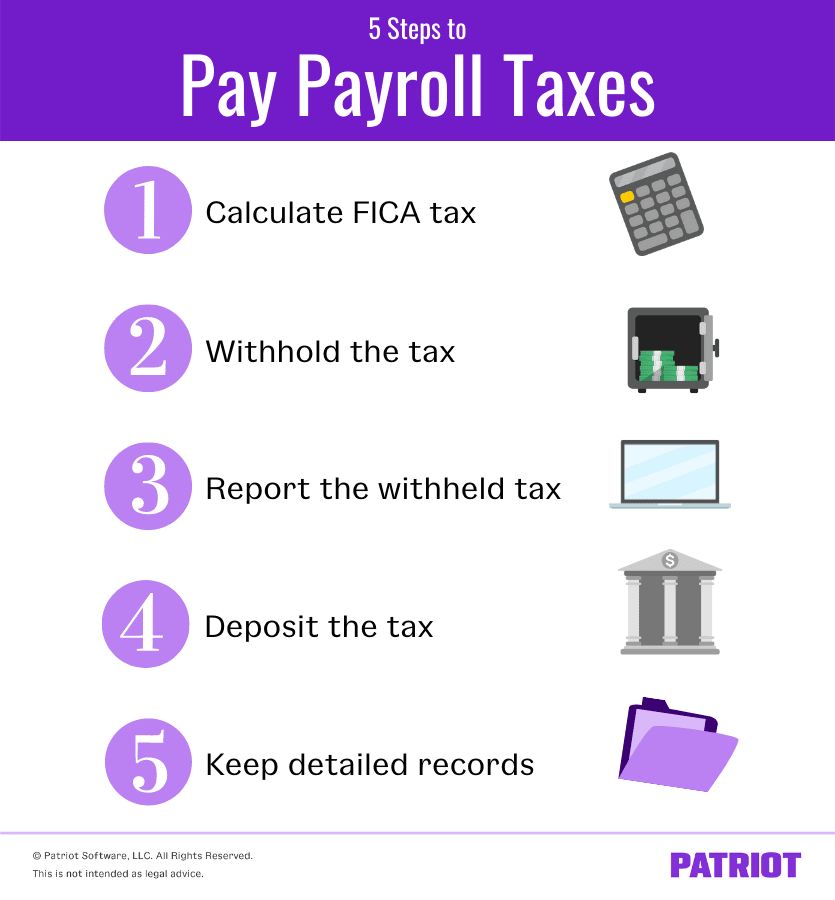
Navigating the Federal Landscape: The Electronic Federal Tax Payment System (EFTPS)
The cornerstone of online payroll tax remittance is the Electronic Federal Tax Payment System, commonly known as EFTPS. This is a free service provided by the U.S. Department of the Treasury that allows businesses to pay all their federal taxes electronically. For most businesses, using EFTPS is not just an option; federal law requires those with a certain level of tax liability to use electronic funds transfers for all federal tax deposits.
Establishing Your Digital Presence on EFTPS
The process begins with enrollment. Unlike consumer-facing payment apps that offer instant gratification, EFTPS is a secure government portal that requires a structured setup. To enroll, a business needs its Employer Identification Number (EIN), corporate name, and bank account information. Once the application is submitted, the IRS sends a Personal Identification Number (PIN) via standard mail for security purposes. This “snail mail” step is a common hurdle for new business owners who wait until the last minute to pay their taxes; it is imperative to start this process at least 15 days before your first tax deadline.
Once the PIN is received, the business can log in and schedule payments. One of the primary financial advantages of EFTPS is the ability to schedule payments up to 120 days in advance. This allows a business to align its tax payments with its revenue cycles, ensuring that the necessary capital is earmarked and ready for transfer well before the deadline.
Executing the Payment Process
When you are ready to make a payment, the system asks for the tax form number (typically Form 941 for quarterly federal tax returns) and the specific tax period. The precision of these entries is vital. In the world of business finance, an “unapplied payment”—where money is sent but not linked to the correct form or period—can trigger automated notices and unnecessary audits.
A professional tip for managing this process is to always print or save the “EFT Acknowledgment Number” provided at the end of every transaction. This number is your digital receipt and serves as your primary defense should the IRS claim a deposit was missed. From a cash flow perspective, payments made via EFTPS must be initiated at least one day before the due date to be considered timely, as the system requires time for the funds to clear the banking system.
Integrating Modern Payroll Software and Fintech Solutions
While the EFTPS is the direct route, many modern businesses choose to utilize full-service payroll software. Platforms like Gusto, QuickBooks Payroll, and ADP act as financial intermediaries, automating the calculation and remittance of taxes. For a business looking to scale, these tools are often worth the investment because they minimize the risk of human error.
The Power of Automation in Financial Compliance
Full-service payroll providers take on the heavy lifting of tax calculations. Every time a business runs payroll, the software calculates the exact amount of employee withholding and employer-matched taxes. It then “pulls” these funds from the business operating account and places them in a dedicated tax account. When the tax deadline arrives, the software automatically remits the funds to the IRS and state agencies on the business’s behalf.
This “hands-off” approach is particularly beneficial for managing the “Trust Fund” portion of payroll taxes. The IRS views withheld employee taxes as money held in trust by the employer. Misusing these funds, even temporarily for operational expenses, is a serious federal offense. Payroll software prevents this by removing the money from the business’s reach immediately, ensuring that the tax liability is always covered.
Choosing the Right Financial Platform
When selecting a fintech solution for payroll, financial leaders must look beyond the user interface. The primary consideration should be the platform’s “tax guarantee.” Many high-end services offer to pay any penalties or interest if they make a mistake in your filings. This effectively transfers the compliance risk from the business to the software provider.
Additionally, look for platforms that integrate seamlessly with your general ledger. When your payroll system talks to your accounting software, your financial reports remain accurate in real-time. This connectivity allows for better-informed decisions regarding hiring, raises, and year-end bonuses, as the true “all-in” cost of an employee is always visible.
Managing State and Local Online Obligations

Paying federal taxes is only half the battle. Business finance becomes significantly more complex when you factor in state and local obligations. Nearly every state has its own unique online portal and filing frequency, which can range from weekly to annually depending on the size of the payroll.
Understanding State-Specific Portals
States like California use the e-Services for Business portal, while New York uses the Department of Taxation and Finance website. These portals function similarly to EFTPS but often require separate registration and different login credentials. For businesses with a distributed workforce—common in the era of remote work—this creates a “multi-state nexus” challenge.
A company based in Texas with one employee in Massachusetts must register with Massachusetts’ Department of Revenue and pay unemployment and withholding taxes online through their specific portal. Managing these various accounts requires a high degree of organization. Financial controllers often maintain a “tax calendar” that maps out every state-specific deadline to ensure no local payment is missed.
Unemployment Insurance and Local Surcharges
In addition to income tax withholding, businesses must pay state unemployment insurance (SUI). These rates can change annually based on the business’s history of claims. Most state online portals provide a “Notice of Contribution Rate” digitally. It is essential to update these rates in your internal systems every January. Failure to do so can result in underpayments, which the state will eventually collect with interest. Online systems have made this easier by providing automated notifications, but the responsibility ultimately rests with the business’s financial management team.
Best Practices for Financial Security and Record-Keeping
Moving payroll tax payments online introduces digital security risks that must be managed with the same rigor as any other financial asset. Cybercriminals frequently target business tax accounts through phishing and identity theft.
Securing Your Financial Data
To protect the company’s capital, multi-factor authentication (MFA) should be mandatory for all users with access to tax portals. Furthermore, internal controls should be established where one person prepares the payroll and another person (or the business owner) approves the final online payment. This “separation of duties” is a fundamental principle of business finance that prevents internal fraud and catches simple data entry errors.
It is also vital to use a secure, dedicated computer or network for financial transactions. Avoid accessing EFTPS or state tax portals over public Wi-Fi or on devices that do not have up-to-date security patches. A breach of a payroll account can expose not only the company’s bank details but also the Social Security numbers of every employee.
Maintaining the Digital Paper Trail
The IRS recommends keeping employment tax records for at least four years after the tax becomes due or is paid. In an online environment, this means maintaining a structured digital archive. Every time a payment is made online, the confirmation page should be saved as a PDF and filed according to the tax year and quarter.
These digital records should include:
-
The amount and date of each deposit.
-
The names, addresses, and SSNs of employees.
-
Copies of all filed returns (941s, 940s, and state forms).
-
Records of any allocated tips or fringe benefits.
In the event of a financial audit, having a clean, chronological digital trail of online payments can resolve inquiries quickly and prove the business’s commitment to compliance.
Strategies for Optimizing Tax-Related Cash Flow
The primary advantage of paying payroll taxes online is the precision it allows in cash flow management. Rather than guessing how much to set aside, a business can use real-time data to optimize its working capital.
The “Tax Buffer” Method
Successful businesses often operate with a dedicated “Tax Savings Account.” Each week, when payroll is calculated, the total tax liability is moved from the operating account to this separate, high-yield savings account. Even if the taxes aren’t due for another month, moving the money ensures it isn’t accidentally spent on inventory or marketing. By keeping these funds in a separate account until the very day they are due to be paid online, the business can earn a small amount of interest on money that technically belongs to the government.

Avoiding the “Failure to Deposit” Penalty
The IRS is particularly aggressive about payroll tax collection. The “Failure to Deposit” penalty starts at 2% for being one to five days late and climbs to 10% for being more than 15 days late. In a low-margin business, a 10% penalty on payroll taxes can wipe out an entire month’s profit.
The online payment system allows for “just-in-time” delivery of these funds. By scheduling the payment for the exact due date, you keep your cash in your account for as long as possible while avoiding the risk of a late-filing penalty. This level of granular control is the hallmark of a sophisticated financial operation.
By embracing the tools and systems for online payroll tax payments, businesses move beyond mere compliance. They create a structured, transparent, and efficient financial environment that supports long-term stability. Whether using the government’s direct portals or an integrated fintech solution, the goal remains the same: accurate, timely, and secure management of one of the business’s most significant financial responsibilities.
aViewFromTheCave is a participant in the Amazon Services LLC Associates Program, an affiliate advertising program designed to provide a means for sites to earn advertising fees by advertising and linking to Amazon.com. Amazon, the Amazon logo, AmazonSupply, and the AmazonSupply logo are trademarks of Amazon.com, Inc. or its affiliates. As an Amazon Associate we earn affiliate commissions from qualifying purchases.