
The landscape of modern air travel has undergone a radical transformation, shifting from manual, paper-heavy processes to a sophisticated digital ecosystem. For passengers flying with American Airlines, the boarding pass is no longer just a slip of cardstock; it is a digital asset integrated into a complex web of mobile applications, cloud synchronization, and biometric verification. Understanding how to acquire and manage this digital credential requires a dive into the software and hardware interfaces that American Airlines has developed to streamline the passenger experience.

This guide explores the technical methodologies for securing your American Airlines boarding pass, focusing on mobile app integration, web-based platforms, and the hardware-driven solutions found within the airport infrastructure.
Leveraging the American Airlines Mobile App for Instant Access
At the heart of the modern traveler’s toolkit is the American Airlines mobile application. Available for both iOS and Android, this app serves as a centralized hub for flight management. The process of obtaining a boarding pass through the app is a study in streamlined User Experience (UX) design, utilizing real-time data synchronization to ensure that the passenger has the most current flight information.
The Setup: Account Integration and Biometric Login
To begin the process, users must interface with the app’s authentication layer. While manual entry of a Record Locator is possible, the most efficient method involves logging into an AAdvantage account. Modern iterations of the app leverage device-level biometric security, such as FaceID or fingerprint scanning, to grant access to sensitive travel documents. This layer of digital security ensures that the boarding pass—which contains Personally Identifiable Information (PII) and flight data—remains protected behind encrypted local authentication.
Once logged in, the app’s backend communicates with American Airlines’ central reservation system (CRS) via an Application Programming Interface (API). Exactly 24 hours before departure, the “Check-In” trigger becomes active. This is a time-sensitive window where the user confirms their presence on the flight and the app generates the digital boarding pass.
Real-Time Notifications and Dynamic Updates
The technical advantage of using the mobile app over other methods is the use of push notifications. The app uses Apple’s APNs (Apple Push Notification service) or Google’s FCM (Firebase Cloud Messaging) to alert the user the moment check-in is available.
Upon successful check-in, the app generates a high-density 2D barcode (typically a PDF417 format). This barcode is designed for high readability even under varying screen brightness levels or minor screen damage. Furthermore, the app is dynamic; if there is a gate change or a delay, the metadata associated with the digital boarding pass updates in real-time, reflecting the most current status without requiring the user to refresh the page manually.
Desktop and Web Portal Solutions: The Power of Cloud Syncing
While mobile apps dominate the landscape, the American Airlines web portal remains a critical piece of the digital infrastructure, particularly for business travelers or those who prefer a desktop-first workflow. The web interface offers a more expansive view of the seating chart and flight details, utilizing responsive design to ensure functionality across various browsers.
Printing to PDF vs. Physical Hard Copies
For users who prefer a physical backup or do not have a compatible mobile device, the web portal provides a “Print Boarding Pass” option. Technically, this process involves the server generating a high-resolution PDF file. The software ensures that the barcode is rendered with specific contrast ratios to be legible by the laser and image-based scanners used at TSA checkpoints and boarding gates.
When a user selects the print option, they are also frequently given the option to “Email Boarding Pass.” This creates a multi-channel backup. The email contains both a link to the web-hosted pass and an attachment. From a technical standpoint, this ensures that the data is cached in the user’s email client, allowing for offline access—a crucial redundancy in environments with poor cellular connectivity.
Syncing with Digital Wallets (Apple Wallet & Google Pay)
One of the most significant advancements in digital boarding pass technology is the integration with native mobile wallets. After checking in via the AA website or mobile app, users are presented with a “Add to Apple Wallet” or “Save to Google Pay” button.

This action triggers a “PassKit” (on iOS) or “Google Wallet API” (on Android) event. The system generates a .pkpass file—a specialized package containing a JSON manifest, signature files, and image assets. This allows the boarding pass to exist independently of the American Airlines app. The wallet integration utilizes geofencing technology; when the smartphone’s GPS detects that the user has arrived at the airport, the boarding pass is automatically pushed to the device’s lock screen for instant access. This is a prime example of context-aware software improving the end-user experience.
Self-Service Kiosks and IoT Integration at the Airport
For passengers who arrive at the airport without having secured their boarding pass through mobile or web channels, American Airlines utilizes a network of Internet of Things (IoT) devices known as Self-Service Kiosks. These hardware units are sophisticated terminals connected to the airline’s mainframe, designed for rapid data processing and physical output.
QR Code Scanning and Contactless Printing
Modern American Airlines kiosks are equipped with high-speed thermal printers and optical scanners. If a passenger has a digital version but requires a paper copy (perhaps for international documentation requirements), they can scan the QR code on their phone at the kiosk. The hardware recognizes the encrypted token within the code, retrieves the passenger’s record, and prints a thermal-transfer boarding pass in seconds.
The latest generation of these kiosks also features contactless technology. By using Near Field Communication (NFC), a passenger can tap their phone against the kiosk to initiate the check-in process, bypassing the need to type in a 6-digit Record Locator. This reduces friction and minimizes physical contact with the hardware, a trend that has accelerated in post-pandemic design.
Facial Recognition and the Future of Biometric Boarding
In certain high-tech hubs, American Airlines is piloting biometric boarding processes. This technology removes the need for a physical or even a digital boarding pass at the final gate. The system uses computer vision and facial recognition algorithms to compare a live scan of the passenger’s face against the digital image gallery provided by U.S. Customs and Border Protection (CBP).
From a technical perspective, this involves a rapid “one-to-n” matching process where the local hardware captures a biometric template and verifies it against a cloud-based database. If the match is confirmed, the system automatically marks the passenger as “boarded” in the CRS. This represents the ultimate evolution of the boarding pass: the transition from a physical or digital document to the passenger’s own biological identity.
Troubleshooting Digital Friction and Cybersecurity Best Practices
Despite the robustness of these systems, technical hurdles such as connectivity “dead zones” or software glitches can occur. Navigating these requires an understanding of how the digital boarding pass functions in an offline state and how to maintain data integrity.
Connectivity Issues and Offline Access
A common failure point in the digital journey is the lack of internet access at the security checkpoint. To mitigate this, the American Airlines app is designed to cache the boarding pass image locally within the app’s data folder. However, users are often encouraged to take a screenshot of the pass as a tertiary backup.
Technically, a screenshot is a static raster image of the barcode. While it lacks the dynamic updates of the live app, most modern gate scanners can process these images as long as the screen brightness is high enough and the “Auto-Rotate” feature doesn’t interfere with the scanner’s orientation.
Protecting Your PII on Digital Passes
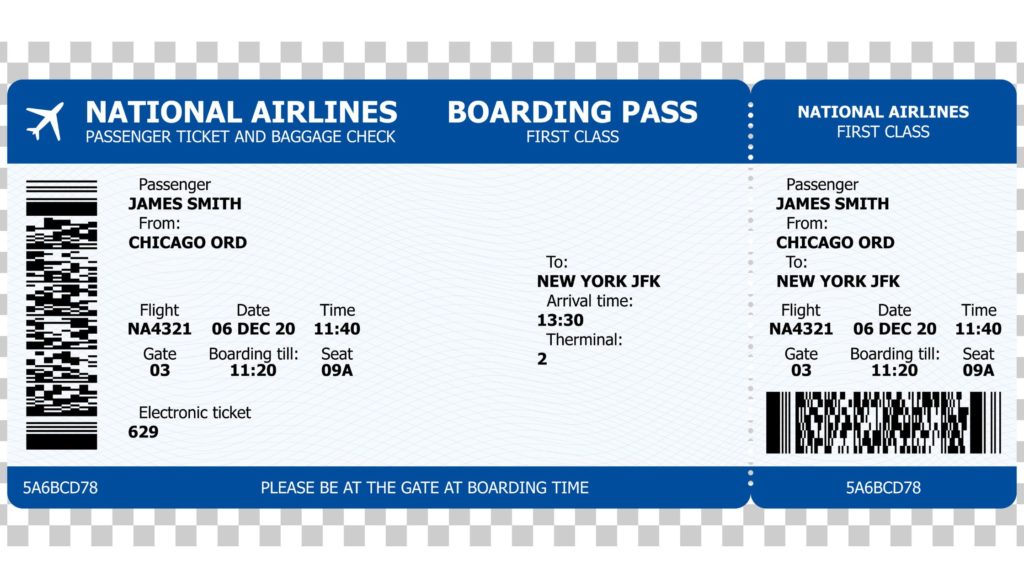
Cybersecurity is a paramount concern when handling digital boarding passes. A boarding pass barcode contains more than just a seat number; it often includes the passenger’s name, frequent flyer number, and a link to their full itinerary. Security researchers have demonstrated that posting photos of boarding passes on social media can lead to account hijacking, as the barcode can be easily decoded by publicly available software.
American Airlines employs several security measures to protect this data. The barcodes are generated using a “signed” format to prevent tampering. Furthermore, the AAdvantage system monitors for unusual login activity or multiple devices attempting to access the same boarding pass simultaneously. For the user, the best tech practice is to treat the digital boarding pass with the same level of security as a credit card—keeping it within secure wallet apps and never sharing the raw barcode image on public platforms.
In conclusion, getting an American Airlines boarding pass is an exercise in utilizing a multi-platform digital ecosystem. Whether through the sophisticated API integrations of the mobile app, the cloud-synced web portal, or the biometric-enabled hardware at the airport, the process is designed to be seamless, secure, and highly efficient. As technology continues to evolve, the traditional concept of a “pass” will likely continue to dissolve, replaced by an invisible, data-driven flow that follows the traveler from their home to their destination.
aViewFromTheCave is a participant in the Amazon Services LLC Associates Program, an affiliate advertising program designed to provide a means for sites to earn advertising fees by advertising and linking to Amazon.com. Amazon, the Amazon logo, AmazonSupply, and the AmazonSupply logo are trademarks of Amazon.com, Inc. or its affiliates. As an Amazon Associate we earn affiliate commissions from qualifying purchases.