
In the modern digital landscape, the ability to access real-time data has transformed from a luxury into a fundamental expectation. For travelers and logistics professionals alike, monitoring the status of an aircraft is no longer confined to the flickering monitors of an airport terminal. Google has integrated sophisticated flight-tracking capabilities directly into its ecosystem, leveraging its massive indexing power and data partnerships to provide users with instantaneous, accurate information. This guide explores the technical methodologies, integrated tools, and advanced features available within the Google suite to track flights with precision.
The Engineering Behind Google’s Flight Tracking Capabilities
To understand how to track a flight on Google effectively, it is essential to recognize the underlying technology that powers these features. Google does not merely “scrape” the web for flight data; it utilizes a complex infrastructure of Application Programming Interfaces (APIs) and partnerships with global distribution systems (GDS) and flight data aggregators like FlightStats and OAG.
Real-Time Data Synchronization
When a user enters a flight number into the Google search bar, the engine triggers a specific query to its travel database. This database is updated in near-real-time via data feeds from Air Traffic Control (ATC) systems and airline operational centers. This ensures that the information regarding gate changes, delays, and arrival times is synchronized across the global network within seconds of an update being issued by the carrier.
Predictive Algorithms for Delays
One of the most impressive technical aspects of Google’s tracking system is its use of machine learning to predict delays. Google often flags a potential delay before the airline officially announces it. By analyzing historical data patterns, weather conditions, and the late arrival of incoming aircraft, Google’s algorithms can provide a “predicted delay” status, offering users a layer of foresight that traditional tracking methods lack.
Method 1: The Google Search Interface
The most direct and widely used method for tracking a flight is through the primary Google Search interface. This method is optimized for speed and works across all browsers and mobile devices.
Using Flight Numbers for Instant Results
The simplest way to track a flight is to enter the airline’s IATA code followed by the flight number (e.g., “UA 2415” or “LH 400”).
-
The Snippet View: Upon hitting enter, Google generates a dedicated “Flight Status” snippet at the top of the Search Engine Results Page (SERP).
-
Data Points Provided: This snippet includes the flight’s current status (On Time, Delayed, or Canceled), the departure and arrival terminals/gates, and a visual progress bar indicating the aircraft’s position in the air.
-
Terminal and Gate Updates: Because Google syncs with airport databases, the gate information is often more current than the physical boarding pass issued hours prior.
Searching by Route
If the flight number is unavailable, users can search by route (e.g., “flights from JFK to LHR”). This query prompts Google to display a list of all active and upcoming flights between those two hubs for the day. This is particularly useful for those monitoring general traffic patterns or waiting for a specific arrival without knowing the exact flight identification code.
Method 2: Advanced Monitoring via Google Flights
For users requiring a more robust set of tools, Google Flights (google.com/flights) serves as a dedicated platform for both discovery and tracking. While many perceive it primarily as a booking engine, its tracking utility is unparalleled in the consumer tech space.
The Live Tracking Map
Google Flights provides a geographical context that the standard search snippet lacks. By selecting a specific flight, users can often view a map showing the flight path. This is powered by ADS-B (Automatic Dependent Surveillance-Broadcast) data, which allows the system to approximate the plane’s location based on its last reported coordinates to ground stations.
History and Trend Analysis
Google Flights stores historical data regarding specific routes. When tracking a flight, the system may provide insights such as “This flight is frequently delayed by 30+ minutes.” This level of data transparency allows travelers to make informed decisions about their schedules and connections.
Price Tracking and Status Alerts
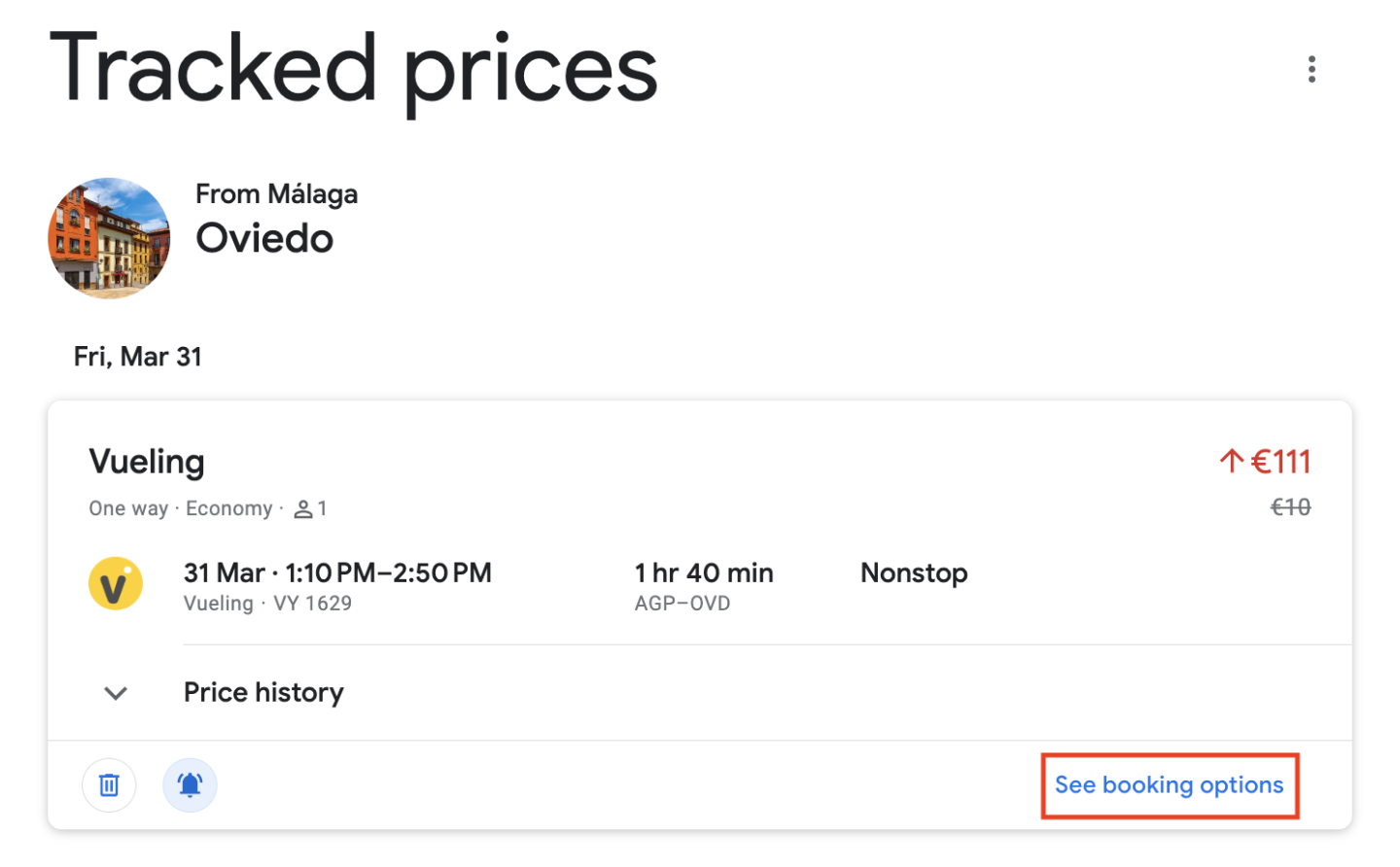
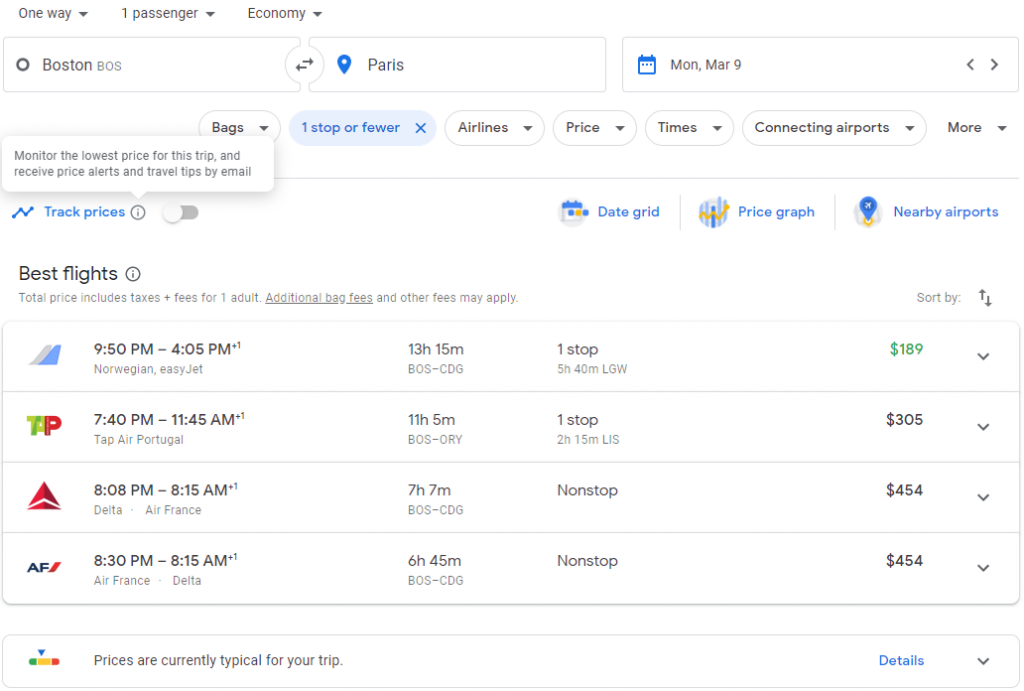
While focusing on tracking the physical location of a flight, it is worth noting the “Track Prices” toggle. From a technical perspective, this sets a “watch” on the flight’s metadata. If the status or the pricing structure changes significantly, Google sends a push notification or email via its cloud messaging service, ensuring the user is informed without having to manually refresh the page.
Method 3: Integration with Google Workspace
The true power of tracking a flight on Google lies in its ecosystem integration. By linking tracking capabilities with Gmail and Google Calendar, the process becomes automated and proactive.
Automated Itinerary Parsing
When a flight confirmation email is sent to a Gmail account, Google’s natural language processing (NLP) algorithms scan the text to identify key entities: flight numbers, dates, times, and confirmation codes.
-
Smart Features: If “Smart Features and Personalization” are enabled in the settings, Google automatically extracts this data.
-
Google Assistant Integration: Once parsed, you can simply ask Google Assistant, “Where is my flight?” or “Is my flight on time?” The AI retrieves the specific data from your private itinerary and provides a real-time status report without requiring a manual search.
Google Calendar Synchronization
Extracted flight data is automatically populated into Google Calendar. The calendar entry is not a static event; it is a dynamic link.
-
Live Updates in the Event: Clicking on the calendar event often reveals a “Check Flight Status” link that directs the user back to the live tracking snippet.
-
Time Zone Management: The calendar integration handles the complex math of trans-meridian travel, automatically adjusting departure and arrival times to the user’s current time zone and the destination time zone, reducing the risk of logistical errors during international transit.
Method 4: Mobile Optimization and Google Assistant
In a mobile-first world, tracking flights on the go requires low-latency updates and hands-free accessibility. Google’s mobile applications on iOS and Android are designed to provide these updates through push architecture.
The Google App and Discover Feed
On many Android devices, flight information appears proactively in the “Discover” feed or the “At a Glance” widget on the home screen. This is driven by the “Travel” category of Google’s proactive intelligence. If the system detects an upcoming flight in your linked accounts, it will pin the flight status to your home screen several hours before departure.
Voice Commands and Wearables
Google Assistant allows for seamless tracking via smart speakers or Wear OS devices. By using commands such as “Hey Google, track flight AA 100,” the Assistant accesses the same real-time API mentioned earlier to read back the status. This is particularly useful during the commute to the airport when manual searching is not feasible.
Security and Data Privacy in Flight Tracking
From a technical and ethical standpoint, tracking flights on Google involves the handling of sensitive personal data, particularly when integrated with Gmail and Calendar.
Encryption and Data Handling
Google employs end-to-end encryption for data in transit when pulling flight information from airline servers to your device. When Google parses your Gmail for flight info, the process is automated and handled by machines; no human at Google reads your emails to find your flight status.
User Control and Permissions
Users have granular control over how their flight data is tracked. Within the Google Account settings, under “Data & Privacy,” individuals can toggle “Personal results” on or off. Disabling this prevents Google from using private information from Gmail to provide tracking updates, though it does not affect the ability to manually track flights via the search bar.

The Future of Tracking: AI-Enhanced Logistics
As Google continues to integrate its Gemini AI models into its search and workspace products, the future of flight tracking is moving toward “intent-based” assistance. Instead of just showing where a plane is, Google is beginning to offer alternative solutions. For example, if a tracked flight is canceled, the AI can theoretically suggest the next three available flights and provide a button to rebook, all within the tracking interface.
The convergence of real-time satellite data, predictive machine learning, and deep ecosystem integration makes Google one of the most powerful flight-tracking tools available. Whether you are a casual traveler or a tech-savvy professional, mastering these tools ensures that you remain informed in the fast-paced world of global aviation.
aViewFromTheCave is a participant in the Amazon Services LLC Associates Program, an affiliate advertising program designed to provide a means for sites to earn advertising fees by advertising and linking to Amazon.com. Amazon, the Amazon logo, AmazonSupply, and the AmazonSupply logo are trademarks of Amazon.com, Inc. or its affiliates. As an Amazon Associate we earn affiliate commissions from qualifying purchases.