
In the rapidly evolving landscape of consumer electronics and digital displays, technical specifications often serve as the primary roadmap for consumers and professionals alike. Among these specifications, few are as ubiquitous as “1920×1080.” Whether you are purchasing a new gaming monitor, a laptop for office work, or a high-definition television, these numbers are frequently highlighted as a benchmark of quality.
Commonly referred to as “Full HD” or “1080p,” 1920×1080 represents a specific standard of image resolution. To understand what these numbers truly mean, we must delve into the mechanics of digital imagery, the hardware that displays it, and the impact this resolution has on our daily digital experiences.
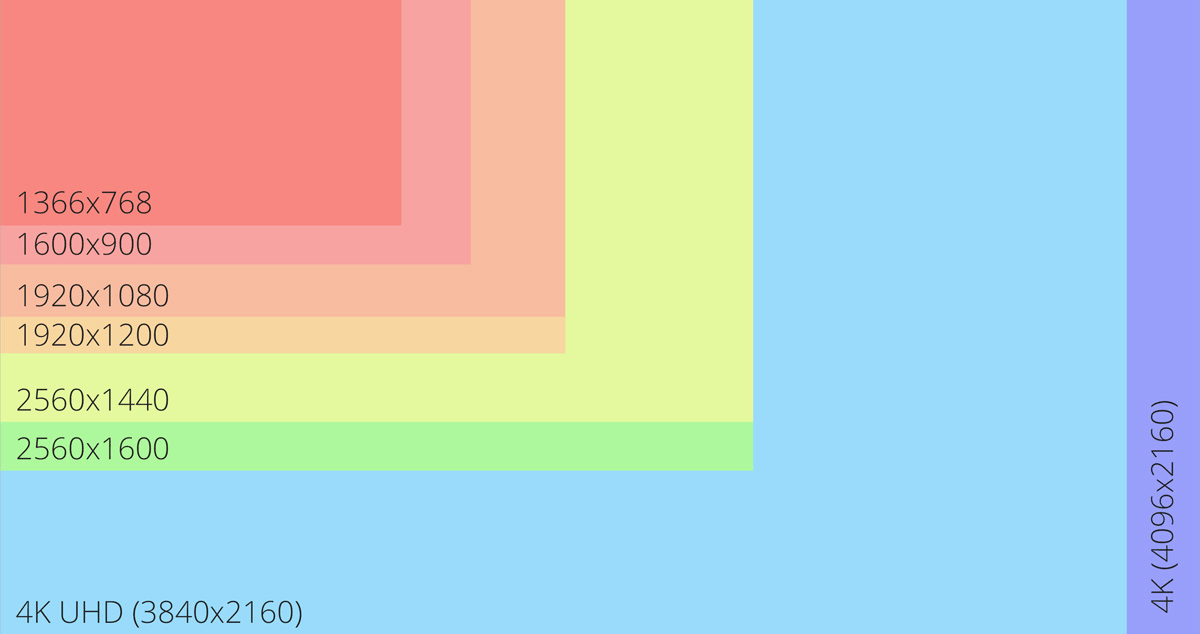
Decoding the Numbers: The Fundamentals of Screen Resolution
To grasp what 1920×1080 signifies, we must first understand the concept of a “pixel.” A pixel, short for “picture element,” is the smallest unit of a digital image or display that can be controlled. When you look at your screen, you are essentially looking at a massive grid of these tiny, light-emitting dots that change color to form an image.
The Horizontal and Vertical Count
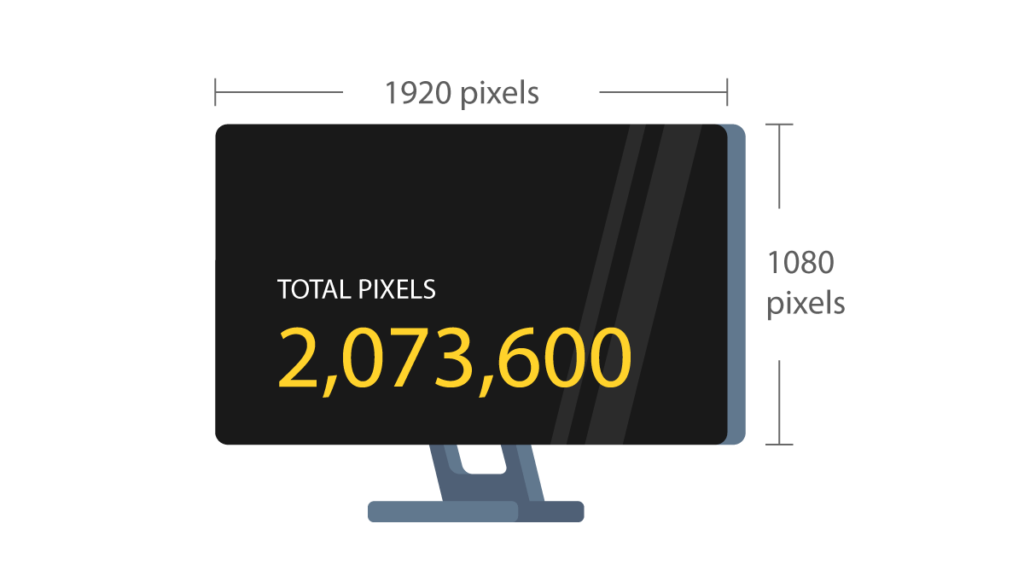
The resolution of a screen is expressed as the number of pixels across the width and the number of pixels across the height. In the case of 1920×1080:
-
1920 refers to the number of horizontal pixels (from left to right).
-
1080 refers to the number of vertical pixels (from top to bottom).
When these two numbers are multiplied, you get the total number of pixels on the screen. For a 1920×1080 display, that equals 2,073,600 pixels—roughly 2.07 megapixels. In the early days of computing and television, resolutions were significantly lower (such as 640×480), meaning the jump to over two million pixels represented a monumental leap in clarity and detail.
Total Pixel Density and the Math Behind the Image
The “density” of these pixels determines how sharp an image appears. If you have two million pixels packed into a small 5-inch smartphone screen, the image will look incredibly sharp because the pixels are so small and close together that the human eye cannot distinguish them. However, if you spread those same two million pixels across a massive 100-inch projector screen, the individual pixels become more apparent, and the image may look “blocky” or “soft.” This is why 1920×1080 is often considered the “sweet spot” for 24-inch monitors and medium-sized televisions; it provides enough detail for a sharp image without requiring the immense processing power needed for higher resolutions like 4K.
The Significance of the 16:9 Aspect Ratio
When we talk about 1920×1080, we are also implicitly talking about the “aspect ratio.” This term refers to the proportional relationship between the width and the height of the screen.
From Square Screens to Widescreen Viewing
If you divide 1920 by 1080, you get a ratio of 1.77:1, which is mathematically simplified as 16:9. This is the standard widescreen format used globally for high-definition television, most computer monitors, and cinematic content.
Before the digital transition of the early 2000s, most screens used a 4:3 aspect ratio, which was much closer to a square. This older format was a relic of early television tubes. However, as human vision is horizontally oriented, the tech industry shifted toward 16:9 to provide a more immersive and natural viewing experience. 1920×1080 became the flagship resolution of this shift, defining the era of High Definition (HD).
Why 16:9 Dominates the Modern Tech Ecosystem
The dominance of 16:9 at the 1920×1080 resolution is not accidental. It provides a standardized canvas for content creators. When a filmmaker shoots a movie or a software developer designs an app, they prioritize 1080p because they know the vast majority of consumer hardware—from budget laptops to high-end TVs—can display it perfectly without “letterboxing” (the black bars at the top and bottom) or stretching the image.
1080p vs. 1080i: The Difference Between Progressive and Interlaced
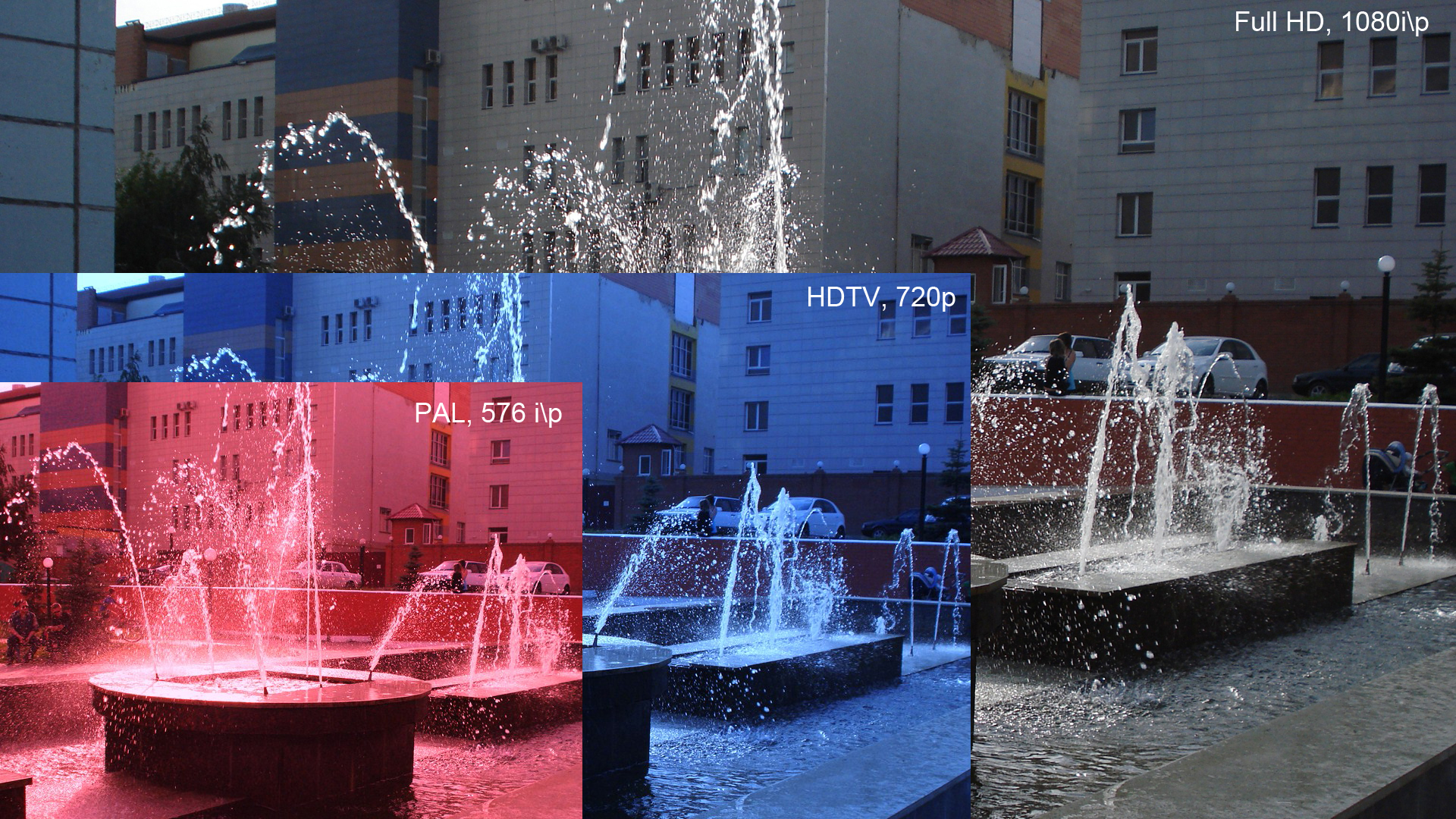
You may have noticed that 1920×1080 is often followed by a “p,” as in “1080p.” This “p” stands for “progressive scan,” and it is a critical technical distinction that dictates how the image is drawn on the screen.
Progressive Scan (p) and Motion Clarity
In a 1080p display, all 1,080 horizontal lines are drawn on the screen simultaneously for every frame. This happens dozens of times per second (usually 60 times, or 60Hz). Progressive scanning results in very smooth motion and crisp edges, which is why it is the standard for gaming, sports, and modern digital video. When people talk about “Full HD,” they are almost always referring to 1080p.
Interlaced Video (i) and Legacy Broadcasting
The alternative, which was more common in the early days of HD television, is 1080i or “interlaced scan.” In an interlaced system, the screen refreshes the odd-numbered lines of pixels first, then the even-numbered lines. While this requires less bandwidth—which was useful for over-the-air television broadcasts in the 2000s—it can result in “flicker” or “combing” artifacts during fast-moving scenes. Today, 1080p has largely replaced 1080i in the consumer market, as modern internet speeds and hardware processing power have made the efficiency of interlacing unnecessary.
Pixel Density and Viewing Experience
A common misconception in the tech world is that a higher resolution always equals a better experience. However, the effectiveness of 1920×1080 is heavily dependent on the physical size of the display and your distance from it.
Understanding Pixels Per Inch (PPI)
Pixel Density is measured in Pixels Per Inch (PPI). For example, a 24-inch monitor at 1920×1080 has roughly 92 PPI. At a normal desk viewing distance, this provides a clear, readable image. However, if you apply 1920×1080 to a 32-inch monitor, the PPI drops to about 68. At this size, text might look slightly jagged, and you might notice individual pixels. This is why many professionals choose 1440p or 4K for larger screens while sticking to 1080p for smaller, high-performance displays.
The Relationship Between Resolution and Physical Screen Size
The tech industry uses 1920×1080 as a baseline because of its versatility. On a laptop screen (usually 13 to 15 inches), 1080p looks incredibly sharp because the pixel density is very high. On a 50-inch TV, 1080p still looks great from the couch because you are sitting several feet away. The human eye has limits; once you are a certain distance from a screen, your retina can no longer distinguish between 1080p and higher resolutions like 4K. This makes 1920×1080 an enduringly efficient choice for many household and office applications.
Performance and Compatibility: Why 1920×1080 Remains the Universal Standard
Despite the arrival of 4K (3840×2160) and even 8K displays, 1920×1080 remains the most popular resolution on the planet. This is due to a perfect balance between visual quality and technical performance.
Hardware Optimization and Processing Power
For gamers and digital artists, resolution is a trade-off. Rendering a game at 1080p is much less taxing on a Graphics Processing Unit (GPU) than rendering at 4K. Because 4K has four times as many pixels as 1080p, it requires significantly more power to maintain a smooth frame rate. For many users, having a “buttery smooth” 1080p experience at 144Hz (144 frames per second) is preferable to a “stuttery” 4K experience at 30Hz.
Streaming Bandwidth and File Compression
In the world of online video, bandwidth is the primary constraint. Streaming a movie in 1080p requires roughly 5 Mbps of internet speed, whereas 4K requires 25 Mbps or more. For much of the world, 1080p is the highest resolution that can be reliably streamed without constant buffering. Furthermore, storing 1080p video files takes up significantly less space on hard drives and cloud storage than higher-resolution formats, making it the practical choice for most content distribution.
Conclusion: The Legacy of Full HD
1920×1080 is more than just a set of numbers; it is the foundation of the modern visual era. It represents the point where digital displays reached a level of clarity that satisfied the majority of human visual needs while remaining accessible to the average consumer.
While the tech industry continues to push toward higher resolutions, 1080p remains the “gold standard” for reliability, performance, and compatibility. Whether you are coding on a laptop, watching a documentary, or competing in an eSports tournament, 1920×1080 provides a sharp, widescreen experience that defines our digital world. Understanding this resolution allows you to make more informed decisions about your gadgets, ensuring that you choose the hardware that best fits your specific needs in an increasingly pixel-driven society.
aViewFromTheCave is a participant in the Amazon Services LLC Associates Program, an affiliate advertising program designed to provide a means for sites to earn advertising fees by advertising and linking to Amazon.com. Amazon, the Amazon logo, AmazonSupply, and the AmazonSupply logo are trademarks of Amazon.com, Inc. or its affiliates. As an Amazon Associate we earn affiliate commissions from qualifying purchases.