
In an increasingly data-driven world, understanding and calculating percentages is a fundamental skill that permeates almost every aspect of professional and personal life. From assessing discounts during a sale to analyzing financial reports, tracking performance metrics, or simply determining a tip, percentages are everywhere. While the concept might seem straightforward, the practical application, especially when using a calculator, can sometimes present minor hurdles depending on the device and the specific calculation required. This comprehensive guide aims to demystify the process, transforming your calculator from a mere number-crunching device into a powerful tool for mastering percentage calculations.
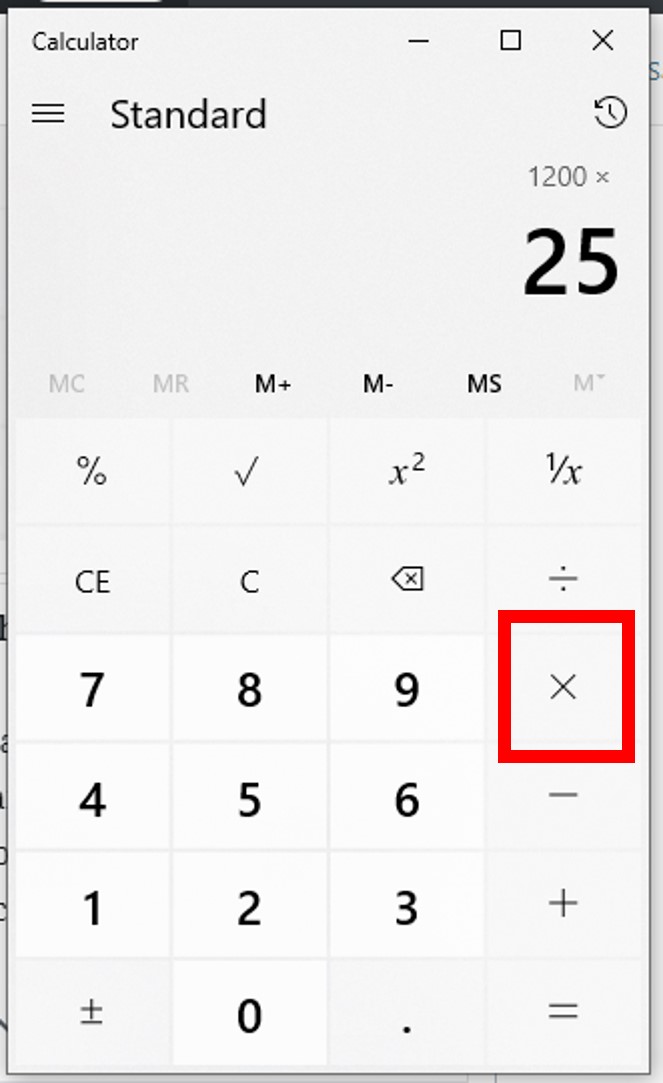
Whether you’re working with a basic handheld model, a sophisticated scientific calculator, or a feature-rich smartphone app, the principles remain consistent. The goal is efficiency, accuracy, and confidence in your results. By understanding the underlying mathematical concepts and how different calculators interpret your inputs, you can navigate any percentage challenge with ease, leveraging technology to enhance your numerical literacy and decision-making capabilities.
The Fundamentals of Percentage Calculation
Before diving into the specifics of calculator operation, a firm grasp of what a percentage truly represents is paramount. This foundational understanding allows for more intuitive use of any computational tool and helps in troubleshooting potential errors.
Understanding What a Percentage Represents
At its core, “percent” means “per hundred” or “out of one hundred.” It’s a way of expressing a number as a fraction of 100. For instance, 25% literally means 25 out of 100, which can be written as the fraction 25/100 or the decimal 0.25. This conversion between percentage, fraction, and decimal form is the lynchpin of all percentage calculations.
-
Percentage to Decimal: To convert a percentage to a decimal, simply divide it by 100 (or move the decimal point two places to the left).
- Example: 45% = 45 / 100 = 0.45
-
Decimal to Percentage: To convert a decimal to a percentage, multiply it by 100 (or move the decimal point two places to the right and add the ‘%’ symbol).
- Example: 0.78 = 0.78 * 100 = 78%
-
Fraction to Percentage: Convert the fraction to a decimal first by dividing the numerator by the denominator, then convert the decimal to a percentage.
- Example: 3/4 = 0.75 = 75%
Understanding these conversions is crucial because most calculators perform percentage operations by first converting percentages into their decimal equivalents.
Basic Formulae and Their Calculator Application
Most percentage calculations revolve around three primary scenarios, each with a straightforward formula that translates directly into calculator keystrokes.
-
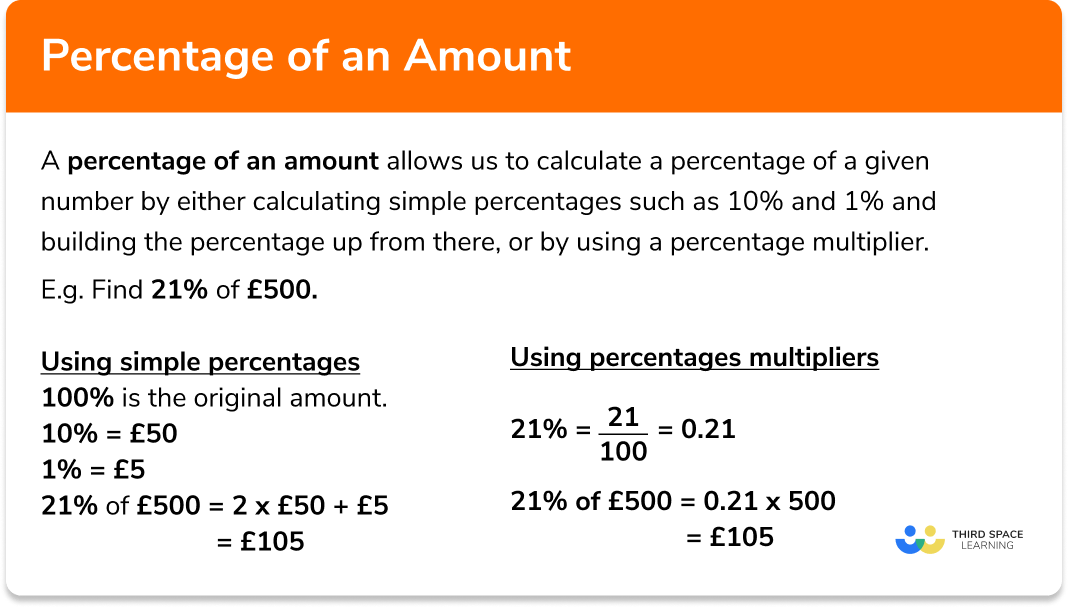
Finding X% of Y (Part of a Whole):
This is perhaps the most common calculation. You want to know what a certain percentage of a given number is.
-
Formula: (X / 100) * Y
-
Calculator Steps (without a ‘%’ button): Enter Y, then
*, then X, then/, then 100, then=. -
Calculator Steps (with a ‘%’ button): Enter Y, then
*, then X, then%. (Note: The behavior of the ‘%’ button varies; some calculators might requireX % * Y =orY * X % =. We’ll explore this further.) -
Example: Find 20% of 150.
-
Manual/Decimal method: 0.20 * 150 = 30
-
Calculator:
150 * 20 % =(or150 * 0.20 =)
-
-
-
Finding Y as a Percentage of X (Percentage of a Total):
Here, you have a part (Y) and a whole (X), and you want to express the part as a percentage of the whole.
-
Formula: (Y / X) * 100
-
Calculator Steps (without a ‘%’ button): Enter Y, then
/, then X, then*, then 100, then=. -
Calculator Steps (with a ‘%’ button): Enter Y, then
/, then X, then%. (Again,%button behavior can differ; some might show the decimal and then applying%converts it to percentage format, orY / X = %might work). -
Example: What percentage is 30 of 150?
-
Manual method: (30 / 150) * 100 = 0.20 * 100 = 20%
-
Calculator:
30 / 150 * 100 =(or30 / 150 % =if your calculator supports this sequence)
-
-
-
Percentage Increase or Decrease:
This calculates the change between an old value and a new value, expressed as a percentage.
-
Formula: ((New Value – Old Value) / Old Value) * 100
-
Calculator Steps: Calculate the difference (New Value – Old Value), then divide by Old Value, then multiply by 100.
-
Example: If a price increased from $100 to $120.
-
Difference: 120 – 100 = 20
-
Percentage increase: (20 / 100) * 100 = 20%
-
Calculator:
(120 - 100) / 100 * 100 =(Using parentheses if available, or performing120 - 100 =first, then/ 100 * 100 =)
-
-
Navigating Different Calculator Types for Percentages
While the core mathematical principles remain constant, the user interface and functionality of various calculators can influence the exact keystrokes required. Understanding these nuances is key to efficient and error-free percentage calculations.
Standard and Basic Calculators
These ubiquitous devices, whether physical or digital, typically feature fundamental arithmetic operations (+, -, *, /) and often include a dedicated ‘%’ button. The behavior of this ‘%’ button is where most confusion arises.
-
The ‘%’ Button: Its Functions and Limitations:
On many basic calculators, the ‘%’ button is not just a display formatter but an operator. Its function can vary significantly:
-
To find X% of Y: Some calculators require
Y * X % =. For example,150 * 20 % =might directly output30. Here, the ‘%’ button automatically divides X by 100 before multiplication. -
To add/subtract a percentage (e.g., adding sales tax or applying a discount): This is where it gets interesting. For instance, to add 10% to 50:
-
Some calculators:
50 + 10 % =will directly give55. (It calculates 10% of 50, which is 5, then adds it to 50). -
Other calculators:
50 * 10 % + 50 =(This is essentially50 * 0.10 + 50 = 5 + 50 = 55).
-
-
To find a percentage of a total:
Y / X %might output the decimal equivalent (e.g.,30 / 150 %gives0.2), or some calculators might directly display20.
Due to this variability, it’s often safer and more consistent to perform percentage calculations using the decimal conversion method if you are unsure about your calculator’s specific ‘%’ button logic.
-
-
Manual Calculation (Multiplication by Decimal):
This method bypasses the ambiguity of the ‘%’ button entirely and is universally reliable.
-
To find X% of Y: Convert X% to its decimal equivalent (X/100), then multiply by Y.
- Example: 20% of 150 ->
150 * 0.20 = 30
- Example: 20% of 150 ->
-
To add X% to Y: Convert X% to decimal, multiply by Y, then add the result to Y. Or, simply multiply Y by (1 + decimal equivalent of X%).
- Example: Add 10% to 50 ->
50 * 0.10 = 5, then50 + 5 = 55. Or,50 * 1.10 = 55.
- Example: Add 10% to 50 ->
-
To subtract X% from Y: Multiply Y by (1 – decimal equivalent of X%).
- Example: Subtract 10% from 50 ->
50 * 0.90 = 45.
- Example: Subtract 10% from 50 ->
-
Scientific Calculators and Advanced Features
Scientific calculators offer greater precision, a wider range of functions, and typically adhere more strictly to the order of operations (PEMDAS/BODMAS). While they usually have a ‘%’ key, its behavior is often more predictable or can be overridden by explicit decimal input.
-
Memory Functions and Order of Operations:
-
Scientific calculators are excellent for multi-step calculations. For percentage change, you can often perform
(new - old) / old * 100in a single line, relying on the calculator to correctly handle parentheses and operation precedence. -
Memory functions (M+, M-, MR, MC) are invaluable for storing intermediate results, especially when dealing with complex scenarios like calculating compound interest or multiple discounts.
-
-
Parentheses for Complex Calculations:
The liberal use of parentheses
()on a scientific calculator ensures that operations are performed in the exact sequence you intend. This is particularly useful for percentage change or nested percentage calculations.- Example (Percentage Change):
((120 - 100) / 100) * 100 =
- Example (Percentage Change):
Smartphone Calculator Apps and Online Tools
Modern smartphone apps and web-based calculators often combine the simplicity of basic calculators with the power of scientific ones, sometimes adding user-friendly interfaces or specialized functions.

-
User Interfaces and Integrated Functions:
-
Many phone apps (like the default iOS or Android calculator) have a ‘%’ button that behaves similarly to basic calculators, often supporting
Y * X %orY + X %. -
Some specialized percentage apps exist that simplify common tasks like tip calculation, sales tax, or profit margins by providing dedicated input fields.
-
-
Voice Input and Specialized Percentage Calculators:
-
Some advanced apps or smart assistants can interpret voice commands for percentage calculations (e.g., “What is 15 percent of 200?”).
-
Online percentage calculators are prevalent and can be incredibly useful for quick, specific tasks. These often provide input boxes for “Number,” “Percentage,” and “Result,” making complex calculations straightforward. While they automate the process, understanding the underlying math is still beneficial for verifying results.
-
Mastering Common Percentage Scenarios
Beyond the basic formulae, practical applications often involve chaining operations or interpreting results in specific contexts. Let’s look at some everyday scenarios.
Calculating Discounts and Sales Tax
These are perhaps the most frequent percentage calculations encountered in daily life.
-
Discounts: If an item costs $80 and has a 25% discount:
-
Method 1 (Find discount, then subtract):
80 * 25 % = 20(This is the discount amount). Then80 - 20 = 60. -
Method 2 (Direct calculation): If 25% is discounted, you are paying 75% of the original price (100% – 25%). So,
80 * 75 % = 60. Or, using decimal:80 * 0.75 = 60.
-
-
Sales Tax: If an item costs $60 and there’s an 8% sales tax:
-
Method 1 (Find tax, then add):
60 * 8 % = 4.80(This is the tax amount). Then60 + 4.80 = 64.80. -
Method 2 (Direct calculation): If you add 8% tax, you’re paying 108% of the original price (100% + 8%). So,
60 * 108 % = 64.80. Or, using decimal:60 * 1.08 = 64.80.
-
Determining Tips and Service Charges
Often done quickly, tips provide another common percentage application.
-
Example: A meal costs $45. You want to leave a 15% tip.
-
Calculator:
45 * 15 % = 6.75(Tip amount). Total:45 + 6.75 = 51.75. -
Mental math vs. calculator precision: For rough estimates, you might calculate 10% ($4.50) and half of that ($2.25) to get $6.75. For exact amounts, especially with multiple people splitting a bill, the calculator ensures precision.
-
Percentage Change (Increase/Decrease)
Used extensively in finance, economics, and data analysis, percentage change quantifies relative growth or decline.
-
Formula Review:
((New Value - Old Value) / Old Value) * 100 -
Example (Increase): A stock price went from $50 to $65.
-
((65 - 50) / 50) * 100 = (15 / 50) * 100 = 0.3 * 100 = 30%increase. -
On a scientific calculator:
(65 - 50) / 50 * 100 =
-
-
Example (Decrease): Employee count dropped from 200 to 180.
-
((180 - 200) / 200) * 100 = (-20 / 200) * 100 = -0.1 * 100 = -10%(a 10% decrease). -
The negative sign indicates a decrease.
-
Tips for Efficiency and Accuracy
Even with a solid understanding of the methods, human error and calculator quirks can lead to incorrect results. Adopting best practices can significantly enhance both efficiency and accuracy.
Double-Checking Your Inputs
The most common source of error in any calculation is incorrect data entry.
-
Decimal Placement: A misplaced decimal point can change an answer by orders of magnitude (e.g., 20% vs. 2%). Always verify your numbers.
-
Incorrect Numbers: Ensure you’re entering the correct values for the “part,” “whole,” “old value,” and “new value.”
-
Clear the Calculator: Always start a new calculation with a clear screen (
CorACbutton) to avoid carrying over previous results or operations.
Understanding Calculator Limitations and Quirks
As discussed, the behavior of the ‘%’ key is the primary variable.
-
Order of Operations: Scientific calculators generally follow PEMDAS/BODMAS. Basic calculators might not always, or their ‘%’ key might apply operations differently. When in doubt, perform operations sequentially or use decimal conversion.
-
Chaining Operations: Be mindful of how your calculator handles chained operations, especially with percentages. For instance,
100 + 10 % + 10 % =on some calculators might correctly add 10% to the new total ($110 + 10% = $121), while others might incorrectly apply the second 10% to the original $100. -
Read the Manual: If you have a physical calculator and are frequently confused, consult its user manual. It often provides specific examples for how its ‘%’ key operates.
When to Use a Calculator vs. Mental Math
While calculators are powerful, they aren’t always necessary.
-
Simplicity vs. Complexity: For simple percentages like 10%, 25%, or 50%, mental math can be faster and reinforce number sense.
-
10% of 150 is 15 (move decimal one place left).
-
25% of 120 is 30 (divide by 4).
-
50% of 90 is 45 (divide by 2).
-
-
Building Number Sense: Regularly estimating percentages mentally can improve your overall numerical intuition, making you quicker to spot potential errors when using a calculator for more complex tasks.
-
Precision Requirements: For financial transactions, scientific research, or any scenario demanding high accuracy, always opt for the calculator.
Conclusion
Calculating percentages on a calculator is a fundamental technical skill that bridges basic arithmetic with real-world application. By understanding the core concept of percentages as “parts per hundred,” mastering the conversion between decimals and percentages, and familiarizing yourself with the specific behaviors of different calculator types, you can approach any percentage problem with confidence.
Whether you’re a student grappling with math problems, a professional analyzing data, or simply a consumer making informed purchasing decisions, the ability to swiftly and accurately perform percentage calculations is invaluable. The calculator, in its various forms—from pocket-sized gadgets to sophisticated software—stands as an essential tool in this endeavor. Through practice, careful input, and an awareness of its functionalities, your calculator becomes more than just a device; it becomes an extension of your analytical capabilities, empowering you in a world increasingly governed by numbers and proportions. Embrace the technology, practice the methods, and watch your numerical acumen soar.
aViewFromTheCave is a participant in the Amazon Services LLC Associates Program, an affiliate advertising program designed to provide a means for sites to earn advertising fees by advertising and linking to Amazon.com. Amazon, the Amazon logo, AmazonSupply, and the AmazonSupply logo are trademarks of Amazon.com, Inc. or its affiliates. As an Amazon Associate we earn affiliate commissions from qualifying purchases.