
Percentages are an indispensable part of our daily lives, influencing everything from sales discounts and interest rates to statistical analyses and performance metrics. While the concept might seem straightforward, efficiently calculating percentages, especially complex ones, can often be a point of confusion for many. Fortunately, the calculator – a ubiquitous piece of technology, whether a physical gadget or a software application on your smartphone or computer – is your most reliable ally. This guide will demystify percentage calculations, transforming you from a hesitant user into a confident calculator wielder, ensuring accuracy and efficiency in all your numerical tasks.
Understanding the Essence of Percentages in Digital Tools
Before diving into the mechanics, it’s crucial to grasp what a percentage truly represents and how calculators, as digital tools, are designed to interpret and process them. A firm understanding paves the way for error-free calculations.
What is a Percentage and Why It Matters in Tech?
At its core, a percentage is a way of expressing a number as a fraction of 100. The term “percent” literally means “per hundred.” So, 25% is equivalent to 25/100 or 0.25. This standardized way of comparing parts to a whole makes percentages incredibly versatile and easy to understand across various contexts.
In the realm of technology, percentages are pervasive. You see them in:
-
Battery Indicators: Showing remaining power as a percentage of total capacity.
-
Download Progress Bars: Displaying the completion rate of a file transfer.
-
System Performance Metrics: CPU usage, memory allocation, or disk space often reported as percentages.
-
Software Updates: Indicating installation progress.
-
Data Analysis Tools: Presenting statistical distributions, growth rates, or market shares.
-
E-commerce Platforms: Highlighting discounts or sales tax.
Understanding percentages isn’t just about math; it’s about interpreting the digital world around us. Calculators, as the primary tech tools for numerical processing, are engineered to handle these operations seamlessly, provided you know the right inputs.
The Calculator as Your Digital Math Assistant
Whether it’s a basic four-function device, a sophisticated scientific calculator, or an app on your smartphone, every calculator is a specialized computer designed to perform arithmetic operations. The presence of a dedicated ‘%’ button on many calculators is a testament to the commonality and importance of percentage calculations. However, the exact behavior of this button can vary between models, which is a common source of user frustration. This guide will clarify these nuances, empowering you to use any calculator as a reliable digital math assistant.
Basic Percentage Operations on Standard Calculators
Most everyday percentage calculations can be performed on even the most basic calculators. The key is understanding the logic, whether you’re using a dedicated percentage button or performing a manual conversion.
Finding a Percentage of a Number
This is perhaps the most common percentage calculation: determining a part of a whole. For instance, calculating a 20% discount on a $150 item.
Method 1: Using the ‘%’ Button (If Available)
Many calculators feature a ‘%’ button, but its function can sometimes be unintuitive. Here’s a general approach that works for most standard calculators:
-
Example: Find 20% of 150
-
Enter the base number:
150 -
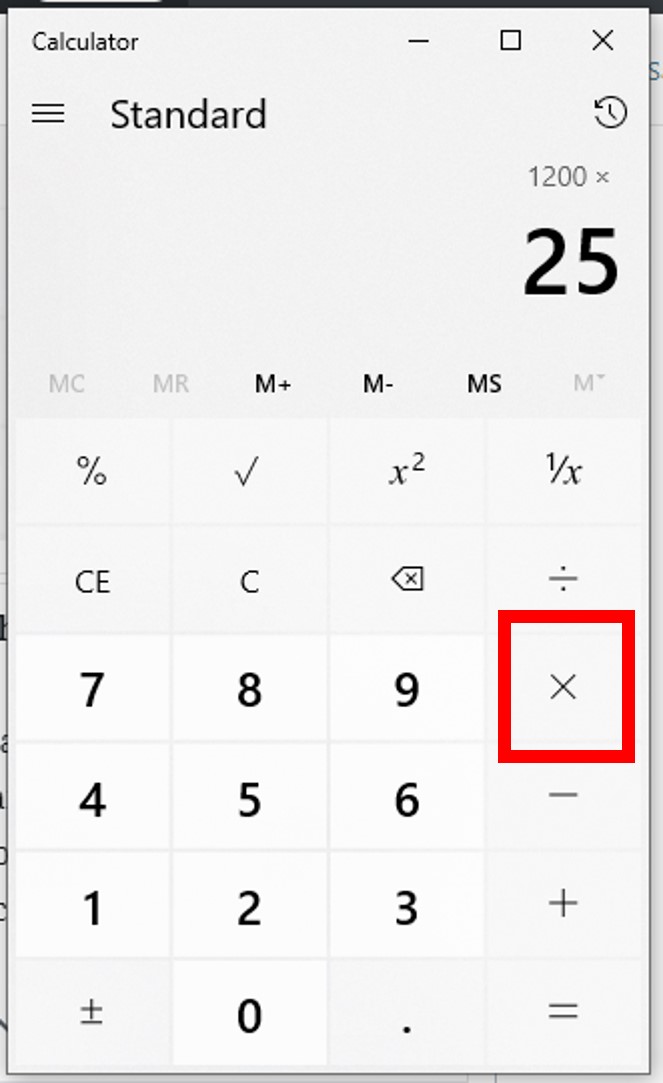
Press the multiplication symbol:
x -
Enter the percentage value:
20 -
Press the percentage button:
% -
The result should be
30.
Note: On some calculators, after pressing
%, you might need to press=to see the result. On others,150 - 20%might directly calculate the discounted price (120), showing30as an intermediate calculation or requiring you to note the intermediate value. It’s crucial to test your specific calculator model to understand its behavior. -
Method 2: Manual Calculation (Decimal Conversion)
This method is universally reliable, as it bypasses the potentially ambiguous ‘%’ button by converting the percentage to its decimal equivalent. To convert a percentage to a decimal, divide it by 100 (or simply move the decimal point two places to the left).
-
Example: Find 20% of 150
-
Convert 20% to a decimal:
20 / 100 = 0.20 -
Multiply the base number by the decimal:
150 x 0.20 -
Enter this into your calculator:
150 * 0.20 = -
The result will be
30.
-
This method is highly recommended for its consistency across all calculator types, regardless of their ‘%’ button’s specific programming.
Calculating Percentage Increase
Percentage increase is used to determine how much a value has grown relative to its original amount. For example, calculating a price markup or a growth rate.
-
Example: A $50 product increases in price by 10%. What is the new price?
Using the ‘%’ Button (if applicable, test first):
-
Enter the original number:
50 -
Press the addition symbol:
+ -
Enter the percentage increase:
10 -
Press the percentage button:
% -
Press the equals symbol:
= -
The result should be
55. (Here, the calculator often automatically calculates 10% of 50 (which is 5) and adds it to 50).
Using Decimal Conversion (universally reliable):
-
Calculate the increase amount:
50 x (10 / 100) = 50 x 0.10 = 5 -
Add the increase to the original:
50 + 5 = 55 -
Alternatively, multiply by (1 + decimal percentage):
50 x (1 + 0.10) = 50 x 1.10 = 55
Both decimal methods are robust and work on any calculator.
-
Calculating Percentage Decrease
Percentage decrease is used for reductions, such as discounts, depreciation, or decline rates.
-
Example: A $150 item has a 20% discount. What is the final price?
Using the ‘%’ Button (if applicable, test first):
-
Enter the original number:
150 -
Press the subtraction symbol:
- -
Enter the percentage decrease:
20 -
Press the percentage button:
% -
Press the equals symbol:
= -
The result should be
120. (The calculator calculates 20% of 150 (which is 30) and subtracts it from 150).
Using Decimal Conversion (universally reliable):
-
Calculate the decrease amount:
150 x (20 / 100) = 150 x 0.20 = 30 -
Subtract the decrease from the original:
150 - 30 = 120 -
Alternatively, multiply by (1 – decimal percentage):
150 x (1 - 0.20) = 150 x 0.80 = 120
Again, the decimal conversion methods offer reliable results on any calculator.
-
Determining the Percentage One Number Is of Another
This calculation answers the question: “What percentage of X is Y?” For example, if you scored 85 out of 100 on a test.

-
Example: What percentage is 85 of 100?
-
Divide the part by the whole:
85 / 100 -
Enter into calculator:
85 / 100 = -
Result is
0.85(which is the decimal form). -
To convert to a percentage, multiply by 100:
0.85 x 100 = 85%
Note: Some calculators allow
85 / 100 %to directly show0.85, or even85 / 100 = * 100 =for the percentage. The/ 100 * 100sequence is usually unnecessary if you just understand the decimal conversion. -
Advanced Percentage Functions on Scientific and App Calculators
Modern scientific calculators and smartphone apps often come with enhanced capabilities, including more robust handling of parentheses and multi-step calculations, which are crucial for complex percentage problems.
Using Parentheses for Complex Percentage Problems
Parentheses () are fundamental for ensuring the correct order of operations (PEMDAS/BODMAS) in any calculation. When dealing with multiple steps involving percentages, especially with additions or subtractions, parentheses become invaluable.
-
Example: Calculate a 10% service charge on $200, then apply a 5% discount on the total (original + service charge).
Without parentheses, it’s easy to miscalculate. With parentheses, you isolate each step:
-
($200 * 1.10) * 0.95 -
Enter into calculator:
( 200 * 1.10 ) * 0.95 = -
First,
200 * 1.10 = 220(Original + 10% service charge) -
Then,
220 * 0.95 = 209(Applying 5% discount)
The final result is
209. This demonstrates how parentheses prevent calculation errors by enforcing the intended sequence. -
Handling Multi-Step Percentage Calculations
Many real-world scenarios involve multiple percentage adjustments. For instance, calculating an item’s price after a discount and then applying sales tax.
-
Example: A $500 item has a 15% discount, then a 7% sales tax is applied to the discounted price.
-
Calculate discounted price (15% decrease):
500 * (1 - 0.15) = 500 * 0.85 = 425 -
Calculate final price with tax (7% increase on $425):
425 * (1 + 0.07) = 425 * 1.07 = 454.75
On a calculator, you can chain these operations:
500 * 0.85 * 1.07 =. Scientific and app calculators handle such chained operations efficiently, remembering intermediate results. -
Exploring Specialized Calculator Apps for Percentages
The digital age offers a plethora of specialized calculator apps that simplify percentage-related tasks.
-
Financial Calculators: Many apps are designed specifically for financial calculations, effortlessly handling interest rates, loan payments, and investment returns, all of which heavily rely on percentages.
-
Tip Calculators: Dedicated apps or built-in features in phone calculators often include a “tip” function, allowing you to easily calculate tips and split bills based on percentages.
-
Discount Calculators: Some apps let you input an original price and a percentage discount to immediately show the savings and final price.
-
Unit Converters with Percentage Features: Certain apps integrate percentage changes into unit conversions, useful for engineering or scientific contexts where growth or decay rates are critical.
These specialized tools leverage the processing power of modern devices to streamline complex percentage problems, often with user-friendly interfaces that abstract away the raw mathematical operations.
Troubleshooting and Best Practices for Calculator Percentage Use
Even with a good understanding, missteps can occur. Knowing common pitfalls and best practices will enhance your accuracy and confidence.
Common Errors and How to Avoid Them
-
Misinterpreting the ‘%’ Button: As discussed, its function isn’t standardized. Always test it with a simple calculation (e.g., 10% of 100) to understand its behavior on your specific calculator. If it doesn’t behave as expected, default to the decimal conversion method.
-
Incorrect Order of Operations: For complex calculations, always use parentheses or break down the problem into smaller, sequential steps.
-
Forgetting to Convert Decimals: When calculating percentages of a number manually (without the ‘%’ button), remember to convert the percentage to its decimal form (e.g., 25% becomes 0.25) before multiplying.
-
Rounding Errors: Be mindful of when to round. For financial calculations, it’s often best to carry more decimal places throughout the calculation and only round at the very end to avoid cumulative errors.
Verifying Your Calculations
Always perform a quick mental check or use estimation to verify your calculator’s output.
-
Example: If you calculate a 20% discount on $150 and get $12, you know something is wrong. 10% of $150 is $15, so 20% should be $30. The final price should be $120.
-
Reverse Calculation: If you added 10% to $50 to get $55, try subtracting 10% from $55. You won’t get exactly $50 (because 10% of $55 is different from 10% of $50), but it should be close enough for a sanity check. A more accurate reverse check would be dividing by 1.10.
Leveraging Calculator Memory and Constants for Efficiency
Most calculators have memory functions (M+, M-, MR, MC) that allow you to store and recall numbers, which is invaluable for multi-step calculations where an intermediate result needs to be used later. Similarly, some scientific calculators allow you to store constants or define functions, speeding up repetitive percentage tasks. Mastering these features can significantly boost your calculation speed and reduce manual transcription errors.
The Future of Percentage Calculations: AI and Beyond
The evolution of technology continues to reshape how we interact with numbers, including percentages. What was once a manual task, then a calculator function, is now increasingly integrated into intelligent systems.
AI-Powered Calculators and Natural Language Processing
Modern AI and natural language processing (NLP) are beginning to transform how we perform calculations. Voice assistants like Siri, Google Assistant, and Alexa can now interpret spoken queries like “What is 15 percent of 200?” and provide instant answers. Advanced AI tools can even handle more complex requests, like “Calculate a 10% tip on a $75 bill, then add 8% sales tax,” by understanding the context and performing the multi-step calculation automatically. This represents a significant leap from traditional button-pressing, making calculations more accessible and intuitive.

Integration with Spreadsheets and Data Analysis Tools
While standalone calculators remain essential, for large datasets or complex financial modeling, percentages are predominantly handled within powerful software tools like Microsoft Excel, Google Sheets, or specialized statistical packages. These applications allow users to apply percentage formulas across hundreds or thousands of data points simultaneously, perform scenario analysis (e.g., “what if inflation is 3% vs. 5%?”), and visualize trends using charts and graphs. The underlying principles of percentage calculation remain the same, but the scale and automation capabilities are vastly expanded, highlighting the continuing synergy between mathematical concepts and technological innovation.
In conclusion, understanding how to effectively use your calculator for percentages is a fundamental digital literacy skill. By mastering the basic operations, understanding the nuances of the ‘%’ button, leveraging advanced features, and practicing good calculation habits, you can confidently navigate the numerical demands of both your personal and professional life, harnessing the power of technology to make precise and timely decisions.
aViewFromTheCave is a participant in the Amazon Services LLC Associates Program, an affiliate advertising program designed to provide a means for sites to earn advertising fees by advertising and linking to Amazon.com. Amazon, the Amazon logo, AmazonSupply, and the AmazonSupply logo are trademarks of Amazon.com, Inc. or its affiliates. As an Amazon Associate we earn affiliate commissions from qualifying purchases.