
The integration of satellite radio into the modern automotive landscape has transformed the driving experience from a localized FM/AM broadcast dependency to a globalized, high-fidelity audio ecosystem. SiriusXM, the primary provider of satellite radio in North America, utilizes a sophisticated network of high-powered satellites in both geostationary and elliptical orbits to deliver seamless audio content. However, the hardware built into your vehicle is essentially a dormant receiver until it is digitally provisioned. Activating XM radio is a multi-step technical process that involves hardware identification, signal synchronization, and software authentication.
Understanding the Infrastructure of Satellite Radio Technology
Before diving into the activation steps, it is essential to understand the technology powering the service. Unlike traditional radio, which relies on terrestrial towers prone to signal degradation over long distances, satellite radio utilizes the S-band spectrum (2.3 GHz). The signal is beamed from satellites down to your car’s antenna. If you are in an urban environment with “signal canyons” (tall buildings), terrestrial repeaters supplement the satellite feed to ensure continuity.
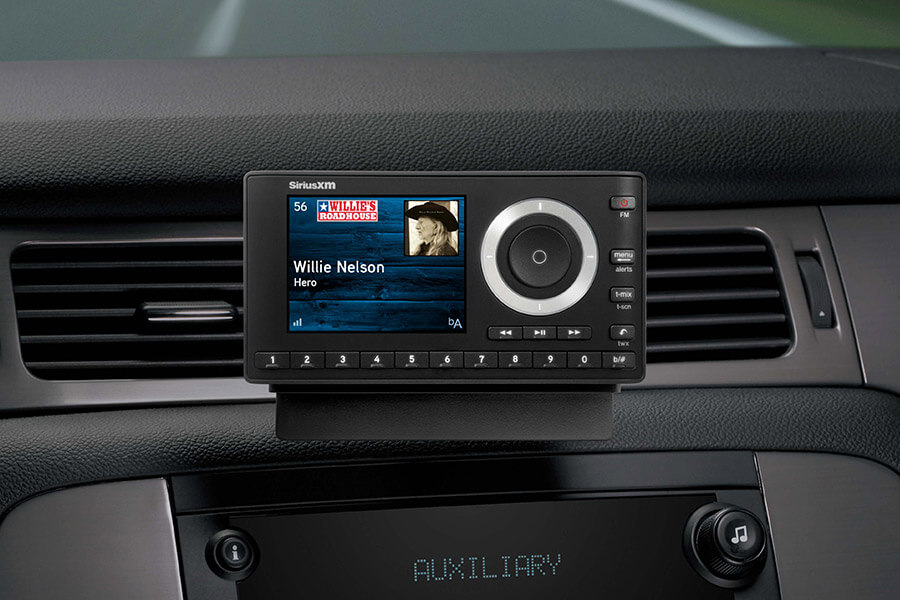
Your car’s “head unit” contains a proprietary chipset designed to decrypt these signals. Every SiriusXM-capable tuner is manufactured with a unique Electronic Serial Number (ESN) or Radio ID. This ID serves as the digital fingerprint for your device, allowing the provider to send a targeted “hit” or activation signal to your specific hardware.
Identifying Your Radio ID: The Digital Fingerprint
The first technical requirement for activation is retrieving your Radio ID. This eight-character alphanumeric code is the only way the satellite network can communicate with your specific receiver among millions of others.
Method 1: Tuning to Channel 0
On almost every factory-installed satellite radio system, the Radio ID is programmed to display on “Channel 0.” Using the tuning knob or the touchscreen interface on your dashboard, navigate away from the preview channel (usually Channel 1) and tune down to Channel 0. The ID should immediately populate on the display. It is important to note that the system does not use the letters I, O, S, or F to avoid confusion with numbers.
Method 2: The Hardware Label and Settings Menu
In some aftermarket installations or newer integrated “infotainment” systems, the Radio ID might be tucked away within the system settings. Navigate to the “Source” or “Radio” menu, select “SiriusXM,” and look for a “General” or “About” sub-menu. If the hardware is inaccessible via software, the ID is often printed on a physical sticker on the back of the tuner module itself, though this is rarely necessary for modern factory-integrated units.
The Technical Activation Protocol
Once you have secured your Radio ID, you must initiate the data handshake between the SiriusXM servers and your vehicle’s receiver. This process can be executed through a web portal or a mobile application, but the hardware environment must be prepared for the incoming data packet.
Positioning the Vehicle for Signal Acquisition
The most common point of failure in XM activation is a blocked signal. Because the activation command is sent via satellite, your car must have a clear, unobstructed view of the sky. If your vehicle is parked in a garage, under a dense canopy of trees, or in a multi-level parking structure, the receiver will fail to catch the “refresh” signal. Ideally, the vehicle should be parked in an open driveway or a large parking lot.
Initiating the Refresh Signal
With the vehicle turned on and the radio set to the satellite source, you can visit the SiriusXM activation website. After entering your Radio ID and selecting a subscription tier, the service provider will broadcast an encrypted authorization command.
This is where the “Refresh Signal” comes into play. If your radio was previously active but has been dormant for a long time, or if the initial activation didn’t “take,” you can manually trigger a signal refresh. By entering your ID on the “Refresh” page of the SiriusXM site, a high-priority command is sent to the satellite constellation. Within three to five minutes, the receiver should display an “Update” or “Subscription Updated” message, and the full range of channels will unlock.

Integration with Modern Tech Ecosystems: SiriusXM with 360L
For drivers with vehicles manufactured within the last few years, the activation process has evolved with the introduction of the 360L platform. This is a hybrid technology that merges satellite delivery with cellular data connectivity.
The Hybrid Advantage
The 360L system uses the vehicle’s built-in LTE or 5G modem to augment the satellite feed. This allows for a more personalized “Software as a Service” (SaaS) experience. Activation for 360L often happens automatically through the vehicle’s telematics system when a trial is initiated, but it still relies on the unique Radio ID for back-end provisioning.
The primary technological benefit of 360L is the ability to receive Over-the-Air (OTA) updates for the radio’s interface and the inclusion of “Xtra” channels that are delivered via IP (Internet Protocol) rather than satellite. If you are activating a 360L system, ensuring your vehicle’s data connection is active is just as important as having a clear view of the sky.
Mobile App Synchronization
Modern activation isn’t limited to the car’s hardware. Once your vehicle is activated, your credentials typically grant you access to the SiriusXM app. This allows for seamless “handoff” technology—where you can start a podcast or artist station on your phone and have the vehicle’s infotainment system pick up exactly where you left off via Apple CarPlay or Android Auto.
Troubleshooting Technical Glitches and Signal Interference
Even with a clear sky and the correct ID, technical hurdles can arise. Understanding how to troubleshoot these issues requires a basic knowledge of how the receiver processes data.
“Loading” or “Acquiring Signal” Messages
If your screen is stuck on “Acquiring Signal,” the issue is likely physical. Check the “shark fin” antenna on the roof of your car for damage or obstructions. In some cases, aftermarket roof racks or heavy snow buildup can attenuate the signal enough to prevent the activation handshake.
Firmware Incompatibility
Occasionally, the car’s head unit firmware may be outdated, causing it to struggle with the modern encryption standards used in the latest activation signals. If the radio refuses to update its channel map after an activation attempt, check the manufacturer’s website for a firmware update. These are often applied via a USB drive inserted into the car’s data port or, in newer models, via a Wi-Fi-enabled OTA update.
The “Master Reset” Option
If the software appears to be “hung” (a common issue in complex infotainment systems), a master reset may be required to clear the cache of the radio module. This usually involves holding down the power button and the “Forward” track button simultaneously for ten seconds, or navigating to the system settings and selecting “Factory Reset.” Once the system reboots, it will re-initialize the tuner, often allowing the activation signal to be received properly.
The Future of Automotive Audio Connectivity
As we look toward the future of in-car technology, the activation of satellite radio is becoming increasingly invisible. The move toward “Software Defined Vehicles” (SDVs) means that hardware is often pre-activated at the factory or via the dealership’s Wi-Fi network before the customer even takes delivery.
However, for the millions of vehicles already on the road, the manual activation process remains a critical gateway to premium content. The transition from physical tuners to cloud-integrated hybrid systems represents a significant shift in how we consume media on the go. By mastering the technical nuances of Radio IDs, refresh signals, and satellite positioning, users can ensure they are getting the most out of their vehicle’s sophisticated communication hardware.
The activation of XM radio is more than just a subscription; it is the initialization of a high-tech communication link that spans thousands of miles from the vacuum of space to the dashboard of your car. Understanding the “how” and the “why” behind this technology ensures that your journey is always accompanied by a steady, high-quality digital stream, regardless of where the road takes you.
aViewFromTheCave is a participant in the Amazon Services LLC Associates Program, an affiliate advertising program designed to provide a means for sites to earn advertising fees by advertising and linking to Amazon.com. Amazon, the Amazon logo, AmazonSupply, and the AmazonSupply logo are trademarks of Amazon.com, Inc. or its affiliates. As an Amazon Associate we earn affiliate commissions from qualifying purchases.