
The landscape of in-car entertainment has undergone a radical transformation over the last decade. What was once a simple choice between AM/FM radio and physical media like CDs has evolved into a sophisticated ecosystem of cloud-based streaming, satellite delivery, and integrated software platforms. SiriusXM, long the dominant force in satellite radio, has pivoted aggressively into the digital space, positioning itself as a premier destination for on-demand content, specifically podcasts. For the modern driver, understanding how to bridge the gap between the SiriusXM mobile application and the vehicle’s hardware is essential for a seamless listening experience.
The Evolution of SiriusXM: From Satellite Radio to On-Demand Hub
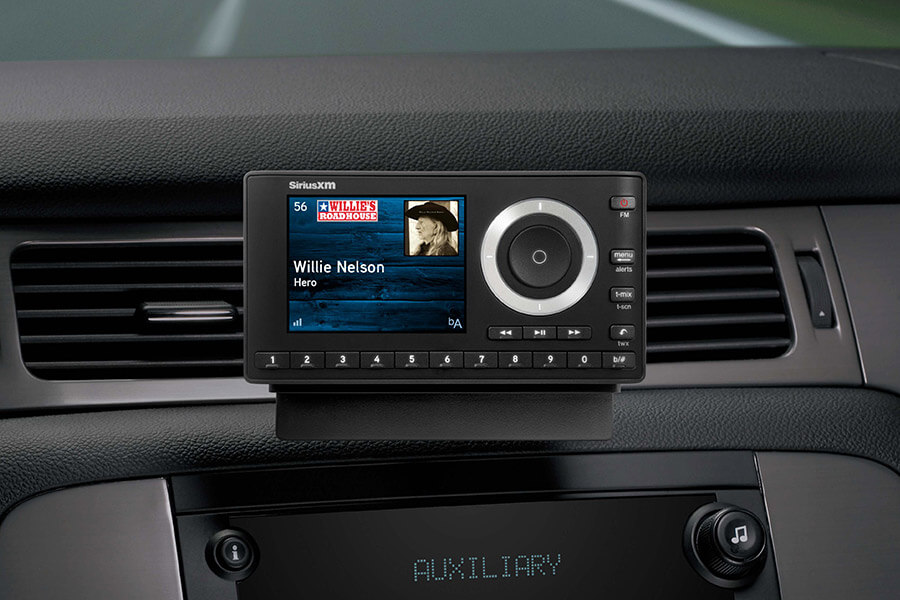
To effectively utilize SiriusXM for podcasts in a vehicle, one must first understand the underlying technology that powers the service. Originally, SiriusXM relied exclusively on a fleet of geostationary satellites to beam data to specialized tuners. While this remains a core component of their service, the introduction of IP-based streaming has allowed the platform to host thousands of hours of non-linear content, including an expansive library of exclusive and syndicated podcasts.
The Mechanics of the 360L Platform
The most significant technological leap for SiriusXM in recent years is the 360L platform. This is a hybrid system found in many newer vehicle models that combines satellite delivery with a built-in 4G/5G LTE cellular connection. The “L” in 360L stands for “Listen,” signifying the platform’s focus on personalization and on-demand discovery.
Unlike legacy tuners that could only receive broadcast channels, 360L-equipped vehicles can browse the entire SiriusXM podcast catalog directly from the dashboard head unit. The system uses the cellular connection to fetch metadata, artwork, and the podcast audio files themselves, while the satellite connection handles the high-bandwidth live radio streams. This synergy ensures that listeners have access to their favorite talk shows and investigative series even when they are outside the range of a traditional broadcast tower.
Bridging the Gap Between Satellite and Cellular
For drivers who do not have a 360L-enabled vehicle, the technology stack shifts toward the smartphone. In this scenario, the phone acts as the primary modem and processor, while the car serves as the audio output and controller. This involves a complex “handshake” between the SiriusXM app and the vehicle’s infotainment system. Whether through a wired connection or high-fidelity Bluetooth, the digital-to-analog conversion (DAC) process within the car’s head unit plays a crucial role in how the podcast audio is rendered through the speakers.
Mastering the SiriusXM App for In-Car Podcast Streaming
For the majority of users, the SiriusXM mobile app is the gateway to podcast content. The app is designed with a mobile-first architecture that prioritizes low-latency streaming and ease of navigation, which is critical for safety while driving.
Connecting via Apple CarPlay and Android Auto
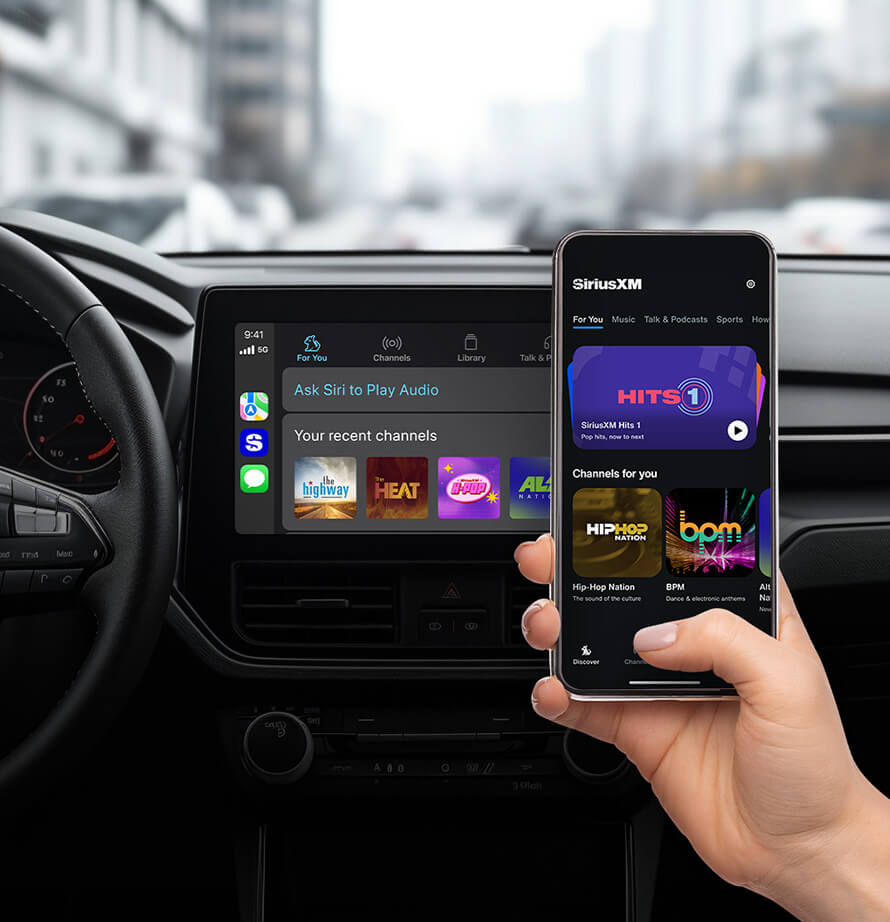
The most efficient and tech-forward way to listen to podcasts in the car is through Apple CarPlay or Android Auto. These platforms essentially mirror a driving-optimized version of the SiriusXM app onto the vehicle’s center display.
When you connect your iPhone or Android device, the vehicle’s head unit takes over the interface, presenting large, touch-friendly icons and voice-command capabilities. Within the SiriusXM interface on CarPlay/Android Auto, there is a dedicated “Library” or “Discover” tab where podcasts are categorized. The advantage here is twofold: you benefit from the vehicle’s superior GPS and display hardware, and you maintain focus on the road by using the car’s physical buttons or steering wheel controls to skip segments or adjust volume.
Direct Bluetooth Integration and USB Links
If your vehicle supports Bluetooth but not the full smartphone mirroring platforms, you can still stream podcasts via the A2DP (Advanced Audio Distribution Profile). This allows for high-quality stereo audio streaming. However, it is important to note that Bluetooth streaming often introduces a slight lag in control commands (Play/Pause) and may not display full metadata (episode descriptions or progress bars) on older dashboard screens.
For the highest fidelity, a wired USB connection is recommended. USB bypasses the compression often found in Bluetooth protocols and allows the phone to send a raw digital signal to the car’s audio processor. This is particularly beneficial for podcasts with high production value, such as immersive audio dramas or high-bitrate interviews.
Managing Your Library and “For You” Recommendations
The SiriusXM app employs a machine-learning algorithm to curate content based on your listening habits. To optimize your in-car experience, it is advisable to “Favorite” or “Follow” your preferred podcasts within the app while you are stationary. This populates your “Library” tab, making it significantly easier to find new episodes the moment you start the engine. The app’s “For You” section also updates in real-time, suggesting episodes from similar genres, whether they be True Crime, Comedy, or Technology.
Technical Configuration and Audio Optimization

To get the most out of your SiriusXM podcast experience, you must dive into the settings to ensure the software is calibrated for the automotive environment.
Adjusting Streaming Quality and Bitrates
Within the SiriusXM app settings, users can toggle between different levels of audio quality. In a car, the acoustic environment is often noisy due to engine roar and wind. Setting the streaming quality to “Maximum” ensures that you are receiving the highest bitrate possible, which helps the audio cut through ambient noise. However, users with limited data plans should be aware that high-quality streaming consumes significantly more bandwidth—up to 150MB per hour of listening.
Offline Listening and Data Management
One of the most powerful features of the SiriusXM app for commuters is the ability to download episodes. By downloading podcasts over Wi-Fi before you leave your home, you eliminate the risk of audio buffering in areas with poor cellular reception (such as tunnels or rural highways). Furthermore, offline listening saves battery life on your mobile device, as the cellular radio does not need to be constantly active to fetch data packets.
Enhancing Sound via the Vehicle’s Equalizer
Podcasts are primarily vocal-driven content. To ensure clarity, you should adjust your vehicle’s equalizer (EQ) settings specifically for speech. Reducing the “Bass” slightly and boosting the “Mid-range” or “Treble” can help make voices more distinct, especially in podcasts with hosts who have deep voices or in episodes with heavy background music. Many modern vehicles have “Talk” or “Voice” EQ presets that are designed specifically for this purpose.
Advanced Features and Voice Control Integration
Safety is paramount in automotive technology. Leveraging voice commands allows you to navigate the vast SiriusXM podcast library without taking your eyes off the road.
Leveraging Amazon Alexa and Google Assistant
Many modern vehicles now come with built-in voice assistants, or they allow you to trigger your phone’s assistant via a steering wheel button. SiriusXM is fully integrated with these ecosystems. You can simply say, “Siri, play the latest episode of [Podcast Name] on SiriusXM,” or “Alexa, ask SiriusXM to play The Howard Stern Podcast.” This deep integration utilizes API calls to the SiriusXM backend to fetch the specific stream and initiate playback instantly.
Intelligent Content Discovery and Smart Playlists
SiriusXM’s tech stack includes a feature called “Smart Favorites.” When you are listening to a live channel, the system can actually buffer the start of a podcast episode that is scheduled to air, allowing you to “Start Now” and hear the program from the beginning. Additionally, the app creates “Smart Playlists” that automatically queue up the next unplayed episode of your followed shows, creating a hands-free, continuous stream of content for long road trips.
Troubleshooting Common Connectivity and Playback Issues
Even the most robust software can encounter glitches. Understanding the technical reasons behind these issues can help you resolve them quickly.
Resolving Buffer Latency and Hand-off Errors
If a podcast frequently pauses or “buffers,” the issue is usually related to the cellular hand-off between towers. In a moving vehicle, your phone is constantly switching its connection from one cell site to another. If the SiriusXM app’s buffer size is too small, these hand-offs cause interruptions. To fix this, ensure you are in an area with at least three bars of LTE/5G signal, or rely on downloaded content. Clearing the app’s cache in the settings menu can also resolve “stuck” streams where the metadata loads but the audio does not.
Updating Firmware and App Versions
The synergy between a smartphone and a car’s infotainment system relies on compatible software versions. If you notice that the SiriusXM interface on your car’s screen is sluggish or crashing, check for firmware updates for your vehicle’s head unit. Manufacturers often release patches to improve compatibility with newer versions of iOS and Android. Simultaneously, ensure the SiriusXM app is updated via the App Store or Google Play, as developers frequently release updates to fix bugs specifically related to CarPlay and Android Auto integration.
By mastering these technical aspects—from the 360L hardware platform to the intricacies of smartphone integration and audio calibration—you can turn your vehicle into a high-performance theater for the world’s best podcasts. SiriusXM has successfully bridged the gap between traditional radio and the digital future, providing a robust, software-driven experience for every mile of your journey.
aViewFromTheCave is a participant in the Amazon Services LLC Associates Program, an affiliate advertising program designed to provide a means for sites to earn advertising fees by advertising and linking to Amazon.com. Amazon, the Amazon logo, AmazonSupply, and the AmazonSupply logo are trademarks of Amazon.com, Inc. or its affiliates. As an Amazon Associate we earn affiliate commissions from qualifying purchases.