
In the landscape of personal finance, the tools you choose to manage your wealth, liabilities, and tax obligations are just as important as the financial decisions you make throughout the year. For millions of taxpayers, TurboTax represents the gold standard in tax preparation software, offering a bridge between complex tax codes and actionable financial data. While many users opt for the web-based version, the downloadable desktop software remains the preferred choice for high-net-worth individuals, investors, and small business owners who require robust data control and the ability to handle multiple returns efficiently.

Understanding how to properly download, install, and configure your TurboTax software is the first step toward a seamless tax season. Beyond the technical mechanics, this process is about establishing a secure financial environment where your sensitive data is localized and your investment in financial organization is maximized.
The Strategic Importance of Desktop Tax Software
Before initiating the download, it is essential to understand why the desktop version of TurboTax is a superior financial tool for many. Unlike the online version, which charges per return and stores data in the cloud, the downloadable software allows for the filing of multiple federal returns (often up to five) and provides a more granular level of control over your data. For those managing diverse portfolios, rental properties, or self-employment income, the desktop software offers a more comprehensive interface for deep-diving into specific schedules and forms.
Selecting the Right Version for Your Financial Profile
The download process begins with a choice. TurboTax offers several tiers of its software, each designed for specific financial circumstances. Selecting the correct one ensures you aren’t paying for features you don’t need, or worse, missing tools essential for your specific income streams.
-
TurboTax Deluxe: Ideal for those who own a home, have significant medical expenses, or make frequent charitable donations. It focuses on maximizing deductions beyond the standard deduction.
-
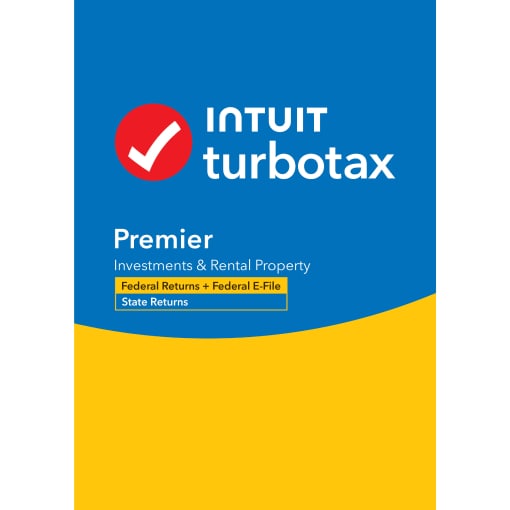
TurboTax Premier: This is the tool of choice for investors. If you have sold stocks, bonds, or mutual funds, or if you own rental property, the Premier version includes the specific calculators and import tools required to report these gains and losses accurately.
-
TurboTax Home & Business: Tailored for consultants, freelancers, and small business owners. It provides the necessary forms for Schedule C and helps in identifying industry-specific business expenses.
The Financial Benefits of Local Data Storage
Downloading the software to your hard drive, rather than working exclusively in a browser, offers a significant advantage in terms of “financial hygiene.” Local storage means your sensitive information—Social Security numbers, bank account details, and investment history—is not living on a third-party server during the drafting process. This localized approach allows you to work offline, reducing the surface area for potential cyber threats during the most vulnerable period of your financial year.
Step-by-Step: Downloading and Installing Your Software
The process of acquiring your software has been streamlined by Intuit, but it still requires a methodical approach to ensure that the license is correctly tied to your account and that the software is optimized for your operating system.
Accessing the Intuit Account Portal
The most reliable way to download TurboTax is directly through the official Intuit website. If you purchased the software directly from TurboTax, your download link will be stored in your account dashboard. If you purchased a physical box or a digital code from a third-party retailer (like Amazon or Costco), you will still need to visit the TurboTax “activate” page to link that purchase to your Intuit ID.
Once logged in, navigate to the “Downloads” tab. This section serves as your digital vault, housing the current year’s software as well as versions from previous years. Locate the specific version you purchased and click the “Download” button corresponding to your operating system—either Windows or macOS.
Executing the Installation and Activation
Once the installer file (an .exe for Windows or a .dmg for Mac) has finished downloading, locate it in your “Downloads” folder. Before running the installer, ensure that your operating system is up to date. Financial software often requires the latest security patches and framework updates to function correctly and protect your data.
-
Launch the Installer: Double-click the file and follow the on-screen prompts.
-
License Code Entry: During the installation, you will be prompted for a 16-character or 20-character license code. This code is your proof of purchase. It is vital to keep this code in a secure password manager or a physical file, as you will need it if you ever have to reinstall the software on a different machine.
-
Account Verification: You may be asked to sign in to your Intuit account once more to verify the activation. This step links the specific installation to your identity, ensuring that you receive the necessary updates throughout the tax season.
Managing System Requirements
From a financial management perspective, your computer is an investment. To ensure TurboTax runs efficiently, you should have at least 2GB of RAM (though 4GB is recommended) and at least 1GB of free hard drive space. Using an outdated machine to handle complex tax software can lead to crashes or data corruption—risks that are unacceptable when dealing with IRS filings.

Optimizing Your Digital Workspace for Financial Security
Downloading the software is only the beginning. To truly treat TurboTax as a professional-grade financial tool, you must configure your environment for maximum security and efficiency. Tax identity theft is a multi-billion dollar problem; your software setup is your first line of defense.
Multi-Factor Authentication and Encryption
When you set up your TurboTax software, ensure that your Intuit account is protected by Multi-Factor Authentication (MFA). This adds a layer of security that requires a code from your mobile device in addition to your password. Furthermore, consider storing your TurboTax data files (.tax files) in an encrypted folder or an encrypted external drive. These files contain a comprehensive map of your financial life, and protecting them is a prerequisite for sound personal finance management.
The Importance of Immediate Software Updates
Tax laws are not static. Throughout the early months of the year, the IRS and state tax authorities frequently issue clarifications, update forms, and adjust calculations. When you first launch your downloaded TurboTax software, and every time thereafter, the program will check for updates.
Never skip these updates. From a financial accuracy standpoint, an unpatched version of the software might use an outdated deduction limit or fail to include a newly released tax credit. Staying updated ensures that your tax planning is based on the most current legal framework, potentially saving you thousands of dollars in missed opportunities or avoided penalties.
Maximizing the Value of Your Financial Tool
Once the software is installed and secured, you can begin leveraging its advanced features to gain a clearer picture of your financial health. TurboTax is more than just a form-filler; it is an analytical engine.
Automated Data Importation
One of the most powerful features of the downloaded software is its ability to interface with financial institutions. You can import data directly from hundreds of banks, brokerage firms, and payroll providers. This eliminates manual entry errors—a common cause of IRS audits—and ensures that every penny of dividend income, capital gains, and tax-deductible interest is accounted for. For investors with high trading volume, this feature alone justifies the cost of the software by saving dozens of hours of manual calculation.
Utilizing the “What-If” Scenarios
Sophisticated users of TurboTax desktop software utilize it for forward-looking financial planning. The software allows you to create copies of your tax return to run “what-if” scenarios. You can model the tax impact of selling a specific asset, contributing more to a 401(k), or changing your filing status. This level of financial modeling is invaluable for making informed decisions before the fiscal year ends.
Troubleshooting and Long-Term Data Management
The lifecycle of your financial software doesn’t end on April 15th. Proper management of your download and the resulting data is a multi-year commitment.
Recovering Lost Downloads
If your computer fails or you upgrade to a new machine, you do not need to repurchase the software. By logging into your Intuit account, you can re-download your purchased software. This is why maintaining a consistent Intuit account and keeping your license code accessible is a critical component of your financial record-keeping.
Archiving for Audit Protection
The IRS generally has three years to audit a return, but in some cases, this window can be longer. When you use downloaded software, you are responsible for your own backups. At the end of each tax season, you should export your return as a PDF (for easy viewing) and save the original .tax data file (for future software compatibility). Store these in at least two locations: one physical (like a secure USB drive in a fireproof safe) and one secure digital location.
By treating the process of downloading and installing TurboTax as a professional financial task rather than a technical chore, you set the stage for a more organized, secure, and insightful financial future. This software is a powerful ally in the quest for wealth preservation and tax efficiency, provided it is implemented with the care and precision that your finances deserve.
aViewFromTheCave is a participant in the Amazon Services LLC Associates Program, an affiliate advertising program designed to provide a means for sites to earn advertising fees by advertising and linking to Amazon.com. Amazon, the Amazon logo, AmazonSupply, and the AmazonSupply logo are trademarks of Amazon.com, Inc. or its affiliates. As an Amazon Associate we earn affiliate commissions from qualifying purchases.