
As the SAT undergoes its most significant evolution in decades with the transition to the Digital SAT, the role of hardware remains a cornerstone of student success. While the new testing format provides an integrated digital calculator within the Bluebook application, many students and educators continue to rely on external physical gadgets. Choosing an acceptable calculator is not merely about compliance with College Board regulations; it is about selecting a piece of technology that offers the right balance of processing power, user interface efficiency, and battery reliability.

Navigating the specifications of modern calculators requires a technical understanding of what the College Board permits. From high-resolution graphing interfaces to the tactile feedback of scientific models, the device you bring into the testing center can significantly impact your workflow. This guide breaks down the technical requirements, the top-performing hardware currently on the market, and the specific features that distinguish a high-tier testing device from a prohibited one.
Understanding the College Board’s Calculator Policy
The College Board maintains a strict set of hardware standards to ensure an even playing field. Not every device with a screen and a keypad is permitted. The technical architecture of the device determines its eligibility. Generally, the SAT allows all scientific calculators and most graphing calculators, provided they do not possess restricted communication or input features.
Prohibited Hardware Features
Before diving into what is allowed, it is essential to understand what features will get a device disqualified at the door. The primary concern for testing security is wireless communication. Any device with Wi-Fi, Bluetooth, or cellular capabilities is strictly prohibited. Furthermore, gadgets that utilize a QWERTY keyboard layout—resembling a traditional computer keyboard—are banned, as they can be used to store and retrieve large amounts of text.
Other prohibited features include:
-
Stylus-based inputs: Devices that require a pen or stylus for operation.
-
Touchscreen technology: While some modern calculators have touch screens, they are often scrutinized; the College Board specifically prohibits “models with touchscreens” unless they are on the very short list of approved graphing devices (like the HP Prime).
-
External Power: Calculators must be battery-operated and cannot require a wall outlet.
-
Paper Tape: Older printing calculators that use physical paper rolls are not allowed.
The Digital SAT Integration
With the move to the Digital SAT, the Bluebook testing software includes a built-in Desmos graphing calculator. This is a powerful, browser-based tool that many students find intuitive. However, hardware enthusiasts often argue that physical buttons provide a “muscle memory” advantage that a mouse or trackpad cannot replicate. Having a physical backup also ensures that if your testing laptop experiences a software glitch, your ability to perform complex calculations remains unhindered.
Top-Rated Scientific Calculators for Reliability
For many students, the complexity of a graphing calculator is an unnecessary distraction. Scientific calculators offer a streamlined UI, exceptional battery life, and a lower price point. In the tech world, these are the “minimalist” tools that get the job done without the overhead of a complex operating system.
TI-30XS MultiView: The Gold Standard of Scientifics
The Texas Instruments TI-30XS MultiView is widely considered the pinnacle of scientific calculator technology for standardized testing. Its standout feature is the four-line display, which allows users to view multiple calculations and “scroll” back through history. Technologically, it excels at displaying math expressions exactly as they appear in textbooks (MathPrint mode), which reduces input errors—a critical factor in a timed environment.
Casio fx-300ES PLUS: Efficiency and Ergonomics
Casio’s entry-level scientific hardware is known for its “Natural Display” technology. The fx-300ES PLUS is a lightweight gadget that packs 252 built-in math functions. From a technical standpoint, Casio devices often feel snappier than their entry-level TI counterparts, with a faster processor response when cycling through complex fractions or square roots. Its dual-power source (solar and battery) makes it one of the most reliable pieces of hardware for a three-hour exam.
Advanced Graphing Calculators: The Power User’s Choice
When it comes to graphing calculators, we are no longer looking at simple logic gates; these are handheld computers with dedicated CPUs, RAM, and flash memory. For the SAT, graphing calculators are permitted for the entire math section, providing a significant edge in visualizing functions and solving systems of equations.
The Texas Instruments Ecosystem: TI-84 Plus CE
The TI-84 Plus CE is perhaps the most ubiquitous piece of hardware in American high schools. From a technical review perspective, it is a significant upgrade over the legacy TI-84 Plus. It features a 320 x 240 pixel full-color backlit display, which makes distinguishing between multiple graphed lines significantly easier. It is powered by a rechargeable lithium-ion battery, eliminating the need for AAA batteries, and its slim form factor makes it more portable than older models.
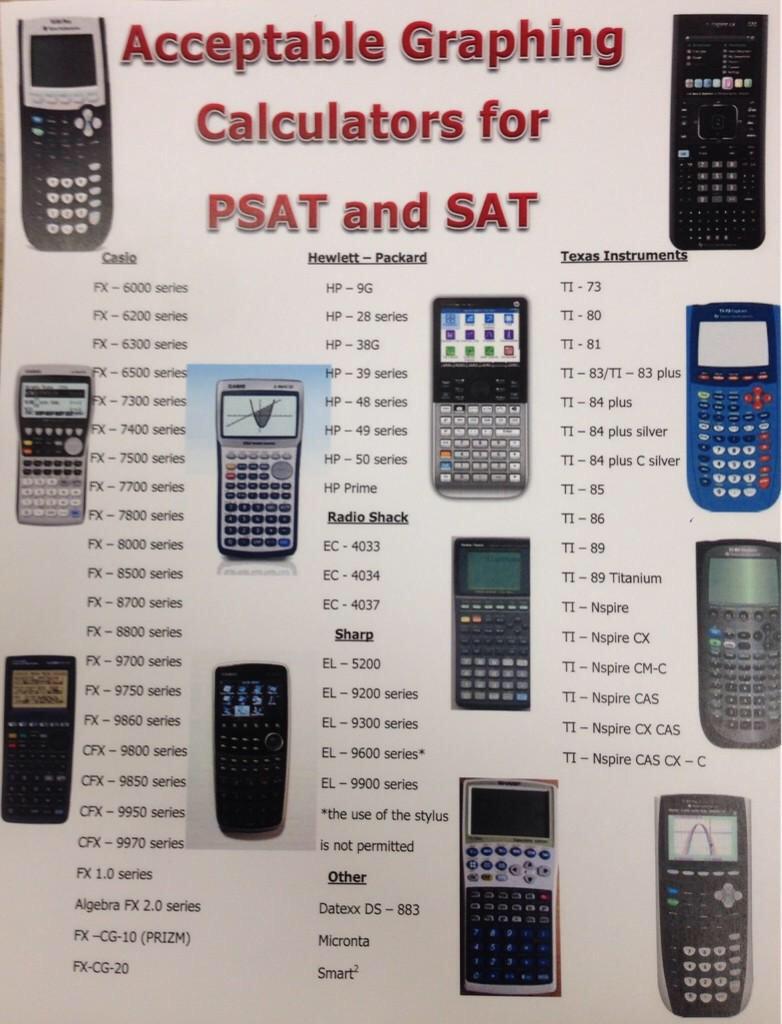
The “CE” (Color Edition) also boasts a faster processor, allowing for smoother scrolling and quicker graph rendering. This speed is vital during the SAT, where every second spent waiting for a curve to draw is a second lost.
The TI-Nspire CX II: High-End Processing
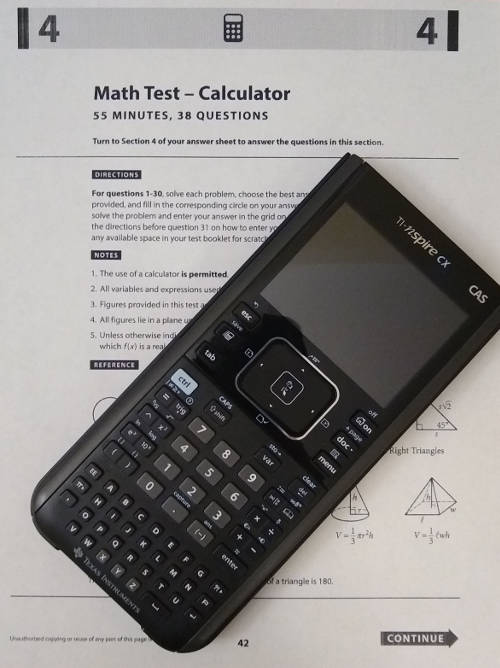
If the TI-84 is a reliable workhorse, the TI-Nspire CX II is a high-performance workstation. It features a much faster ARM processor and a modernized UI that uses a file-folder system, similar to a PC or Mac. While the learning curve is steeper, its ability to handle complex spreadsheets and dynamic geometry is unmatched. Crucially, the SAT allows both the standard CX II and the CX II CAS (Computer Algebra System) versions. The CAS version is particularly powerful, as it can manipulate variables (e.g., solving for x in an equation algebraically), a feature that is prohibited on the ACT but explicitly allowed on the SAT.
Casio Prizm (fx-CG50): Superior Display Tech
Casio’s flagship graphing calculator, the fx-CG50 Prizm, offers a display that arguably surpasses the TI-84 Plus CE in clarity and color depth. It features a “Picture Plot” function that allows users to overlay graphs on real-life images. For an SAT taker, the benefit lies in its intuitive icon-based menu system. Technologically, Casio’s OS is often praised for being more accessible for “plug-and-play” users who do not want to navigate deep sub-menus to find basic functions.
Technical Specifications and Hardware Maintenance
Choosing the right device is only half the battle; maintaining the hardware is equally critical. A calculator is a tool, and like any gadget, it requires proper configuration and power management to perform optimally under pressure.
Battery Management and Life Cycles
For devices like the TI-84 Plus CE or the TI-Nspire, which use lithium-ion batteries, battery health is paramount. It is recommended to calibrate the battery by fully charging it the night before the exam. Unlike scientific calculators that can run for years on a single button cell, high-resolution color screens are power-hungry. If you are using an older device, check for battery swelling or a decreased ability to hold a charge, as these can lead to hardware failure mid-test.
If you opt for a device that uses AAA batteries, such as the standard TI-84 Plus or the Casio fx-9750GIII, always install a fresh set of high-quality alkaline batteries 24 hours before the test. Avoid using rechargeable NiMH AAA batteries in these devices, as they often have a lower voltage (1.2V vs 1.5V), which can lead to screen dimming or slower processing speeds as the charge drops.
RAM and OS Considerations
Graphing calculators allow users to store programs and apps. Before the SAT, it is wise to clear the RAM to ensure the device is running at peak speed. However, be aware that many proctors are trained to look for “archived” data or custom programs that might violate testing integrity. Keeping your Operating System (OS) updated to the latest version is also beneficial. Manufacturers like Texas Instruments and Casio frequently release firmware updates that optimize battery life and fix calculation bugs. Ensure your calculator’s firmware is up to date via the manufacturer’s desktop link software at least a week before the exam.
Maximizing Gadget Potential: UI and Shortcuts
A calculator is only as fast as its user. Understanding the “UI shortcuts” of your chosen hardware can save valuable minutes.
The Power of “Ans” and Entry History
Most approved calculators, from the scientific TI-30XS to the graphing TI-Nspire, feature an “ANS” (last answer) key and an entry history. In the context of SAT math, where multi-step problems are common, using the physical “up” arrow to highlight a previous result and hitting “enter” to import it into a new equation is much faster—and more accurate—than re-typing a long decimal string.
Geometric and Statistical Visualization
While the Digital SAT’s Desmos integration is excellent for graphing, a physical graphing calculator often excels at quick statistical regressions. If a question provides a data set and asks for the line of best fit, using the “Stat” menu on a TI-84 is a mechanical process that many find more tactile and less prone to clicking errors than a digital interface.
Final Verdict: Which Gadget Should You Carry?
If you are looking for the absolute best tech to bring to the SAT, the TI-84 Plus CE remains the industry standard for a reason: it strikes the perfect balance between power, battery life, and ease of use. However, for those who want the maximum possible technological advantage, the TI-Nspire CX II CAS offers algebraic manipulation capabilities that are a literal game-changer for solving complex equations.
For the budget-conscious or the minimalist, a Casio fx-300ES PLUS or TI-30XS MultiView provides all the necessary computational power without the distractions of a high-resolution screen.
Ultimately, the best calculator for the SAT is the one you have mastered. The tech should disappear into the background, allowing your mathematical skills to take center stage. Whether you choose a high-end graphing powerhouse or a reliable scientific tool, ensure it is on the College Board’s approved list, charge it fully, and familiarize yourself with its hardware quirks long before you walk into the testing center.
aViewFromTheCave is a participant in the Amazon Services LLC Associates Program, an affiliate advertising program designed to provide a means for sites to earn advertising fees by advertising and linking to Amazon.com. Amazon, the Amazon logo, AmazonSupply, and the AmazonSupply logo are trademarks of Amazon.com, Inc. or its affiliates. As an Amazon Associate we earn affiliate commissions from qualifying purchases.