
Cash App has revolutionized the way millions of people send and receive money, offering a quick, convenient, and often fee-free alternative to traditional banking methods. From splitting restaurant bills with friends to accepting payments for a side hustle, its popularity stems from its ease of use. However, the convenience can quickly turn into frustration when you find yourself unable to receive money, leaving funds in limbo and causing financial inconvenience. This isn’t just a minor glitch; it’s a common hurdle that can impact personal finance, small business operations, and even time-sensitive transactions.

Understanding why you might not be receiving funds on Cash App requires a deep dive into the platform’s financial mechanics, security protocols, and your own account’s status. The core of the problem often lies not in a technical malfunction of the app itself, but in a series of financial, regulatory, or account-specific restrictions designed to protect users and comply with financial regulations. This guide will explore the most prevalent reasons for payment failures, offer actionable troubleshooting steps, and provide best practices to ensure your Cash App financial transactions flow smoothly.
Common Reasons for Cash App Payment Failure
When a payment fails to reach your Cash App account, it’s rarely due to a single, obvious reason. More often, it’s a culmination of factors related to account verification, sender status, recipient limits, or underlying issues with linked financial instruments. Addressing these points methodically is crucial for diagnosing and resolving the problem, ensuring your money transfers are successful.
Account Verification Issues
One of the most frequent reasons for payment receiving restrictions on Cash App is an unverified account. Financial service providers like Cash App are legally mandated to comply with “Know Your Customer” (KYC) regulations to prevent fraud, money laundering, and other illicit financial activities. An unverified account typically comes with stringent limits on how much money you can send or receive over specific periods.
- Impact of Unverified Accounts: If your account is not fully verified, you might hit daily or weekly receiving limits much faster, or certain larger payments might be automatically blocked. Cash App often limits unverified users to receiving around $1,000 within any 30-day period. Exceeding this limit will prevent further incoming transactions until your account is verified.
- How to Verify: To verify your Cash App account, you usually need to provide your full legal name, date of birth, the last four digits of your Social Security Number (SSN), and sometimes a physical address. This information helps Cash App confirm your identity and significantly raises your transaction limits, allowing for much smoother financial operations.
Sender-Related Problems
Sometimes, the issue isn’t with your account at all, but with the person sending you money. The sender’s financial situation or their use of Cash App can directly impact the success of a transfer.
- Insufficient Funds: The most straightforward reason: the sender simply doesn’t have enough money in their linked bank account or Cash App balance to cover the payment. The transaction will fail instantly.
- Incorrect Sender Details: A simple typo in your $Cashtag, phone number, or email address used to identify your account can send money to the wrong person or cause the transaction to bounce back. Always double-check and confirm your unique identifier with the sender.
- Sender’s Bank Declined Transaction: Even if the sender has sufficient funds, their bank might decline the transaction. This can happen due to their bank’s fraud detection algorithms flagging the Cash App transfer as unusual, or because the sender has hit daily transaction limits imposed by their own bank, independent of Cash App’s limits.
- Sender’s Account Restrictions: The sender’s Cash App account itself might be frozen, suspended, or facing temporary restrictions due to suspicious activity, pending verification, or previous violations of Cash App’s terms of service. In such cases, they won’t be able to initiate transfers.
Recipient Account Restrictions
Just as unverified accounts have limits, even verified accounts can sometimes face restrictions that impede receiving funds. These are often in place for security or regulatory reasons.
- Account Limits Reached: While verification increases limits, even verified accounts have maximum daily, weekly, and monthly receiving limits (e.g., up to $25,000 per week and an unlimited amount per month for verified users). If you consistently receive large sums, you might temporarily hit these caps.
- Suspicious Activity Flagged: Cash App’s sophisticated fraud detection systems might flag an incoming payment or your account activity as suspicious. This could be due to receiving money from an unusual source, receiving multiple large payments in a short period, or activity that deviates from your typical financial behavior. When this happens, a temporary hold may be placed on your account or the specific transaction, pending a security review.
- Outdated App Version: While less common for preventing receiving money, an outdated app can cause general performance issues that might indirectly affect transaction processing or the ability to access specific features necessary for accepting payments. Always ensure your app is up to date.
- Linked Bank Account Issues: If you’re trying to cash out received funds to a linked bank account, or if Cash App’s system needs to verify your linked account for receiving purposes, issues with that account can prevent successful transactions. This includes an expired debit card, incorrect bank details, or your bank itself rejecting the deposit.
Network and Technical Glitches
While the focus remains on financial reasons, it’s worth a brief mention that underlying network or technical issues can occasionally interfere with transaction processing. If Cash App’s servers are experiencing temporary outages or you have an unstable internet connection, it can delay or prevent the processing of an incoming payment. These are usually short-lived and resolve themselves, but they can still cause immediate financial frustration.
Understanding Cash App’s Security Protocols and Limits
Cash App operates within a highly regulated financial environment. The inability to receive money often stems directly from the platform’s robust security measures and financial limits, which are designed to protect both users and the integrity of the financial system. Understanding these underlying principles can help users navigate the platform more effectively and prevent future issues.
Fraud Prevention Mechanisms
Cash App employs sophisticated algorithms and protocols to detect and prevent fraudulent activities. These measures are crucial for protecting users’ money and maintaining compliance with financial regulations.
- AI and Machine Learning: Cash App utilizes artificial intelligence and machine learning to monitor transactions in real-time. This technology identifies patterns indicative of fraud, such as unusually large transactions, transfers to new or suspicious accounts, or rapid succession of payments. If an incoming payment triggers these algorithms, it might be automatically held or rejected.
- User Protection: While these mechanisms can sometimes inconvenience legitimate users, their primary purpose is to safeguard against scams, unauthorized access to accounts, and the use of the platform for illicit financial gains. For instance, if an incoming payment originates from an account with a history of suspicious activity, Cash App might block it even if your account is in good standing.
- Impact on Legitimate Transfers: The downside of these rigorous systems is that they can occasionally flag legitimate transactions as suspicious. This is a trade-off for enhanced security. If your payment is held for review, it means Cash App is taking extra steps to ensure the funds are legitimate and safe for you to receive.
Transaction Limits and Tiers
Cash App’s tiered system for transaction limits is a direct consequence of financial regulations and risk management. These limits determine how much money you can send, receive, and withdraw.
- Unverified vs. Verified Accounts: As previously noted, unverified accounts have significantly lower limits. For example, receiving $1,000 within any 30-day period is a common restriction for unverified users. These low limits mitigate risk for Cash App when a user’s identity isn’t fully confirmed.
- Benefits of Verification: Once verified, users gain access to much higher limits, such as receiving up to $25,000 per week, and often have no monthly receiving limit. This increase in capacity directly reflects Cash App’s reduced risk once a user’s identity has been confirmed through KYC procedures. It’s a vital step for anyone planning to use Cash App for significant personal or business financial transactions.
- How Limits Work: When you attempt to receive funds that push you over your current limit (whether daily, weekly, or monthly), the transaction will simply fail. The money will either be returned to the sender or held in pending status until your account status changes or the next limit cycle begins. Understanding and proactively managing these limits is key to avoiding financial interruptions.
Linking and Managing Financial Instruments
The financial instruments you link to your Cash App account – primarily bank accounts and debit cards – are the lifelines for most transactions. Issues with these can directly prevent you from receiving funds effectively.
- Importance of Correct Linkage: For incoming payments to settle smoothly, especially if you intend to immediately transfer them to your bank, your linked bank account details must be accurate and current. Incorrect routing or account numbers, or an expired debit card, can cause transfer failures or delays.
- Bank’s Role in Settlements: Even after money is received into your Cash App balance, transferring it to your linked bank account (cashing out) involves your bank. Your bank can reject a transfer due to its own fraud detection, an account freeze, or reaching your bank’s daily deposit limits. While this doesn’t prevent money from entering Cash App, it affects your ability to access those funds in your traditional bank account, which is often the ultimate goal.
- Account Health: Keeping your linked financial accounts in good standing – avoiding overdrafts, ensuring cards are current, and periodically verifying details – is essential for seamless transactions on Cash App. Any discrepancy or issue with a linked account can ripple through and affect your ability to receive or utilize funds within the app.
Steps to Troubleshoot and Resolve Receiving Issues
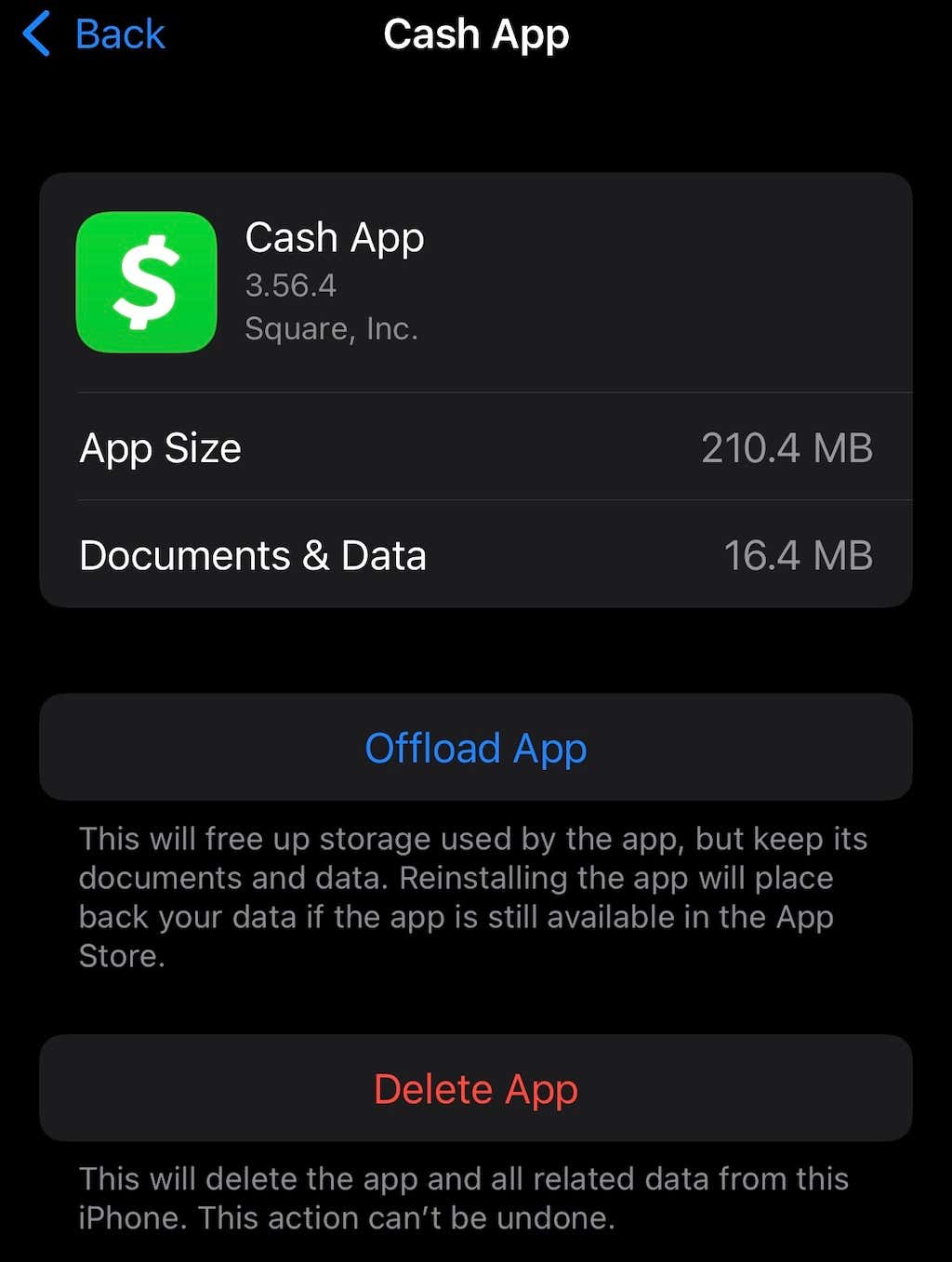
When faced with the frustrating situation of not receiving money on Cash App, a structured approach to troubleshooting can save time and help quickly resolve the issue. Most solutions revolve around checking financial details and account statuses.
Verify Account Status and Information
Your Cash App account’s integrity and accuracy of information are paramount for successful financial transactions.
- Check Personal Information: Log into your Cash App account and navigate to your profile. Confirm that your full legal name, date of birth, and any other identifying information (like the last four digits of your SSN if you’ve provided it) are correct and match your official documents. Inaccuracies can trigger security flags.
- Review Linked Bank Details: Ensure that any linked bank accounts or debit cards are still active, not expired, and that the account numbers and routing numbers are precisely correct. An outdated or incorrect linked financial instrument can prevent funds from being successfully transferred or withdrawn.
- Confirm Verification Status: Check if your account is fully verified. If not, initiate the verification process by providing the requested personal information. This is often the quickest way to remove receiving limits and address many common payment failure reasons.
- Double-Check Your $Cashtag: The $Cashtag is your unique identifier on Cash App. Make sure the sender has the correct $Cashtag. A single incorrect character can lead to funds being sent to the wrong person or the transaction failing entirely.
Communicate with the Sender
Often, the problem lies on the sender’s side. Open communication is key to diagnosing the issue.
- Confirm Funds Availability: Ask the sender to verify that they have sufficient funds in their Cash App balance or their linked bank account/debit card. Many transactions fail due to insufficient funds.
- Verify Transaction Details: Have the sender double-check that they entered your $Cashtag, phone number, or email correctly when initiating the payment. A screenshot of the transaction details from their end can be very helpful.
- Check Their Bank Status: Ask the sender if their bank has provided any notification regarding the transaction. Their bank might have declined the payment due to security concerns, daily limits, or other internal policies.
- Request Proof of Transfer: If the sender insists the money was sent, ask for a screenshot of their transaction history showing the completed payment. This can provide valuable information for Cash App support if further investigation is needed.
Review Transaction History and Notifications
Your Cash App activity feed and notification center are crucial diagnostic tools.
- Look for Failed Transaction Messages: Check your in-app activity feed for any failed or pending transaction entries. These often come with a brief explanation of why the payment didn’t go through (e.g., “Payment failed,” “Payment declined”).
- Check for In-App Alerts: Cash App often sends notifications or displays banners within the app if there are issues with your account, such as pending verification, account restrictions, or suspicious activity. Addressing these alerts promptly can resolve receiving issues.
- Review Pending Payments: Sometimes, payments are held in a “pending” state due to security reviews or delays. These will typically appear in your activity feed. If a payment is pending for an extended period, it’s a sign to investigate further.
Contact Cash App Support
If you’ve gone through the above steps and still can’t identify or resolve the problem, it’s time to reach out to Cash App’s customer support.
- When to Contact: Contact support when you have exhausted all self-troubleshooting steps, or if the issue seems to be an internal Cash App problem (e.g., system-wide outage, persistent unexplainable transaction failures).
- Information to Have Ready: Before contacting support, gather all relevant information: your $Cashtag, details of the sender (their $Cashtag, if known), the amount and date of the attempted transaction, any error messages you received, and screenshots if available. The more details you provide, the faster support can assist you.
- Accessing Support: You can usually contact Cash App support directly through the app (Profile icon > Support > Start a Chat) or via their official website. Be wary of unofficial “support” numbers or websites, as these are often scams designed to steal your financial information.
Best Practices for Seamless Cash App Transactions
Proactive account management and adherence to financial best practices are essential for ensuring a smooth and reliable experience when receiving money on Cash App. By taking a few preventative measures, you can minimize disruptions and leverage the app’s full potential as a financial tool.
Maintain Account Verification
Full account verification is the single most important step for high-volume or regular users of Cash App. It directly correlates with higher transaction limits and fewer payment receiving issues.
- Advantages of Verification: As discussed, verified accounts enjoy significantly higher limits for sending and receiving money, reducing the likelihood of hitting caps that would prevent incoming funds. Verification also lends more credibility to your account in Cash App’s security algorithms, potentially leading to fewer legitimate transactions being flagged as suspicious.
- Keep Information Updated: Once verified, ensure that any personal information (e.g., address if you move) or linked financial details remain current. Outdated information can trigger re-verification requests or lead to issues if Cash App needs to confirm your identity for large transactions.
Secure Your Account
Protecting your Cash App account is akin to protecting a bank account. Robust security practices prevent unauthorized access and potential financial loss.
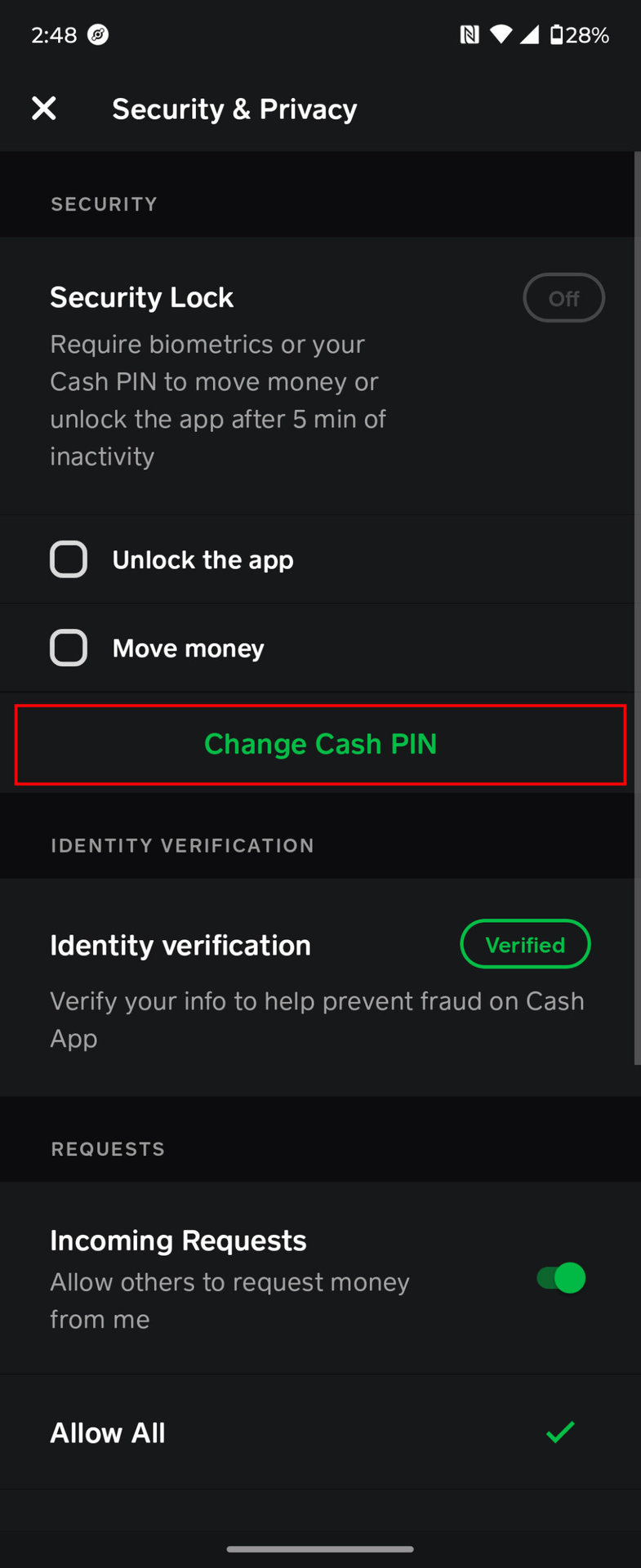
- Strong, Unique Passwords and 2FA: Always use a strong, unique password for your Cash App account and enable two-factor authentication (2FA). This adds an extra layer of security, requiring a code from your phone in addition to your password, making it much harder for unauthorized individuals to access your funds.
- Protect Your $Cashtag and Personal Financial Details: Be cautious about sharing your full personal details or account information online. While sharing your $Cashtag for payments is necessary, be wary of requests for your password, SSN, or full bank details. Cash App will never ask for your PIN or full login credentials via email or social media.
- Beware of Scams: Phishing attempts, fake support accounts, and other social engineering tactics are common. Always verify the source of communication before clicking links or providing information. If something feels suspicious, it probably is. Ignoring these precautions can lead to your account being compromised, making it impossible to receive money and potentially losing existing funds.
Monitor Your Linked Financial Accounts
Your external bank accounts and debit cards are intrinsically linked to your Cash App experience. Proactive monitoring helps ensure their seamless interaction.
- Regularly Check Bank Statements: Periodically review your bank statements for any unauthorized activity related to Cash App or other financial transactions. This helps you quickly identify and address any potential fraud or errors.
- Ensure Sufficient Funds for Sending (If Applicable): While this article focuses on receiving money, if you also use Cash App to send funds, ensure your linked bank account has sufficient funds to cover those transactions. Repeated transaction failures from your end could potentially impact your account’s standing with Cash App.
- Keep Debit/Credit Cards Updated: If you have a debit or credit card linked for either funding your Cash App or for specific types of transactions, ensure it’s not expired and the details are current. An expired card can cause issues with linking or transaction processing.
Understand and Respect Limits
Being aware of and respecting Cash App’s transaction limits for both sending and receiving is critical for uninterrupted financial flow.
- Know Your Personal Limits: Whether you are verified or unverified, be aware of your daily, weekly, and monthly limits for receiving funds. You can usually find these in your Cash App profile settings.
- Plan Large Transactions: If you anticipate receiving a large sum of money that might push you close to or over your limits, plan accordingly. Ensure your account is fully verified well in advance. For extremely large or frequent transfers, consider if Cash App is the most appropriate financial tool, or if a direct bank transfer might be more suitable given the inherent limits of peer-to-peer payment apps.
In conclusion, the inability to receive money on Cash App, while frustrating, is almost always a solvable problem rooted in financial compliance, security measures, or account management. By understanding these underlying reasons, proactively managing your account, communicating effectively with senders, and utilizing Cash App’s support resources, you can ensure a smooth and reliable experience for all your financial transactions. The platform remains an invaluable tool for modern personal finance, provided its mechanisms are understood and respected.
aViewFromTheCave is a participant in the Amazon Services LLC Associates Program, an affiliate advertising program designed to provide a means for sites to earn advertising fees by advertising and linking to Amazon.com. Amazon, the Amazon logo, AmazonSupply, and the AmazonSupply logo are trademarks of Amazon.com, Inc. or its affiliates. As an Amazon Associate we earn affiliate commissions from qualifying purchases.