
In the rapidly evolving landscape of digital entertainment, premium content providers like Showtime have adapted to offer their acclaimed programming across a multitude of platforms and devices. No longer confined to traditional cable subscriptions, Showtime’s rich library of critically acclaimed series, hard-hitting documentaries, and blockbuster films is accessible through a diverse ecosystem of streaming services and applications. For many consumers, the question isn’t whether Showtime is available, but rather, “Where can I watch Showtime?” and “What’s the best technological approach to do so?” This guide aims to demystify the options, providing a clear roadmap through the various avenues of accessing Showtime content, focusing squarely on the technological infrastructure and user experience.
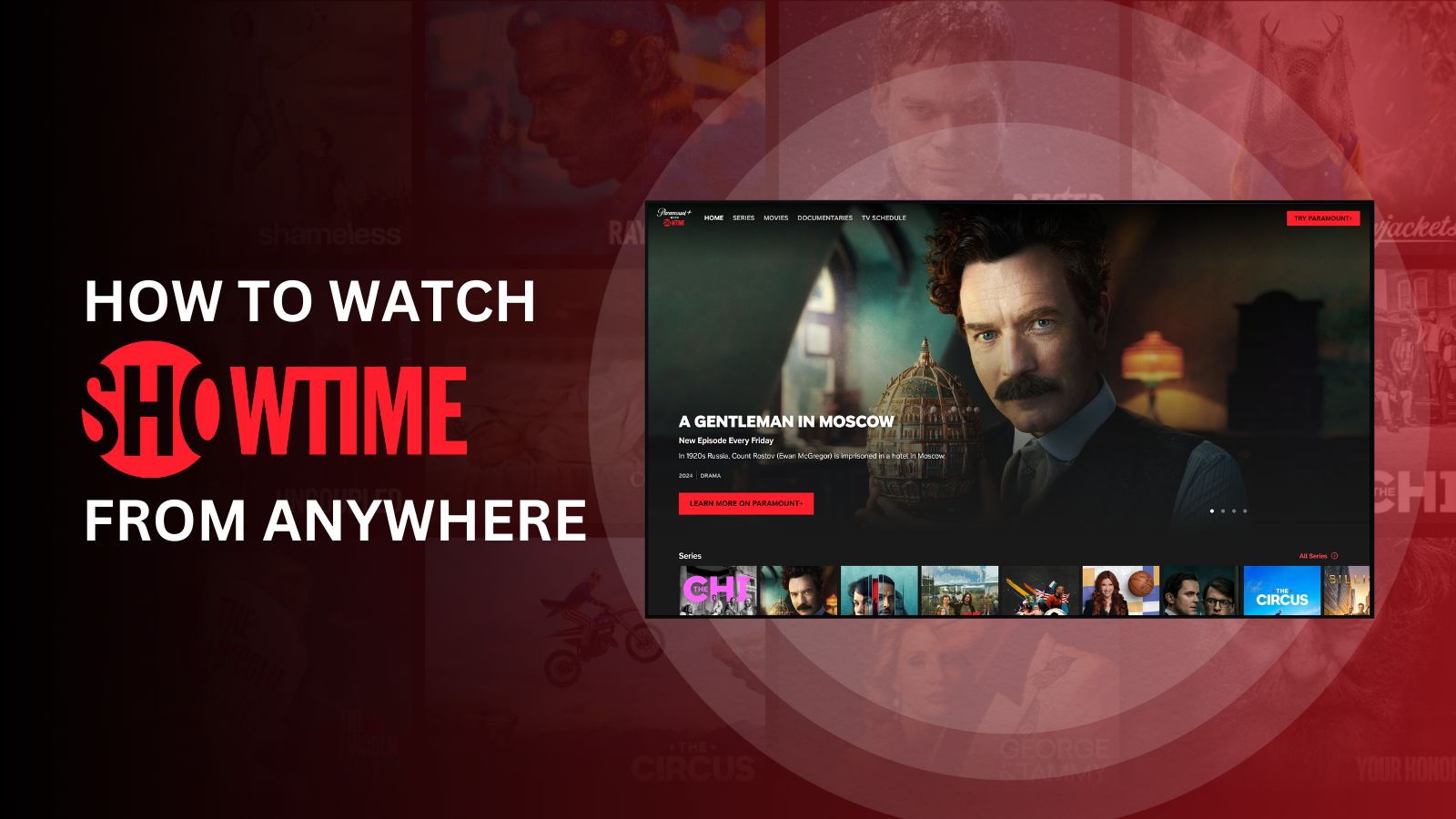
Navigating the Showtime Streaming Ecosystem
Understanding where to find Showtime begins with recognizing the two primary models for accessing its content digitally: a direct subscription to the Showtime streaming service and an add-on channel through other major streaming platforms. Each method leverages different technological integrations and offers distinct advantages and considerations for the end-user.
The Standalone Showtime App: Direct Access and Premium Experience
The most straightforward way to watch Showtime is through its dedicated streaming application, often referred to as “Showtime Anytime” or simply “Showtime” on various app stores. This direct-to-consumer model allows subscribers to access the entire Showtime library without requiring an existing cable TV subscription.
Subscribing directly means engaging with Showtime’s proprietary streaming technology. Users download the Showtime app on their preferred device, create an account, and manage their subscription directly with Showtime. This model typically offers a pristine, ad-free viewing experience, allowing subscribers to dive into shows like Yellowjackets, Billions, and Dexter without interruption. Beyond live streaming of the East and West Coast feeds, the app provides extensive on-demand content, often including early access to new episodes and exclusive behind-the-scenes material. A key technological feature is the ability to download select titles for offline viewing, a boon for travelers or those with inconsistent internet access, effectively making their content library portable. Furthermore, the standalone app often boasts robust user profiles, allowing different family members to maintain their watch history and personalized recommendations, optimized by Showtime’s internal algorithms.
The standalone Showtime app supports a broad array of devices, ensuring wide accessibility. This includes popular streaming media players like Roku, Amazon Fire TV devices, Apple TV, and Google Chromecast with Google TV. It extends to smart TVs from manufacturers such as Samsung, LG, Sony, and Vizio, where the app can be downloaded directly from the TV’s app store. Mobile users can find the app on both iOS and Android platforms, enabling on-the-go viewing on smartphones and tablets. Finally, for those who prefer larger screens, the Showtime content is fully accessible via web browsers on desktop and laptop computers, providing a flexible viewing experience across different form factors.
Showtime as an Add-on Channel: Integrated Platforms and Centralized Billing
Beyond its standalone offering, Showtime has strategically partnered with a host of other major streaming services, allowing users to subscribe to Showtime as an “add-on” channel. This approach centralizes billing and often integrates Showtime’s content directly into the partner platform’s user interface, creating a more unified streaming experience for those who already subscribe to multiple services.
Technologically, this involves a deeper integration of Showtime’s content delivery network (CDN) and content management systems (CMS) with the partner platform’s infrastructure. When you add Showtime via a service like Hulu, Amazon Prime Video Channels, Paramount+, or YouTube TV, you’re not typically downloading a separate Showtime app. Instead, Showtime’s programming becomes available within the existing interface of that parent service. This means your watchlist might integrate Showtime titles, and your recommendations could include Showtime shows alongside content from the primary service.
Major platforms offering Showtime as an add-on include:
- Paramount+: In a significant move reflective of corporate synergy, Paramount+ now offers a “Paramount+ with Showtime” bundle, effectively integrating much of Showtime’s content directly into the Paramount+ premium tier. This is becoming the most prominent integrated offering.
- Hulu: As part of Hulu’s add-on options, Showtime integrates seamlessly, allowing users to browse and watch Showtime series directly within the Hulu app.
- Amazon Prime Video Channels: Prime Video subscribers can add Showtime as a channel, leveraging Amazon’s robust streaming infrastructure and user-friendly interface.
- YouTube TV, Sling TV, FuboTV, DirecTV Stream: These live TV streaming services offer Showtime as a premium add-on, providing both live feeds of the Showtime linear channels and on-demand access to its library, alongside your regular live TV package.
- Apple TV Channels: Apple’s platform allows users to subscribe to Showtime directly through the Apple TV app, consolidating billing and viewing within Apple’s ecosystem.
The pros of this integration include centralized billing (one bill for multiple services), a potentially unified user interface that reduces app-hopping, and often, streamlined content discovery. However, a potential con is that the overall cost might be slightly higher compared to direct subscription in some cases, or the integration might not offer all the niche features (like specific downloads) available in the standalone Showtime app, depending on the partner platform’s technical capabilities.
Device Compatibility: Bringing Showtime to Your Screens
The ubiquity of Showtime across devices is a testament to modern streaming technology’s flexibility. Regardless of your preferred viewing method, chances are there’s a way to access Showtime’s content.
Smart TVs and Dedicated Streaming Devices
The living room television remains a primary hub for entertainment, and Showtime ensures seamless access.
- Streaming Media Players: Devices like Roku, Amazon Fire TV, Apple TV, and Google Chromecast with Google TV are purpose-built for streaming. They offer dedicated app stores where the Showtime app (or the app of a partner service that includes Showtime) can be easily downloaded and installed. These devices connect to your TV via HDMI and offer intuitive remote controls, making navigation straightforward. Their operating systems are regularly updated, ensuring compatibility and performance.
- Smart TVs: Many modern smart televisions from manufacturers such as Samsung, LG, Sony, and Vizio come with integrated operating systems (e.g., Tizen for Samsung, WebOS for LG) that support a wide range of streaming apps. Users can directly download the Showtime app from the TV’s app store, eliminating the need for an external streaming device. This integration offers a clean setup with fewer cables and simplified control, often allowing the TV remote to manage the Showtime app directly.
Mobile and Tablet Access: Entertainment on the Go
The flexibility of mobile devices has revolutionized content consumption, and Showtime is fully optimized for this.
- iOS and Android Apps: Dedicated Showtime apps are available for download on both Apple’s App Store (for iPhones and iPads) and Google Play Store (for Android smartphones and tablets). These apps are designed with touch-friendly interfaces, optimized for smaller screens, and often include features like personalized watchlists, episode tracking, and the aforementioned download capabilities for offline viewing.
- Casting Capabilities: For users who start watching on a mobile device but wish to switch to a larger screen, most Showtime apps support casting technologies like Google Cast (Chromecast) and Apple AirPlay. This allows users to “cast” the video playing on their phone or tablet to a compatible smart TV or streaming device, leveraging the convenience of mobile browsing with the immersive experience of a big screen.
Web Browsers and Computers: Flexible Desktop Viewing

For those who prefer to watch on their laptop or desktop computer, Showtime is fully accessible via standard web browsers. By visiting the Showtime website and logging in (either with a direct Showtime account or through a linked partner service), users can stream content directly within their browser. This method supports all major web browsers, including Chrome, Firefox, Safari, and Edge. While it might lack some of the dedicated app features like offline downloads, it offers unparalleled flexibility for users who frequently switch between work and entertainment on their computers, providing a larger viewing area than mobile devices without the need for a dedicated TV setup.
Gaming Consoles: Expanding Entertainment Hubs
Modern gaming consoles have evolved beyond just gaming machines, becoming comprehensive entertainment hubs.
- PlayStation and Xbox: Both PlayStation (PS4, PS5) and Xbox (Xbox One, Xbox Series X/S) consoles offer robust app stores where the Showtime app can be downloaded. This makes them versatile media centers, allowing users to switch seamlessly from gaming to streaming high-quality Showtime content, often leveraging the consoles’ powerful hardware for smooth playback.
Optimizing Your Showtime Viewing Experience
Having access to Showtime across various devices is one thing; ensuring a smooth, high-quality viewing experience is another. A few technical considerations can significantly enhance your enjoyment.
Internet Speed Requirements
The quality of your streaming experience is directly tied to your internet connection speed.
- Standard Definition (SD): For content in standard definition, a minimum download speed of 3-5 Mbps is typically sufficient.
- High Definition (HD): For the more common high-definition streaming, 5-10 Mbps is recommended to avoid buffering and ensure crisp visuals.
- 4K Ultra HD: For pristine 4K resolution, which some Showtime content might offer through certain platforms, a robust connection of at least 25 Mbps is advisable.
It’s crucial to consider not just your advertised internet speed, but also the number of devices simultaneously using your network. Multiple users streaming, gaming, or video conferencing can quickly consume bandwidth, impacting streaming quality. A reliable Wi-Fi network or, ideally, an Ethernet connection for fixed devices like smart TVs or streaming boxes, can provide the most stable experience.
Managing Multiple Subscriptions and User Profiles
In the era of “streaming overload,” efficiently managing your various subscriptions becomes a technical exercise in organization.
- Content Aggregators: Utilizing platforms like Apple TV, Roku’s universal search, or Google TV’s integrated interface can help you keep track of where your various shows reside, including Showtime content. These platforms often provide a unified watchlist across services.
- User Profiles: Most Showtime apps (standalone or integrated) offer user profile functionality. This feature is not just about personalization but also about technical efficiency. Each profile maintains its own watch history, preferences, and recommendations, preventing algorithms from becoming muddled by diverse viewing habits within a household. This ensures that each user’s content discovery is optimized for their specific interests.
Troubleshooting Common Streaming Issues
Even with the best technology, occasional glitches can occur. Knowing basic troubleshooting steps can quickly resolve most common streaming problems.
- Buffering: If your video constantly pauses to load, try reducing the streaming quality (if the app allows), restarting your router, or ensuring other devices aren’t hogging bandwidth.
- App Crashes or Freezes: Often, simply closing and restarting the Showtime app can resolve these issues. If not, a full device restart (of your phone, TV, or streaming stick) is the next step.
- Login Problems: Double-check your username and password. If subscribing via a third party (e.g., Hulu), ensure your subscription is active there, and try logging in through that service’s credentials. Clearing the app’s cache (in device settings) can also help with persistent login or display issues.
- Outdated Apps/Firmware: Always ensure your Showtime app and your device’s operating system are updated to the latest versions. Developers frequently release updates that fix bugs and improve performance.
The Future of Showtime Streaming: Mergers, Bundles, and Beyond
The digital streaming landscape is dynamic, with content providers constantly adapting to market demands and competitive pressures. The technical architecture behind Showtime’s accessibility is no exception.
The Paramount+ and Showtime Integration
Perhaps the most significant recent development affecting Showtime’s streaming presence is its deeper integration with Paramount+. Originally, “Paramount+ with Showtime” was a premium tier within the Paramount+ app that provided access to both content libraries. However, Paramount Global has been moving towards a more complete merging of the two brands’ streaming offerings. This strategic shift aims to create a more robust, singular streaming destination under the Paramount+ banner, with Showtime’s critically acclaimed series becoming a premium offering within that ecosystem.
Technologically, this means that the standalone Showtime app may eventually be phased out, with all content migrating exclusively to Paramount+. For existing subscribers, this transition typically involves clear instructions on how to transfer their subscription and viewing history to the Paramount+ platform. The goal is to simplify the user experience by offering a vast combined library under one roof, reducing fragmentation and potentially streamlining content discovery. This integration leverages the same underlying streaming technology but consolidates the presentation layer, affecting how users interact with and find their desired Showtime content.

The Evolving Streaming Landscape
The trend towards content aggregation, bundles, and exclusive deals is likely to continue shaping where and how we watch premium content. As media companies consolidate their assets, consumers can expect more unified platforms that combine multiple brands under a single subscription. This has implications for app development, content delivery networks, and user interface design. Staying informed about these changes, particularly through official announcements from Showtime or Paramount Global, will be key to navigating future shifts in accessibility. The underlying technology will continue to strive for seamless, high-quality delivery, but the packaging and distribution models will remain in flux, driven by corporate strategy and consumer demand.
In conclusion, watching Showtime in the current digital era offers unparalleled flexibility, thanks to sophisticated streaming technology and widespread device compatibility. Whether you opt for the standalone Showtime app for a dedicated experience, or prefer the convenience of an add-on channel within your existing streaming ecosystem, a plethora of options await. By understanding the technological nuances of each approach and optimizing your home setup, you can ensure that Showtime’s compelling narratives are always just a click or tap away, delivered with the clarity and reliability they deserve.
aViewFromTheCave is a participant in the Amazon Services LLC Associates Program, an affiliate advertising program designed to provide a means for sites to earn advertising fees by advertising and linking to Amazon.com. Amazon, the Amazon logo, AmazonSupply, and the AmazonSupply logo are trademarks of Amazon.com, Inc. or its affiliates. As an Amazon Associate we earn affiliate commissions from qualifying purchases.