
The landscape of professional sports broadcasting has undergone a seismic shift over the last few years, moving away from the fragmented world of regional sports networks (RSNs) and cable packages toward centralized, app-driven digital ecosystems. For fans of Major League Soccer (MLS), this transformation is more pronounced than in any other major North American league. The answer to “where can I watch MLS” is no longer a list of local channels, but rather a dive into a sophisticated technological infrastructure primarily hosted within the Apple TV ecosystem.
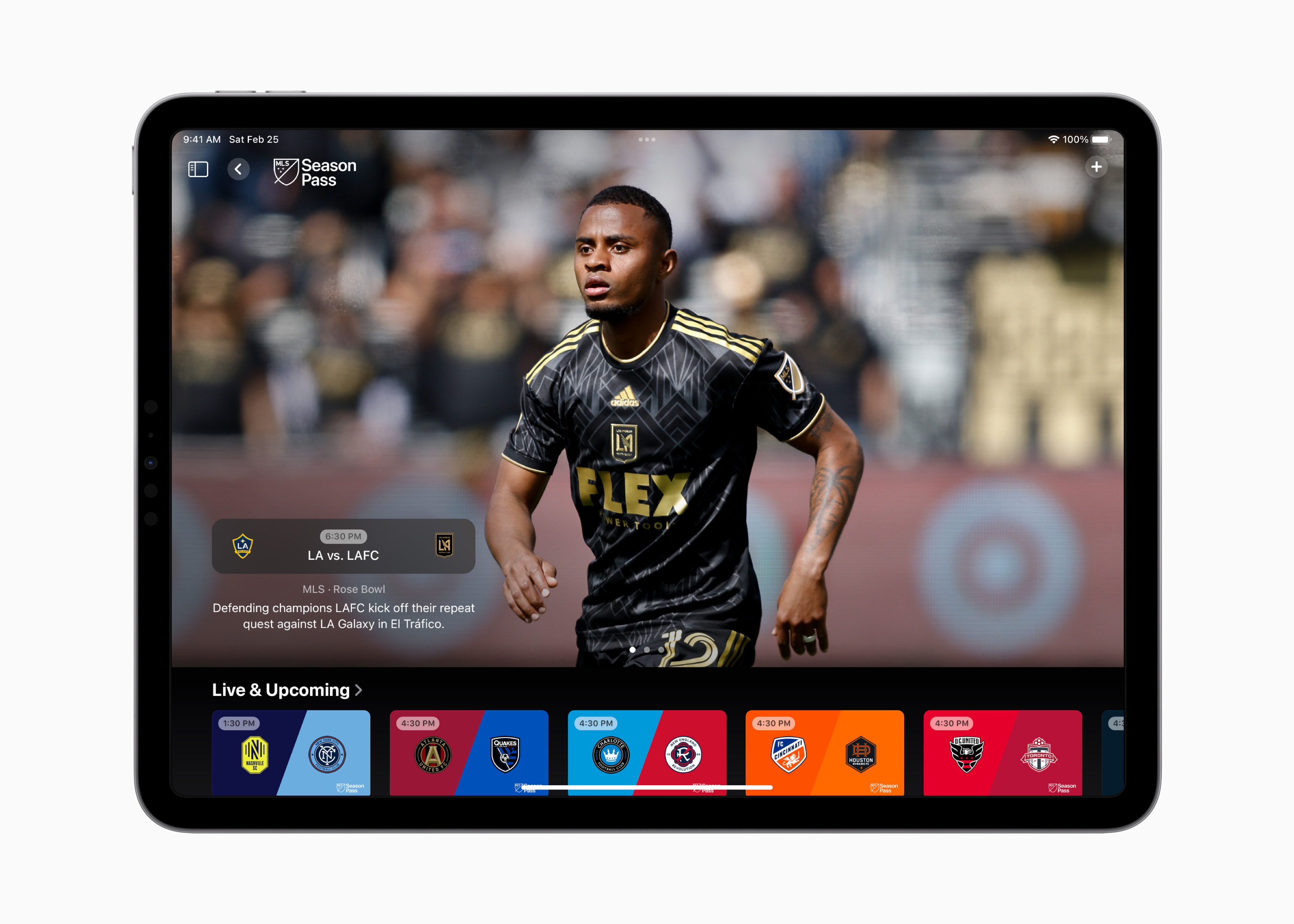
Understanding how to access MLS matches in the current era requires a grasp of streaming protocols, device compatibility, and the specialized software that powers the modern viewing experience. Whether you are a tech enthusiast looking for the highest bitrate or a casual viewer trying to navigate the app-based frontier, this guide breaks down the technical requirements and platforms necessary to catch every goal.
The Streaming Paradigm Shift: MLS Season Pass and the Apple Ecosystem
In a landmark ten-year deal, Major League Soccer consolidated its entire broadcast portfolio into a single digital destination: MLS Season Pass. This service lives exclusively within the Apple TV app, representing a massive shift in how live sports software is deployed. Unlike traditional broadcasting, which relies on satellite or cable delivery, MLS Season Pass is a global Over-The-Top (OTT) service that utilizes high-performance Content Delivery Networks (CDNs) to reach over 100 countries simultaneously.
The Software Architecture of MLS Season Pass
The Apple TV app serves as the primary gateway. From a software perspective, this is not merely a video player but a comprehensive data hub. The app integrates live metadata, allowing for real-time statistical overlays, interactive league tables, and the ability to jump between live “whip-around” shows like MLS 360.
Because the service is built on Apple’s proprietary streaming architecture, it benefits from deep integration with the operating system (tvOS, iOS, and macOS). This allows for features like “Live Activities” on iPhones, which pushes real-time score updates to the lock screen or Dynamic Island via background API calls, even when the main app is closed.
Subscription Integration and Digital Rights Management
Accessing the stream involves navigating a subscription model that is decoupled from traditional cable. Users can subscribe to MLS Season Pass as a standalone service or at a discounted rate if they are already Apple TV+ subscribers. The digital rights management (DRM) used here is industry-leading, ensuring that high-definition content is protected while maintaining low-latency playback. For the tech-savvy viewer, this means that while the content is strictly controlled via FairPlay Streaming (Apple’s DRM), the stability of the stream is significantly higher than that of unauthorized third-party platforms.
Hardware and Device Compatibility: Building Your Digital Stadium
One of the most common questions regarding MLS access is whether specific hardware is required. While the service is hosted by Apple, the tech is surprisingly platform-agnostic. The Apple TV app is available on a wide array of devices, each offering a different level of performance based on the hardware’s processing power and network capabilities.
Set-Top Boxes and Smart TVs
For the optimal viewing experience, dedicated streaming hardware is recommended.
-
Apple TV 4K: This remains the gold standard for MLS Season Pass. The A15 Bionic chip handles the app’s heavy UI and allows for advanced features like “Multiview,” where users can watch up to four matches at once.
-
Roku and Amazon Fire TV: These devices support the Apple TV app natively. However, performance can vary based on the model. Newer sticks (like the Fire TV Stick 4K Max) provide the necessary RAM to navigate the high-resolution menus without lag.
-
Smart TV OS Integration: Samsung (Tizen), LG (webOS), and Sony (Google TV) all feature the Apple TV app in their respective stores. These versions are optimized for the specific TV hardware, often supporting integrated features like “Game Mode” to reduce input lag during high-motion sports sequences.
Gaming Consoles and Desktop Browsers
If you do not have a dedicated streaming box, your gaming console is a powerful alternative. Both the PlayStation 5 and Xbox Series X/S have high-performance versions of the Apple TV app capable of 4K output. On the desktop side, users can watch via tv.apple.com. This web-based interface uses HTML5 video players and is compatible with most modern browsers (Safari, Chrome, Firefox, and Edge), though it may lack some of the advanced UI features found on the native tvOS app.
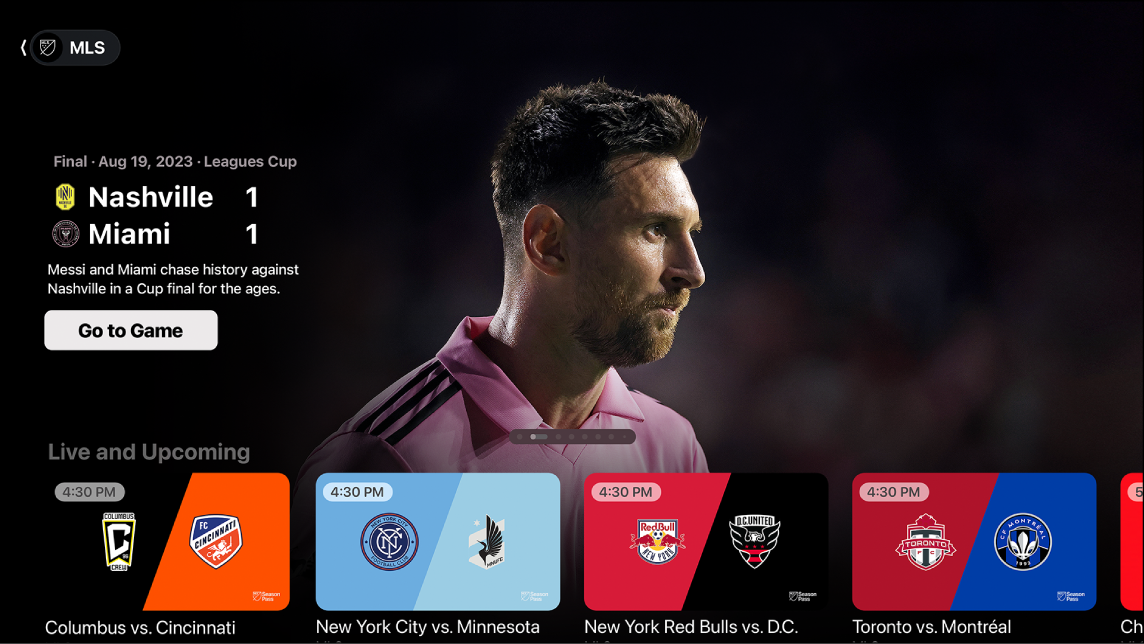
Mobile Optimization and Portability
For mobile viewing, the experience is optimized for high-density displays. The iOS and iPadOS apps utilize HLS (HTTP Live Streaming) technology to dynamically adjust the resolution based on your cellular or Wi-Fi signal strength. This ensures that even if you are on a congested 5G network, the match remains playable, albeit at a lower bitrate, to prevent buffering.
The Technical Specifications: Resolution, Bitrate, and Multiview
Watching MLS in the modern era is as much about the quality of the image as it is about the access. The technical specifications of the current MLS broadcast represent a significant upgrade over the 720p or 1080i signals typically found on linear cable television.
Resolution and High-Frame-Rate Delivery
MLS Season Pass broadcasts all matches in 1080p at 60 frames per second (fps). While some fans may have hoped for 4K, the 60fps frame rate is arguably more important for sports. It provides smoother motion handling, which is critical when tracking a fast-moving soccer ball across the pitch. The use of high-efficiency video coding (HEVC) allows for better color depth and contrast than older H.264 streams, making the picture appear sharper and more vibrant even on large 4K displays.
The Power of Multiview Tech
Perhaps the most impressive technical feature of the current MLS setup is Multiview. Available on Apple TV 4K devices, this feature allows the processor to decode multiple high-definition video streams simultaneously. Users can select up to four live matches to display in a grid. This is a significant engineering feat that requires both a stable high-bandwidth internet connection and a powerful local GPU to render four synchronized 60fps streams without frame drops.
Audio Specifications
The audio tech is equally robust. Most matches feature 5.1 surround sound, providing an immersive stadium atmosphere. Furthermore, the software allows for “local radio” audio switching. Through the app interface, users can toggle the audio track from the national broadcast to the local home team’s radio announcers, a feature that requires precise synchronization of two disparate data streams.
Global Access and Digital Security
Because MLS Season Pass is a global service without regional blackouts, the technical barriers associated with “local” viewing have largely been removed. However, maintaining digital security and ensuring a high-quality connection remains paramount for the international fan base.
Navigating Geo-Restrictions and Privacy
While MLS Season Pass is available in most countries, users traveling to regions where the service might be restricted—or those using public Wi-Fi networks—often turn to Virtual Private Networks (VPNs). From a technical standpoint, a VPN can provide an extra layer of encryption for your data. However, it is important to choose a provider that supports high-speed protocols like WireGuard. Using an outdated or slow VPN protocol can introduce significant latency, leading to “spoilers” where you might hear a goal notification on your phone before the video stream catches up.
Bandwidth and Network Requirements
To maintain a consistent 1080p/60fps stream, a stable download speed of at least 25 Mbps is recommended. However, if multiple people in a household are using the network, or if you are using Multiview, a fiber-optic connection or a high-speed Wi-Fi 6 (802.11ax) network is ideal. Reducing network “jitter” is key for live sports; using a hardwired Ethernet connection to your streaming device is always superior to Wi-Fi for ensuring the lowest possible latency.

The Future of the Digital Pitch
The current state of “where to watch MLS” is a testament to the convergence of sports and high-end software engineering. By moving away from the traditional broadcast model, MLS has embraced a tech-first approach that prioritizes user experience, global accessibility, and high-quality digital delivery.
As we look forward, we can expect further integrations of AI-driven analytics, perhaps allowing viewers to toggle player-tracking data or heat maps directly over the live video feed. We may also see the expansion of spatial audio for those using AirPods or HomePods, further blurring the line between being at the stadium and watching from home. For now, the combination of the Apple TV app, robust hardware like the Apple TV 4K, and a high-speed internet connection provides the most technologically advanced way to experience professional soccer in the world today. By understanding the software and hardware requirements, you can ensure that your setup is optimized for every kickoff, corner kick, and game-winning goal.
aViewFromTheCave is a participant in the Amazon Services LLC Associates Program, an affiliate advertising program designed to provide a means for sites to earn advertising fees by advertising and linking to Amazon.com. Amazon, the Amazon logo, AmazonSupply, and the AmazonSupply logo are trademarks of Amazon.com, Inc. or its affiliates. As an Amazon Associate we earn affiliate commissions from qualifying purchases.