
The iPad, a marvel of modern portable computing, offers an expansive canvas for creativity, productivity, and entertainment. Yet, a common query frequently surfaces among new and even long-time users: “Where is the calculator app on my iPad?” The answer often comes as a surprise to many, especially those accustomed to the ubiquitous calculator app found on every iPhone: there isn’t one built-in. This peculiar omission in Apple’s tablet lineup has puzzled users for years, prompting a quest for effective solutions. Understanding this unique aspect of the iPad ecosystem is the first step toward harnessing its full potential for numerical tasks, from simple arithmetic to complex scientific calculations.
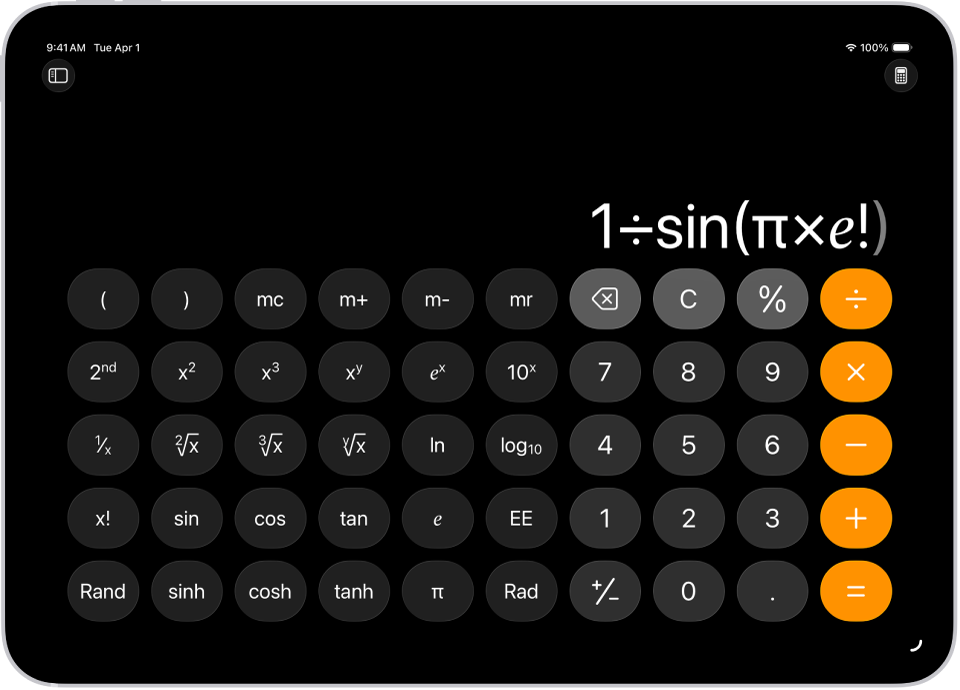
The iPad’s Native Calculator Conundrum
For a device so powerful and versatile, the absence of a basic calculator app might seem like an oversight. However, this decision is rooted in a specific design philosophy that Apple has maintained since the iPad’s inception, creating a distinct user experience compared to its smartphone counterpart.
Why No Built-in Calculator App?
The story of the missing iPad calculator is somewhat legendary within Apple’s development circles. When the original iPad was being prepared for launch in 2010, Steve Jobs reportedly disapproved of the scaled-up version of the iPhone’s calculator app that was initially presented. He felt it wasn’t sufficiently optimized or redesigned for the iPad’s larger screen real estate, lacking the unique utility and aesthetic refinement expected of an Apple-designed tablet application. With insufficient time to create a bespoke, “magical” iPad calculator app before the launch deadline, the decision was made to simply omit it.
This design philosophy emphasizes that Apple prefers to ship only applications that are meticulously crafted to take full advantage of a device’s specific capabilities and screen dimensions. Simply stretching an iPhone app, in this view, detracts from the premium user experience. While many hoped this was a temporary measure, a dedicated first-party calculator app for the iPad has yet to materialize, leaving a void that third-party developers have eagerly filled.
The iPhone vs. iPad Calculator Difference
The contrast between the iPhone and iPad in this regard highlights a fundamental difference in their intended user experiences. The iPhone, designed for quick, on-the-go utility, benefits from an instantly accessible calculator for rapid computations. Its compact screen is well-suited for a straightforward numerical keypad.
The iPad, by contrast, is often seen as a device for more immersive and complex tasks. Apple’s assumption might be that users engaging in deeper productivity on an iPad would likely turn to more specialized tools—be it spreadsheets, scientific calculators, or even general-purpose computing functions that encompass calculations rather than a standalone basic app. This distinction, while sometimes frustrating for users expecting feature parity, underscores Apple’s strategic positioning of each device in its ecosystem.
Discovering Calculator Solutions for Your iPad
Despite the lack of a dedicated native app, the iPad is far from incapable of performing calculations. Apple has integrated several robust features into iPadOS that can handle arithmetic and more complex operations without requiring an app download. These built-in tools offer quick and convenient ways to crunch numbers.
Siri: Your Instant Calculation Assistant
Siri, Apple’s intelligent personal assistant, is arguably the quickest and most hands-free way to perform calculations on your iPad. Whether you need a simple sum or a more intricate conversion, Siri is ready to assist.
To activate Siri, simply say “Hey Siri” or press and hold the Power/Top button (on iPads without a Home button) or the Home button (on iPads with a Home button). Once Siri is listening, you can phrase your request naturally:
-
“What is 150 divided by 3?”
-
“What is 25 percent of 500?”
-
“Convert 10 miles to kilometers.”
-
“How many ounces are in 3 liters?”
-
“What is the square root of 81?”
Siri processes these queries instantly and displays the result directly on the screen, often along with the verbal answer. This method is particularly useful when your hands are occupied or when you need a quick answer without navigating away from your current task.
Spotlight Search: Quick Math Without an App
Spotlight Search, the iPad’s powerful universal search tool, is another excellent built-in calculator alternative that many users overlook. It offers a fast, keyboard-driven way to perform calculations directly from the Home screen or within any app.
To access Spotlight Search, simply swipe down from the middle of any Home screen. A search bar will appear at the top of the screen. Type your mathematical expression directly into the search bar, and the answer will appear in real-time within the search results, usually at the top.
Examples of queries you can type:
-
5 + 3 * 2(Spotlight respects order of operations) -
100 / 4 -
25% of 300 -
15 usd to eur(for currency conversions, requires internet connection) -
10 lb to kg(for unit conversions)
Spotlight’s seamless integration and immediate feedback make it an incredibly efficient tool for quick calculations, eliminating the need to open a separate application for basic arithmetic and conversions.
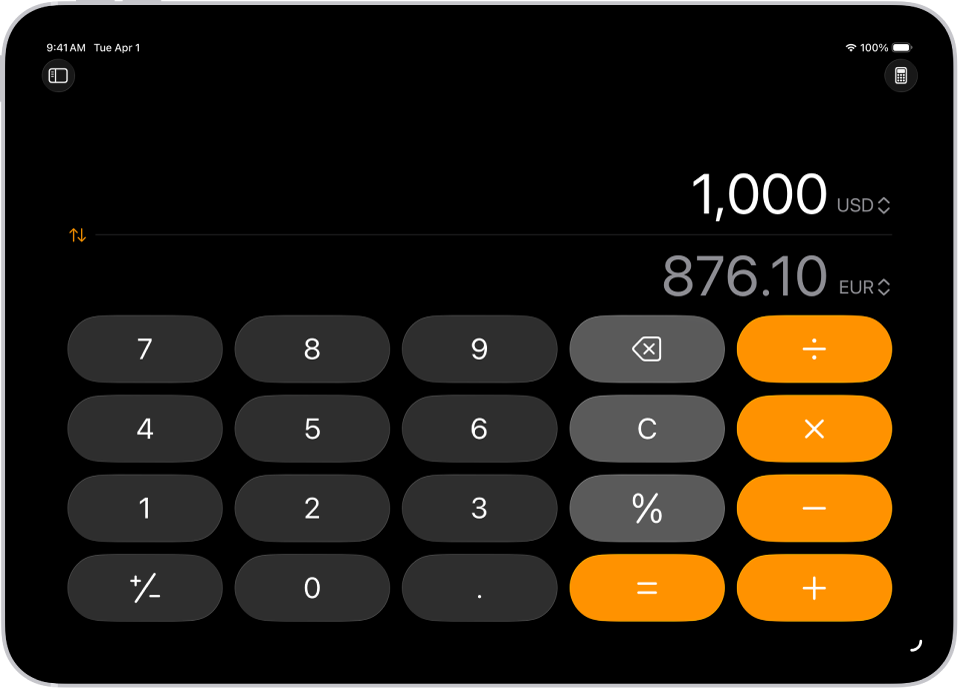
Top Calculator Apps for iPad Users
While Siri and Spotlight handle quick calculations, many users require more robust, visual, or specialized calculator functionalities. This is where the thriving ecosystem of third-party apps truly shines, offering a vast array of options to suit every need, from basic arithmetic to advanced scientific and financial modeling.
General Purpose Calculators
For everyday calculations, a dedicated app provides a familiar interface and often a history tape, making it easier to review and reuse previous results.
-
PCalc: Widely regarded as one of the best calculator apps available for iOS and iPadOS, PCalc is a powerful and highly customizable tool. It offers an extensive range of scientific, engineering, and programming functions, along with RPN (Reverse Polish Notation) mode, unit conversions, and a robust paper tape. Its interface can be tailored with themes and button layouts, making it suitable for both casual users and professionals. While it comes at a premium price, its feature set and reliability often justify the investment.
-
Calcbot 2: From the developers of the popular “Tweetbot” client, Calcbot offers a beautifully designed and user-friendly interface. It features a history tape that can be edited and reused, making it easy to track calculations. It also includes conversion functions for various units (currency, length, weight, etc.) and a “favorites” feature for frequently used calculations. Its emphasis on aesthetics and ease of use makes it a strong contender for general calculations.
-
The Calculator (by Digitalchemy): Often available for free with optional in-app purchases, this app offers a clean interface and essential functions. It typically includes basic arithmetic, scientific functions, and a history log. While perhaps not as feature-rich as PCalc, it’s a solid choice for users who need a straightforward and reliable calculator.
Scientific and Graphing Calculators
Students, engineers, and scientists often require calculators that can handle complex equations, functions, and data visualization.
-
MyScript Calculator: This revolutionary app allows you to handwrite mathematical expressions on your iPad’s screen, and it instantly converts them to digital text and solves them. It supports basic operations, powers, roots, trigonometry, logarithms, constants, and more. For those who prefer to write out their math, MyScript Calculator offers an intuitive and natural way to interact with calculations, making it particularly popular among students.
-
Desmos Graphing Calculator: An incredibly powerful and user-friendly graphing calculator, Desmos is a must-have for anyone studying algebra, calculus, or advanced mathematics. It allows users to plot functions, visualize data, and explore mathematical concepts interactively. Its intuitive interface makes it easy to input equations and see instant graphical representations, with dynamic sliders for exploring variables. Desmos is also available as a web app, making it accessible across platforms.
-
WolframAlpha: While more than just a calculator, WolframAlpha is a computational knowledge engine that can solve incredibly complex mathematical problems, from basic algebra to differential equations, statistics, and more. It can also provide step-by-step solutions, definitions, and related information, making it an invaluable tool for students and researchers across various disciplines. It acts as a comprehensive answer engine rather than just a number cruncher.
Financial and Unit Conversion Calculators
Specific tasks often demand specialized calculators.
-
Loan and Mortgage Calculators: Many apps focus specifically on financial calculations, such as mortgage payments, loan amortization, interest calculations, and investment returns. Apps like “Mortgage Calculator +” or “Loan Calculator Pro” offer specialized interfaces for these purposes.
-
Tip Calculators: For quick calculations in social settings, dedicated tip calculator apps allow you to easily split bills and calculate tips based on percentages.
-
Convert Units: While many general calculators include unit conversion, dedicated apps like “Convert Units” offer a comprehensive database of unit types (length, weight, volume, temperature, time, speed, data, etc.) and often a more streamlined interface for conversions, making it quick and easy to switch between different measurement systems.
Enhancing Productivity with iPad Calculator Integration
The utility of a calculator app on the iPad extends beyond mere computation. By leveraging iPadOS’s multitasking features and other functionalities, users can seamlessly integrate calculator usage into their broader workflows, enhancing productivity and streamlining complex tasks.
Multitasking with Split View
One of the most powerful ways to use a calculator app on the iPad is through Split View. This feature allows you to run two apps side-by-side, giving you instant access to your calculator while working in another application.
To use Split View:
-
Open the primary app you want to work in (e.g., a spreadsheet, a note-taking app, a web browser).
-
Swipe up from the bottom of the screen to reveal the Dock.
-
Tap and hold the calculator app icon (or any app you wish to use), then drag it out of the Dock to the left or right edge of the screen.
-
Release the icon when it snaps into place, creating two resizable windows.
This setup is invaluable for tasks such as budgeting, data entry, academic research, or technical writing, where constant numerical input or verification is required. You can have a document open on one side and a powerful calculator like PCalc or Desmos on the other, eliminating the need to switch back and forth between apps.
Accessibility Features for Calculations
iPadOS’s robust accessibility features can further enhance the calculator experience for all users. Features like VoiceOver can audibly read out calculator inputs and results, which is beneficial for users with visual impairments or when proofreading long strings of numbers. Text size adjustments can make buttons and results clearer, while AssistiveTouch can provide custom gestures or shortcuts for frequently used calculator functions. Many third-party calculator apps are designed with these accessibility considerations in mind, ensuring a broad user base can effectively utilize them.
Widgets and Quick Access
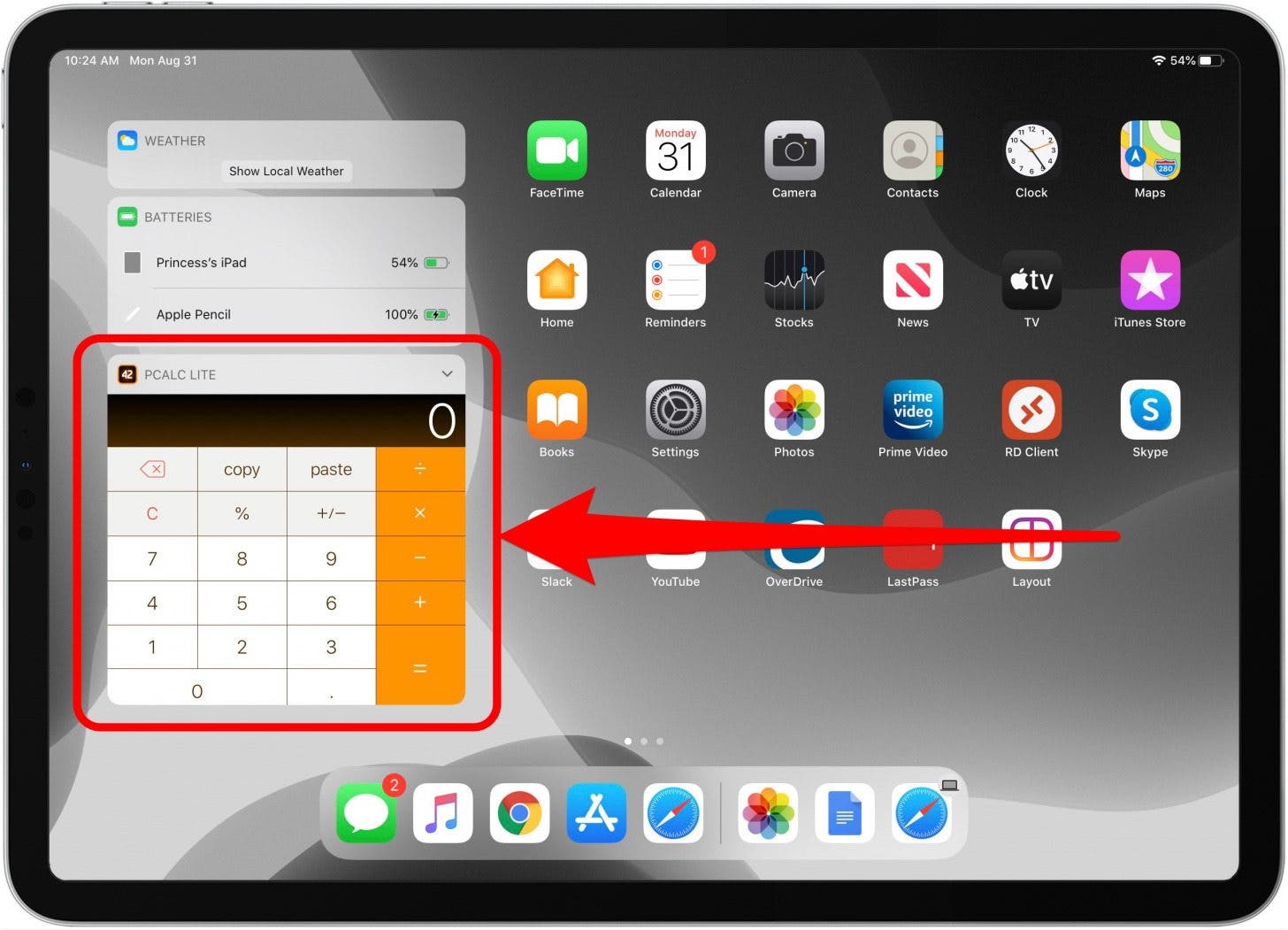
Some advanced calculator apps offer widgets that can be added to your iPad’s Today View (accessed by swiping right from the Home Screen or Lock Screen). These widgets can display quick calculation results, recent history, or even a mini calculator interface, allowing for instant computations without fully launching the app. While not all apps support this, checking for widget compatibility can further streamline your workflow.
Furthermore, placing your preferred calculator app prominently in the iPad’s Dock ensures that it’s always just a tap away, regardless of which app you’re currently using. This quick access is essential for maintaining workflow fluidity, allowing you to seamlessly integrate numerical tasks into any context on your iPad.
In conclusion, while the iPad famously lacks a native calculator app, its operating system and the vast ecosystem of third-party applications provide more than adequate solutions. By understanding Apple’s design philosophy, leveraging built-in features like Siri and Spotlight, and exploring the rich variety of dedicated calculator apps, iPad users can find the perfect tool to meet their specific computational needs, transforming their device into an even more powerful productivity machine.
aViewFromTheCave is a participant in the Amazon Services LLC Associates Program, an affiliate advertising program designed to provide a means for sites to earn advertising fees by advertising and linking to Amazon.com. Amazon, the Amazon logo, AmazonSupply, and the AmazonSupply logo are trademarks of Amazon.com, Inc. or its affiliates. As an Amazon Associate we earn affiliate commissions from qualifying purchases.