
In an age dominated by screens, it’s easy to assume that all displays are created equal. You look at a television, then at a computer monitor, and superficially, they both present visual information. Yet, beneath their similar appearances, TVs and monitors are fundamentally engineered for distinct purposes, leading to significant differences in their design, features, and optimal use cases. Understanding these distinctions is crucial for anyone looking to make an informed purchase, whether for entertainment, professional work, or a blend of both.
While both devices are display panels, their core design philosophies diverge sharply based on their intended environment and typical user interaction. A television is built primarily for communal, passive viewing from a distance, often in a living room setting, prioritizing immersive entertainment experiences. A monitor, on the other hand, is designed for individual, interactive engagement from a close distance, typically on a desktop, with an emphasis on productivity, precision, and rapid responsiveness. This foundational difference cascades into every aspect of their technical specifications and user experience.
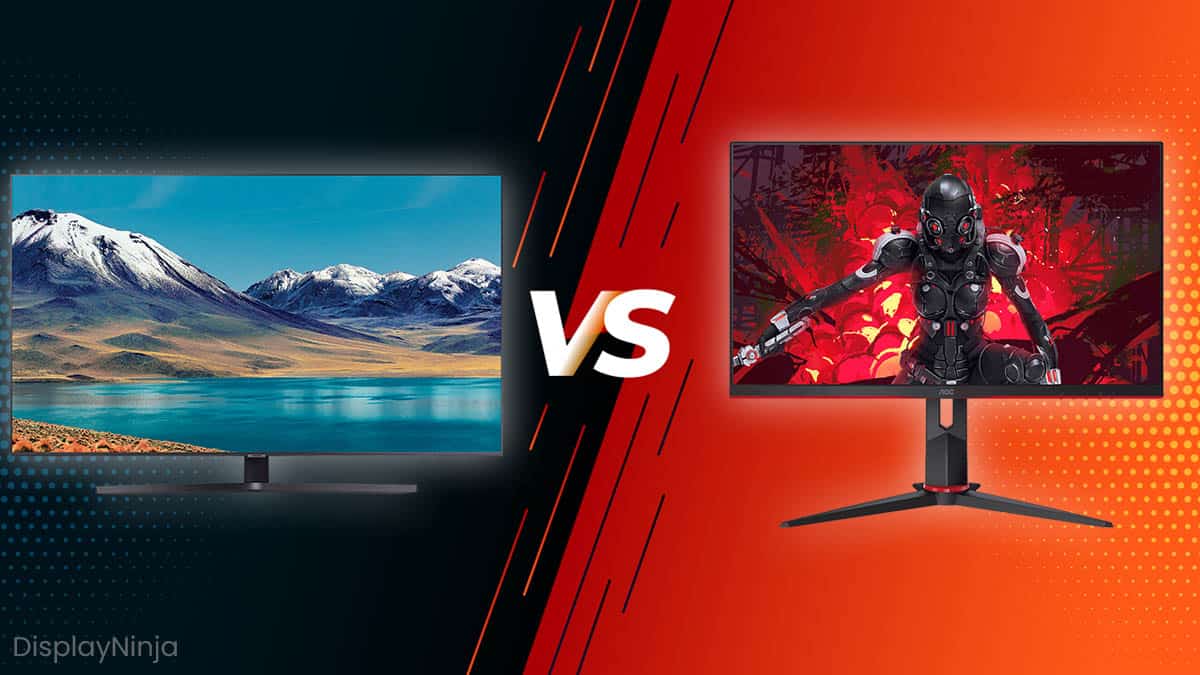
The Core Purpose: Entertainment vs. Productivity
The most fundamental distinction between a TV and a monitor lies in their primary intended use. This core purpose dictates their design, features, and ultimately, their performance characteristics.
Televisions: The Living Room Hub
Televisions have historically been the centerpiece of home entertainment. Their primary role is to deliver a cinematic, immersive viewing experience for a broad range of content, including broadcast television, streaming movies, sports, and console gaming. They are designed for passive consumption, where users are typically seated several feet away, often with multiple viewers sharing the experience.
This focus on entertainment means TVs are optimized for:
- Large Screen Sizes: To fill a living room and provide an expansive view for multiple people.
- Picture Quality Enhancement: Features like advanced upscaling (to make lower-resolution content look good on a high-resolution screen), vivid color reproduction, and high contrast ratios are paramount for a visually striking experience.
- Integrated Audio: TVs almost always come with built-in speakers, often designed to project sound across a room, reflecting their standalone entertainment appliance nature.
- Smart Features: Modern TVs are “smart,” incorporating operating systems (like Android TV, webOS, Tizen) that provide direct access to streaming services, apps, and often voice control, making them self-sufficient entertainment hubs.
- Tuners: Crucially, TVs include integrated tuners (ATSC, DVB-T, etc.) to receive over-the-air broadcast signals, a feature almost entirely absent in monitors.
The emphasis here is on creating an all-encompassing, user-friendly package that caters to a wide audience seeking a rich, engaging visual and auditory experience without the need for additional complex components, save for a soundbar or external media player.
Monitors: The Desktop Workhorse
Monitors are purpose-built for interaction and productivity in a close-quarters desktop environment. They are the primary visual interface for personal computers, designed for tasks that demand precision, speed, and sustained close attention. This includes everything from data entry and graphic design to video editing, programming, and competitive gaming.
Key characteristics driven by this productivity focus include:
- Ergonomics: Monitors often come with highly adjustable stands (tilt, swivel, pivot, height adjustment) to ensure optimal viewing angles and reduce strain during long work sessions.
- Lower Input Lag and Faster Refresh Rates: Crucial for immediate feedback in tasks like gaming, graphic design, and video editing where even milliseconds of delay can impact performance or workflow.
- Higher Pixel Density at Closer Viewing Distances: While TVs might have 4K resolution, a monitor of a similar resolution but smaller size will have higher pixel density, which is critical for sharp text and fine detail when viewed from a foot or two away.
- Color Accuracy: Professional monitors, especially those for graphic design or photography, prioritize highly accurate color reproduction and often support wider color gamuts.
- Specialized Features: Many monitors include features like USB hubs for easy peripheral connectivity, KVM switches (Keyboard, Video, Mouse) to control multiple computers, or specific panel technologies optimized for professional use.
Unlike TVs, monitors generally lack built-in tuners and often have basic or no integrated speakers, assuming that users will rely on external audio solutions or computer speakers. Their “intelligence” typically comes from the connected computer, rather than an onboard operating system.
Key Technical Distinctions and Performance Metrics
Beyond their fundamental purpose, TVs and monitors diverge significantly in their technical specifications, which directly impact performance in different scenarios.
Input Lag and Refresh Rate: Gaming and Responsiveness
This is arguably the most critical difference for gamers and professionals requiring immediate feedback.
- Input Lag (Latency): Refers to the delay between an input (e.g., pressing a mouse button, controller input) and the corresponding action appearing on screen. Monitors are engineered for minimal input lag, often measured in single-digit milliseconds, to ensure a seamless and responsive experience. TVs, especially older models or those not specifically designed for gaming, historically had higher input lag due to internal image processing (upscaling, motion smoothing) which adds delay. While modern gaming TVs have significantly reduced this, dedicated monitors generally still hold an edge.
- Refresh Rate: This is how many times the screen updates per second, measured in Hertz (Hz). Standard TVs typically operate at 60Hz, with some premium models offering 120Hz. Monitors, particularly gaming monitors, frequently offer 144Hz, 240Hz, 360Hz, or even higher refresh rates. A higher refresh rate translates to smoother motion, which is crucial for fast-paced gaming and can even reduce eye strain during general use by making cursor movements and scrolling feel more fluid.
Resolution and Pixel Density: Clarity at Different Distances
While both TVs and monitors can come in resolutions like 1080p, 4K (UHD), or even 8K, their practical application differs due to typical viewing distances.
- Resolution: Refers to the total number of pixels a display has. Higher resolution means more pixels, leading to a sharper image if the screen size is appropriate.
- Pixel Density (PPI – Pixels Per Inch): This is the number of pixels packed into a given inch of screen space. A 27-inch 4K monitor has a much higher pixel density than a 65-inch 4K TV.
- TVs: Designed for distant viewing, they can get away with lower pixel density because individual pixels become imperceptible from a typical couch distance. The focus is on providing a large, expansive image.
- Monitors: Viewed from a much closer distance, high pixel density is crucial for rendering sharp text, intricate graphics, and fine details without visible pixellation. A monitor with insufficient pixel density for its size and viewing distance can make text look fuzzy and jagged, causing eye strain. This is why a 27-inch 4K monitor is often preferred for productivity over a 32-inch 4K monitor, as it delivers a higher PPI.
Panel Technology and Color Accuracy: Visual Fidelity
Both types of displays utilize various panel technologies, but the priorities differ.
- Panel Technologies: Common types include LCD (TN, VA, IPS) and OLED.
- TN (Twisted Nematic): Fastest response times, often found in budget gaming monitors, but poor viewing angles and color reproduction.
- VA (Vertical Alignment): Good contrast, decent response times, often found in curved monitors and some TVs.
- IPS (In-Plane Switching): Excellent color accuracy and wide viewing angles, favored by professionals (graphic designers, video editors) and found in many premium monitors and TVs.
- OLED (Organic Light Emitting Diode): Each pixel emits its own light, leading to infinite contrast, perfect blacks, and vibrant colors. Found in high-end TVs and increasingly in premium monitors.
- Color Accuracy: Professional monitors, especially those for creative work, are often factory-calibrated to specific color spaces (sRGB, Adobe RGB, DCI-P3) to ensure colors are displayed precisely as intended. While modern TVs offer impressive color, their calibration is often geared towards vividness and “pop” for entertainment, which isn’t always strictly accurate.
Connectivity and Ports: Adaptability for Various Devices
The array and type of ports often reflect the device’s primary function.
- TVs: Typically feature multiple HDMI ports (often 3-4), sometimes an optical audio output, a coaxial input for an antenna, and a few USB ports for media playback. The latest HDMI versions (e.g., HDMI 2.1) are crucial for 4K 120Hz gaming.
- Monitors: Offer a wider variety of digital display inputs, including DisplayPort (often preferred for PC gaming due to bandwidth and features like G-Sync/FreeSync support), HDMI, USB-C (for single-cable connectivity with laptops, delivering video, data, and power), and often a built-in USB hub. Legacy ports like DVI or VGA are less common but still found on some older or budget models. The inclusion of DisplayPort is a key differentiator, as it’s almost exclusively found on monitors and PC graphics cards.
Design and Ergonomics: Form and Function
The physical design and integrated features of TVs and monitors are tailored to their respective environments and user interactions.

Size and Aspect Ratio: Immersive Viewing vs. Workspace Efficiency
- TVs: Predominantly focus on larger screen sizes (from 32-inch up to 100+ inches) to create an immersive, room-filling experience. The standard aspect ratio is 16:9, ideal for cinematic content and broadcasting.
- Monitors: Come in a broader range of sizes, from compact 21-inch displays to large 49-inch ultrawide or super ultrawide monitors (21:9, 32:9 aspect ratios). These wider aspect ratios are designed to maximize desktop real estate, allowing users to view multiple applications side-by-side without the need for multiple physical monitors, enhancing productivity. While 16:9 is still common, ultrawide formats are a hallmark of the monitor market.
Built-in Features: Speakers, Tuners, and Smart Capabilities
The integration of specific features highlights the differing philosophies.
- TVs: As discussed, integral smart platforms (Netflix, YouTube, Disney+, etc.), built-in speakers, and broadcast tuners are standard. Many also include advanced remote controls with voice commands and motion sensing.
- Monitors: Rarely include tuners. Built-in speakers are often an afterthought, providing basic audio at best, assuming users have external speakers or headphones. While some high-end monitors incorporate a USB-C hub, they typically lack the full-fledged smart TV operating system, relying instead on the connected computer for “intelligence.”
Ergonomics and Mounting Options: Comfort and Flexibility
Monitors prioritize user comfort and flexibility for individual, close-up use.
- Adjustable Stands: Most monitors come with stands that allow for height adjustment, tilt, swivel, and sometimes pivot (to rotate the screen 90 degrees for portrait mode viewing). These adjustments are critical for maintaining good posture and reducing eye/neck strain during long work sessions.
- VESA Mount Compatibility: Virtually all monitors support VESA mounting, allowing them to be easily attached to monitor arms or wall mounts for even greater flexibility and ergonomic customization.
- TVs: Typically come with a basic fixed stand, primarily designed for placement on a media console. While they also support VESA mounting, the adjustability is generally limited to tilting, and the focus is more on stable placement rather than dynamic ergonomic changes for a single user.
Price, Value, and Evolving Convergence
The market dynamics for TVs and monitors have traditionally been quite different, but the lines are increasingly blurring, offering new value propositions.
Cost Comparison: Where Your Money Goes
- TVs: Often offer more inches per dollar, especially at larger sizes. A 55-inch 4K TV can be significantly less expensive than a professional 27-inch 4K monitor. The cost of a TV also covers the integrated smart features, tuners, and audio system.
- Monitors: Can be more expensive per inch due to the specialized panel technology, lower input lag, higher refresh rates, superior color accuracy, and advanced ergonomic stands that professional and gaming users demand. The value in monitors comes from their performance characteristics critical for interactive tasks, not just raw screen real estate.
The Blurring Lines: When a TV Can Be a Monitor (and vice-versa)
The convergence of technologies has led to scenarios where the traditional roles can overlap:
- TVs as Monitors: Modern 4K TVs, particularly those equipped with HDMI 2.1, “Game Mode” features (which reduce input lag), and high refresh rates (120Hz), can serve as excellent large-format monitors for PC gaming, especially when playing from a couch. They offer a massive, immersive display that traditional monitors can’t match in size for the same price. However, their lower pixel density at close viewing distances can make text fuzzy for productivity tasks, and they still lack the ergonomic flexibility and DisplayPort connectivity often crucial for desktop use.
- Monitors as Small TVs: Some larger (e.g., 32-inch to 43-inch) monitors with good speakers and multiple HDMI inputs can function as small TVs for bedrooms or secondary rooms, especially if paired with a streaming stick. However, they lack tuners and often built-in smart apps.
- Hybrid Displays: A new category of “monitor-TVs” or smart monitors is emerging, offering a blend of features, such as integrated smart TV platforms in monitor-sized displays, or smaller TVs with better monitor-like features.
Making the Right Choice: Tailoring to Your Needs
The decision ultimately hinges on your primary use case:
- For Entertainment (Movies, TV Shows, Casual Gaming): A TV is typically the better choice, offering a larger, more immersive experience with integrated smart features and sound, designed for distant, passive viewing.
- For Productivity (Work, Graphic Design, Video Editing): A monitor is indispensable. Its superior pixel density, color accuracy, ergonomic adjustability, and specialized connectivity are critical for comfortable and efficient close-up interaction.
- For Competitive Gaming: A dedicated gaming monitor with high refresh rates, low input lag, and adaptive sync technology (G-Sync/FreeSync) is paramount for a competitive edge. While high-end gaming TVs are closing the gap, monitors still offer advantages in refresh rate and specialized features.
- For Mixed Use or Specific Niche Needs: Consider a high-refresh-rate TV with low input lag if you primarily game from a distance with a controller and also watch content. If you need a secondary display for a dorm or small office that occasionally doubles as a TV, a larger monitor with decent speakers might suffice.
Future Trends and Innovations
The display technology landscape is in constant evolution, pushing the boundaries of both TVs and monitors. These advancements promise even more sophisticated visual experiences and further blurring of the traditional distinctions.
The Rise of QD-OLED and MicroLED
- QD-OLED (Quantum Dot Organic Light Emitting Diode): This technology combines the self-emissive properties of OLED with Quantum Dots, aiming to deliver the perfect blacks and infinite contrast of OLED, but with higher brightness and improved color volume. Initially seen in high-end TVs, QD-OLED is rapidly making its way into premium gaming and professional monitors, offering an unparalleled visual experience for both productivity and entertainment.
- MicroLED: Representing the pinnacle of display technology, MicroLED uses microscopic individual LED pixels, offering incredible brightness, perfect blacks, exceptional color accuracy, and modular design. Currently extremely expensive and limited to massive, high-end installations (like Samsung’s “The Wall”), MicroLED promises to eventually scale down to consumer TV and monitor sizes, potentially surpassing OLED in all aspects, including longevity. Its modular nature also opens possibilities for custom-sized, seamless displays.
Smarter Displays and Integrated AI
The “smart” capabilities that once defined TVs are increasingly finding their way into monitors, leading to more self-sufficient and adaptable devices:
- Integrated Smart Platforms in Monitors: We’re seeing more monitors with built-in operating systems, allowing them to function independently for streaming content without a connected PC. This creates a true hybrid device, offering the productivity features of a monitor with the entertainment capabilities of a TV.
- AI-Powered Upscaling and Image Processing: AI is playing an increasingly significant role in enhancing picture quality. Neural networks are used to intelligently upscale lower-resolution content to match the native resolution of 4K or 8K displays, improving detail, reducing noise, and refining textures. This technology is crucial for TVs and is also becoming more prevalent in high-end monitors for professional video editing or content creation where source material varies in quality.
- Adaptive Display Technologies: Beyond basic adaptive sync, future displays will likely integrate more advanced AI to dynamically adjust brightness, contrast, and color based on ambient lighting, content type, and even user preferences, providing an optimized viewing experience in real-time.

Sustainability in Display Manufacturing
As technology advances, there’s a growing emphasis on environmental responsibility in the production and lifecycle of electronic displays:
- Energy Efficiency: Manufacturers are continually striving to reduce the power consumption of displays through more efficient panel designs, backlight technologies (like Mini-LED with local dimming zones), and smart power management features. Lower energy consumption benefits both the environment and the user’s electricity bill.
- Recyclable Materials: Efforts are being made to incorporate more recycled plastics and metals into display chassis and components, reducing the demand for virgin resources.
- Modular Design and Repairability: While still a challenge for complex electronics, there’s a push towards more modular designs that would allow for easier repair and component replacement, extending the lifespan of devices and reducing electronic waste. This includes considerations for display panels themselves, power supplies, and logic boards.
- Reduced Hazardous Materials: Compliance with regulations like RoHS (Restriction of Hazardous Substances) continues to drive the industry away from toxic materials in display manufacturing.
These future trends suggest a continued evolution where the distinct characteristics of TVs and monitors may become even more refined within their niches, while also offering increasingly powerful and versatile hybrid solutions that cater to a broader spectrum of user needs. The core distinction of purpose will likely remain, but the capabilities bridging the gap will only grow more sophisticated.
In conclusion, while televisions and monitors both serve as visual displays, their underlying engineering and feature sets are fundamentally tailored to distinct user experiences. TVs excel in immersive, communal entertainment from a distance, prioritizing picture quality enhancements, integrated audio, and smart features. Monitors, conversely, are optimized for close-up, interactive productivity and competitive gaming, emphasizing low input lag, high refresh rates, precise color accuracy, and ergonomic flexibility. As technology evolves, the lines between these categories are blurring, with hybrid devices offering compelling solutions for mixed usage. However, for optimal performance and satisfaction, understanding these core differences remains paramount to selecting the right display for your specific needs.
aViewFromTheCave is a participant in the Amazon Services LLC Associates Program, an affiliate advertising program designed to provide a means for sites to earn advertising fees by advertising and linking to Amazon.com. Amazon, the Amazon logo, AmazonSupply, and the AmazonSupply logo are trademarks of Amazon.com, Inc. or its affiliates. As an Amazon Associate we earn affiliate commissions from qualifying purchases.