
For decades, the printer has been a foundational pillar of the modern workspace, bridging the gap between digital creation and physical manifestation. However, for many consumers and IT professionals, the choice between the two primary printing technologies—inkjet and laser—remains a source of confusion. While both machines serve the same fundamental purpose, the underlying engineering, material science, and performance profiles are vastly different.
Understanding these differences is not merely a matter of academic interest; it is a prerequisite for optimizing workflow efficiency and ensuring hardware longevity. This article provides a comprehensive technical breakdown of inkjet and laser technologies, exploring how they function, where they excel, and how to determine which engine is best suited for your specific technological ecosystem.
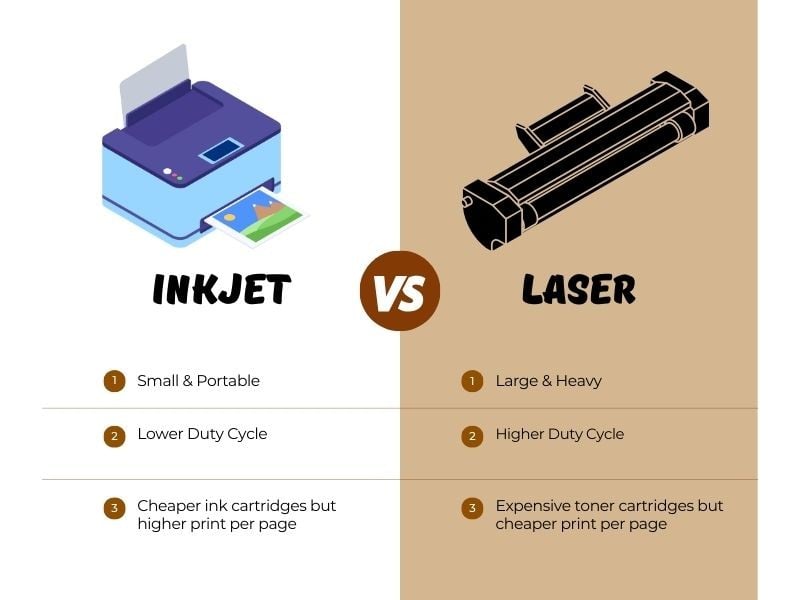
1. Understanding the Mechanics: How Ink and Light Create Images
At the heart of the inkjet versus laser debate lies the fundamental difference in how they apply “color” to a substrate. One relies on fluid dynamics and precision chemistry, while the other utilizes static electricity and thermal fusion.
The Liquid Precision of Inkjet Technology
Inkjet printers operate on a relatively straightforward concept: they fire microscopic droplets of liquid ink onto paper. However, the execution is a marvel of microfluidics. Most consumer and professional inkjets use one of two methods to eject ink: Thermal or Piezoelectric.
In thermal inkjet systems (common in brands like HP and Canon), a tiny resistor heats the ink, creating a vapor bubble that forces a droplet out of the nozzle. In contrast, Piezoelectric technology (pioneered by Epson) uses a crystal that vibrates when an electric charge is applied, mechanically pushing the ink out. Because the Piezo process doesn’t involve heat, it allows for a wider variety of ink chemistries, including pigment-based inks that are more resistant to fading and water. These droplets are measured in picoliters—trillionths of a liter—allowing for extreme detail and smooth color transitions.
The Electrostatic Magic of Laser Printing
Laser printers are significantly more complex, functioning more like a high-speed photocopier than a traditional pen-on-paper device. The process, known as xerography, involves several distinct stages. First, a laser beam “draws” an electrostatic image onto a rotating photosensitive drum. The areas hit by the laser lose their charge, creating a pattern of static electricity.
Next, the drum rotates past a reservoir of toner—a fine, plastic-based powder. The toner is magnetically attracted to the charged areas of the drum. Finally, the paper passes under the drum, and a fuser unit uses heat and pressure to melt the toner particles directly into the fibers of the paper. This is why a page coming out of a laser printer is often warm to the touch; the “ink” isn’t actually ink at all, but a melted plastic polymer.
2. Performance Metrics: Speed, Resolution, and Output Quality
When evaluating hardware, performance is usually measured by two primary metrics: Pages Per Minute (PPM) and Dots Per Inch (DPI). The technological architecture of each printer type dictates its ceiling in these categories.
High-Resolution Photo Printing and Color Depth
If the primary goal is high-fidelity photographic output, inkjet technology is the undisputed leader. Because inkjet printers use liquid ink, the colors can blend naturally on the page. By varying the size and placement of droplets, inkjets can produce millions of colors with smooth gradients that laser printers struggle to replicate.
Professional-grade inkjets often use more than the standard CMYK (Cyan, Magenta, Yellow, Black) palette, adding “Light Cyan,” “Light Magenta,” or “Photo Gray” to achieve gallery-quality results. For digital artists and photographers, the ability of inkjets to print on various media—from glossy photo paper to canvas and matte cardstock—makes them the superior creative tool.
High-Volume Document Throughput
While inkjets win on color nuance, laser printers dominate in the realm of speed and text clarity. In a laser printer, the drum rotates at a constant speed, and the laser can “write” the image much faster than an inkjet print head can move back and forth across a page. For high-volume environments where hundreds of pages of text need to be produced daily, the laser printer’s efficiency is unmatched.

Furthermore, laser printers produce sharper text. Because the toner is fused onto the paper rather than soaked into it, there is no “bleeding” or feathering of the edges. Under a magnifying glass, text from a laser printer looks crisp and perfectly defined, whereas inkjet text may appear slightly soft due to the way liquid ink interacts with paper fibers.
3. Hardware Longevity and Maintenance Cycles
The long-term reliability of a printer is often determined by its maintenance requirements. Both technologies have “Achilles’ heels” that users must manage to ensure the device remains functional over several years.
Print Head Clogging vs. Drum Wear
The most common technical failure in inkjet printers is the drying of ink within the microscopic nozzles of the print head. If a printer sits idle for several weeks, the liquid ink can solidify, leading to streaky prints or total hardware failure. While modern printers include self-cleaning cycles, these consume expensive ink and aren’t always 100% effective. For this reason, inkjets are best suited for users who print regularly.
Laser printers are much more resilient to periods of inactivity. Since toner is a dry powder, it cannot “dry out” or clog. A laser printer can sit unused for months and produce a perfect page the moment it is powered on. However, laser printers have more moving parts that eventually require replacement, such as the fuser unit, the transfer belt, and the imaging drum. These components are built for high “duty cycles”—often rated for tens of thousands of pages—but they represent a more complex mechanical ecosystem than the simpler inkjet frame.
Media Handling and Versatility
From a hardware perspective, inkjets are much more versatile regarding the types of media they can accept. Because they don’t use high heat, they can print on heat-sensitive materials, including certain types of plastics, iron-on transfers, and heavy-textured art papers. Laser printers, due to the fuser’s high temperatures (often exceeding 400°F), are limited to heat-resistant media. Attempting to run a standard inkjet transparency through a laser printer can actually melt the plastic onto the fuser, effectively destroying the hardware.
4. Connectivity and the Modern Ecosystem
Modern printers are no longer isolated peripherals; they are networked computers. Whether you choose inkjet or laser, the “Tech” aspect of the device now involves sophisticated software and security protocols.
Wireless Integration and Cloud Printing
Current generations of both inkjet and laser printers feature robust connectivity suites. Wi-Fi Direct, Apple AirPrint, and Mopria are standard, allowing users to print directly from smartphones and tablets. In the tech world, the “Internet of Things” (IoT) has fully embraced the printer. Many high-end models now feature cloud integration, allowing a user to scan a document directly to a Dropbox folder or print a document from Google Drive without ever touching a PC.
Security Features in Modern Hardware
As printers have become networked devices, they have also become potential entry points for cyberattacks. Modern business-grade laser printers, in particular, come equipped with advanced security features like BIOS integrity checks, self-healing firmware, and encrypted hard drives. Since these machines often store “print jobs” in their internal memory, ensuring that data is wiped after the job is completed is a critical technical requirement for any corporate IT department.
5. Choosing Your Engine: Which Technology Fits Your Workflow?
Deciding between inkjet and laser requires an honest assessment of your technical needs and your typical print volume. There is no “better” technology; there is only the “right” tool for the specific job.
The Home Office and Creative User
For the home user who prints a mix of school projects, occasional photos, and high-quality creative work, the inkjet printer is usually the logical choice. Its lower initial hardware cost and superior color reproduction make it a versatile multi-tool. However, the user must be disciplined enough to print at least once a week to prevent the nozzles from clogging. If your work involves graphic design, photography, or bespoke crafting, the inkjet’s ability to handle diverse media and provide deep color saturation is indispensable.

The Corporate and Professional Environment
For the professional who primarily prints text-heavy documents, reports, and contracts, the laser printer is the superior engine. The combination of high-speed output, razor-sharp text, and the stability of toner makes it the workhorse of the modern office. While color laser printers have improved significantly, they still cannot match the photographic depth of an inkjet, but they compensate with unmatched reliability and a higher monthly duty cycle. If your primary goal is “volume and velocity,” the laser printer is your hardware of choice.
In conclusion, the evolution of printing technology has reached a point where both inkjet and laser systems are highly refined. By understanding the mechanical differences—liquid vs. powder, heat vs. vibration—and matching those traits to your specific workflow, you can ensure that your hardware remains a productive asset rather than a technical bottleneck.
aViewFromTheCave is a participant in the Amazon Services LLC Associates Program, an affiliate advertising program designed to provide a means for sites to earn advertising fees by advertising and linking to Amazon.com. Amazon, the Amazon logo, AmazonSupply, and the AmazonSupply logo are trademarks of Amazon.com, Inc. or its affiliates. As an Amazon Associate we earn affiliate commissions from qualifying purchases.