
Your Internet Protocol (IP) address is a fundamental yet often misunderstood aspect of your online presence. Think of it as your home address, but for the digital world. It’s a unique identifier assigned to your device whenever it connects to the internet, enabling communication and navigation across the vast network of computers. Understanding what your IP address is, how it works, and its implications is crucial for anyone who spends time online, whether for personal use, professional endeavors, or simply to navigate the digital landscape securely. This article will delve into the intricacies of IP addresses, demystifying their function and offering practical insights into managing this vital piece of your digital identity.
The Anatomy of an IP Address: Unpacking the Digital Identifier
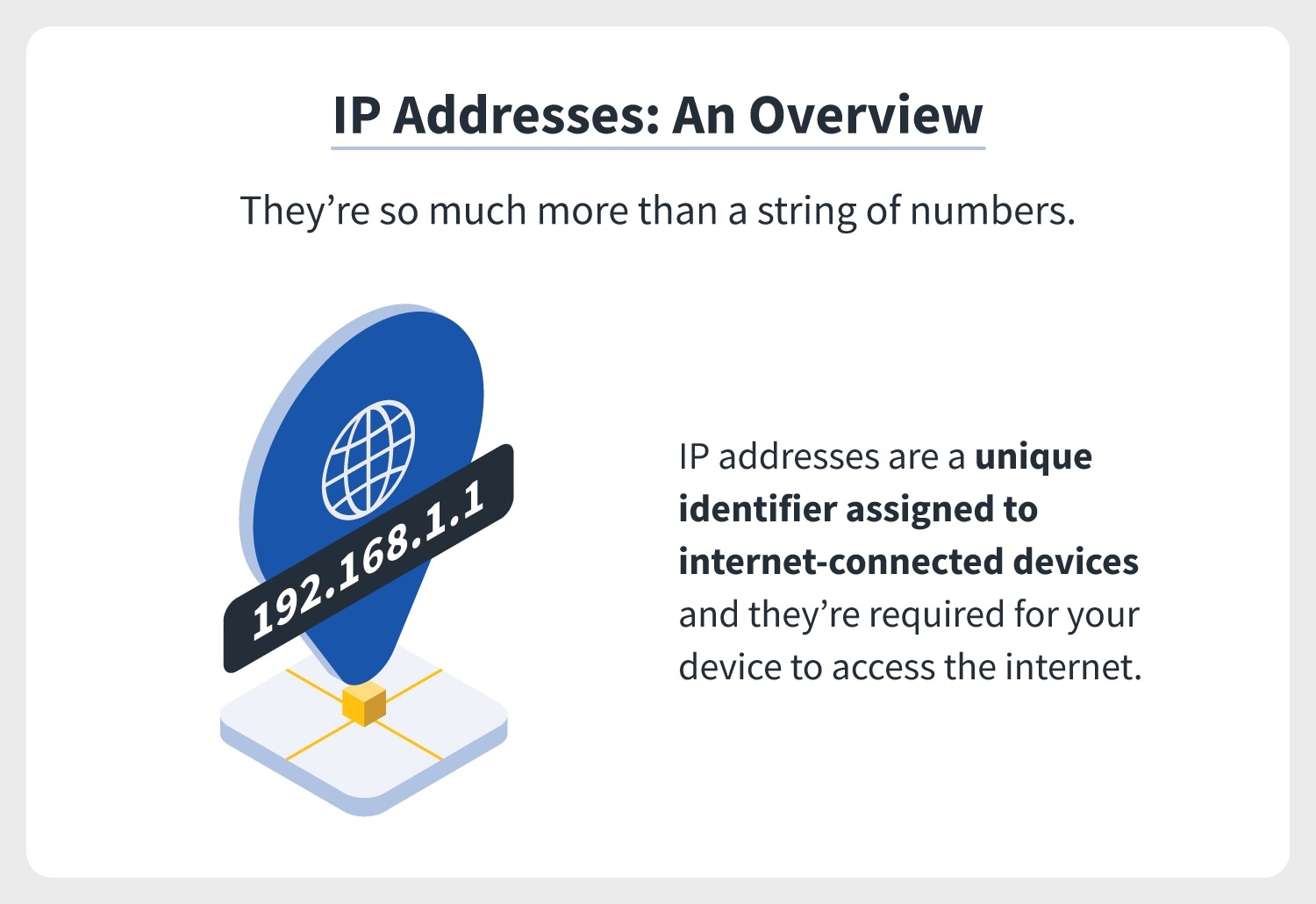
At its core, an IP address is a numerical label assigned to each device participating in a computer network that uses the Internet Protocol for communication. It serves two primary functions: host or network interface identification and location addressing. Without IP addresses, the internet as we know it would cease to function, akin to a postal service without street names and house numbers.
The Evolution of IP Addresses: IPv4 and IPv6
The internet has evolved significantly since its inception, and so have its addressing systems. The most prevalent protocol, and the one most people are familiar with, is Internet Protocol version 4 (IPv4). IPv4 addresses are typically represented as four sets of numbers, ranging from 0 to 255, separated by periods. For example, a common IPv4 address might look like 192.168.1.1. This system was designed in the early days of the internet and has a limited address space. With the exponential growth of internet-connected devices, the world has rapidly approached the exhaustion of available IPv4 addresses.
To address this impending crisis, Internet Protocol version 6 (IPv6) was developed. IPv6 addresses are much longer and are represented as eight groups of hexadecimal digits, separated by colons. An example of an IPv6 address is 2001:0db8:85a3:0000:0000:8a2e:0370:7334. IPv6 offers a virtually inexhaustible supply of unique IP addresses, ensuring the continued growth and expansion of the internet for decades to come. While IPv6 is increasingly being adopted, many networks still rely heavily on IPv4, leading to a transitional period where both protocols coexist.
Public vs. Private IP Addresses: A Tale of Two Addresses
It’s important to distinguish between two types of IP addresses: public and private. Your public IP address is the one that is visible to the rest of the internet. This is the address assigned by your Internet Service Provider (ISP) to your router. When you visit a website, the website’s server sees your public IP address, allowing it to send data back to your network. This address is dynamic for most residential users, meaning it can change periodically, though some may opt for a static IP address.
Your private IP address, on the other hand, is an address assigned to devices within your local network (e.g., your home Wi-Fi). These addresses are not directly accessible from the internet and are used for communication between devices within your home or office. For example, your laptop might have a private IP address like 192.168.1.101, while your smartphone might have 192.168.1.102. Your router acts as a gateway, translating between your private network and the public internet using Network Address Translation (NAT). This system conserves public IP addresses and adds a layer of security by hiding your internal network configuration.
How Your IP Address Works and Why It Matters
Your IP address is the linchpin of internet communication. It’s the mechanism that allows data packets to find their intended destination, ensuring that the webpage you request appears on your screen, the email you send reaches its recipient, and the video you stream buffers smoothly.
The Role of Your ISP in IP Address Assignment
Your Internet Service Provider (ISP) plays a pivotal role in your digital identity. When you subscribe to an internet service, your ISP assigns you a public IP address. This address is leased to you and is managed by the ISP’s network infrastructure. The ISP’s servers are responsible for routing traffic to and from your network, effectively acting as your gateway to the global internet. For most users, this IP address is dynamic, meaning it is reassigned periodically. This reassignment can happen for various reasons, including router reboots or at the ISP’s discretion. While dynamic IP addresses are convenient and cost-effective for ISPs, static IP addresses, which remain constant, are often preferred by businesses or individuals who host servers or require a stable online presence.
IP Addresses and Network Routing: The Internet’s Navigation System
Imagine sending a letter without a street address. It would be lost in transit. Similarly, data packets traveling across the internet rely on IP addresses to reach their destination. When you send a request to a website, your device encapsulates this request in data packets, each tagged with your IP address as the source and the website’s server IP address as the destination. These packets then traverse a complex network of routers, which are specialized devices that read the destination IP address and forward the packet along the most efficient path towards its target. This intricate dance of routing, governed by protocols like BGP (Border Gateway Protocol), ensures that information flows seamlessly across the globe.
What Information Your IP Address Can Reveal
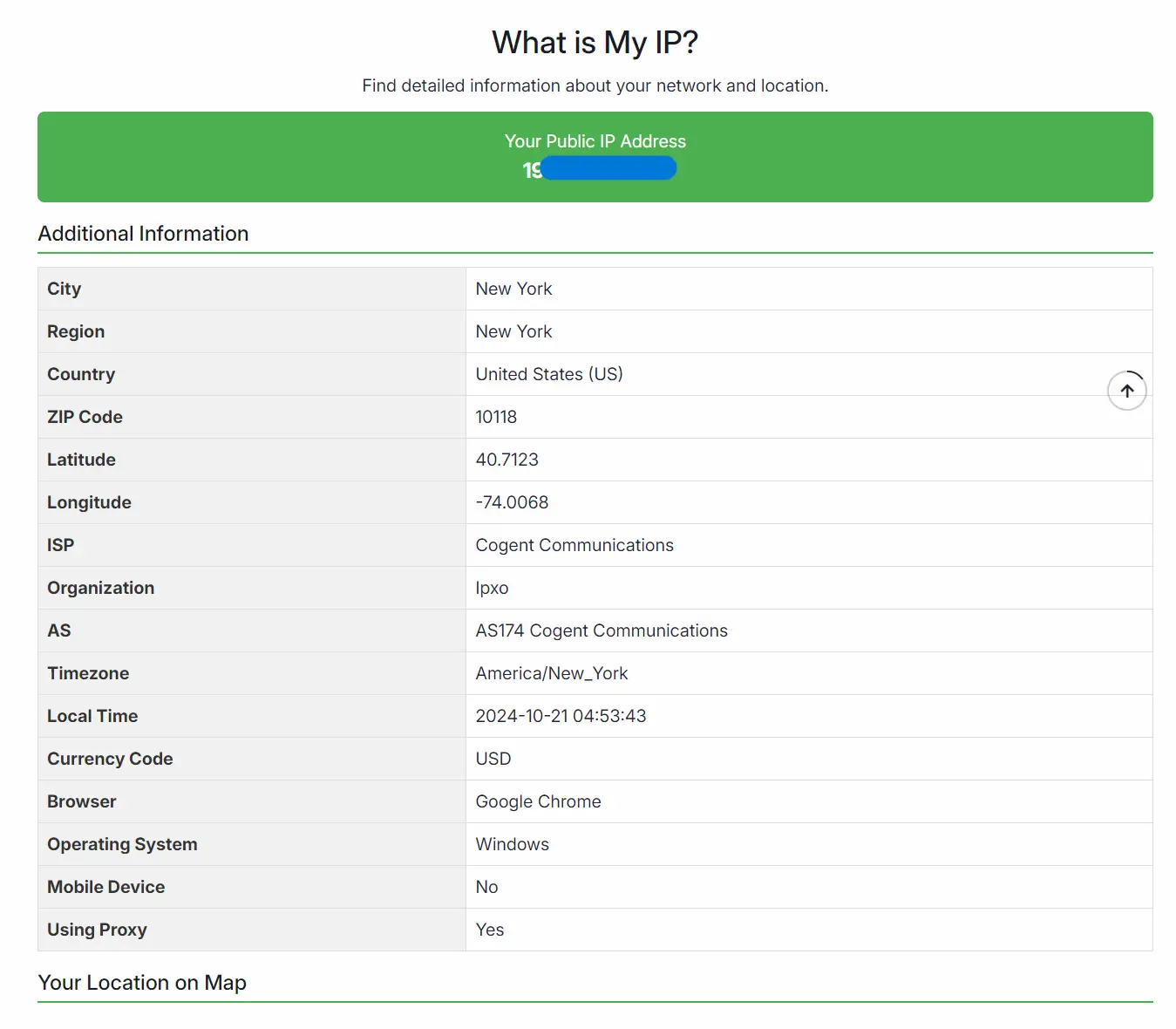
While your IP address is not a direct identifier like your name or social security number, it can reveal a surprising amount of information. The most immediate piece of information it can pinpoint is your approximate geographical location. By looking up your IP address in publicly available databases, it’s possible to determine the city, region, and even the country from which you are browsing. This geolocation data is used by websites for various purposes, such as displaying region-specific content, enforcing geographical restrictions on services, or for advertising targeting. Beyond location, your IP address can also identify your ISP, providing a further layer of understanding about your internet provider. In some cases, especially with static IP addresses, it can be linked to specific organizations or businesses.
Checking and Understanding Your IP Address
Knowing how to find your IP address and what that information signifies is a fundamental step in understanding your digital footprint. There are several straightforward methods to achieve this, catering to different levels of technical comfort.
Simple Online Tools for Finding Your Public IP Address
The easiest and most common way to discover your public IP address is by using online IP checker websites. A quick search for “what is my IP address” on any search engine will yield numerous results. Websites like WhatIsMyIPAddress.com, IPChicken.com, or even Google itself (by searching “my IP”) will display your current public IP address prominently on their homepage. These tools are designed for simplicity and provide a direct answer without requiring any technical expertise. They essentially query your IP address from their server and then display it back to you.
Accessing Your IP Address on Different Devices
While online tools are excellent for finding your public IP, you might also want to know the private IP addresses assigned to your devices within your local network.

On Windows Computers
- Open Command Prompt: Press
Windows Key + R, typecmd, and press Enter. - Type
ipconfig: In the Command Prompt window, typeipconfigand press Enter. - Locate “IPv4 Address”: Look for the section corresponding to your active network adapter (e.g., “Wireless LAN adapter Wi-Fi” or “Ethernet adapter Ethernet”). Under this section, you will find your “IPv4 Address,” which is your private IP address.
On macOS Computers
- Open System Preferences: Click the Apple menu in the top-left corner and select “System Preferences.”
- Go to “Network”: Click on the “Network” icon.
- Select Your Active Connection: Choose your active network connection from the left-hand sidebar (e.g., Wi-Fi or Ethernet).
- View Your IP Address: Your IP address will be displayed on the right-hand side of the window.
On Mobile Devices (iOS and Android)
The process varies slightly between devices, but generally:
- iOS (iPhone/iPad): Go to
Settings>Wi-Fi. Tap the “i” icon next to your connected Wi-Fi network. Your IP address will be listed under the “IP Address” field. - Android: Go to
Settings>Network & internet>Wi-Fi. Tap on your connected Wi-Fi network. You may need to tap on “Advanced” or a similar option to see your IP address details.
The Importance of Knowing Your IP Address for Digital Security and Privacy
Understanding your IP address is more than just a technical curiosity; it’s a crucial element of digital security and privacy. Your IP address is the primary way websites and online services identify and track your activity. This information can be used by advertisers to build profiles of your online habits or by malicious actors to target your network. Knowing your IP address empowers you to take proactive steps to protect your privacy. For instance, you can use a Virtual Private Network (VPN) to mask your real IP address, encrypt your internet traffic, and route your connection through servers in different locations, making it significantly harder for anyone to track your online movements or identify your location. This is particularly important when using public Wi-Fi networks, which are often less secure and more susceptible to interception.
Protecting Your IP Address and Enhancing Online Privacy
In an era where data is a valuable commodity, safeguarding your IP address and, by extension, your online privacy is paramount. While your IP address is a necessary component of internet functionality, its public nature necessitates careful consideration of how it’s used and protected.
Using a Virtual Private Network (VPN)
One of the most effective tools for protecting your IP address and enhancing your online privacy is a Virtual Private Network (VPN). A VPN creates an encrypted tunnel between your device and a remote server operated by the VPN provider. All your internet traffic is then routed through this server. This effectively masks your original IP address, replacing it with the IP address of the VPN server. Consequently, websites and online services you visit will see the VPN server’s IP address, not yours. This not only helps in concealing your geographical location but also adds a significant layer of security, especially when connected to public Wi-Fi networks. Choosing a reputable VPN provider with a strict no-logging policy is crucial to ensure your online activities remain private.
The Role of Proxies in Masking Your IP Address
Similar to VPNs, proxy servers can also be used to mask your IP address. A proxy server acts as an intermediary between your device and the internet. When you connect through a proxy, your requests are sent to the proxy server, which then forwards them to the destination website. The website sees the proxy server’s IP address, not yours. However, proxies generally offer less security and privacy than VPNs. Many free proxy servers do not encrypt your traffic, meaning your data can still be intercepted. Additionally, some proxies may log your activity, defeating the purpose of masking your IP. Paid proxy services often offer more robust features, but for comprehensive privacy and security, a VPN is generally the preferred choice.
Understanding the Implications of Dynamic vs. Static IP Addresses
As discussed earlier, IP addresses can be dynamic or static. For most home users, dynamic IP addresses are assigned by their ISP and can change periodically. This offers a degree of anonymity in that your IP address isn’t permanently tied to your connection. However, it can also pose challenges if you need to access your home network remotely or host services. Static IP addresses, on the other hand, remain constant. While they offer convenience for specific applications, they also make your online presence more consistently identifiable. If you are concerned about being tracked, a dynamic IP address, coupled with other privacy measures, can be beneficial. Conversely, if you require a stable connection for your online activities, understanding the privacy implications of a static IP is essential.
The Future of IP Addressing and Your Digital Footprint
The internet continues to evolve at an unprecedented pace, and the technologies that underpin it are constantly being refined. The transition to IPv6, the increasing sophistication of tracking technologies, and the growing awareness of digital privacy all point towards an ongoing evolution of how our IP addresses function and how we manage our digital footprints.
The Ongoing Transition to IPv6
The global adoption of IPv6 is a critical step in ensuring the internet’s continued growth and connectivity. With the depletion of IPv4 addresses, IPv6 provides a vast address space, enabling billions of new devices to connect to the internet. This transition is a complex undertaking, involving infrastructure upgrades by ISPs, operating system support, and application compatibility. As more devices and networks adopt IPv6, it will become increasingly important to understand how your IP address is represented and managed within this newer protocol. While the core principles of IP addressing remain the same, the format and scale of IPv6 present new considerations for network administrators and users alike.
Emerging Technologies and IP Address Management
The landscape of connected devices is expanding rapidly with the rise of the Internet of Things (IoT). Smart home devices, wearable technology, and industrial sensors all require IP addresses to communicate. This burgeoning ecosystem of connected devices will place further demands on IP address management and will necessitate robust security protocols to protect these often vulnerable endpoints. Furthermore, advancements in network virtualization and software-defined networking (SDN) are changing how IP addresses are assigned and managed within complex network environments. These technologies offer greater flexibility and control but also require a deeper understanding of network architecture.
Your Role in Maintaining Digital Privacy
Ultimately, maintaining your digital privacy is an ongoing effort. Understanding what your IP address is and how it functions is a foundational step. By utilizing tools like VPNs, being mindful of the information you share online, and staying informed about emerging technologies and privacy best practices, you can take greater control over your digital footprint. Your IP address is a key element of your online identity, and by understanding and protecting it, you can navigate the digital world with greater confidence and security. As technology continues to advance, so too must our commitment to safeguarding our online presence.
aViewFromTheCave is a participant in the Amazon Services LLC Associates Program, an affiliate advertising program designed to provide a means for sites to earn advertising fees by advertising and linking to Amazon.com. Amazon, the Amazon logo, AmazonSupply, and the AmazonSupply logo are trademarks of Amazon.com, Inc. or its affiliates. As an Amazon Associate we earn affiliate commissions from qualifying purchases.