
In an era where digital privacy is no longer a luxury but a necessity, the Virtual Private Network (VPN) has become a staple tool for millions of internet users. However, the term “VPN” is often used as a catch-all phrase that obscures a complex ecosystem of different technologies, subscription models, and use cases. You might have downloaded an app years ago, or perhaps your employer installed a configuration profile on your laptop, leaving you wondering: What type of VPN account do I actually have?
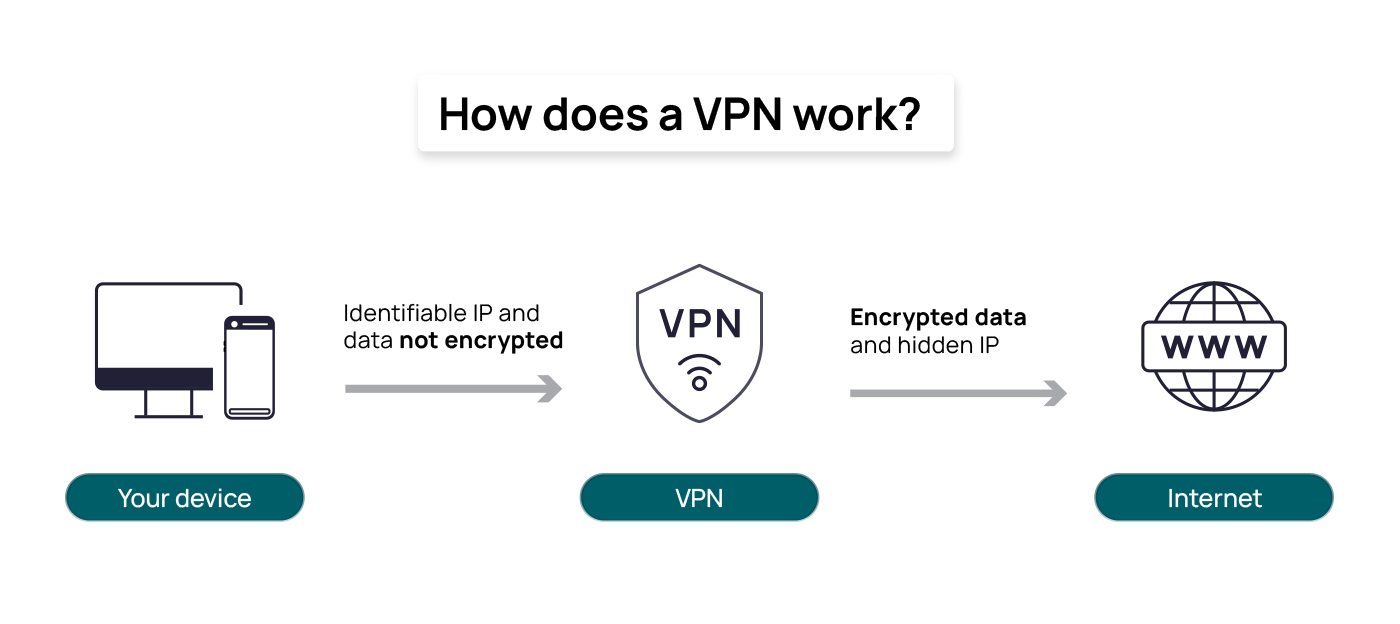
Understanding the specifics of your VPN account is crucial for several reasons. It determines your level of encryption, your connection speeds, your ability to bypass geo-restrictions, and, most importantly, how your personal data is handled. This guide will walk you through the various categories of VPN accounts, from subscription models to technical protocols, helping you identify exactly what kind of digital shield you are using.
Understanding VPN Account Categories by Subscription Model
The most common way users distinguish between VPN accounts is by how they are paid for. The financial structure of a VPN service often dictates the quality of the technology and the level of privacy you can expect.
The Limitations of Free VPN Accounts
If you did not provide a credit card or pay a monthly fee, you likely have a “Free” VPN account. While these are enticing, they come with significant caveats. Free accounts are typically divided into two sub-types: “Freemium” and “Entirely Free.”
Freemium accounts are offered by reputable security companies as a gateway to their paid services. They usually limit your data usage (e.g., 5GB per month) and restrict the number of available server locations. Entirely free VPNs, however, often monetize your experience in other ways. Since they aren’t making money from subscriptions, they may sell your browsing data to advertisers or inject ads into your browser. If your account doesn’t have a data cap but didn’t cost a dime, you should be cautious about the “Tech” infrastructure behind it.
Premium Subscriptions: What Are You Paying For?
A “Premium” or “Paid” VPN account is the gold standard for personal digital security. These accounts typically offer unlimited bandwidth, access to thousands of servers worldwide, and advanced features like “Kill Switches” and “Multi-Hop” (routing your traffic through two servers instead of one).
When you have a premium account, you are paying for the maintenance of high-speed hardware and the development of secure software. Most premium accounts allow for multiple simultaneous connections, meaning you can secure your phone, laptop, and tablet under one subscription.
The Risks and Rewards of Lifetime Licenses
You may have purchased a “Lifetime” VPN account through a third-party deal site. These accounts are a unique niche in the tech world. While they offer great value on paper, they can be risky. Maintaining a global server network is expensive; if a provider stops receiving recurring revenue, the quality of the service may degrade over time, or the company may eventually fold, rendering your “lifetime” access obsolete.
Identifying Your VPN by Protocol and Technology
Beyond the price tag, the “type” of VPN you have is defined by the underlying software protocols it uses to tunnel your data. This is the more technical side of your account, often visible in the “Settings” or “Advanced” menu of your VPN app.
OpenVPN and WireGuard: The Modern Standards
If your VPN app allows you to choose your protocol, look for WireGuard or OpenVPN. If one of these is selected, you have a modern, high-security account.
- WireGuard is the newest industry standard, praised for its lean code and incredible speeds. It is ideal for streaming and gaming.
- OpenVPN has been the reliable workhorse of the industry for over a decade. It is open-source, meaning security experts constantly audit it for vulnerabilities. Having an account that defaults to these protocols suggests a high-tier technical setup.
Identifying Legacy Protocols (PPTP, L2TP/IPSec)
If your account settings show PPTP (Point-to-Point Tunneling Protocol) or L2TP/IPSec, you are likely using an older type of VPN account. PPTP is largely considered obsolete and insecure by modern standards, though it remains fast due to its low encryption overhead. If your provider only offers these protocols, your account may be outdated, and your data might not be as secure as you think.
Stealth and Obfuscated VPN Accounts
Some specialized VPN accounts offer “Obfuscation” or “Stealth” technology. These are designed specifically for users in high-censorship environments (like China or Iran) where standard VPN traffic is blocked by Deep Packet Inspection (DPI). If your account includes “XOR” or “Scramble” features, you have an obfuscated VPN account designed to make encrypted data look like regular HTTPS web traffic.
Determining the Deployment Method: Personal vs. Corporate
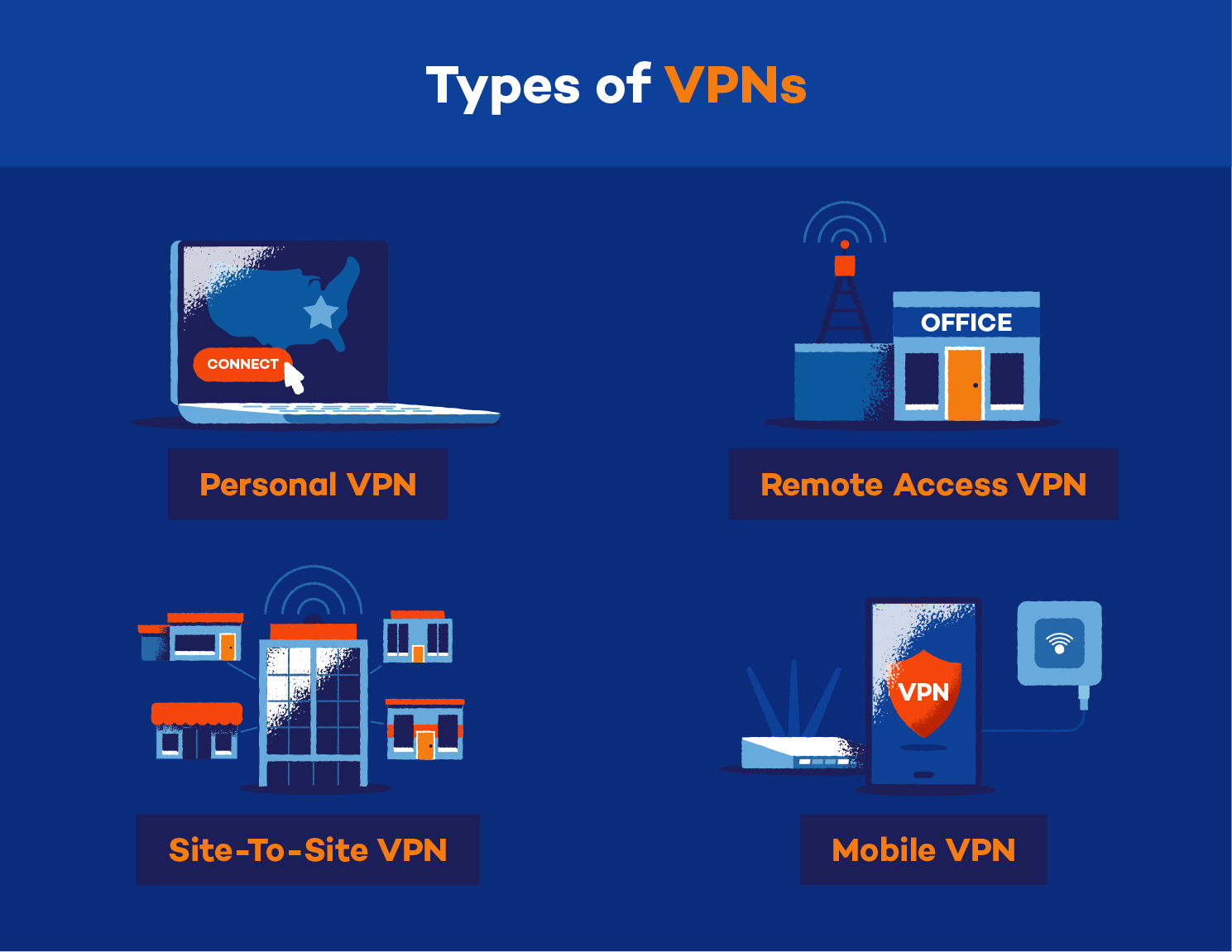
Another way to categorize your VPN account is by its intended environment. A VPN used for watching Netflix is fundamentally different from a VPN used to access a company’s internal database.
Personal Consumer VPNs
Most users have a “Consumer VPN.” These accounts are designed to hide your IP address from the websites you visit and your Internet Service Provider (ISP). The goal here is anonymity and the ability to change your virtual location. In this model, you share an IP address with hundreds of other users, which helps “hide you in the crowd.”
Corporate/Business VPN Accounts (Remote Access)
If you use a VPN to log into your work email or access private company files, you have a “Corporate VPN” or “Remote Access VPN.” Unlike consumer VPNs, these are not designed for anonymity. In fact, your employer likely logs exactly when you connect and what files you access.
Common tech providers for these accounts include Cisco AnyConnect, Fortinet, or Palo Alto Networks. These accounts create a secure “tunnel” directly into your office’s private network, making your computer behave as if it were physically plugged into the office router.
DVPN: The Emerging Decentralized Model
A newer niche in the tech space is the Decentralized VPN (DVPN). If your account is linked to a blockchain or requires “credits” rather than a monthly subscription, you might have a DVPN. In this model, there is no central company owning the servers. Instead, you connect through the devices of other users who are “renting” out their extra bandwidth. This is a highly technical, peer-to-peer approach to privacy.
How to Verify Your Current VPN Details on Your Device
If you are still unsure what you have, you can perform a quick “tech audit” on your device to find the answers.
Checking Account Details via the Provider App
The simplest way is to open your VPN application and look for an “Account” or “Profile” tab. Here, it will usually list your “Plan Type.” Look for keywords like:
- Plan: Monthly, Yearly, or Trial.
- Status: Active or Premium.
- Features: Check if “Dedicated IP” or “Double VPN” is listed.
Inspecting Network Settings on Windows and macOS
If you don’t use a specific app but connect through your computer’s built-in settings, you are likely using a manual configuration.
- On Windows: Go to Settings > Network & Internet > VPN.
- On macOS: Go to System Settings > Network > VPN.
Click on the connection to see the “VPN Type.” If it says IKEv2 or L2TP, you are using a native OS integration, which is common for corporate accounts or manual privacy setups.
Using Online Tools to Verify Encryption and IP Leakage
To see how your account is performing “in the wild,” you can use web-based tech tools. Visit a site like browserleaks.com or ipleak.net while your VPN is active. These sites will tell you:
- Your Virtual IP: Is it in the country you selected?
- DNS Leaks: Is your real ISP’s name appearing anywhere? If it is, you may have a “leaky” or low-quality VPN account.
- WebRTC Leaks: This reveals if your browser is accidentally giving away your real identity despite the VPN.

Choosing the Right Account Type for Your Future Needs
Now that you have identified what type of VPN account you have, the question becomes: Is it the right one for you?
In the fast-evolving tech landscape, the “best” type of account is subjective. If you are a casual browser who just wants to secure public Wi-Fi at a coffee shop, a reputable “Freemium” account or a standard monthly subscription is likely sufficient. However, if you are a remote worker dealing with sensitive corporate data, you must ensure you are using a dedicated Business VPN with end-to-end encryption.
For those focused on high-level digital security, look for accounts that offer a “No-Logs” policy that has been independently audited. This ensures that the VPN provider doesn’t keep a record of your activities, regardless of whether you have a premium, lifetime, or corporate account.
Ultimately, your VPN account is your first line of defense in the digital world. By understanding whether you have a consumer-grade, corporate, or decentralized account—and knowing the protocols that power it—you can take full control of your digital footprint and ensure your technology is working for you, not against you.
aViewFromTheCave is a participant in the Amazon Services LLC Associates Program, an affiliate advertising program designed to provide a means for sites to earn advertising fees by advertising and linking to Amazon.com. Amazon, the Amazon logo, AmazonSupply, and the AmazonSupply logo are trademarks of Amazon.com, Inc. or its affiliates. As an Amazon Associate we earn affiliate commissions from qualifying purchases.