
In the contemporary digital landscape, the way we communicate has undergone a seismic shift. We have moved from the rigid formality of telephone calls to the brevity of SMS, and now, we have landed in the era of asynchronous audio. Voice messaging—once a secondary feature on apps like WhatsApp and Telegram—has become a primary mode of communication for millions. Whether you are using Slack for a quick team update or iMessage to catch up with a friend, knowing what to say in a voice message is only half the battle; understanding the technological nuances of the medium is the other.
As voice-first interfaces and AI-driven transcription become more sophisticated, the “voice note” has evolved into a powerful tool for efficiency. However, because it sits between the intimacy of a phone call and the convenience of a text, many users struggle with its etiquette and execution. This guide explores the technical strategies and content structures required to master the art of the voice message.
1. The Evolution of Asynchronous Audio Technology
To understand what to say in a voice message, one must first understand the technology that facilitates it. Asynchronous audio refers to any audio communication that does not happen in real-time. Unlike a phone call, where both parties must be present, a voice message allows the sender to record at their convenience and the receiver to listen at theirs.
From Voicemail to Instant Audio Clips
The predecessor to the modern voice message was the voicemail. However, voicemail was tethered to the telephony system and often required a cumbersome process of calling a specific number and entering a PIN to retrieve messages. Modern voice messaging tech is integrated directly into the Data Layer of applications. This shift has removed the friction of communication, allowing for “one-tap” recording and instant playback within a chat thread.
The Tech Stack Behind Seamless Voice Messaging
Today’s leading platforms—WhatsApp, Telegram, Signal, and Slack—use advanced audio codecs (such as Opus or AAC) to balance high fidelity with low data consumption. These codecs ensure that even in areas with poor bandwidth, your voice remains intelligible. When you decide what to say, remember that the software is likely compressing your voice. Speaking clearly and at a moderate pace helps the algorithm maintain your vocal clarity during the compression-decompression cycle.
2. Crafting the Perfect Voice Message: A Technical Guide to Content
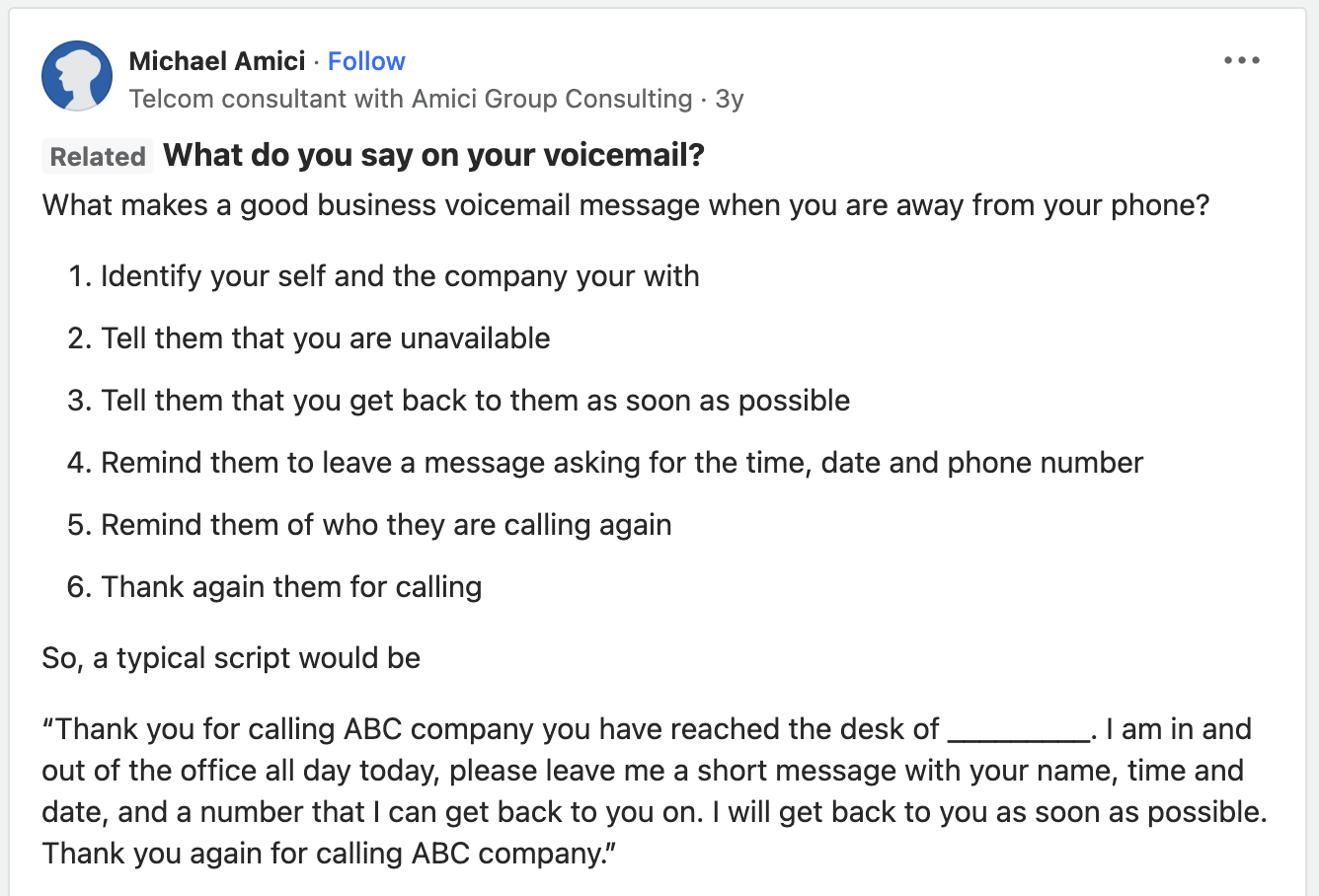
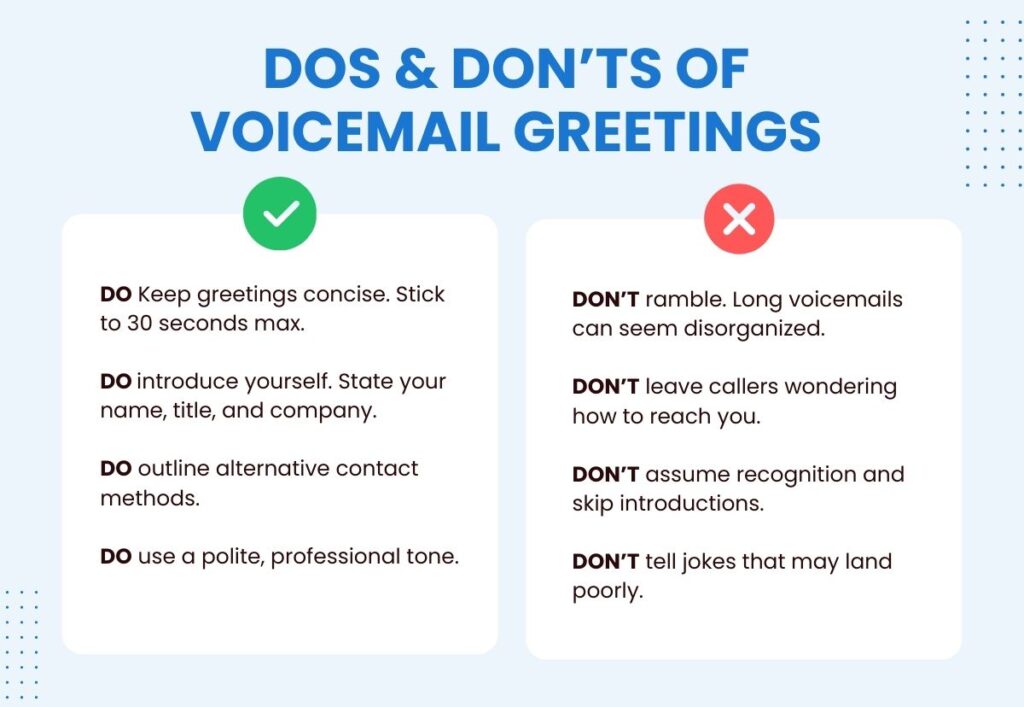
The biggest mistake users make when sending a voice message is treating it like a live conversation. Without the real-time feedback of a “mm-hmm” or a nod, the speaker often rambles. To avoid the dreaded three-minute monologue, you must structure your audio clips with precision.
The Importance of the “First Five Seconds”
In the world of digital content, the “hook” is everything. The same applies to voice messages. Because the recipient can see the duration of the clip before they press play, they are already making a mental commitment. Start your message with a clear “Headline.”
- What to say: “Hey [Name], this is a quick 30-second update regarding the software deployment.”
By stating the purpose immediately, you provide a roadmap for the listener, making them more likely to engage with the content rather than putting it off for later.
The Three-Part Structure: Context, Core, and Call to Action
To keep your messages concise, follow a modular structure similar to a well-coded script:
- Context: Why are you recording this instead of texting? (e.g., “It’s easier to explain this technical bug via audio…”)
- Core: The meat of the message. Stick to one topic per message. If you have three different things to say, consider sending three shorter clips rather than one long one. This allows the recipient to reply to specific points using “thread” features.
- Call to Action (CTA): End with a clear instruction. “Let me know if that logic makes sense,” or “No need to reply, just wanted you to have the info.”
3. Voice Messaging Across Different Tech Ecosystems
The “what” and “how” of a voice message change depending on the platform’s user interface (UI) and intended use case. Different apps have different “social contracts” regarding audio.
Slack and Microsoft Teams: Professional Asynchronous Workflows
In a professional tech environment, voice messages are often used to explain complex logic or provide feedback on design prototypes.
- The Tech Tip: Use the transcription feature. Both Slack and Teams now offer automated transcription. When recording, speak as though you are dictating to an AI. Avoid “umms” and “ahhs,” as these can clutter the generated text that your colleague might read instead of listening.
- What to say: Focus on “The Why.” Use audio for nuance that gets lost in text—like tone of voice during a critique or enthusiasm for a new feature.
iMessage and WhatsApp: Social Networking Etiquette
In social ecosystems, the voice message is often a replacement for a long-form text.
- The Tech Tip: Take advantage of the “Double Speed” (2x) playback feature. When you record, realize that your recipient might be listening at 1.5x or 2x speed. This means your articulation needs to be sharp; high-speed playback can turn a muddled voice into an unintelligible blur.
- What to say: Use these for storytelling or when you are “on the go.” If you are walking through a noisy city, use your hardware’s “Voice Isolation” settings (available on most modern iOS and Android devices) to ensure the background noise doesn’t drown out your message.
4. AI and the Future of Voice Messaging
We are entering an era where the distinction between “voice” and “text” is blurring, thanks to Artificial Intelligence. This technological shift is fundamentally changing what we say and how we interact with our devices.
Automated Transcription and Searchability
One of the historical downsides of voice messages was that they were “dark data”—you couldn’t search for a specific word inside an audio clip. However, with large language models (LLMs) like OpenAI’s Whisper, transcription is becoming near-perfect.
- The Technical Impact: In the near future, you will be able to search your chat history for “Server Password,” and the AI will find the exact second in a voice message where you mentioned it. This means we can start using voice messages for conveying data that we previously thought had to be written down for the sake of documentation.
AI-Enhanced Audio Editing
New software tools are emerging that allow for “text-based audio editing.” If you record a voice message and realize you gave the wrong date for a meeting, AI tools can now allow you to edit the transcript, which then regenerates the audio in your voice with the corrected information. While this is currently more common in podcasting (tools like Descript), it is only a matter of time before this tech hits the “voice note” feature of major messaging apps.
5. Security, Privacy, and Data Management in Audio
Whenever we move communication from our physical mouths to a digital server, security becomes a paramount concern. A voice message is a biometric data point—it contains your unique vocal print.
End-to-End Encryption (E2EE) for Audio Files
When choosing a platform for sensitive technical discussions, ensure it supports end-to-end encryption for voice messages. Apps like Signal and WhatsApp encrypt the audio file before it leaves your device, meaning even the service provider cannot listen to your message. When you are sharing sensitive project details or proprietary code logic, always verify the “lock” icon in your tech stack.
Managing Storage and Digital Footprints
Voice messages take up significantly more storage space than text. A five-minute audio clip can be several megabytes, whereas a text message is a few kilobytes.
- Optimization Tip: Most modern apps have a “disappearing messages” feature or an “autodelete” for voice notes once they have been played. If you are discussing high-security tech specs, set your messages to expire. This prevents a cache of sensitive audio from sitting on a device that might be lost or compromised. Furthermore, be aware of “cloud backups”; even if a message is deleted from your app, it may still exist in an unencrypted iCloud or Google Drive backup.

Conclusion: The New Interface of Human Connection
As we move toward “Ambient Computing,” where screens become less central and voice-activated AI becomes more prevalent, the voice message is the bridge. Knowing what to say in a voice message is about more than just etiquette; it is about leveraging a specific piece of technology to communicate more humanly in a digital-first world.
By mastering the structure of your messages, understanding the codecs and platforms you are using, and staying ahead of AI-driven features like transcription and voice isolation, you turn a simple audio clip into a high-efficiency professional tool. The goal is to be heard, understood, and archived correctly. In the tech-driven future, your voice is your most versatile interface—use it with precision.
aViewFromTheCave is a participant in the Amazon Services LLC Associates Program, an affiliate advertising program designed to provide a means for sites to earn advertising fees by advertising and linking to Amazon.com. Amazon, the Amazon logo, AmazonSupply, and the AmazonSupply logo are trademarks of Amazon.com, Inc. or its affiliates. As an Amazon Associate we earn affiliate commissions from qualifying purchases.