
Embarking on a journey to South Korea promises a captivating blend of ancient traditions and hyper-modern innovation. For the savvy traveler, preparing for this adventure means more than just clothes and toiletries; it means optimizing your tech arsenal to navigate, communicate, capture, and thrive in one of the world’s most digitally advanced nations. This guide focuses exclusively on the technological essentials, ensuring your devices and digital tools enhance every aspect of your Korean experience.
Essential Power & Connectivity Solutions
South Korea’s robust digital infrastructure is a marvel, but to tap into it, your devices need to be powered and connected. Planning your power and internet access before you depart is paramount for a seamless trip.
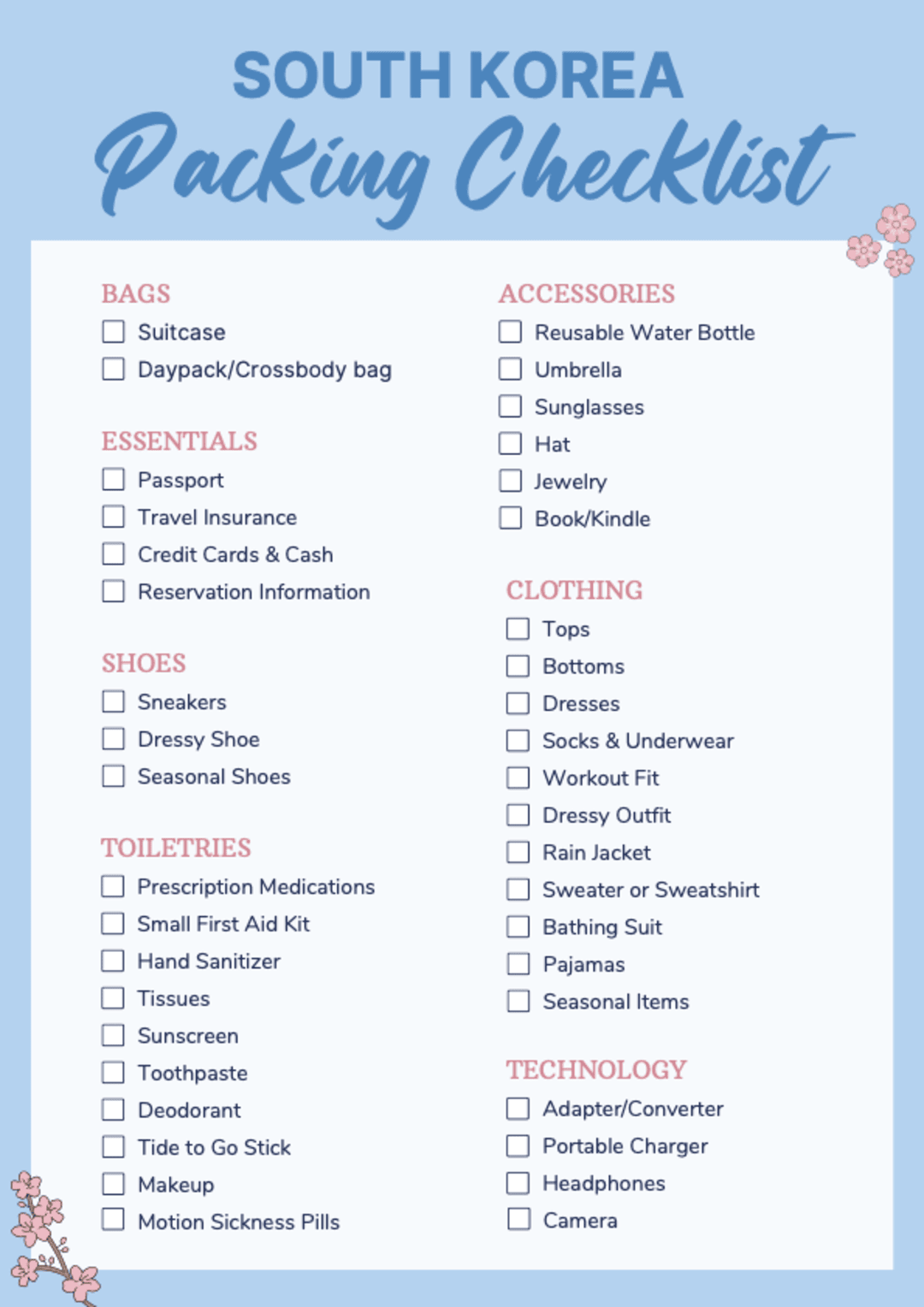
Adapters and Converters: Powering Your Devices
South Korea operates on a 220V supply voltage and uses Type C and Type F power outlets. These are the standard two-round-pin European-style plugs, distinct from the flat-pin outlets common in North America or the three-pin outlets found in the UK.
- Universal Travel Adapter: This is non-negotiable. Invest in a high-quality universal adapter that specifically includes compatibility for Type C and Type F outlets. Many modern universal adapters also feature multiple USB ports, allowing you to charge your phone, smartwatch, and power bank simultaneously without needing multiple bulky adapters.
- Voltage Compatibility: Most modern electronics (smartphones, laptops, camera chargers) are dual voltage (100-240V, 50/60Hz) and can handle Korea’s 220V without a separate voltage converter. Always check the small print on your device charger or power brick. If an item is single-voltage (e.g., 110V only), you would need a voltage converter, though these are less common for portable electronics. Stick to dual-voltage devices to simplify your packing.
- Multi-Port USB Wall Charger: Beyond a simple adapter, consider a compact multi-port USB wall charger. This allows you to charge several USB-powered devices (phone, earbuds, e-reader, power bank) from a single Korean outlet, minimizing adapter usage and freeing up other outlets if you have them. Look for models with Quick Charge or Power Delivery (PD) capabilities for faster charging.
Stay Connected: eSIMs, Local SIMs, and Portable Wi-Fi
Connectivity is not a luxury in South Korea; it’s a necessity for navigation, translation, and communication. With lightning-fast 5G networks, staying online is effortless if you plan ahead.
- eSIM Technology: For newer smartphones, an eSIM offers unparalleled convenience. You can purchase and activate a data plan online before you even leave home, arriving in Korea with instant connectivity. This eliminates the need to swap physical SIM cards and allows you to keep your home number active for calls/texts while using the eSIM for data. Popular providers offer various data packages tailored for tourists.
- Local Physical SIM Cards: If your phone doesn’t support eSIMs or you prefer a traditional approach, consider purchasing a local SIM card upon arrival. Major providers like KT, SK Telecom, and LG U+ offer prepaid SIM cards for tourists with good data allowances. You can often pick these up at airports (Incheon, Gimpo) or convenience stores. Be sure your phone is unlocked before traveling.
- Portable Wi-Fi (Pocket Wi-Fi): A pocket Wi-Fi device is an excellent option for groups or travelers with multiple Wi-Fi-only devices (e.g., tablet, laptop). These devices create a personal hotspot, providing internet access for several devices simultaneously. You can rent them at Korean airports or pre-book online for pickup. The battery life is a key consideration, so a power bank for the pocket Wi-Fi itself might be necessary.
- Roaming Plans: While generally more expensive, check with your home mobile carrier about international roaming packages. Sometimes, for short trips or specific needs, these can be a convenient (though costly) backup. Understand the data limits and potential overage charges.
Portable Power: Battling Battery Drain
Exploring South Korea, particularly its bustling cities, means heavy reliance on your smartphone for maps, photos, and information. A dead battery is a digital catastrophe.
- High-Capacity Power Bank: A power bank (portable charger) is an absolute essential. Opt for one with at least 10,000mAh capacity, capable of recharging your smartphone 2-3 times. For longer days or multiple devices, a 20,000mAh model might be preferable. Ensure it supports fast charging (PD or Quick Charge) for your devices.
- Charging Cables: Pack multiple charging cables for all your devices (USB-C, Lightning, Micro-USB). Having spares is wise, and consider shorter cables for the power bank and longer ones for hotel room outlets. A durable, braided cable can withstand the rigors of travel better.
- Car Charger (if applicable): If you plan on renting a car, a USB car charger (and corresponding cables) will be invaluable for keeping your navigation device (your phone) powered throughout your drives.
Your Digital Toolkit: Devices and Must-Have Apps
Beyond power, the right devices and software are your co-pilots in navigating South Korea’s unique digital landscape.
The Indispensable Smartphone
Your smartphone will be your primary tool for almost everything. Ensure it’s fully updated, unlocked (if using a local SIM), and has ample storage for photos and new apps.
- Primary Device: Your smartphone (iOS or Android) will serve as your camera, map, translator, communication hub, and more. Make sure it’s robust and reliable.
- Secondary Device (Optional): A small tablet or an old smartphone can serve as a backup for maps, entertainment, or emergencies, particularly if you’re concerned about losing or damaging your main device. An e-reader (Kindle, Kobo) is also excellent for downtime, offering long battery life and reducing eye strain.
- Quality Headphones/Earbuds: Noise-canceling headphones are a godsend for long flights, noisy public transport, or simply finding a moment of calm. Wireless earbuds are great for hands-free navigation and communication.

Navigation & Translation: Your Digital Guides
While English is spoken in major tourist areas, having reliable digital aids for navigation and translation will significantly enhance your independence and experience.
- Local Mapping Apps: Google Maps is not fully optimized for South Korea, especially for public transport and walking directions. Instead, download and familiarize yourself with Naver Map and KakaoMap. These are the gold standards for local navigation, offering detailed public transport routes (subway, bus), walking directions, real-time traffic, and points of interest.
- Translation Apps: Papago (Naver’s translation app) is indispensable. It offers text, voice, and image translation, often performing better than Google Translate for Korean. Google Translate remains a good backup. Download offline language packs for emergencies.
- Public Transportation Apps: In addition to Naver Map/KakaoMap, consider dedicated apps like Subway Korea or KakaoMetro for detailed subway maps, route planning, and real-time train information.
- Weather App: A reliable weather app (e.g., AccuWeather, or your phone’s built-in app) will help you plan your daily activities and wardrobe.
Seamless Payments & Communication
South Korea is highly digitized, and cash is becoming increasingly less common. Prepare for mobile and card-based transactions.
- Mobile Payment Apps: While international credit cards (Visa, Mastercard) are widely accepted, familiarize yourself with local mobile payment systems. KakaoPay and Naver Pay are dominant. While often requiring a local bank account or resident registration for full functionality, some services may allow limited use for tourists. Keep your international credit card apps updated for easy transaction monitoring.
- Messaging Apps: KakaoTalk is the ubiquitous messaging app in South Korea, essential for communicating with locals, tour guides, and even some businesses. Download and set up an account before you arrive. WhatsApp is less common but useful for communicating with other international travelers.
- Banking Apps: Ensure your home banking app is installed and functioning for checking balances, transaction alerts, and managing your travel budget. Inform your bank of your travel dates to avoid fraud alerts or card suspensions.
Capturing Memories: Camera Considerations
While your smartphone camera is powerful, dedicated camera gear can elevate your photography.
- Mirrorless or DSLR Camera (Optional): If photography is a passion, a dedicated camera with versatile lenses will yield superior image quality. Ensure you pack spare batteries, sufficient SD cards, and a protective bag.
- Action Camera (e.g., GoPro): Great for capturing dynamic footage, especially if you plan on hiking, skiing, or engaging in other outdoor activities. Don’t forget mounting accessories.
- Portable Tripod/Gimbal: A small, lightweight tripod can be useful for low-light photography, stable video, or timed self-portraits. A smartphone gimbal can significantly improve video stability.
- Cloud Backup Solution: Before you go, set up automatic photo backup to a cloud service (Google Photos, iCloud, Dropbox). This provides an invaluable safety net should your phone or camera be lost or damaged.
Digital Security & Smart Accessories
Protecting your digital footprint and enhancing your comfort are key components of smart tech packing.
Protecting Your Digital Footprint Abroad
Travel exposes you to various digital security risks, from public Wi-Fi vulnerabilities to device theft.
- Virtual Private Network (VPN): A reputable VPN service is crucial when using public Wi-Fi networks in airports, cafes, or hotels. It encrypts your internet traffic, protecting your personal data from potential eavesdropping.
- Device Security: Ensure all your devices have strong passcodes, biometric security (fingerprint, face ID), and “Find My Device” features enabled. Back up all critical data before you leave. Consider travel insurance that covers electronics.
- Two-Factor Authentication (2FA): Enable 2FA on all important accounts (email, banking, social media). If you use SMS-based 2FA, ensure your home number will be able to receive texts while abroad. Authenticator apps (e.g., Google Authenticator, Authy) are often more reliable.

Enhancing Comfort and Convenience
Thoughtful tech accessories can significantly improve your travel comfort and organization.
- Cable Organizer: A small tech pouch or cable organizer prevents tangled wires and keeps all your chargers, adapters, and cables neatly bundled and easily accessible.
- Portable SSD/USB Drive: For backing up large files from a camera or laptop, a portable SSD or high-capacity USB drive offers an additional layer of data security beyond cloud storage.
- Smartwatch: A smartwatch can be incredibly convenient for checking notifications, time zones, step counting, and even contactless payments, all without constantly pulling out your phone.
- Digital Luggage Scale: While not strictly for Korea, a small digital luggage scale can save you from overweight baggage fees on your return journey, especially if you plan on doing some tech shopping.
By meticulously planning your tech packing, you ensure that your journey to South Korea is not only enjoyable but also incredibly efficient and digitally empowered. With the right gadgets and apps, you’re ready to navigate, communicate, and immerse yourself fully in this dynamic nation.
aViewFromTheCave is a participant in the Amazon Services LLC Associates Program, an affiliate advertising program designed to provide a means for sites to earn advertising fees by advertising and linking to Amazon.com. Amazon, the Amazon logo, AmazonSupply, and the AmazonSupply logo are trademarks of Amazon.com, Inc. or its affiliates. As an Amazon Associate we earn affiliate commissions from qualifying purchases.