
The Fundamentals of Engineering (FE) Exam marks a pivotal step in an aspiring engineer’s career path. Beyond the rigorous intellectual preparation, success on this computer-based test heavily relies on bringing the right technological tools and a deep familiarity with the digital testing environment. This isn’t merely about physical items; it’s about optimizing your interaction with the digital interface and leveraging permitted technology to its fullest. Approaching the FE exam strategically means understanding the critical role of your calculator, the efficacy of digital study aids, and how to master the nuances of a standardized computer-based test.
Essential Gadgets: The Approved Calculator
Perhaps the most crucial physical item you “bring” to the FE exam that falls squarely into the tech category is your engineering calculator. The National Council of Examiners for Engineering and Surveying (NCEES) maintains an extremely strict calculator policy, and adhering to it is non-negotiable for entry into the testing center. This isn’t just a matter of compliance; your calculator is your primary computational tool, and knowing its capabilities intimately can significantly impact your performance.
Understanding NCEES Calculator Policy
The NCEES calculator policy is designed to ensure fairness and prevent the use of devices that could provide an unfair advantage. It’s imperative to consult the official NCEES website for the most current list of approved calculators. This list is specific and unforgiving; bringing a non-approved model, even one with similar functionality, will result in it being confiscated, and you may be denied entry. Typically, programmable calculators, those with QWERTY keypads, or those capable of wireless communication are strictly forbidden. The approved models are usually scientific or engineering calculators from specific series by Texas Instruments, Casio, and Hewlett Packard. Always double-check the exact model numbers; a single digit or letter difference can deem your calculator unacceptable. This policy is reviewed periodically, so always refer to the latest update provided by NCEES.
Top Recommended Models and Their Features
Among the NCEES-approved calculators, a few models consistently rise to the top for their robust functionality and user-friendliness. The Texas Instruments TI-36X Pro is a perennial favorite, lauded for its multi-line display, equation solver, unit conversions, and complex number capabilities. Its intuitive menu structure allows for quick access to various engineering functions, making it a powerful ally. Another strong contender is the Casio fx-115ES Plus (or its newer iterations like the fx-991EX ClassWiz), which offers similar advanced functions, including natural display input, matrices, and vector calculations. Many engineers appreciate its speed and comprehensive feature set. For those accustomed to RPN (Reverse Polish Notation) or who prefer a more traditional scientific calculator feel, the HP 35s is an excellent choice, providing powerful equation solving, statistical analysis, and a two-line display. Regardless of the model chosen, the key is not just its features, but your proficiency with them.
Mastering Your Calculator Before Exam Day
Possessing a high-end, NCEES-approved calculator is only half the battle; the other half is achieving complete mastery over its functions. Your calculator should feel like an extension of your mind. Long before exam day, dedicate significant time to practicing with your chosen model. Learn every relevant function: unit conversions, complex number operations, matrix algebra, statistical regression, calculus functions, and the equation solver. Time yourself on common calculations to build speed and accuracy. Practice retrieving values from memory, navigating menus, and inputting complex equations efficiently. Avoid the common mistake of buying a new calculator just weeks before the exam; the learning curve can be steep, and fumbling with unfamiliar buttons under timed pressure is a recipe for disaster. Ensure your calculator has fresh batteries, or bring spares if your model allows for user replacement within the testing center rules. A calculator failure due to low power on exam day is a preventable catastrophe.
Digital Toolkit for Preparation: Software and Online Resources
While your physical calculator is paramount for exam day, the “tech” you bring to your preparation is equally critical. Modern FE exam prep is deeply integrated with digital tools, from specialized software to vast online question banks. Leveraging these resources effectively can significantly streamline your study process, identify weaknesses, and build confidence.
FE Exam Preparation Software Reviews
A plethora of software and online platforms exist specifically for FE exam preparation, each offering a unique set of features. Programs from providers like Kaplan Engineering Education, PPI2Pass (Professional Publications, Inc.), and School of PE offer comprehensive study packages. These typically include diagnostic tests to pinpoint areas needing improvement, extensive video lectures, digital textbooks, and simulated full-length exams that mimic the actual NCEES computer-based interface. Look for software that provides detailed explanations for solutions, allows for personalized study plans, and tracks your progress. Some platforms even incorporate adaptive learning algorithms that adjust the difficulty and focus of questions based on your performance, maximizing study efficiency. Before committing, explore trial versions or demos to ensure the platform’s interface and teaching style align with your learning preferences.
Leveraging Online Question Banks and Practice Tests
Beyond comprehensive courses, specialized online question banks are indispensable. Websites and applications providing thousands of practice problems, such as those from Wasim Asghar (DirectHub) or even generic engineering problem sites, offer invaluable opportunities for drilling. The sheer volume of problems, often categorized by subject and difficulty, allows for targeted practice. Many question banks feature detailed, step-by-step solutions, which are crucial for understanding underlying concepts rather than just memorizing answers. The ability to create custom quizzes, simulate timed sections, and review performance analytics helps in identifying persistent errors and solidifying understanding. Do not underestimate the power of taking multiple full-length practice exams using these digital platforms. This not only reinforces knowledge but also builds stamina and familiarizes you with the pacing required for the actual test. Remember to also utilize the official NCEES practice exam, as it offers the most accurate representation of the exam’s format, question types, and interface.

Digital Note-Taking and Study Aids
The digital age offers powerful alternatives to traditional pen-and-paper note-taking. Tools like Evernote, OneNote, or specialized study apps allow you to consolidate all your study materials in one searchable, accessible location. You can integrate notes from lectures, scanned textbook pages, problem solutions, and even embed links to external resources. The ability to search through thousands of pages of notes instantly is a massive advantage during review. Furthermore, digital flashcard applications like Anki can significantly enhance memory retention for formulas, definitions, and key concepts. Create custom decks, utilize spaced repetition algorithms, and integrate multimedia elements like diagrams or short video clips. These digital aids make your study process more dynamic, organized, and effective, essentially allowing you to “bring” a highly structured and personalized knowledge base to your preparation.
Navigating the Computer-Based Test Environment
The FE exam is a computer-based test (CBT), meaning your interaction with the examination material is entirely digital. Successfully navigating this environment is as important as understanding the engineering principles being tested. Your “readiness” to engage with this digital platform is a key component of what you bring to the exam.
Familiarizing Yourself with the Interface
The NCEES provides a free online tutorial that meticulously walks you through the actual test interface. This resource is not optional; it’s mandatory. Spend ample time navigating the tutorial, understanding how to move between questions, mark questions for review, access the on-screen calculator (though you’ll likely use your physical one), and utilize the digital scratchpad. Knowing precisely where everything is and how it functions will save precious minutes on exam day and reduce anxiety. Understand the layout of the question and answer choices, how to scroll through long passages, and the process for submitting your answers. A smooth interaction with the interface allows you to focus purely on the engineering problems, rather than struggling with the mechanics of the test itself.
Digital Reference Handbook: A Strategic Tool
During the exam, you will have access to the NCEES FE Reference Handbook in a digital, searchable PDF format. This is perhaps the most significant digital tool available during the exam. Your strategy should not be to memorize every formula in the handbook, but rather to know where to find them quickly. Practice using the digital handbook’s search function during your mock exams. Understand how its table of contents is organized. Familiarize yourself with the exact terminology used in the handbook, as this will optimize your search queries. For instance, knowing if a formula is listed under “Fluid Mechanics” or “Hydraulics” can save crucial time. Efficiently locating formulas and data in the digital handbook is a learned skill that requires dedicated practice; treating it as an open-book test without prior digital navigation practice is a common pitfall.
Managing Your Time with Digital Precision
The computer-based format includes an on-screen timer that continuously counts down. This digital display is your constant companion and a critical tool for time management. Develop a strategy for pacing yourself across the two sections of the exam. Understand how many minutes you can allocate per question on average. If you find yourself spending too much time on a particular problem, use the “flag for review” feature and move on. The digital interface allows for seamless navigation back to flagged questions. Practice this time management strategy during your full-length practice exams. The ability to quickly identify and return to challenging problems without losing your place in the overall flow is a key advantage of the digital format, but only if you are practiced in its use.
Pre-Exam Tech Checklist and Troubleshooting
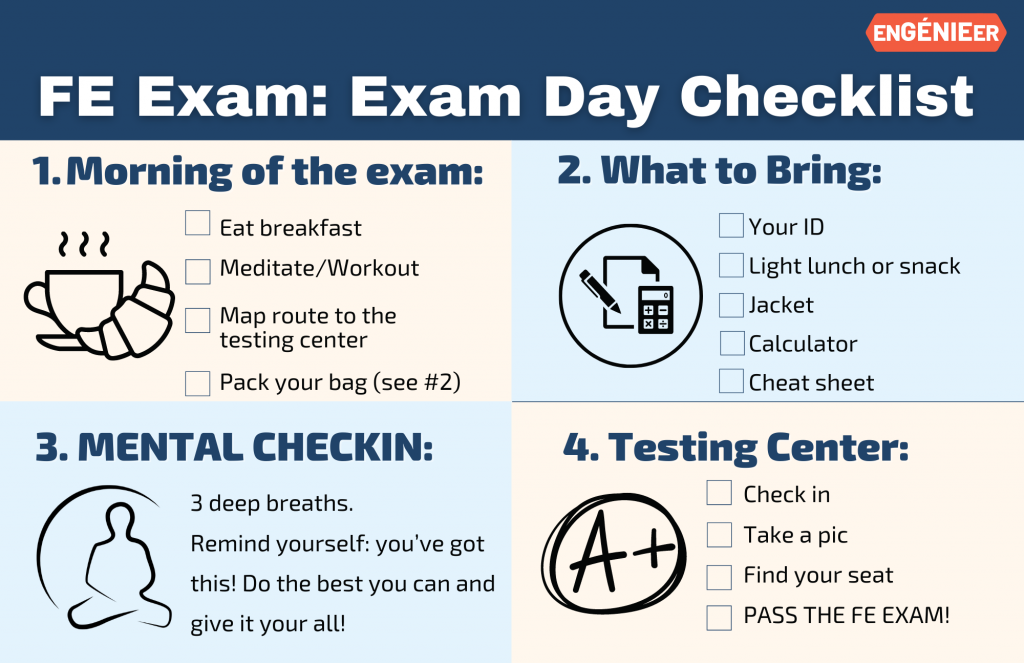
As exam day approaches, a final review of your technological readiness can alleviate last-minute stress and prevent unforeseen issues. This checklist encompasses both the physical tech you carry and your mental preparedness for the digital experience.
Ensuring Your Tools are Ready
The night before the exam, confirm your NCEES-approved calculator is fully functional. Check its battery level; if it takes standard batteries, consider replacing them or ensuring you have a fresh set to bring (if permitted by testing center rules for specific models). Clean the calculator, ensuring all buttons are responsive. Verify its model number against the latest NCEES approved list one last time. If you typically use a specific type of pen or pencil for scratch work, ensure you have it ready, though the test center will provide these. While the exam is computer-based, a comfort with your personal, familiar tools can subtly enhance your focus.

Mental Preparation for a Digital Exam
Beyond the tangible, “bringing” the right mental state for a digital exam is crucial. Prepare for potential screen fatigue by taking short breaks during your practice exams. Familiarize yourself with the idea that you won’t be writing extensively on paper, but rather interacting with a mouse and keyboard for navigation and digital scratchpad use. Understand that technical issues, though rare, can occur. Mentally prepare for how you would handle a computer glitch: remain calm, immediately notify the test center administrator, and trust their process for resolution, which typically involves pausing your exam timer. Confidence in your technological preparedness allows you to dedicate 100% of your cognitive energy to solving complex engineering problems, rather than wrestling with the tools or the testing environment.
aViewFromTheCave is a participant in the Amazon Services LLC Associates Program, an affiliate advertising program designed to provide a means for sites to earn advertising fees by advertising and linking to Amazon.com. Amazon, the Amazon logo, AmazonSupply, and the AmazonSupply logo are trademarks of Amazon.com, Inc. or its affiliates. As an Amazon Associate we earn affiliate commissions from qualifying purchases.