
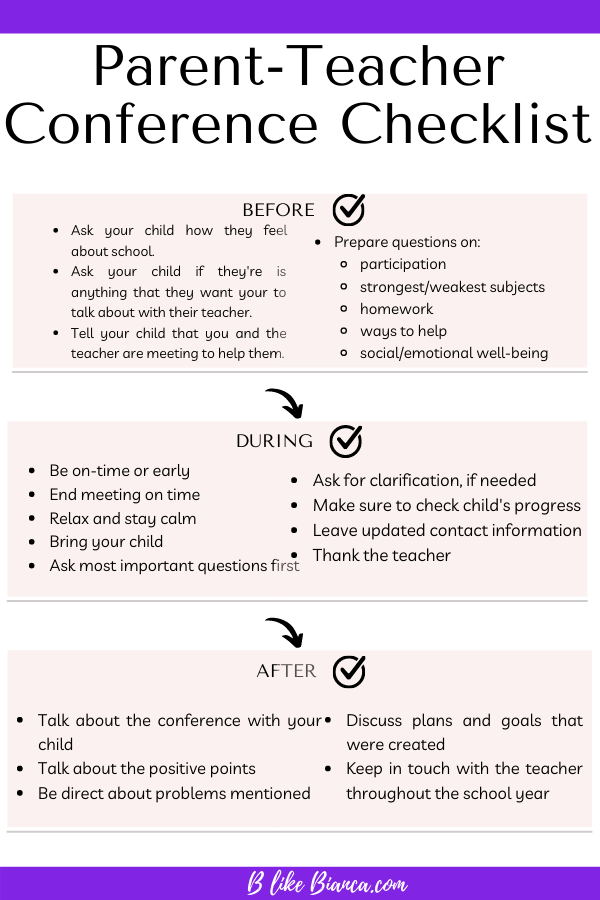
In an era defined by rapid technological advancement, the modern educational landscape is inextricably linked to digital tools, platforms, and competencies. A parent-teacher conference, traditionally a forum for discussing academic progress and social development, now presents a crucial opportunity to delve into your child’s engagement with technology in the classroom and beyond. Understanding how technology is leveraged, managed, and taught is paramount for ensuring your child is not just keeping up, but thriving and preparing for a future increasingly shaped by AI, automation, and digital innovation. This guide will help you formulate insightful questions focused exclusively on the technological dimension of your child’s education.
Navigating the Digital Classroom: Understanding Technology Integration
The integration of technology into daily classroom activities is no longer supplementary but foundational. From interactive whiteboards to individualized learning software, understanding the specific tools and strategies employed can provide significant insight into your child’s learning environment.
Digital Tools for Core Learning
Inquire about the specific digital tools and platforms your child uses for their core subjects. Knowing these resources allows you to support learning at home and understand the methodologies employed.
- What specific educational software, apps, or online platforms are regularly utilized in the classroom for subjects like mathematics, language arts, science, or social studies? Are these school-mandated or teacher-selected?
- How are these digital tools enhancing traditional teaching methods? For instance, are they used for differentiated instruction, collaborative projects, or simulated experiments?
- Is artificial intelligence (AI) being integrated into any learning modules or assessment tools? If so, how is it applied, and what are the school’s policies regarding its ethical use by students?
- Are there specific digital resources or platforms recommended for home use that align with classroom learning? How can parents access these or receive guidance on their functionality?
Assessing Digital Engagement and Proficiency
Beyond simply using technology, it’s vital to understand how your child’s engagement and proficiency with digital tools are assessed and supported. This goes beyond mere screen time to genuine skill development.
- How is my child’s engagement with digital learning tools monitored and evaluated? Are there metrics for participation, completion, or mastery within these platforms?
- What is my child’s current level of proficiency with essential digital skills, such as navigating educational software, conducting online research, or using productivity suites (e.g., word processors, presentation software)?
- Are there opportunities for my child to develop more advanced digital skills, such as basic coding, digital design, or multimedia creation, within the curriculum or through extracurricular activities?
- How does the school address disparities in digital literacy among students, ensuring all children have equitable access to and competence with necessary technologies?
Bridging School and Home Technology
Ensuring a cohesive technological experience between school and home can significantly enhance learning outcomes. This involves understanding device policies and access.
- What are the school’s policies regarding student-owned devices (BYOD – Bring Your Own Device), if applicable? How are these policies enforced, and what are the expectations for responsible usage?
- Does the school provide devices (e.g., Chromebooks, tablets) for student use, either in class or for home assignments? What are the procedures for maintenance, troubleshooting, and replacement?
- How does the school ensure that assignments requiring technology can be completed by students who may have limited internet access or device availability at home? Are there on-campus resources or alternative solutions provided?
Digital Citizenship and Online Safety: Essential Inquiries
In an increasingly connected world, teaching responsible digital citizenship and ensuring online safety are paramount. Parent-teacher conferences are an ideal time to discuss the school’s approach to these critical areas.
School Policies on Device Usage and Online Conduct
Understanding the rules governing technology use within the school environment is fundamental to reinforcing these principles at home.
- What are the school’s explicit rules and guidelines concerning internet usage, social media, and digital communication among students? How are these communicated to students?
- Are there specific content filters or monitoring systems in place for school-provided devices and network access? What is the scope of this monitoring, and how is student privacy protected?
- What are the consequences for violating digital conduct policies, and how are these incidents handled? Is there a focus on educational remediation in addition to disciplinary action?
Promoting Responsible Digital Habits
Schools play a vital role in educating students about ethical online behavior, critical evaluation of information, and the long-term impact of their digital footprint.
- How does the curriculum incorporate lessons on digital citizenship, including topics like online etiquette, identifying misinformation, intellectual property rights, and responsible content creation?
- What strategies does the school employ to teach students about maintaining a positive and safe online presence?
- Are students educated on the permanence of their digital footprint and the implications for their future academic and professional lives?
- How does the school encourage healthy digital habits, such as managing screen time, avoiding digital distractions, and promoting offline activities?

Addressing Cyber-Safety and Digital Well-being
Cyberbullying and other online threats are serious concerns. Parents need to know how schools proactively prevent and react to such issues, while also considering the broader impact of technology on mental health.
- What protocols are in place to prevent and address cyberbullying or online harassment? How can students report incidents confidentially, and what support systems are available?
- How does the school educate students about recognizing and reporting suspicious online interactions or potential predators?
- Are there resources or counseling available for students experiencing digital stress, anxiety, or addiction related to technology use?
- How does the school partner with parents to create a unified approach to cyber-safety education and intervention?
Leveraging Educational Technology for Student Progress and Support
Modern educational technology offers sophisticated ways to track progress, personalize learning, and provide targeted support. Understanding these functionalities can empower parents to better support their child’s academic journey.
Data-Driven Insights: Accessing Performance Metrics
Digital platforms often provide a wealth of data about student performance. Knowing how to access and interpret this information is key to staying informed.
- What digital portal or platform does the school use for parents to monitor grades, attendance, assignment completion, and communication with teachers?
- Beyond grades, what specific data points related to digital engagement or performance are available to parents (e.g., time spent on learning modules, quiz attempts, progress through adaptive learning paths)?
- How often is this digital information updated, and what is the best way to interpret the data presented? Are there tutorials or guides available for parents?
- If my child is struggling in a particular area, can the digital platform provide specific insights into why (e.g., difficulty with certain concepts, lack of engagement with practice problems)?
Personalized Learning through Adaptive Technologies
Many educational technologies now offer adaptive learning paths, tailoring content to individual student needs.
- Are adaptive learning technologies being used in my child’s classroom? If so, how do they personalize the learning experience for individual students?
- How can parents understand the specific learning path or recommendations generated by these adaptive platforms for their child?
- What evidence does the school have regarding the effectiveness of these personalized technology solutions in improving student outcomes?
- How does the teacher review and override recommendations from adaptive learning systems, ensuring a balanced approach that combines AI insights with professional judgment?
Tech-Enhanced Support for Diverse Learners
Technology can be a powerful equalizer, providing crucial support for students with diverse learning styles or special educational needs.
- What assistive technologies (e.g., text-to-speech, speech-to-text, screen readers, magnifiers) are available to students who require them?
- How does the school use technology to provide differentiated instruction or accommodations for students with identified learning disabilities or special needs?
- Are there specific apps or digital tools recommended for students who benefit from visual aids, auditory support, or interactive learning to reinforce concepts?
- How does technology help facilitate communication and collaboration for students who may have language barriers or social anxieties?
Future-Proofing Skills: Preparing for an Evolving Tech Landscape
Beyond current curriculum, a crucial aspect of education is preparing students for a future where technological fluency is indispensable. Parent-teacher conferences are a chance to assess how the school is cultivating these future-ready skills.
Cultivating Future-Ready Competencies
Focus on questions that reveal how the school is actively developing skills like computational thinking, digital literacy, and innovation.
- How does the curriculum evolve to keep pace with emerging technologies and industry demands? For instance, is there an emphasis on computational thinking, data literacy, or basic programming skills?
- What opportunities are provided for students to engage in project-based learning that involves technology, such as robotics, coding, or digital media production?
- How does the school foster critical thinking skills in the context of digital information, helping students discern credible sources and navigate complex online environments?
- Are students taught about the ethical implications of emerging technologies, such as AI, and encouraged to consider their societal impact?
Exploring Extracurricular Tech Opportunities
Learning often extends beyond the classroom. Inquire about optional programs that can deepen a child’s technological interests.
- Are there any extracurricular clubs or activities focused on technology, such as a coding club, robotics team, or a digital media production group?
- Does the school participate in any inter-school technology competitions or science fairs that involve digital projects?
- Are there opportunities for students to connect with professionals in technology fields through school-sponsored events, mentorships, or guest speakers?
Understanding Curriculum Evolution in Tech
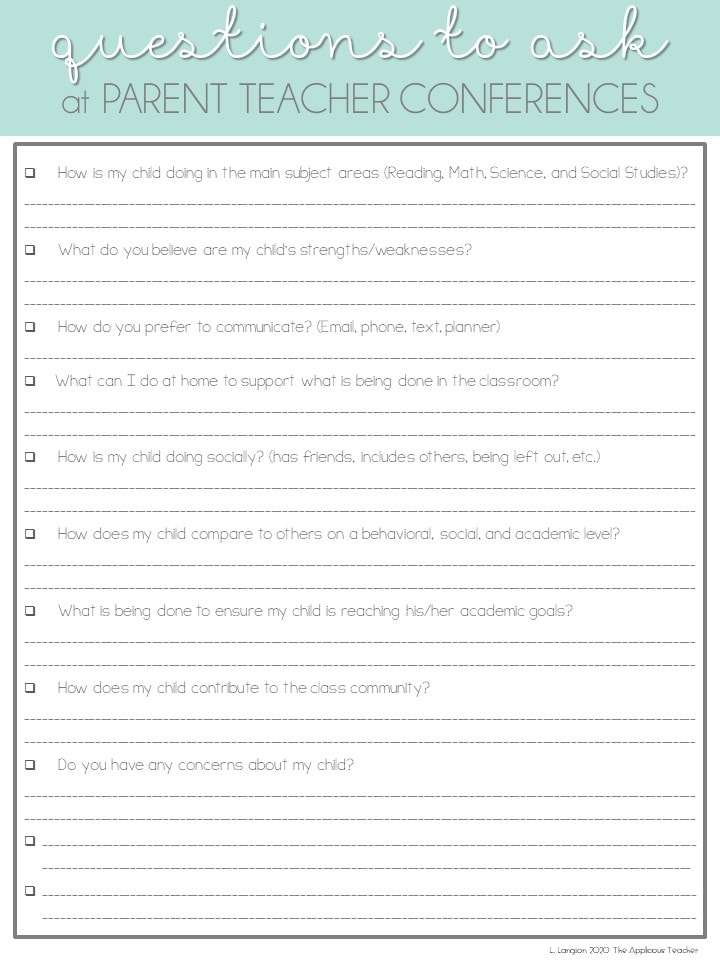
Technology changes rapidly. Understanding how the school updates its approach to tech education is vital.
- How frequently is the school’s technology curriculum reviewed and updated to reflect new developments and best practices?
- What professional development opportunities are available to teachers to ensure they remain proficient with new educational technologies and teaching methodologies?
- How does the school solicit feedback from students, parents, and industry experts to inform its technology strategy and curriculum development?
By focusing your parent-teacher conference questions through the lens of technology, you gain a comprehensive understanding of how your child is being equipped with the essential digital skills and knowledge needed for success in the 21st century. This proactive approach ensures a partnership that supports both academic excellence and future readiness.
aViewFromTheCave is a participant in the Amazon Services LLC Associates Program, an affiliate advertising program designed to provide a means for sites to earn advertising fees by advertising and linking to Amazon.com. Amazon, the Amazon logo, AmazonSupply, and the AmazonSupply logo are trademarks of Amazon.com, Inc. or its affiliates. As an Amazon Associate we earn affiliate commissions from qualifying purchases.