
For many Chime users, the ability to deposit checks via a mobile device is a transformative feature of modern banking. It eliminates the need to visit a brick-and-mortar branch or stand in line at an ATM. However, the convenience of the process often leads to questions regarding timing: once you snap that photo of your check, exactly when will the funds hit your account? Understanding the nuances of Chime’s mobile check deposit system is essential for effective personal financial management.
Understanding the Standard Processing Timeline
When you deposit a check through the Chime mobile app, the funds do not always appear in your balance instantaneously. While Chime is known for its speed, several factors influence the specific moment those funds become available for use.
The Standard Waiting Period
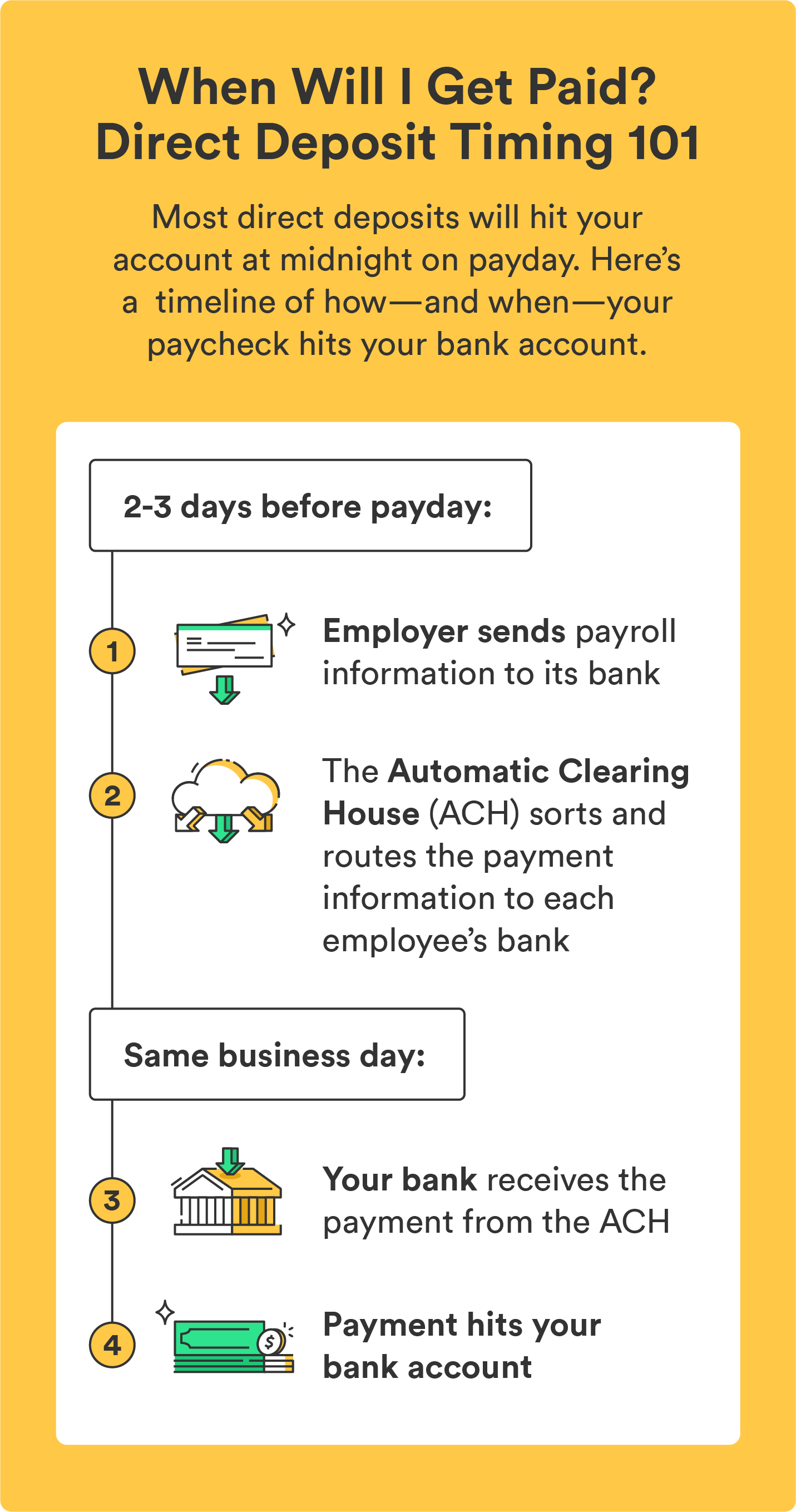
In most instances, Chime mobile check deposits take between one and five business days to fully clear. While many users report seeing funds reflected in their account within 24 to 48 hours, it is prudent to plan for the full five-day window to avoid overdrafting your account or missing a bill payment. This timeline is necessary for the clearinghouse system to verify the funds with the issuing bank.
Business Days vs. Calendar Days
One of the most common misconceptions regarding mobile deposits involves the definition of “days.” Chime, like most financial institutions, operates on a business day schedule. Business days are defined as Monday through Friday, excluding federal holidays. If you submit a check late on a Friday evening, over the weekend, or on a public holiday, the processing clock typically does not start ticking until the next business day. Recognizing this distinction can save you significant stress when anticipating funds for rent, utility payments, or debt obligations.
Factors Influencing Deposit Speed
Why does one check hit your account in a few hours while another takes several days? Several technical and procedural variables dictate the speed of your mobile check deposit.
The Time of Day Submission
The time you submit your check is a critical factor. Most banks, including Chime’s partner institutions, have a “cut-off time” for mobile deposits—often around 5:00 PM EST. Submissions made before this time are generally processed as having arrived that same day. Submissions made after this time, or on non-business days, are treated as having been received on the following business day. Always aim to submit your check in the morning or early afternoon to ensure it enters the processing queue as quickly as possible.
Account History and Relationship Status
Chime evaluates deposit speed based on your history with the platform. A user who has been with Chime for years and maintains a consistent history of deposits and transactions may see faster availability on mobile check deposits than a user who just opened their account yesterday. Consistent, reliable usage patterns help the system assess risk, which often leads to shorter holds on future deposits.
Check Type and Verification Requirements
Not all checks are processed with the same level of scrutiny. Standard payroll checks from reputable, large corporations often clear faster because the risk of fraud is lower. Conversely, personal checks from individuals or checks from smaller, less-verified entities may be subject to a longer hold period to ensure the issuer has sufficient funds. Furthermore, if the image you submit is blurry, incomplete, or lacks the necessary endorsements, the deposit will be flagged for manual review, significantly delaying the time it takes for the funds to hit your account.
Best Practices for Faster Processing
If you want to ensure your mobile check deposits are as efficient as possible, there are several habits you should cultivate. These proactive steps can minimize the risk of rejection and shorten the waiting time.
Ensuring Image Clarity
The quality of the photos you take of your check is the single biggest factor in preventing delays. Ensure you are in a well-lit area, preferably against a flat, dark-colored surface. Make sure all four corners of the check are visible within the frame of the app, and that the text—specifically the MICR line at the bottom, the signature, and the numerical amount—is crystal clear. If the app asks you to retake the photo, do so rather than accepting a subpar image; a rejected deposit due to poor quality can add an entire business day to your wait.
Proper Endorsement
Chime requires a specific endorsement on the back of any check deposited through the app. In most cases, you must sign the back of the check and write “For Mobile Deposit Only at Chime” beneath your signature. Failing to follow these specific instructional requirements is one of the most common reasons for deposit delays or outright rejections. Always consult the specific instructions within the app for the current endorsement requirements, as these can occasionally update.
Monitoring Account Notifications
The Chime app provides push notifications that keep you updated on the status of your deposits. Rather than checking your balance repeatedly, enable notifications to receive a ping the moment your check has been verified and cleared. This reduces the urge to constantly refresh your app and provides peace of mind that the transaction is moving through the system successfully.
Navigating Delays and Troubleshooting
Despite your best efforts, you may occasionally experience a hold that lasts longer than the typical timeframe. Knowing how to handle these situations is vital for maintaining financial stability.
Understanding Holds and Risk Management
If a check is placed on an extended hold, it is usually due to the bank’s automated risk management protocols. This does not necessarily mean there is a problem with your account; it is a security measure designed to protect both the depositor and the bank from potential fraud or bounced checks. If a check is unusually large, for instance, it may trigger an automatic hold regardless of your account standing. In these instances, patience is the best course of action, as there is often no way to expedite a fraud-risk hold.
What to Do If Funds Don’t Arrive
If you have exceeded the five-business-day window and the funds have still not appeared in your balance, the first step is to check your notification history in the app for any alerts regarding a rejected or “returned” check. If there is no explanation, contact Chime support through the app. Provide them with the date of the deposit and the check amount. Keep the physical copy of the check in a secure place until the funds are fully posted and available in your spend account. Once the funds have cleared, it is standard practice to mark the check as “void” or “deposited” and keep it for a reasonable period—usually 30 to 60 days—before shredding it.

Final Financial Considerations
Remember that mobile check deposit is a convenience feature, not an emergency cash solution. If you have an urgent, time-sensitive bill due, it is always safer to use alternative payment methods or ensure that you have enough buffer in your account before the bill’s due date. By treating mobile check deposits as a “scheduled” incoming flow rather than an “immediate” one, you can successfully integrate this tool into your personal finance strategy without risking the pitfalls of pending transactions. With a clear understanding of the timelines and the requirements, you can optimize your banking experience and keep your finances on track.
aViewFromTheCave is a participant in the Amazon Services LLC Associates Program, an affiliate advertising program designed to provide a means for sites to earn advertising fees by advertising and linking to Amazon.com. Amazon, the Amazon logo, AmazonSupply, and the AmazonSupply logo are trademarks of Amazon.com, Inc. or its affiliates. As an Amazon Associate we earn affiliate commissions from qualifying purchases.