
Crazy glue, technically known as cyanoacrylate adhesive, is a formidable bonding agent. Its rapid curing time and strong hold make it invaluable for many repairs, but when it inadvertently spills or smears onto the plastic components of our cherished technology, it transforms from a utility into a significant aesthetic and functional problem. The challenge intensifies because the plastics used in modern gadgets — from smartphone casings to laptop bodies and drone frames — are often highly sensitive to common solvents, posing a risk of irreparable damage if not handled with precision and care. Understanding the chemical interaction and employing appropriate, tech-safe removal strategies is crucial for restoring your device without compromising its integrity or appearance.
The Peril of Super Glue on Tech Plastics
The interaction between super glue and the various polymers found in electronic devices is complex and often damaging. A successful removal strategy begins with a thorough understanding of these underlying chemical principles and the specific characteristics of tech-grade plastics.
Understanding the Chemistry: Cyanoacrylate on Polymer Surfaces
Cyanoacrylate adhesives cure by reacting with trace amounts of moisture on surfaces, creating long, strong polymer chains that bond materials together. When this process occurs on plastic, the glue can bond directly to the plastic’s surface molecules, or, in some cases, etch into the plastic itself, creating a tougher removal scenario. The chemical structure of cyanoacrylate means that while it creates a powerful bond, it can also be susceptible to certain solvents that break down these polymer chains. However, the very solvents effective at dissolving super glue often have an equally detrimental effect on the plastic substrates, leading to softening, discoloration, or melting.
Common Plastics in Gadgets: Polycarbonate, ABS, Acrylic
The plastics used in electronics are engineered for durability, aesthetics, and specific functional properties.
- Polycarbonate (PC): Found in many smartphone casings, laptop covers, and consumer electronics due to its high impact resistance and transparency (for screens/lenses). It can be susceptible to stress cracking and hazing from strong solvents like acetone.
- Acrylonitrile Butadiene Styrene (ABS): A robust and widely used thermoplastic for internal components, keyboard keys, and power tool housings. It’s relatively rigid and impact-resistant but can also be dissolved or softened by strong solvents.
- Acrylic (PMMA): Often used for display covers, lenses, or decorative elements due to its clarity and scratch resistance. It is particularly vulnerable to solvents, which can cause severe crazing (fine cracks) or clouding.
- Other Polymers: Many devices use blends or other specialized polymers, each with its own chemical resistance profile, making universal advice challenging. Some flexible plastics (e.g., TPU in phone cases) may tolerate more, while rigid, brittle plastics are more sensitive.
Why Traditional Solvents are Risky for Electronics
Common super glue removers often contain high concentrations of acetone (dimethyl ketone). While highly effective at dissolving cyanoacrylate, acetone is a powerful solvent that can wreak havoc on many types of plastic, particularly those found in electronics. It can:
- Melt or Soften Plastic: Leading to irreversible deformation or a sticky, gummy residue.
- Discoloration: Causing white hazing, yellowing, or bleaching of the plastic.
- Crazing: Creating a network of fine cracks that compromise the plastic’s structural integrity and aesthetic.
- Damage Coatings: Many electronic plastics have protective or anti-glare coatings that can be stripped away.
- Internal Component Damage: Liquid solvents can seep into seams and damage sensitive internal circuitry, displays, or batteries, especially if the device is not properly sealed or disassembled.
Pre-Removal Assessment and Safety Protocols
Before attempting any removal, a meticulous assessment of the affected device and careful preparation are paramount to prevent further damage. This step is arguably more critical when dealing with electronics compared to non-sensitive plastic items.
Identifying the Plastic Type and Device Vulnerabilities
If possible, identify the specific plastic type of your device. Manufacturer specifications or online forums for device repair can sometimes provide this information. This knowledge will guide your choice of solvent. Also, note any vulnerable areas:
- Screens and Touchpads: These often have delicate oleophobic or anti-glare coatings.
- Buttons and Ports: Solvents can seep into these openings and damage internal switches or connections.
- Speakers and Microphones: These should be shielded from liquid.
- Painted or Plated Surfaces: Solvents can strip paint or damage metallic finishes.
- Battery Compartments: Extreme caution is needed to avoid liquid ingress near batteries.
Powering Down and Component Protection
Immediately power off and unplug the device. If it’s a mobile device with a removable battery, remove it. This prevents electrical shorts if liquid accidentally enters. For larger devices like laptops, disconnect all peripherals. If the glue is on an easily detachable component (e.g., a phone case, a peripheral’s plastic casing), remove it from the main device to work on it separately. If the glue is on the main device body, carefully cover or tape off any sensitive openings like ports, speaker grilles, and screen edges with painter’s tape or non-residue masking tape to prevent solvent intrusion.
Workspace Setup and Personal Protective Equipment
Work in a well-ventilated area to dissipate fumes from solvents. Lay down a protective surface (e.g., old newspapers, cardboard) to catch spills. Wear appropriate personal protective equipment:
- Nitrile Gloves: To protect your skin from both the super glue and the solvents.
- Safety Goggles: To protect your eyes from splashes or fumes.
- Face Mask: If working with strong solvents in a poorly ventilated area, though this should be avoided.
Safe Chemical Approaches for Tech Surfaces
Given the sensitivity of electronic plastics, the goal is to use the mildest effective solvent possible, applying it judiciously and with precision.
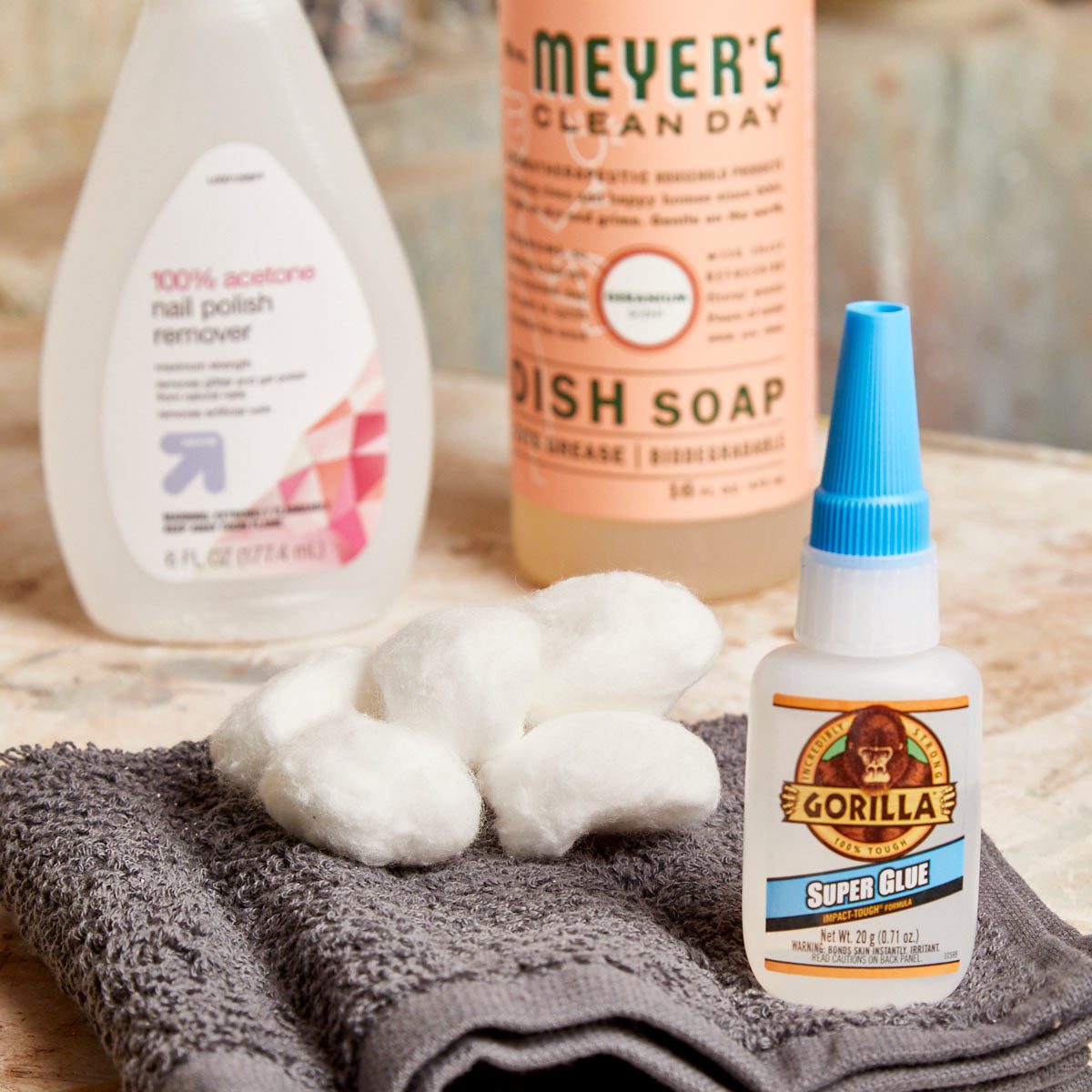
Acetone-Free Nail Polish Remover (Ethyl Acetate) and Its Cautions
While full-strength acetone is generally a no-go, acetone-free nail polish removers often contain ethyl acetate, which is a milder solvent for cyanoacrylate.
- Application: Apply a tiny amount to a cotton swab or the corner of a microfiber cloth.
- Test First: Crucially, always test on an inconspicuous area of the plastic first (e.g., inside a battery compartment, under a non-visible seam). Look for any signs of hazing, softening, or discoloration.
- Technique: Gently dab and lightly rub the glued area. Do not flood the area. Work in small sections. Wipe away loosened glue and solvent residue quickly with a clean, damp (water-dampened, not solvent-dampened) microfiber cloth. Repeat as needed, changing cotton swabs frequently.
- Caution: Even ethyl acetate can damage certain plastics, especially acrylics and some polycarbonates, so proceed with extreme care and constant monitoring.

Isopropyl Alcohol (IPA) for Lighter Stains
90-99% Isopropyl Alcohol (IPA) is a common solvent for cleaning electronics due to its rapid evaporation and relative mildness on most plastics. It is less effective on fully cured, thick super glue but can be useful for minor smudges, thin films, or for prepping the surface for a stronger solvent.
- Application: Dampen a microfiber cloth or cotton swab with IPA.
- Technique: Gently rub the affected area. It may soften very thin layers of glue, making them easier to wipe away.
- Benefit: IPA is generally safer for a wider range of tech plastics compared to ethyl acetate or acetone, making it a good first attempt for minimal residue.
Mineral Oil and Vegetable Oil: A Gentler Alternative
For very sensitive plastics or when chemical solvents are too risky, common household oils can sometimes work, though they are much slower and less potent.
- Mechanism: Oils penetrate and weaken the super glue bond by interfering with its polymer structure.
- Application: Apply a small amount of mineral oil (baby oil) or vegetable oil to the glue with a cotton swab.
- Technique: Allow it to sit for several minutes, or even an hour, to penetrate the glue. Gently rub with a microfiber cloth. This method usually requires patience and repeated applications.
- Benefit: Extremely gentle on plastics, posing minimal risk of damage.
- Drawback: Leaves an oily residue that must then be cleaned off with a mild soap solution (e.g., diluted dish soap on a damp cloth, followed by a water-dampened cloth, then thoroughly drying). This extra cleaning step must also be done carefully on electronics.
Specialized Adhesives Removers for Electronics
Some manufacturers produce specific ‘de-bonder’ solutions or pens designed for cyanoacrylate removal that claim to be safer for plastics.
- Ingredients: Often contain proprietary blends, sometimes with solvents like nitromethane, which can be effective but also have their own plastic compatibility issues.
- Recommendations: Always check the product’s safety data sheet (SDS) or instructions for plastic compatibility. Prioritize products explicitly labeled safe for electronic device plastics.
- Testing: As always, test on an inconspicuous area first.
Mechanical and Precision Techniques for Delamination
While chemicals help dissolve or weaken the glue, mechanical methods can be essential for removing thicker deposits, especially when chemical solvents are too risky or insufficient.
Scraping with Plastic Tools (Guitar Picks, Spudgers)
Once the glue has been softened by a solvent or if it’s a dry, thick clump that might respond to gentle leverage, plastic tools are invaluable.
- Tools: Use a plastic spudger (common in electronics repair kits), an old credit card, or a guitar pick. Avoid metal tools, as they will scratch the plastic surface.
- Technique: Carefully and gently slide the edge of the plastic tool under the edge of the glue. Apply light pressure, working slowly to lift or chip away the glue. Do not force it, as this can scratch the plastic or even cause the plastic component to break. This method is best for thicker, raised blobs of glue.
Freezing and Cracking (Caution for Electronics)
Super glue becomes brittle when frozen. This technique works well for fabrics or harder, non-electronic plastics, but should be used with extreme caution on electronics.
- Method: For a detachable plastic piece, placing it in a freezer bag and then in the freezer for 15-30 minutes can make the glue brittle. For non-detachable parts of the main device, this method is highly risky due to condensation and potential damage to internal components.
- Technique: After freezing, gently try to flex the plastic or lightly tap the glue with a plastic tool. The glue may crack and peel off.
- Warning: The risk of condensation forming inside the electronic device, leading to short circuits or corrosion, makes this a high-risk method that is generally not recommended for integrated electronic components. Only consider for easily removable, simple plastic parts without electronics.
Using Microfiber Cloths and Cotton Swabs
These are your primary tools for applying solvents and wiping away residue.
- Microfiber Cloths: Excellent for applying solvents and polishing surfaces without scratching. Use clean, lint-free cloths.
- Cotton Swabs: Ideal for precise application of small amounts of solvent to localized glue spots, preventing the solvent from spreading to sensitive areas.
- Toothpicks: Can be used to gently pick at softened glue, but use extreme caution to avoid scratching.
Post-Removal Care and Preventing Future Incidents
After the super glue has been successfully removed, the final steps involve cleaning, inspecting, and adopting preventative measures.
Thorough Cleaning and Residue Removal
Once the glue is gone, wipe the area with a clean, slightly damp microfiber cloth (dampened with distilled water) to remove any residual solvent or oil. Immediately follow up with a dry microfiber cloth to ensure no moisture remains, especially near seams or openings. For screens or glossy surfaces, use a dedicated electronics screen cleaner after the glue removal process.
Surface Restoration and Polishing (If Applicable)
If the plastic surface has become slightly dull or hazy from the removal process or the glue itself, specialized plastic polishes or restorers designed for electronics (e.g., those used for CD repair or headlight restoration) can sometimes improve the appearance. Test these in an inconspicuous area first, as they contain mild abrasives. Avoid using them on screens with special coatings.
Best Practices for Handling Adhesives Near Tech
Prevention is always better than cure.
- Work Away from Devices: Always perform gluing tasks in a separate area, well away from any electronic devices.
- Protective Coverings: If you must work near electronics, cover them completely with plastic sheeting or cloths.
- Gloves and Eye Protection: Always wear appropriate PPE when handling super glue.
- Ventilation: Work in a well-ventilated space.
- Secure the Workpiece: Ensure the item you are gluing is stable and won’t tip over, causing spills.
- Minimal Application: Use super glue sparingly; a tiny drop is often sufficient. More glue does not necessarily mean a stronger bond, but it certainly means a bigger mess if it spills.
Removing crazy glue from plastic technology components demands a patient, precise, and methodologically sound approach. By understanding the material properties of your device and choosing the gentlest, most effective solvents and tools, you can often mitigate the damage and restore your gadget to its pristine condition.
aViewFromTheCave is a participant in the Amazon Services LLC Associates Program, an affiliate advertising program designed to provide a means for sites to earn advertising fees by advertising and linking to Amazon.com. Amazon, the Amazon logo, AmazonSupply, and the AmazonSupply logo are trademarks of Amazon.com, Inc. or its affiliates. As an Amazon Associate we earn affiliate commissions from qualifying purchases.