
In the vast and ever-evolving landscape of digital media, audio formats play a pivotal role in how we consume sound. From music streaming to podcasts, lectures to audiobooks, the underlying technology that packages and delivers these sounds profoundly impacts quality, compatibility, and file size. Among the myriad of formats, one that often surfaces in discussions, particularly concerning its historical significance and ongoing utility, is WMA. But what exactly is WMA audio format, and what has been its journey through the digital age?
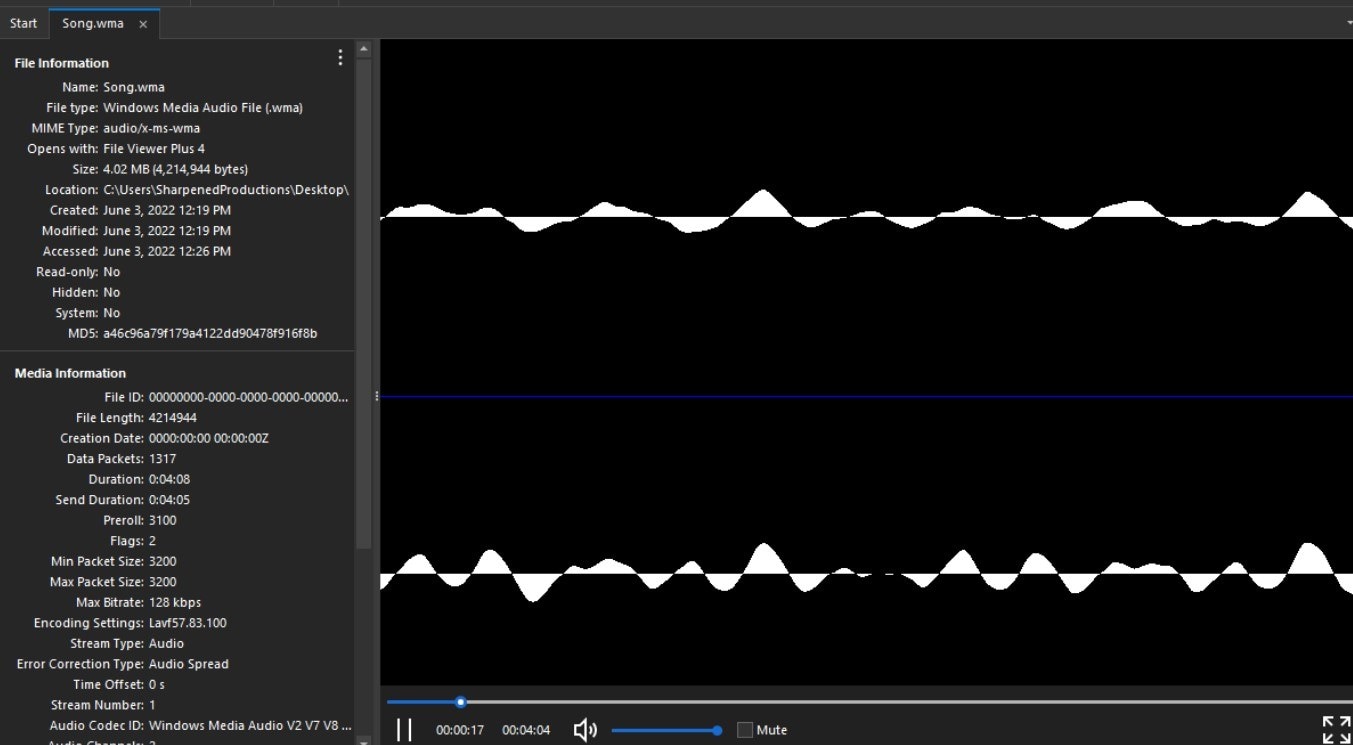
WMA, or Windows Media Audio, is a proprietary audio data compression technology developed by Microsoft. It first emerged in 1999 as a direct competitor to MP3, which was then the dominant format for digital music. Microsoft’s ambition was clear: to offer a superior alternative that could deliver better audio quality at smaller file sizes, coupled with robust digital rights management (DRM) features. Over the years, WMA has evolved into a family of codecs, each designed for specific purposes, from highly compressed streaming to lossless archival quality. Understanding WMA requires delving into its technical underpinnings, its various iterations, its advantages and disadvantages, and its place in today’s diverse digital audio ecosystem.
The Genesis and Purpose of WMA
The late 1990s marked a significant transition in how people accessed and experienced music. The internet was becoming mainstream, and digital music piracy, primarily facilitated by the MP3 format, was a growing concern for the music industry. Against this backdrop, Microsoft sought to establish its footprint in the burgeoning digital media space, not only by providing a more efficient compression technology but also by addressing the copyright protection needs of content creators and distributors.
A Microsoft Innovation
WMA was born out of Microsoft’s broader strategy to integrate digital media capabilities deeply into its Windows operating system and software ecosystem. This included the Windows Media Player, which was designed to be the central hub for playing audio and video files on Windows PCs. By developing its own proprietary audio format, Microsoft aimed to offer a tightly integrated, optimized experience for its users, leveraging the ubiquity of Windows to push WMA into widespread adoption. The initial promise of WMA was compelling: offering CD-quality audio at half the file size of an MP3, or even better quality at the same size. This efficiency was a critical selling point in an era of slower internet connections and smaller storage capacities.
Competing in the Digital Audio Landscape
At its inception, WMA’s primary adversary was MP3. MP3 had the advantage of being an open, widely supported standard, but it also suffered from perceived quality limitations at very high compression rates and lacked native DRM capabilities. Microsoft positioned WMA as the modern alternative, superior in both compression efficiency and its ability to incorporate DRM. This latter feature was particularly attractive to content providers and early online music stores who were hesitant to embrace digital distribution without robust copyright protection mechanisms. WMA’s introduction was part of a larger battle for control over digital media standards, with various tech giants vying for dominance.
Core Design Principles: Compression and Quality
The fundamental design principle behind WMA, like most lossy audio codecs, is psychoacoustic modeling. This technique exploits the limitations of human hearing, selectively discarding sounds that are less likely to be perceived by the human ear (e.g., very high or low frequencies, or quieter sounds masked by louder ones). The goal is to reduce the amount of data required to represent audio while minimizing the perceptible loss in quality.
However, WMA also distinguishes itself through its family of codecs. Beyond the initial lossy WMA codec, Microsoft later introduced:
-
WMA Lossless: For archiving audio without any data loss, similar to FLAC.
-
WMA Pro: Designed for higher fidelity, multi-channel audio, and lower bit rates.
-
WMA Voice: Optimized for speech content, offering efficient compression for voice recordings.
This diversification allowed WMA to address a broader range of audio applications, from music consumption to voice communication, and from casual listening to professional archiving.
Technical Specifications and Variations
The term “WMA” isn’t singular; it encompasses several distinct audio codecs, each with specific technical characteristics and use cases. Understanding these variations is crucial to appreciating the format’s versatility and its limitations.
WMA Lossy: Balancing Size and Sound
The most common iteration is WMA Lossy (often simply referred to as WMA), which uses psychoacoustic compression to achieve significant file size reductions. It typically offers a variable bitrate (VBR) or constant bitrate (CBR) encoding, ranging from very low bitrates (e.g., 20 kbps for speech) to high bitrates (e.g., 192 kbps or 320 kbps for music). Microsoft often claimed that WMA could achieve MP3-like quality at half the bitrate, or superior quality at the same bitrate. While subjective listening tests vary, WMA Lossy generally provides excellent compression efficiency for its target quality levels, making it suitable for streaming and portable devices where storage space or bandwidth is a concern.
WMA Lossless: Preserving Every Detail
For audiophiles and those who prioritize absolute fidelity, WMA Lossless is the answer. As its name suggests, this codec compresses audio data without any loss of information. This means that when a WMA Lossless file is decompressed, the resulting audio is bit-for-bit identical to the original source, typically a CD or uncompressed WAV file. While WMA Lossless files are significantly larger than their lossy counterparts (often compressing a CD track by 30-50%), they are still smaller than uncompressed formats like WAV or AIFF, making them ideal for archival purposes or high-fidelity playback where disk space is not a critical constraint. Its primary competitor in this space is FLAC (Free Lossless Audio Codec).
WMA Pro and Voice: Specialized Applications
-
WMA Pro: Introduced as an advanced variant, WMA Pro is designed to support higher resolution audio (up to 24-bit/199 kHz), multi-channel audio (up to 8 channels), and more efficient compression algorithms. It targets professional audio applications, high-definition media, and situations where superior sound quality with lower bitrates is required. It’s often found in conjunction with Windows Media Video (WMV) for high-quality media distribution.
-
WMA Voice: This codec is specifically optimized for speech content. It employs specialized compression techniques that are highly effective at encoding the human voice, making it ideal for applications like voice recordings, dictation, podcasts (though less commonly used than MP3), and internet telephony. WMA Voice can achieve extremely low bitrates while maintaining intelligibility, which is crucial for bandwidth-limited scenarios.
DRM Integration and Its Implications
One of WMA’s defining features, and perhaps its most controversial, was its tight integration with Digital Rights Management (DRM) technology. Microsoft’s Windows Media DRM allowed content owners to control how their audio files could be used – for instance, limiting the number of times a song could be played, preventing copying, or setting expiration dates. While this was welcomed by the music industry as a way to combat piracy and facilitate legitimate online music sales, it created significant usability challenges for consumers. DRM-protected WMA files were often locked to specific devices or software, making them difficult to play on non-Windows platforms or even on different Windows machines without proper authorization. This “walled garden” approach contributed to user frustration and ultimately hindered WMA’s broader adoption outside of specific ecosystems.
Advantages and Disadvantages of WMA
Like any technology, WMA comes with its own set of pros and cons that have shaped its trajectory in the digital audio landscape.
Key Benefits: Efficiency and Feature Set
-
Compression Efficiency: Historically, WMA Lossy offered superior compression efficiency compared to MP3 at equivalent quality levels, allowing for smaller file sizes or better sound at the same bitrate. This was a significant advantage in the early days of digital music.
-
Scalability and Versatility: The WMA family of codecs (Lossy, Lossless, Pro, Voice) demonstrates a high degree of versatility, catering to diverse needs from low-bitrate speech to high-fidelity multi-channel audio archiving.
-
Integration with Windows Ecosystem: For users deeply embedded in the Windows environment, WMA offered seamless playback and management through Windows Media Player and other Microsoft applications.
-
DRM Capabilities (from a content provider perspective): For businesses and content owners, the integrated DRM provided a layer of protection against unauthorized copying and distribution, enabling new business models for digital content sales.
Notable Drawbacks: Compatibility and Ecosystem Lock-in
-
Proprietary Nature: Being a Microsoft proprietary format, WMA has historically suffered from poorer cross-platform compatibility compared to open standards like MP3 or FLAC. While support has improved over time, it’s still not as universally playable on non-Windows devices (e.g., macOS, Linux, many dedicated audio players) without conversion or specialized software.
-
DRM Restrictions (from a consumer perspective): The DRM attached to many WMA files proved to be a major hurdle for consumers. It limited flexibility, making it difficult to transfer music between devices or operating systems, contributing to a negative user experience and fostering a preference for DRM-free alternatives.
-
Market Dominance of Alternatives: Despite its technical merits, WMA struggled to displace MP3’s entrenched market position. The later rise of AAC (especially with Apple’s iTunes ecosystem) and FLAC (for lossless audio) further diluted WMA’s market share.
-
Perceived Quality vs. MP3: While Microsoft claimed superiority, the audible differences between well-encoded WMA and MP3 files at similar bitrates were often subtle and subjective, not enough to compel a mass migration of users.
Use Cases: Where WMA Shines (and Doesn’t)
WMA excels in scenarios where its unique features align with specific requirements:
-
Archiving High-Fidelity Audio: WMA Lossless remains a viable option for those who want to store CD-quality audio without data loss, especially if they are primarily Windows users.
-
Voice Recordings: WMA Voice is excellent for highly compressed speech, making it suitable for dictation and voice memos.
-
Legacy Systems: Many older Windows-based media centers and portable devices natively support WMA, making it relevant for users of such hardware.
-
Specific Streaming Services: Some older online music stores or streaming platforms that partnered with Microsoft historically used WMA, often with DRM.
However, WMA is less ideal for:
-
Universal Compatibility: If you need your audio to play on virtually any device or operating system without hassle, MP3 or AAC are generally safer choices.
-
DRM-Free Content: For users who prioritize complete control over their digital media, DRM-encumbered WMA files are a non-starter.
-
Open Source Ecosystems: WMA’s proprietary nature means it’s often not the first choice for open-source software developers or Linux users.
WMA in the Modern Digital Audio Ecosystem
The digital audio landscape of today looks vastly different from when WMA first appeared. Streaming services dominate, and mobile devices are the primary consumption platform. How does WMA fit into this changed world?
Evolving Standards and Formats (MP3, AAC, FLAC, Ogg Vorbis)
The battle for audio format supremacy has seen many contenders. MP3, despite its age, remains incredibly prevalent due to its universal support and reasonable quality-to-size ratio. AAC (Advanced Audio Coding) gained significant traction through Apple’s iTunes and is now a standard for many streaming platforms (e.g., YouTube, Netflix, Apple Music) due to its superior efficiency compared to MP3, especially at lower bitrates. For lossless audio, FLAC (Free Lossless Audio Codec) has become the de facto open-source standard, favored by audiophiles for its transparency and wide support. Ogg Vorbis offers an open-source, patent-free alternative to MP3. In this competitive environment, WMA’s proprietary nature and historical DRM issues have relegated it to a niche player rather than a mainstream standard.
Playback and Conversion: Tools and Strategies
Despite WMA’s diminished prominence, it’s still encountered, especially with legacy media libraries. Modern operating systems and media players often include native WMA playback support, though sometimes with caveats for DRM-protected files.
-
Windows: Windows Media Player (and most other media players on Windows) offer full WMA support.
-
macOS/Linux: While native support might be limited, third-party players like VLC Media Player provide excellent cross-platform WMA playback.
-
Conversion: For broader compatibility, WMA files can be converted to other formats like MP3, AAC, or FLAC using various audio converter software (e.g., HandBrake, FFmpeg, freeware converters). This is often necessary when transferring WMA files to non-Windows devices or for use in professional audio workstations.
Legacy Support and Niche Applications
WMA continues to exist primarily through legacy content and niche applications. Older digital music purchases from services that utilized Windows Media DRM might still be in WMA format. Some enterprise solutions or specialized audio applications built around Microsoft technologies may still leverage WMA for specific encoding needs (e.g., internal voice recording systems). However, for new content creation or broad digital distribution, WMA is rarely the first choice.
The Future of WMA: Relevance and Persistence
While WMA is no longer at the forefront of digital audio innovation, it’s unlikely to disappear entirely. Its persistence will be driven by the need for backward compatibility with existing media libraries and the specific strengths of its Lossless and Voice codecs in particular scenarios. Microsoft itself has shifted its focus towards more universal standards and cloud-based solutions, but the WMA technology remains a part of its legacy. Users encountering WMA files today will most likely be converting them to more widely supported formats, or relying on robust multi-format media players to access their content.
How WMA Compares to Other Popular Audio Formats
To fully grasp WMA’s position, it’s essential to compare it directly with its main competitors.
WMA vs. MP3: The Battle for Dominance
-
History: Both formats emerged in the late 1990s as leading lossy audio codecs. MP3 gained an early lead due to its open nature and widespread adoption.
-
Compression Efficiency: Historically, WMA claimed superior efficiency, offering comparable quality at lower bitrates or better quality at the same bitrate than MP3. Modern MP3 encoders, however, have significantly improved, narrowing this gap.
-
Compatibility: MP3 is virtually universally compatible across all devices and operating systems, while WMA has traditionally been more confined to the Windows ecosystem.
-
DRM: WMA famously incorporated DRM, which was a major point of contention, whereas MP3 files are typically DRM-free.
-
Conclusion: MP3 ultimately won the popularity contest due to its openness and compatibility, becoming the de facto standard for lossy audio. WMA remains a technically capable alternative but lacks the universal reach.
WMA vs. FLAC: Lossy vs. Lossless Showdown
-
Nature: WMA, in its most common form, is lossy, while FLAC is inherently lossless. WMA Lossless is WMA’s direct competitor to FLAC.
-
File Size: Lossy WMA files are significantly smaller than FLAC files. WMA Lossless files are comparable in size to FLAC files for the same audio content, both being much larger than their lossy counterparts.
-
Quality: FLAC and WMA Lossless both offer bit-perfect reproductions of the original audio, meaning no quality loss. Lossy WMA introduces some imperceptible degradation.
-
Compatibility: FLAC has become the dominant open-source lossless format, enjoying broad support across platforms and hardware. WMA Lossless is well-supported on Windows but less so elsewhere.
-
Conclusion: For uncompromising quality and open standards, FLAC is the preferred choice for lossless audio. WMA Lossless offers a proprietary alternative for Windows users.
WMA vs. AAC: Apple’s Alternative
-
Development: AAC was developed as a successor to MP3, gaining significant momentum through Apple’s iTunes and iPod ecosystem.
-
Compression Efficiency: AAC generally offers better compression efficiency and perceived audio quality than MP3, and often rivals or surpasses WMA Lossy, especially at lower bitrates.
-
Compatibility: AAC enjoys very wide support, being the standard for iTunes, Apple Music, YouTube, and many other major streaming platforms. Its compatibility is arguably better than WMA and increasingly challenging MP3.
-
DRM: While AAC itself is a codec, Apple used it with its FairPlay DRM system in early iTunes Store downloads, similar to WMA’s approach. However, Apple later transitioned to DRM-free AAC.
-
Conclusion: AAC is a highly efficient and widely supported modern lossy audio format, often preferred over WMA for its broader ecosystem presence and superior technical performance.
Choosing the Right Format: A Practical Guide
When deciding which audio format to use, consider the following:
-
Compatibility: If you need your audio to play everywhere (phones, cars, ancient MP3 players), stick with MP3.
-
Quality & Archiving: For the highest possible fidelity without data loss, and if cross-platform openness is desired, use FLAC. If you are purely in a Windows environment, WMA Lossless is also an option.
-
Streaming & Modern Use: For efficient, high-quality streaming and modern device compatibility, AAC is often the best choice.
-
Speech: For highly compressed voice recordings, WMA Voice is technically very efficient, though MP3 or Opus are more broadly used for podcasts.
-
Legacy Content: If you encounter WMA files, play them on Windows or use a universal media player like VLC. If compatibility issues arise, convert them to MP3 or AAC.
In conclusion, WMA represents an important chapter in the history of digital audio. While it may no longer dominate the market, its technical innovations, particularly in compression efficiency and specialized codecs, were significant. Understanding WMA helps us appreciate the ongoing evolution of digital media and the continuous effort to balance quality, file size, compatibility, and content protection in our ever-connected world.
aViewFromTheCave is a participant in the Amazon Services LLC Associates Program, an affiliate advertising program designed to provide a means for sites to earn advertising fees by advertising and linking to Amazon.com. Amazon, the Amazon logo, AmazonSupply, and the AmazonSupply logo are trademarks of Amazon.com, Inc. or its affiliates. As an Amazon Associate we earn affiliate commissions from qualifying purchases.