
A VGA driver, at its core, is a critical piece of software that enables your computer’s operating system to communicate effectively with its graphics hardware. While the term “VGA” itself refers to an older display standard, the concept of a VGA driver often encompasses the fundamental software necessary for any visual output from your system. Without an appropriate driver, your computer would be unable to properly display images, render graphics, or even achieve suitable resolutions and color depths on your monitor. It acts as a translator, taking commands from the operating system or applications and converting them into instructions that the graphics processing unit (GPU) can understand and execute, thereby projecting visuals onto your screen.
Understanding the Role of Graphics Drivers
To fully grasp what a VGA driver entails, it’s essential to first understand the broader concept of a graphics driver. In computing, a “driver” is a specific type of software that allows other computer programs, typically operating systems, to interact with a hardware device. Every piece of hardware connected to your computer—from your mouse and keyboard to your printer and network card—requires a driver to function correctly.
Graphics drivers are specialized versions of this software, dedicated to managing the intricate relationship between your computer’s central processing unit (CPU), the operating system (OS), and the graphics card or integrated graphics processor. Their primary role is to bridge the communication gap, allowing the OS and applications to send high-level commands (e.g., “draw a window,” “render a 3D model,” “play a video”) that the driver then translates into low-level instructions the graphics hardware can understand and execute.
This translation process is vital for several reasons. Firstly, it ensures compatibility. Graphics cards come in various architectures and designs from different manufacturers (NVIDIA, AMD, Intel, etc.). A driver provides a standardized interface for the OS, abstracting away the hardware-specific complexities. Secondly, it optimizes performance. Well-written drivers are crucial for harnessing the full power of a GPU, enabling smooth frame rates in games, efficient video playback, and responsive user interfaces. They can optimize how the GPU handles complex computations, memory management, and data transfer. Thirdly, they unlock features. Modern graphics cards possess a vast array of capabilities, from advanced shader models and ray tracing to multiple display outputs and specialized video decoding. It is the driver that exposes these features to the operating system and applications, allowing users to configure them and developers to leverage them in their software. Without a robust graphics driver, even the most powerful GPU would be largely inert, limited to basic display functions or no display at all.
The Specificity of VGA Drivers: A Historical Perspective
The term “VGA” stands for Video Graphics Array, an IBM display standard first introduced in 1987. VGA was a significant advancement at the time, offering resolutions up to 640×480 with 16 colors, or 320×200 with 256 colors. It quickly became the baseline display standard for personal computers, largely due to its widespread adoption and the basic capabilities it provided.
The Legacy Mode
Even though modern graphics cards are vastly superior to the original VGA standard, the term “VGA driver” persists due to its historical significance and its role as a fallback or legacy display mode. When a computer boots up, especially before a full operating system loads and its specific graphics drivers are initialized, it often defaults to a basic VGA mode. This ensures that some form of visual output is available, even if it’s low-resolution and monochromatic or has a limited color palette. This legacy mode is handled by a basic driver often built directly into the system’s BIOS or UEFI firmware, guaranteeing that users can see boot messages, access setup menus, and troubleshoot problems even if their primary graphics driver isn’t working.
Basic Display Functionality
In many contexts today, when people refer to a “VGA driver,” they might be referring to the generic graphics driver that provides fundamental display capabilities. If you install an operating system like Windows and don’t immediately install specific drivers for your dedicated graphics card, the system will often fall back to a “Microsoft Basic Display Adapter” or similar generic driver. This generic driver provides basic VGA-level functionality, allowing for a desktop display, but usually at a suboptimal resolution, without hardware acceleration, and lacking access to advanced features of your graphics card. It serves as a temporary solution, allowing users to navigate the OS and install the correct, manufacturer-specific drivers. Therefore, a “VGA driver” can be understood as either the very basic, low-level display driver used during system startup or the generic operating system driver that provides minimal graphical output when a specialized driver is absent.
How VGA Drivers Function
The operation of a graphics driver, including those that handle basic VGA functionality, involves a sophisticated interplay between software and hardware. When an operating system or application needs to display something on the screen, it doesn’t directly interact with the graphics card’s intricate circuitry. Instead, it issues a request to the graphics driver.
Generic vs. Manufacturer-Specific Drivers
When a computer starts up, especially before the full operating system environment is loaded, the system’s firmware (BIOS/UEFI) takes over. This firmware contains a very basic graphics driver (often referred to as a VESA BIOS Extension, or VBE, which provides an extended set of VGA capabilities) that allows for rudimentary display output. This is why you can see POST messages and access your BIOS/UEFI settings even without an OS loaded. Once the operating system boots, it takes over graphics management.
If a specific driver for the installed graphics hardware isn’t found or installed, the OS will often load a generic display driver. For instance, Windows will use the “Microsoft Basic Display Adapter.” This driver offers fundamental VGA-level functionality: it allows the screen to display, but typically at a low resolution (e.g., 800×600 or 1024×768), with limited color depth, and without any hardware acceleration. This means all graphics rendering might be offloaded to the CPU, leading to sluggish performance for anything beyond basic desktop operations.
In contrast, manufacturer-specific drivers (e.g., NVIDIA GeForce drivers, AMD Radeon drivers, Intel UHD Graphics drivers) are highly optimized for particular graphics chipsets. These drivers unlock the full potential of the hardware, enabling higher resolutions, greater color depths, advanced features like 3D acceleration, G-Sync/FreeSync, and dedicated video encoding/decoding capabilities. They are developed in close conjunction with the hardware, leveraging specific architectural features and providing performance enhancements that generic drivers cannot.
The Driver’s Interface with the Hardware
The graphics driver acts as the bridge. When the OS wants to display a new window or render a frame in a video game, it communicates this intent to the graphics driver using a standardized API (Application Programming Interface), such as DirectX or OpenGL. The driver then translates these API calls into specific, low-level commands that the GPU understands. This includes instructions for manipulating video memory, setting up rendering pipelines, processing shaders, and controlling display output timings. The driver is also responsible for managing the GPU’s resources, scheduling tasks, and reporting the GPU’s status back to the operating system. This intricate process happens thousands of times per second, ensuring a seamless and responsive visual experience for the user.
Importance and Management of VGA Drivers
Even in the age of sophisticated GPUs, the foundational principles encapsulated by the term “VGA driver” remain critical. Proper driver management is not just about unlocking advanced features; it’s about system stability, performance, and even digital security.
Performance and Stability
Having the correct and up-to-date graphics driver (even if colloquially referred to as a “VGA driver” when discussing basic functionality) is paramount for optimal system performance. Outdated or incorrect drivers can lead to a myriad of issues:
- Poor Performance: Games might run at significantly lower frame rates, videos might stutter, and even basic desktop navigation can feel sluggish without hardware acceleration.
- Resolution and Display Issues: The screen might be stuck at a low resolution, display incorrect aspect ratios, or fail to utilize multiple monitors.
- System Instability: Driver conflicts or bugs can cause system crashes (Blue Screens of Death), freezes, or application errors.
- Missing Features: Advanced graphics settings, display technologies (like high refresh rates or HDR), and specialized GPU functionalities may be unavailable.
Troubleshooting Common Issues
Many common display-related problems can be resolved by addressing the graphics driver:
- Black Screen or No Display: If you get a display during boot but lose it when the OS loads, it’s often a driver issue. Booting into Safe Mode (which uses a generic driver) can help diagnose.
- Artifacts or Corrupted Graphics: Strange patterns, lines, or colors on the screen can indicate a failing graphics card, but often point to a corrupted or incompatible driver.
- Low Resolution/Color Depth: If your display settings offer limited options, it’s a strong sign that the correct manufacturer-specific driver is not installed.
- Game Crashes: Many crashes during gaming sessions are attributed to outdated or buggy graphics drivers.
Updating and Installation Best Practices
Managing your graphics drivers properly is crucial. Here are some best practices:
- Identify Your Hardware: Know your graphics card manufacturer (NVIDIA, AMD, Intel) and specific model.
- Download from Official Sources: Always download drivers directly from the graphics card manufacturer’s official website. Avoid third-party driver download sites, as they can sometimes bundle malware or provide incorrect versions.
- Clean Installation: When updating drivers, especially if you’re experiencing issues, perform a clean installation. Most manufacturer installers offer this option, which removes old driver components before installing new ones, preventing conflicts.
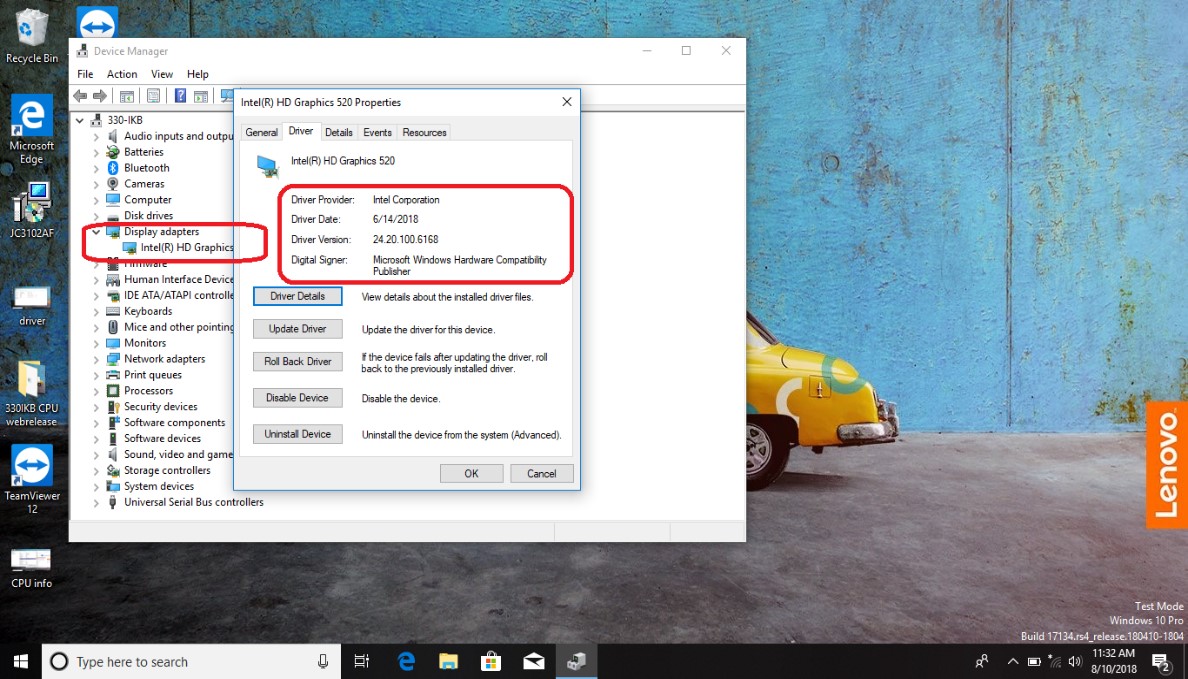
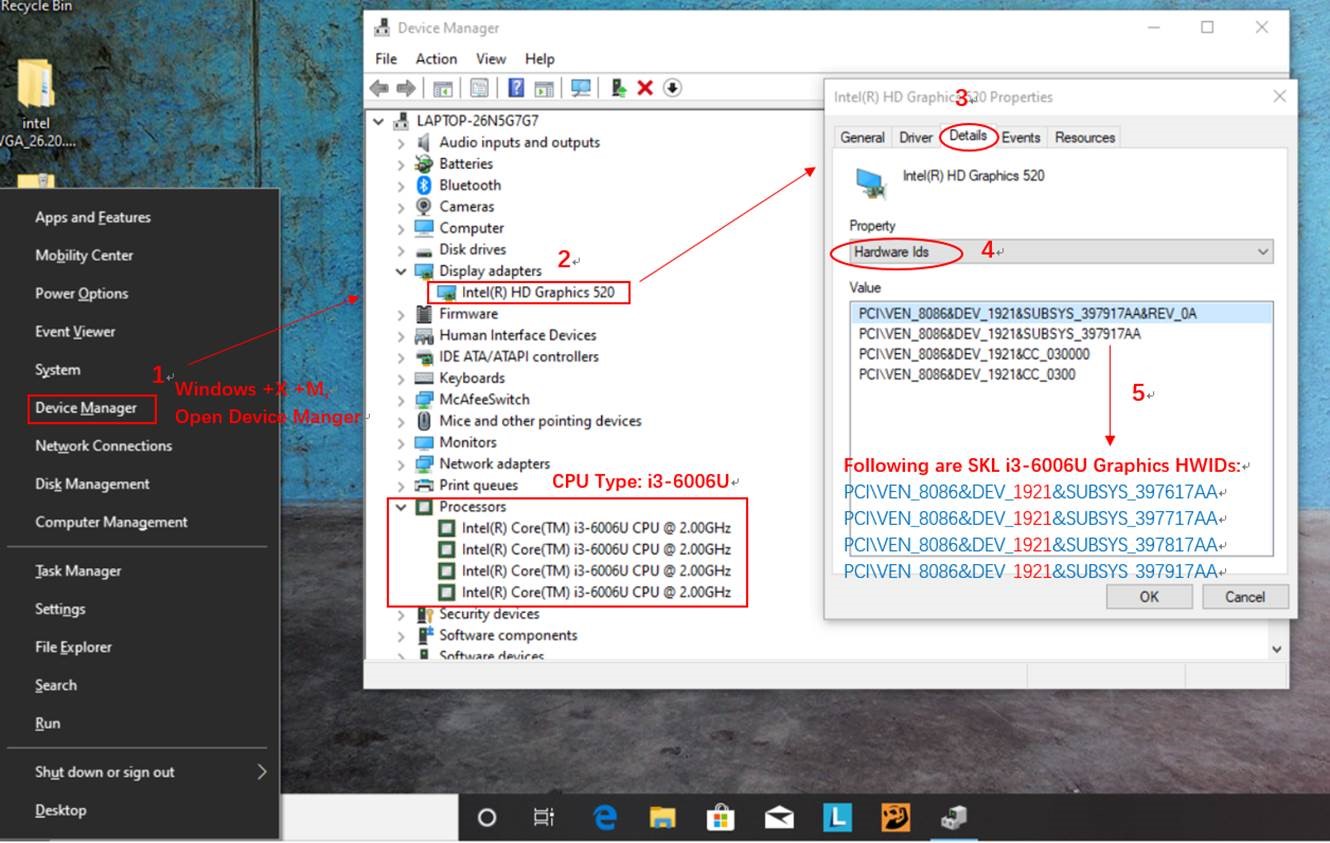
- Device Manager: In Windows, the Device Manager (
devmgmt.msc) allows you to view your display adapters, update drivers, or roll back to previous versions if a new one causes problems. - Digital Security: Outdated drivers are not just a performance bottleneck; they can also be a security vulnerability. Manufacturers regularly release driver updates that patch security flaws, preventing malicious actors from exploiting weaknesses in the graphics stack to gain unauthorized access or cause system damage. Regularly updating your drivers is a vital part of maintaining a secure computing environment.
Evolution Beyond VGA: Modern Graphics
While the term “VGA driver” maintains its historical context and defines a foundational capability, modern graphics technology has evolved exponentially beyond the original VGA standard. Today’s graphics cards and their accompanying drivers are incredibly sophisticated pieces of engineering.
From Basic Display to Advanced Rendering
The journey from VGA’s 640×480 resolution with 16 colors to today’s 4K, 8K, and even higher resolutions with billions of colors, high refresh rates, and real-time ray tracing is staggering. Modern GPUs are specialized parallel processors capable of billions of calculations per second, specifically designed for rendering complex 3D environments, accelerating artificial intelligence tasks, and even cryptocurrency mining. The drivers for these powerful GPUs are equally complex, integrating advanced APIs like DirectX 12 Ultimate, Vulkan, and OpenGL, along with proprietary technologies like NVIDIA’s DLSS (Deep Learning Super Sampling) or AMD’s FSR (FidelityFX Super Resolution). These drivers optimize how the GPU uses its vast number of processing cores, manage gigabytes of dedicated video memory, and ensure efficient data flow between the CPU and GPU.
The Modern Graphics Ecosystem
The modern graphics ecosystem extends far beyond just displaying pixels. It encompasses:
- Multi-Monitor Setups: Drivers manage complex configurations across multiple displays, including different resolutions, refresh rates, and orientations.
- Virtual Reality (VR) and Augmented Reality (AR): These immersive technologies demand incredibly low latency and high frame rates, relying heavily on highly optimized graphics drivers.
- Content Creation: Professionals in video editing, 3D modeling, animation, and graphic design depend on stable, performant drivers to utilize GPU acceleration in their creative applications.
- Gaming: The gaming industry is a primary driver of graphics innovation, pushing drivers to deliver every ounce of performance and new features from the hardware to create photorealistic and responsive gaming experiences.
In conclusion, while “VGA driver” might evoke images of early computing, its underlying principle—a software layer enabling communication between the operating system and graphics hardware—remains a cornerstone of all modern visual computing. From ensuring basic display functionality at startup to unlocking the full, breathtaking potential of today’s advanced GPUs, graphics drivers are indispensable components of any computer system, dictating its visual capabilities, performance, and stability. Regular attention to their installation and updates is a non-negotiable aspect of maintaining a healthy and secure digital experience.
aViewFromTheCave is a participant in the Amazon Services LLC Associates Program, an affiliate advertising program designed to provide a means for sites to earn advertising fees by advertising and linking to Amazon.com. Amazon, the Amazon logo, AmazonSupply, and the AmazonSupply logo are trademarks of Amazon.com, Inc. or its affiliates. As an Amazon Associate we earn affiliate commissions from qualifying purchases.