
In an era where our digital lives are tethered to our smartphones, security is no longer an optional luxury—it is a fundamental necessity. The iPhone serves as a central hub for personal data, ranging from banking credentials and private photos to sensitive professional communications. As cyber threats become increasingly sophisticated, relying solely on a password, no matter how complex, is a significant vulnerability. This is where Two-Factor Authentication (2FA) comes into play. By adding a mandatory second layer of verification, Apple ensures that even if an unauthorized party discovers your password, they remain locked out of your account.

Understanding the Mechanics of Two-Factor Authentication
Two-Factor Authentication is a security process that requires two distinct forms of identification to access an account. Think of it as a deadbolt on top of a keyed lock; while the key (your password) provides the first layer of security, the deadbolt (your second factor) ensures that access is only granted if both conditions are met.
The Logic of “Something You Know” and “Something You Have”
The primary strength of 2FA lies in its combination of two different categories of credentials. The first factor is typically “something you know”—your Apple ID password. This is the information you have memorized. The second factor is “something you have”—a trusted device or a trusted phone number. Because an attacker would need both your password and physical possession of your registered device, the statistical likelihood of a successful breach drops exponentially.
How Apple Implements 2FA
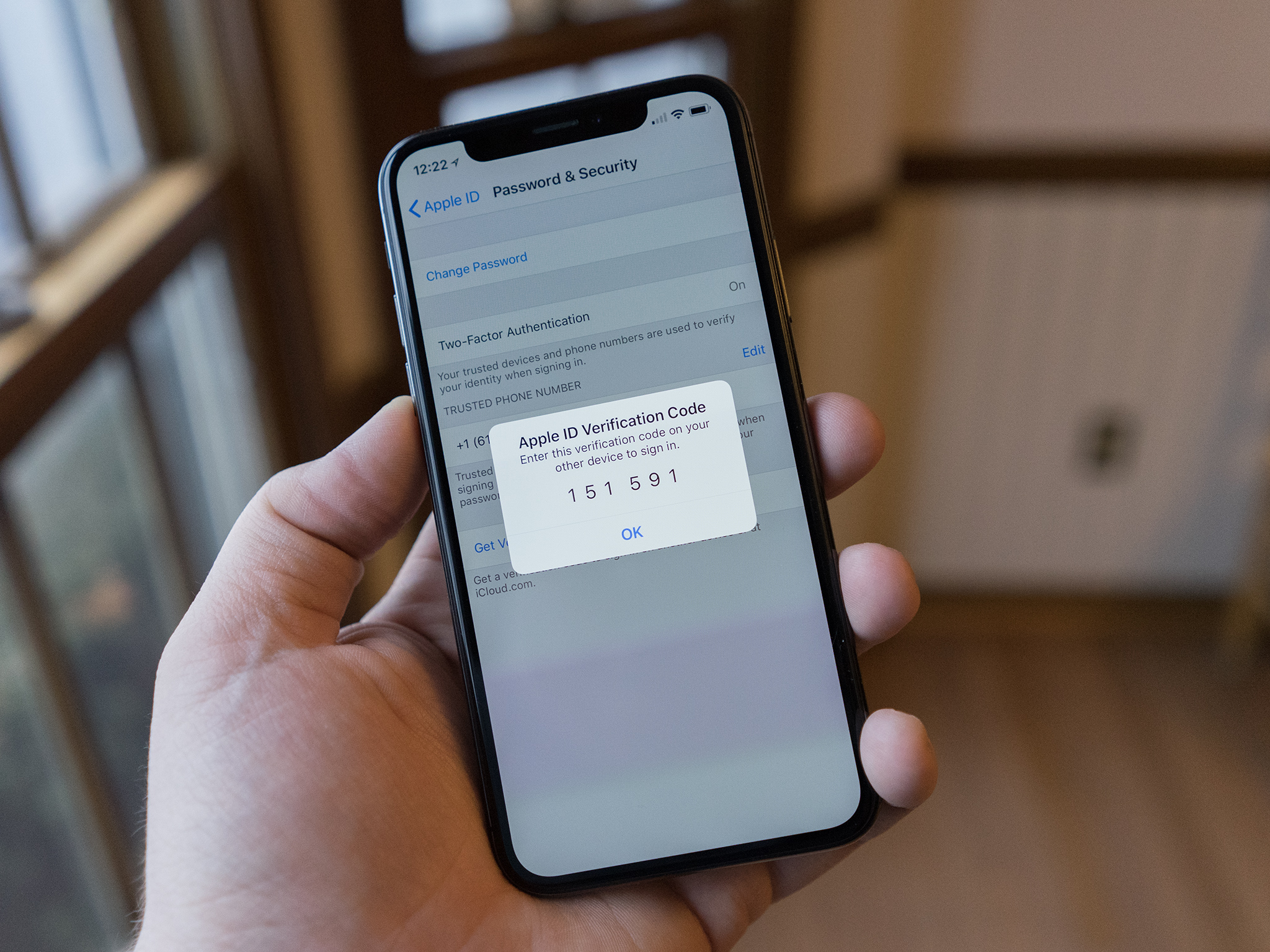
Apple’s implementation of 2FA is seamlessly integrated into the iOS ecosystem. When you attempt to sign in to your Apple ID on a new device, web browser, or third-party application, the process initiates a handshake. Your iPhone, iPad, or Mac—provided it is already signed in with your Apple ID—receives a notification. This notification includes a map showing the approximate location of the sign-in attempt and a unique six-digit verification code. Only by entering this code on the new device can the user proceed. If you did not initiate the request, you can select “Don’t Allow,” effectively terminating the unauthorized access attempt immediately.
Why 2FA is Essential for Every iPhone User
Many users view security features as an inconvenience, perceiving the extra step of inputting a code as an unnecessary hurdle. However, the trade-off between a few seconds of effort and the potential loss of personal data is heavily weighted in favor of security.
Defending Against Phishing and Credential Stuffing
Phishing remains one of the most prevalent methods for compromising accounts. Attackers create deceptive websites that mimic official login pages to trick users into entering their credentials. Even if a user falls for a phishing scam and enters their password on a fraudulent site, the attacker is immediately stopped by the 2FA prompt. Without access to your physical trusted device, the attacker cannot generate or intercept the verification code required to bypass the secondary barrier.
Similarly, “credential stuffing”—where hackers use automated bots to test combinations of usernames and passwords stolen from other data breaches—is rendered ineffective. If your Apple ID password appears in a leaked database from a third-party platform, the attacker will be unable to use those stolen credentials to access your iCloud account, as they lack the physical second factor associated with your device.
Securing the iCloud Ecosystem
The iPhone is not merely a phone; it is the gateway to your entire iCloud ecosystem. Through features like iCloud Keychain, Find My, and iCloud Drive, your digital footprint is synchronized across all your hardware. A breach of your Apple ID could result in the loss of encrypted backups, private photos, and even the ability to track or remotely wipe your device. Enabling 2FA acts as a fortress around this centralized hub, ensuring that your digital life remains isolated from external interference.
Setting Up and Managing 2FA on Your Device
Apple has streamlined the setup process to be intuitive, ensuring that even those who are not tech-savvy can harden their security with minimal effort.
Initial Configuration
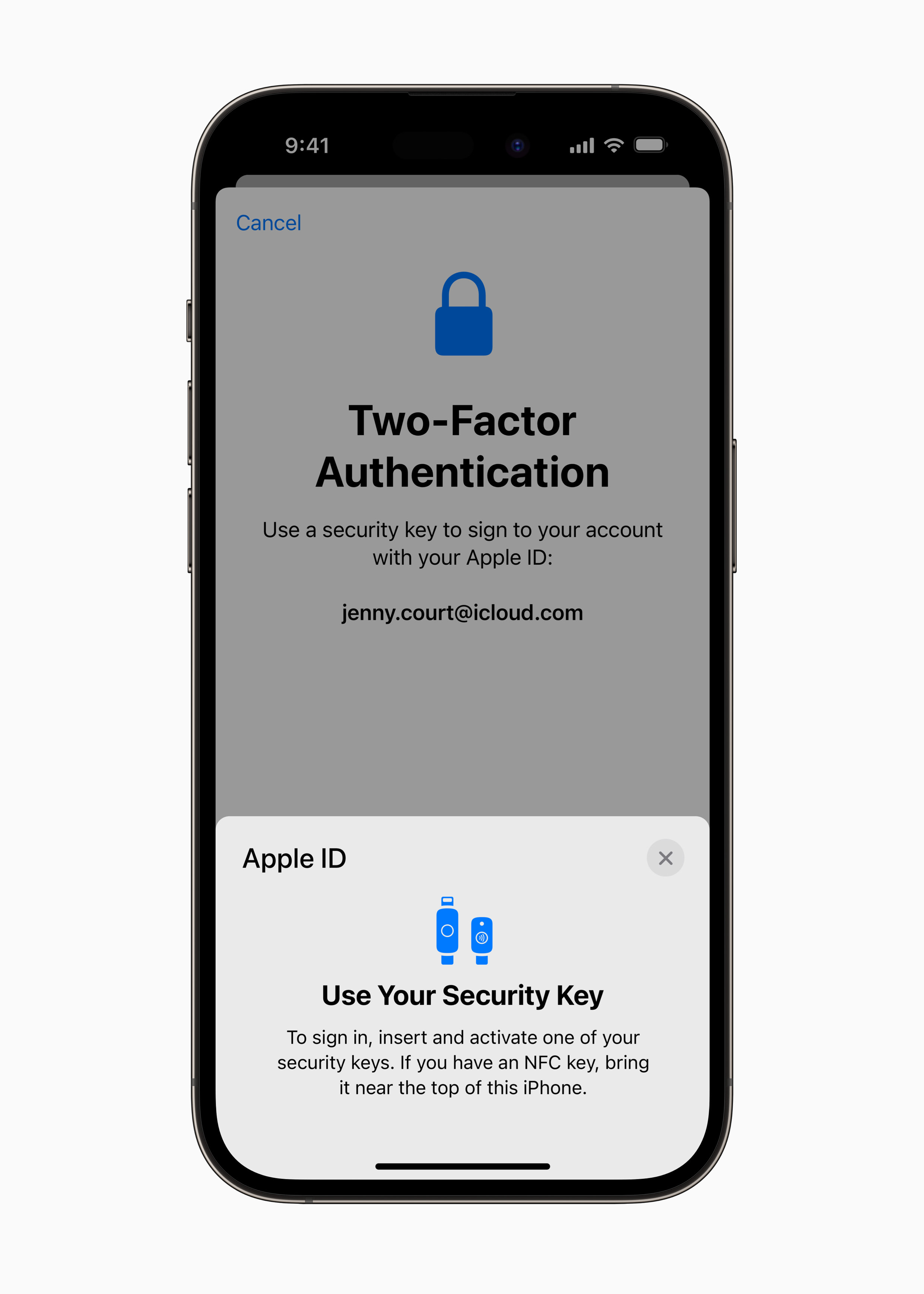
For users setting up a new device, Apple typically prompts the activation of 2FA during the initial configuration phase. If you have not yet enabled it, you can do so manually by navigating to Settings on your iPhone. By tapping your name at the top of the menu and selecting “Sign-In & Security,” you will find the “Two-Factor Authentication” option. Following the prompts will verify your trusted phone number, which serves as a fail-safe should you lose access to your primary device.
Managing Trusted Devices
Transparency is a core tenant of Apple’s security philosophy. Within the same “Sign-In & Security” menu, users can view a list of all devices currently associated with their Apple ID. This list is a vital tool for digital hygiene. If you no longer own an iPad or have retired an older iPhone, it is critical to remove these devices from your “Trusted” list. This minimizes the surface area for potential attacks. Keeping this list updated ensures that only devices currently in your possession have the authorization to verify your identity.
Handling Trusted Phone Numbers
While the primary 2FA method relies on trusted Apple devices, the system also supports trusted phone numbers. If your iPhone is inaccessible, you can opt to have the verification code sent via SMS or an automated voice call to a secondary, verified number. It is essential to keep these numbers up to date. If you change your carrier or switch to a new phone number, update your Apple ID settings immediately. Losing access to both your trusted devices and your trusted phone numbers can lead to a lengthy and complex account recovery process.
Best Practices for Maintaining Account Security
Technology is only as effective as the habits of the person using it. While 2FA provides a robust shield, it should be part of a broader, more comprehensive digital security strategy.
The Role of Strong, Unique Passwords
2FA is a safety net, but it should not be the only line of defense. Users should continue to practice strong password hygiene. This includes using complex, unique passwords for every service. Using iCloud Keychain or a dedicated third-party password manager ensures that you are not recycling passwords across sites. If one site suffers a data breach, your other accounts remain secure.
Recognizing Legitimate Requests
A common trick used by attackers is “MFA Fatigue,” or push notification spamming. This occurs when an attacker triggers multiple 2FA requests to your device in rapid succession, hoping you will hit “Allow” out of annoyance or confusion. Never confirm a verification request that you did not initiate yourself. If you receive an unexpected notification, ignore it, and immediately change your Apple ID password from a secure device.
Understanding Account Recovery
In the event that you lose access to all your trusted devices and phone numbers, Apple provides an “Account Recovery” process. This is a deliberate, security-heavy procedure designed to verify your identity through other means, such as providing trusted contact information or answering security questions. Because this process is designed to prevent hackers from hijacking your account, it can take several days to complete. Understanding that this option exists provides peace of mind, while simultaneously highlighting why keeping your recovery information current is a top-tier security priority.
Ultimately, two-factor authentication on iPhone is the standard for modern digital safety. It shifts the burden of security from the user’s memory to the user’s hardware, creating a system that is both difficult to break and easy to use. By embracing this technology, you are not just protecting a device; you are safeguarding your digital identity against the evolving landscape of global cyber threats.
aViewFromTheCave is a participant in the Amazon Services LLC Associates Program, an affiliate advertising program designed to provide a means for sites to earn advertising fees by advertising and linking to Amazon.com. Amazon, the Amazon logo, AmazonSupply, and the AmazonSupply logo are trademarks of Amazon.com, Inc. or its affiliates. As an Amazon Associate we earn affiliate commissions from qualifying purchases.