
For over a decade, the Thunderbolt interface has represented the gold standard for wired connectivity, offering a “one-cable” solution for data, video, and power. With the official unveiling of Thunderbolt 5, Intel has once again pushed the boundaries of what is possible over a single USB-C connector. This new generation isn’t just a marginal improvement; it is a massive architectural leap designed to meet the demands of future-proof gaming, high-resolution content creation, and professional-grade workstations.
Thunderbolt 5 arrives at a time when 4K displays are becoming the baseline and 8K workflows are moving into the mainstream. As file sizes balloon and refresh rates climb to dizzying heights, the bandwidth limitations of older standards have become bottlenecks. Thunderbolt 5 addresses these challenges head-on by doubling—and in some cases tripling—the throughput of its predecessor, Thunderbolt 4.
The Architecture of Speed: Breaking the 100Gbps Barrier
The most significant headline regarding Thunderbolt 5 is its raw speed. While Thunderbolt 4 and the original USB4 capped out at 40Gbps of bi-directional bandwidth, Thunderbolt 5 shifts the paradigm by utilizing a new signaling technology and a flexible bandwidth allocation system.
Doubling Bi-Directional Bandwidth
At its core, Thunderbolt 5 provides a base bi-directional bandwidth of 80Gbps. This means that, by default, the cable can send 80Gbps and receive 80Gbps simultaneously. This 2x increase over Thunderbolt 4 is achieved through the transition from NRZ (Non-Return-to-Zero) signaling to PAM-3 (Pulse Amplitude Modulation) multi-level signaling. PAM-3 allows for significantly more data to be transmitted in the same amount of time without requiring excessively high frequencies that would compromise cable length or signal integrity.
Bandwidth Boost for High-Resolution Displays
Perhaps the most innovative feature of Thunderbolt 5 is “Bandwidth Boost.” In typical scenarios, data flows symmetrically. However, content creators and gamers often have an asymmetrical need: they need to push massive amounts of data to a monitor while requiring relatively little data back from it.
When connected to high-end displays, Thunderbolt 5 can reconfigure its internal lanes to provide up to 120Gbps of transmit speed while maintaining a 40Gbps return channel. This 120Gbps “boost” mode provides triple the capacity of Thunderbolt 4, enabling the support of multiple 8K displays, triple 4K setups at 144Hz, or even high-refresh-rate gaming monitors reaching 540Hz.
Increased PCIe Throughput
For power users, the speed of the interface isn’t just about display pixels; it’s about data. Thunderbolt 5 doubles the available PCI Express (PCIe) data throughput. While Thunderbolt 4 was limited to PCIe Gen 3 speeds, Thunderbolt 5 integrates PCIe Gen 4. This is a game-changer for external storage devices and external GPUs (eGPUs). With higher PCIe bandwidth, external NVMe drives can finally reach their full potential, matching the speeds of internal laptop drives, and eGPUs will face significantly fewer performance bottlenecks, bringing desktop-class gaming performance to ultra-portable laptops.
Under the Hood: The Technologies Powering Thunderbolt 5
To achieve these staggering speeds while maintaining the familiar USB-C form factor, Intel has integrated several cutting-edge industry standards. Thunderbolt 5 is built upon the foundation of USB4 Version 2.0, but it mandates the highest levels of performance and compatibility that the USB standard often leaves optional.
PAM-3 Signaling and Signal Integrity
The transition to PAM-3 is the technical “secret sauce” of Thunderbolt 5. In previous generations, binary signaling (0s and 1s) was the limit. PAM-3 allows the transmission of three bits of information in two cycles. This efficiency allows Intel to pack 80Gbps to 120Gbps of data into existing printed circuit board (PCB) designs and cable architectures. This technological choice ensures that while the speeds have skyrocketed, the cables remain manageable and the ports remain durable.

Integration with DisplayPort 2.1
Thunderbolt 5 is fully compatible with the DisplayPort 2.1 standard. This integration is crucial for the next generation of visual computing. DisplayPort 2.1 supports significantly higher uncompressed resolutions and refresh rates than previous versions. By encapsulating DisplayPort 2.1 within the Thunderbolt 5 tunnel, users can drive ultra-high-definition monitors without the “color compression” (chroma subsampling) that was sometimes necessary on older connections to save bandwidth.
Backwards Compatibility and the USB-C Ecosystem
One of the primary concerns with any new hardware standard is “forced obsolescence.” Intel has designed Thunderbolt 5 to be fully backwards compatible. A Thunderbolt 5 port will work seamlessly with Thunderbolt 4 and Thunderbolt 3 cables and peripherals. It also supports USB3 and USB4 devices. While you won’t get the 120Gbps speeds when using a Thunderbolt 4 cable, your existing ecosystem of docks, drives, and monitors will continue to function. This ensures a smooth transition for enterprises and individuals who have already invested heavily in the USB-C ecosystem.
Redefining the User Experience: Professional and Gaming Applications
While the technical specs are impressive, the real value of Thunderbolt 5 lies in how it changes the daily workflow for professionals and the play experience for gamers. It effectively removes the “cordon” that previously separated laptop performance from desktop capability.
The Ultimate Creative Workstation
For video editors working with 8K RAW footage, the bottleneck is often the speed at which data can be read from an external drive or pushed to a reference monitor. Thunderbolt 5 enables a single-cable setup that can handle a massive RAID storage array and two 6K or 8K monitors simultaneously. Because of the increased PCIe bandwidth, the latency when scrubbing through a high-resolution timeline on an external drive is virtually eliminated, making the mobile workstation experience indistinguishable from a high-end desktop.
A New Lease on Life for eGPUs
External GPUs have always been a “close but not quite” solution for many gamers due to the bandwidth limitations of Thunderbolt 3 and 4. The 40Gbps limit often resulted in a 10-20% performance loss compared to an internal PCIe slot. With Thunderbolt 5’s doubling of PCIe data rates, the bottleneck is significantly widened. This allows the latest NVIDIA or AMD graphics cards to run at near-native speeds, allowing gamers to use a thin-and-light laptop for work during the day and plug into a powerhouse gaming setup at night with minimal compromise.
Streamlining Hardware with 240W Power Delivery
Beyond data and video, Thunderbolt 5 supports the latest USB Power Delivery (PD) 3.1 standards. Historically, many high-performance gaming laptops required a bulky, proprietary “brick” charger because USB-C was capped at 100W. Thunderbolt 5 mandates support for up to 240W of power delivery. This means that even the most power-hungry laptops can now be charged via the same cable that handles their data and display. The “one-cable dream”—where a single plug connects your laptop to power, multiple monitors, high-speed internet, and peripherals—is finally a reality for the entire spectrum of mobile computers.
Hardware Requirements and Market Availability
As with any new standard, the rollout of Thunderbolt 5 will be a multi-year process. It requires new silicon—both inside the computer and inside the peripherals themselves.
The “Barlow Ridge” Controller
Intel has introduced the “Barlow Ridge” controller, the dedicated hardware required to enable Thunderbolt 5 ports. Manufacturers must integrate this controller (or future integrated CPU solutions) into their motherboards. Because Thunderbolt 5 is an active technology, it requires high-quality components to maintain signal integrity at 120Gbps, meaning we will initially see it in “Pro” and “Extreme” tier laptops and motherboards before it trickles down to the mid-range market.
Identifying Thunderbolt 5 Gear
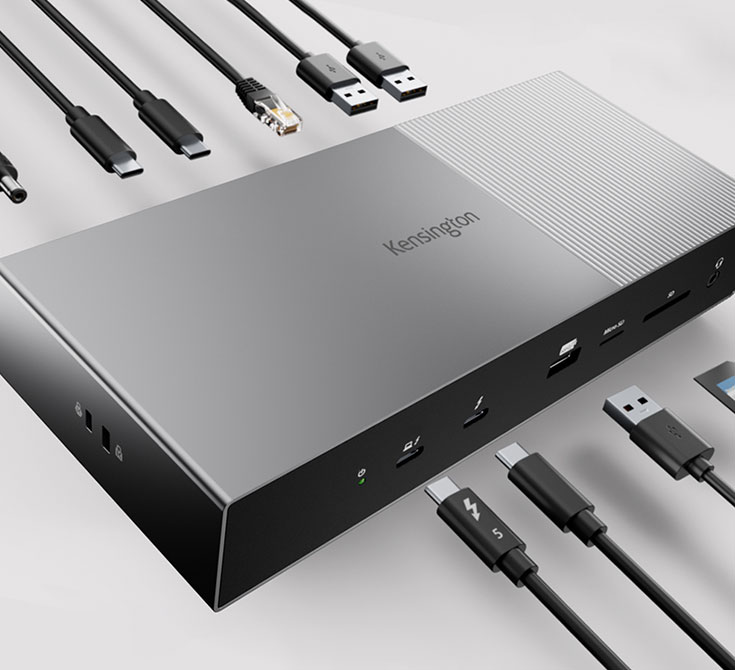
To the average consumer, Thunderbolt 5 ports look identical to USB-C ports. However, Intel maintains a strict certification process. Look for the “Thunderbolt” lightning bolt icon accompanied by the number “5” on cables and ports. Unlike generic USB-C cables, which can have varying levels of quality and speed support, a certified Thunderbolt 5 cable is guaranteed to support the full 80Gbps/120Gbps bandwidth, 240W of power, and DisplayPort 2.1 signals.

When Can You Buy It?
The first wave of Thunderbolt 5-enabled devices, including high-end gaming laptops and professional docking stations, began appearing in 2024. As Intel continues to refresh its processor lineups, the integration of Thunderbolt 5 will become more common. For those currently looking to build a future-proof setup, keeping an eye out for Thunderbolt 5 compatibility is essential, especially if you plan on keeping your hardware for the next three to five years.
In summary, Thunderbolt 5 is not just a faster version of what we already have. By implementing PAM-3 signaling, Bandwidth Boost, and 240W charging, Intel has created a versatile, high-performance conduit that meets the extreme needs of the next decade. Whether you are a scientist processing massive datasets, a filmmaker editing the next masterpiece, or a gamer seeking the highest possible frame rates, Thunderbolt 5 provides the infrastructure to ensure your hardware never holds you back.
aViewFromTheCave is a participant in the Amazon Services LLC Associates Program, an affiliate advertising program designed to provide a means for sites to earn advertising fees by advertising and linking to Amazon.com. Amazon, the Amazon logo, AmazonSupply, and the AmazonSupply logo are trademarks of Amazon.com, Inc. or its affiliates. As an Amazon Associate we earn affiliate commissions from qualifying purchases.