
In the fast-evolving landscape of mobile technology, staying current with software updates is not merely a recommendation but a necessity. For iPhone users, each new iteration of iOS brings a fresh wave of innovation, bolstering security, enhancing performance, and introducing a suite of features designed to enrich the user experience. As of early 2024, the most recent major update for the iPhone is iOS 17, a significant release that continues Apple’s tradition of pushing the boundaries of what a smartphone can do. This comprehensive update, rolled out to compatible devices starting in the fall of 2023, focuses on making daily interactions more intuitive, personal, and secure.

This article will delve into the intricacies of iOS 17, exploring its foundational enhancements, spotlighting its most impactful new features, guiding you through the update process, and offering a glimpse into what the future might hold. Whether you’re a long-time Apple enthusiast or a newcomer to the ecosystem, understanding the latest iOS update is key to unlocking your iPhone’s full potential.
The Latest Major iOS Iteration: An Overview
Apple’s annual iOS updates are more than just cosmetic changes; they represent a carefully orchestrated evolution of its mobile operating system. iOS 17, following in the footsteps of its predecessors, embodies a philosophy centered on user-centric design, robust privacy protections, and seamless integration across Apple’s ecosystem. It’s a testament to the company’s commitment to continuous improvement, addressing both common pain points and introducing delightful new capabilities.
Evolution and Key Themes
Each major iOS release typically carries overarching themes, and iOS 17 is no exception. Its primary focus areas include:
-
Communication Enhancements: Elevating the way users connect with each other, making phone calls, messages, and FaceTime more expressive and functional.
-
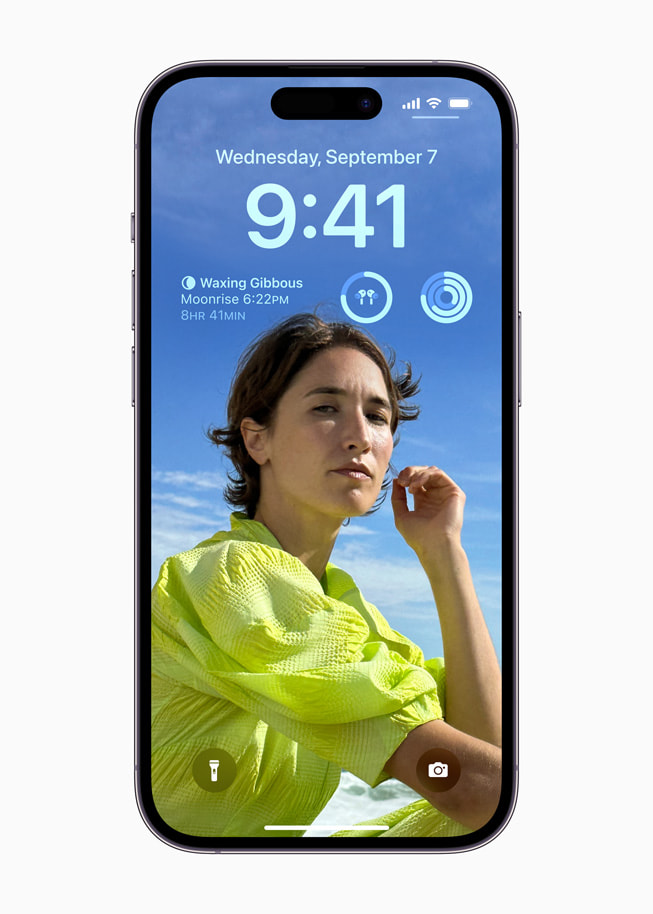
Personalization and Expressiveness: Granting users more control over how their iPhone looks and feels, from new lock screen customizations to interactive widgets and unique contact posters.
-
Intelligence and Convenience: Integrating smarter features that anticipate needs, streamline workflows, and make everyday tasks more effortless, such as StandBy mode and improved auto-correction.
-
Privacy and Security Reinforcement: Building upon Apple’s already strong privacy framework with new tools that give users greater transparency and control over their data.
These themes underscore Apple’s holistic approach, ensuring that updates don’t just add features but improve the fundamental relationship users have with their devices.
Compatibility and Installation
Before diving into the exciting new features, it’s crucial to understand if your device is compatible with iOS 17 and how to initiate the update process.
-
Compatibility: iOS 17 is compatible with iPhone XR/XS and newer models. This means iPhones older than the iPhone XR (e.g., iPhone X, iPhone 8, iPhone 7) are no longer supported. This policy ensures that the new software features can run optimally on devices with sufficient processing power and memory.
-
Installation Process:
-
Backup Your Device: Always back up your iPhone to iCloud or your computer (via Finder on Mac or iTunes on PC) before a major software update. This safeguards your data in case of any unforeseen issues.
-
Ensure Sufficient Charge: Your iPhone should have at least 50% battery or be connected to a power source.
-
Connect to Wi-Fi: A stable Wi-Fi connection is essential for downloading the update package, which can be several gigabytes in size.
-
Navigate to Settings: Go to
Settings > General > Software Update. -
Download and Install: If iOS 17 is available for your device, you will see an option to “Download and Install.” Follow the on-screen prompts. Your device will restart during the installation process.
-
The entire process usually takes between 20 minutes to an hour, depending on your internet speed and device model. Patience is key, and it’s best to perform the update when you don’t immediately need your phone.
Security and Performance Enhancements
Beyond the headline features, every iOS update contains critical under-the-hood improvements. iOS 17 is no exception, bringing a multitude of bug fixes, performance optimizations, and crucial security patches. These often go unnoticed by the average user but are vital for maintaining the smooth operation, stability, and integrity of your device. Regular updates protect your iPhone from emerging threats and vulnerabilities, ensure app compatibility, and can even improve battery life and overall responsiveness.
Diving Deep into Core New Features
iOS 17 introduces a wealth of new capabilities that touch almost every aspect of the iPhone experience. From how you communicate to how you interact with your device throughout the day, these features aim to make life a little easier and a lot more enjoyable.
Communication Reinvented
Communication remains at the heart of the iPhone, and iOS 17 brings transformative changes to the Phone, Messages, and FaceTime apps.
-
Contact Posters: This highly personalizable feature allows you to create a unique full-screen poster that appears on the recipient’s iPhone when you call them. You can customize it with photos, Memoji, and typography, making every incoming call feel more personal and visually striking.
-
Live Voicemail: Instead of missing a call and waiting for a voicemail notification, Live Voicemail transcribes incoming voicemails in real-time as the caller speaks. This allows you to screen calls and decide whether to pick up based on the transcript, without interrupting the caller.
-
NameDrop: A delightful extension of AirDrop, NameDrop simplifies the exchange of contact information. Simply hold two iPhones close together (or an iPhone and an Apple Watch), and you can instantly share your contact poster and choose which phone numbers or email addresses to share.
-
Messages App Enhancements:
-
Stickers Everywhere: Any photo or Live Photo can now be turned into a sticker, complete with cut-out subjects, and used across Messages, Mail, and other apps.
-
Improved Search and Filters: More precise search filters make it easier to find specific messages.
-
Catch-up Arrow: A new arrow helps you jump directly to the first unread message in a conversation.
-
Check In: This safety feature allows you to automatically notify a friend or family member when you’ve safely arrived at your destination. If you don’t make progress, they’ll be alerted.
-
Productivity and Personalization at Your Fingertips
iOS 17 introduces several features designed to enhance productivity and give users unprecedented control over their iPhone’s aesthetic and functionality.
-
StandBy Mode: When your iPhone is charging horizontally, StandBy transforms it into a full-screen smart display. It elegantly shows glanceable information like clocks, photos, or widgets, making it perfect for a nightstand, desk, or kitchen counter. It adapts to different lighting conditions and supports Live Activities.
-
Interactive Widgets: Widgets on the Home Screen and Lock Screen are no longer just passive information displays. With iOS 17, many widgets are now interactive, allowing you to complete tasks (like checking off a reminder, playing/pausing music, or controlling smart home devices) directly from the widget without opening the app.
-
Safari Profiles: For those who juggle work and personal browsing, Safari Profiles allow you to create separate browsing environments. Each profile has its own history, extensions, Tab Groups, and Favorites, keeping your online activities neatly organized.
-
Health App Updates: The Health app gains new features for mental health tracking, allowing users to log their moods and emotions. It also introduces screen distance measurement to help reduce eye strain and mitigate the risk of myopia in children.
-
Journal App: A brand new application, the Journal app (released with a subsequent point update to iOS 17) provides a private space for users to reflect and write about their day. It uses on-device machine learning to offer personalized suggestions for moments to journal about, based on photos, workouts, and locations.
Enhancements for Privacy and Security
Apple continues to prioritize user privacy and security with new safeguards and clearer controls.
-
Communication Safety Expansion: Originally designed for children, Communication Safety now extends to AirDrop, Contact Posters, and FaceTime messages, helping to prevent the sending and receiving of sexually explicit images.
-
Locked Private Browsing: Safari’s Private Browsing mode now automatically locks when not in use, requiring Face ID or Touch ID to access, providing an extra layer of privacy for sensitive browsing sessions.
-
Link Tracking Protection: For links shared in Messages, Mail, and Safari Private Browsing, iOS 17 automatically removes tracking parameters, making it harder for websites to track your activity across other sites.
Smarter Living with Quality of Life Improvements
Many smaller, yet significant, improvements contribute to a more seamless and intuitive user experience.
-
Improved Auto-Correction and Predictive Text: Apple’s keyboard benefits from a completely revamped auto-correction model, powered by a transformer language model, resulting in more accurate corrections and smarter inline predictive text.
-
Offline Maps: You can now download maps within the Maps app for offline navigation, including turn-by-turn directions, estimated arrival times, and finding places.
-
AirDrop Enhancements: In addition to NameDrop, AirDrop now supports larger file transfers over the internet if you move out of AirDrop range, provided both devices are signed into iCloud.
-
Siri Improvements: You no longer need to say “Hey Siri”; simply “Siri” is enough to activate the voice assistant, making interactions more natural.
Preparing Your Device for a Seamless Update
While the update process is generally straightforward, a little preparation can prevent potential headaches and ensure a smooth transition to the latest iOS version.
Essential Pre-Update Checklist
-
Backup, Backup, Backup: This cannot be stressed enough. A full backup to iCloud or your computer (using Finder on a Mac or iTunes on a PC) is your safety net. In the rare event something goes wrong during the update, you can restore your device to its previous state.
-
Clear Storage Space: Major iOS updates often require several gigabytes of free storage. Check your available space via
Settings > General > iPhone Storage. If you’re low, consider offloading large files, unused apps, or old media. The system often needs double the download size for unpacking and installation. -
Connect to Power and Stable Wi-Fi: As mentioned, a reliable Wi-Fi connection ensures the download is quick and stable, and being plugged in prevents the update from stalling due to low battery.
-
Update Your Apps: Before updating iOS, it’s a good idea to update all your apps from the App Store. This ensures they are optimized for the new operating system and helps prevent compatibility issues.
Troubleshooting Common Update Issues
Sometimes, things don’t go perfectly. Here are some common issues and their solutions:
-
“Unable to Check for Update” or “Unable to Install Update”: This often indicates a network issue or Apple’s servers being overwhelmed. Try again later, switch Wi-Fi networks, or restart your router.
-
Update Stuck or Frozen: If your iPhone gets stuck on the Apple logo or a progress bar for an extended period (more than an hour), you might need to perform a force restart. The method varies by iPhone model (e.g., for iPhone 8 and later: quickly press and release Volume Up, then Volume Down, then press and hold the Side button until the Apple logo appears).
-
Insufficient Storage for Download: If your device reports insufficient storage even after deleting some files, connect it to a computer and try updating via Finder or iTunes. This method typically requires less free space on the device itself.
-
Update Not Appearing: Ensure your device is compatible (iPhone XR/XS or newer). If it is, and you’ve waited a reasonable amount of time since the public release, check your internet connection or try connecting to a different Wi-Fi network.
Beyond the Horizon: What’s Next for iOS?
Apple’s development cycle is continuous, and while iOS 17 is the current focus, work on future iterations is always underway. The tech world is already buzzing with speculation about what the next major iOS release (likely iOS 18) might bring, typically unveiled at Apple’s Worldwide Developers Conference (WWDC) in June.
Anticipating Future Beta Cycles and Features
Looking ahead, we can anticipate several trends:
-
Further AI Integration: With the rise of generative AI, Apple is expected to deepen its integration of artificial intelligence and machine learning across the operating system, potentially enhancing Siri, photos, and productivity tools in novel ways.
-
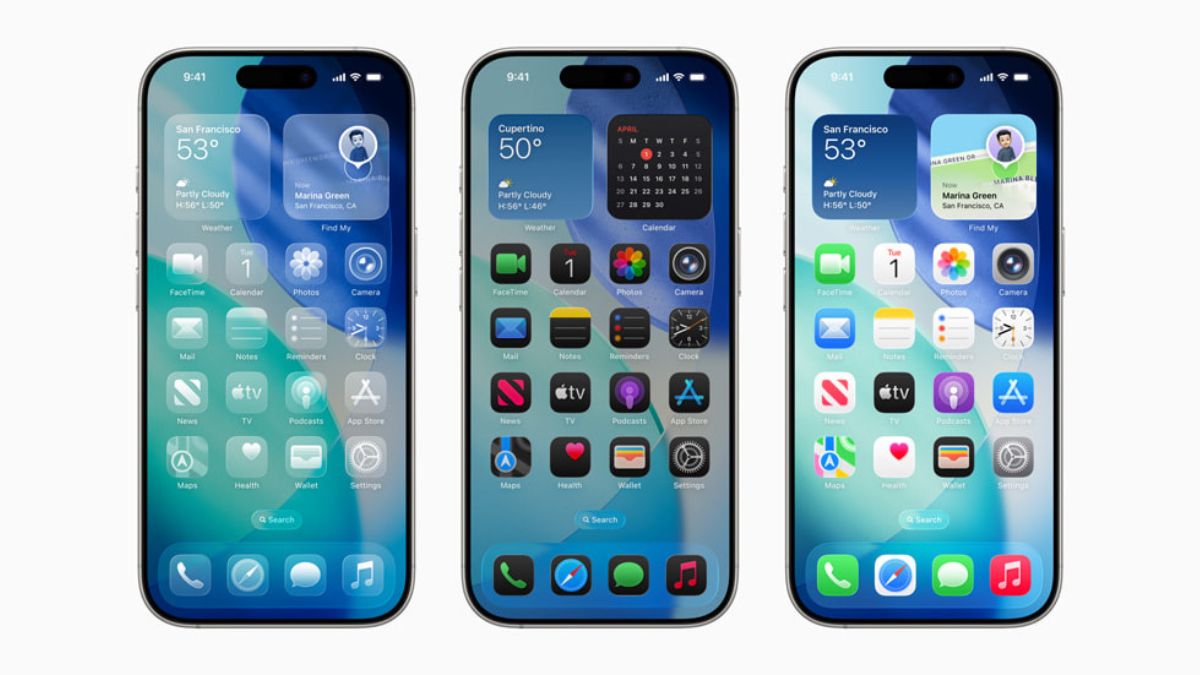
Increased Customization: Apple has been steadily opening up customization options (e.g., Lock Screen, Contact Posters). This trend is likely to continue, giving users even more control over their iPhone’s interface.
-
Enhanced Interoperability: As regulatory pressures increase globally, Apple might introduce more features that improve interoperability with non-Apple devices or services, especially concerning messaging standards.
-
Focus on Health and Wellness: Given the Journal app and new mental health features in iOS 17, expect continued innovation in the Health app, leveraging Apple Watch data to provide even more insightful wellness metrics.
The Importance of Staying Updated
Staying on the latest iOS version isn’t just about enjoying new features; it’s fundamental to your device’s security, performance, and longevity. Each update patches vulnerabilities that could be exploited by malicious actors, optimizes software to run more efficiently, and ensures compatibility with the latest apps and accessories. By keeping your iPhone updated, you’re not only getting the best experience Apple has to offer but also protecting your digital life.
In conclusion, iOS 17 is a comprehensive and thoughtful update that builds upon Apple’s strengths while introducing exciting new ways to connect, express yourself, and interact with your iPhone. From the highly personalized Contact Posters to the convenience of StandBy and the robust privacy enhancements, it’s an update that truly enriches the iPhone experience. Make sure your device is compatible, prepare it properly, and embrace the latest advancements that keep your iPhone at the forefront of mobile technology.
aViewFromTheCave is a participant in the Amazon Services LLC Associates Program, an affiliate advertising program designed to provide a means for sites to earn advertising fees by advertising and linking to Amazon.com. Amazon, the Amazon logo, AmazonSupply, and the AmazonSupply logo are trademarks of Amazon.com, Inc. or its affiliates. As an Amazon Associate we earn affiliate commissions from qualifying purchases.