
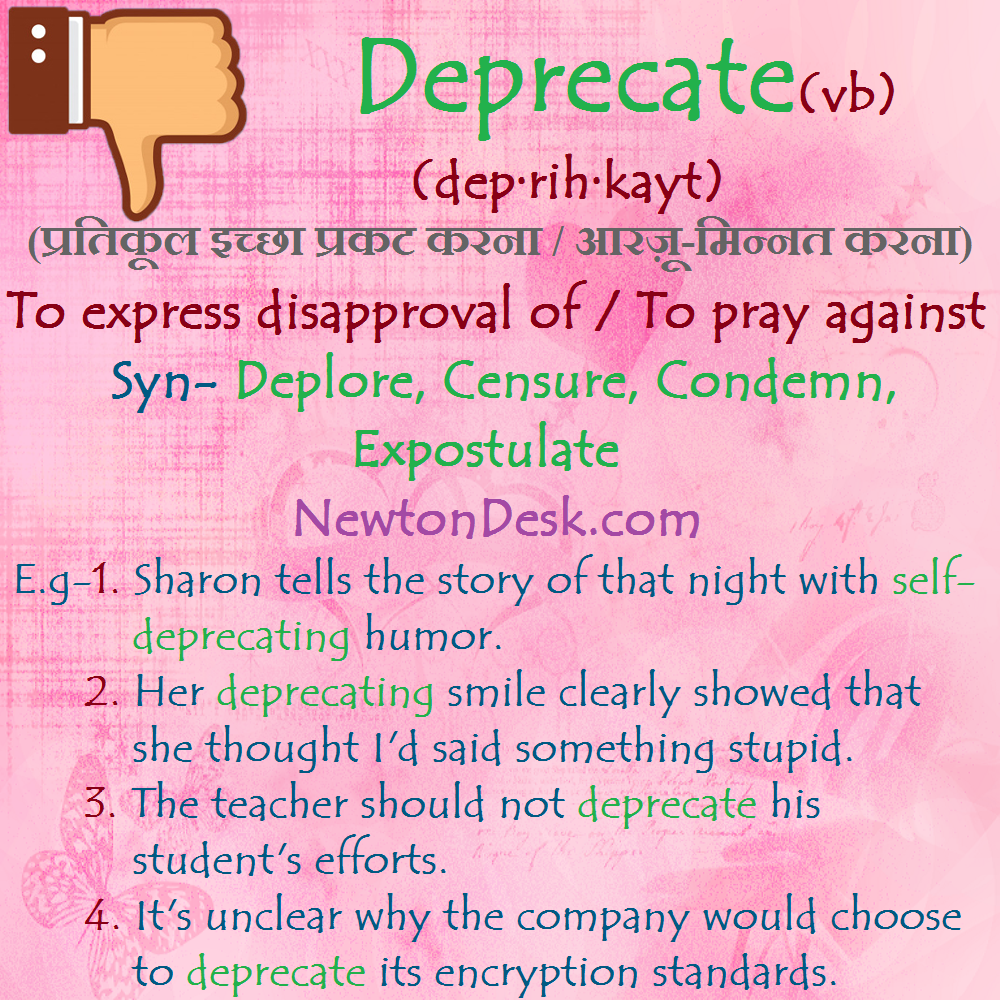
In the fast-evolving world of technology, terms often emerge, gain prominence, and become integral to how we communicate and build. “Deprecated” is one such term, frequently encountered by anyone involved in software development, IT, or even general tech usage. Far from being a mere technical jargon, understanding what “deprecated” means is crucial for navigating updates, maintaining systems, and ensuring the longevity and security of digital products. At its core, deprecation signifies a feature, function, or practice that is discouraged, no longer recommended, or scheduled to be replaced or removed in a future version of a software, system, or standard. It’s a flag, a warning shot fired across the bow of developers and users alike, signaling that change is on the horizon and adaptation will be necessary. This concept is fundamental to the continuous improvement and evolution of technology, ensuring that systems remain secure, efficient, and aligned with modern best practices.
Understanding Deprecation in Software Development
Deprecation isn’t an arbitrary act; it’s a deliberate decision rooted in the lifecycle management of technology. For many, it might sound like an impending doom for a beloved feature, but in reality, it’s a vital part of progress.
The Core Concept: Why Features Get Deprecated
When a component, function, or entire API is marked as deprecated, it means it’s still available and functional in the current version of the software or system. However, its use is discouraged, and it’s no longer actively developed or supported. This distinction is critical: deprecated doesn’t mean immediately removed. Instead, it serves as a clear signal for developers to stop using it in new code and to plan for its eventual replacement in existing codebases.
The reasons behind deprecation are varied and typically well-justified:
-
Security Vulnerabilities: A feature might have inherent security flaws that make it unsafe to use, leading to its deprecation in favor of a more secure alternative.
-
Better Alternatives Emerge: As technology advances, more efficient, robust, or user-friendly ways of achieving the same outcome become available. Deprecating older methods encourages adoption of superior solutions.
-
Architectural Shifts: Major changes in software architecture or design philosophy can render certain older components incompatible or inefficient with the new structure.
-
Maintainability Issues: Some features might be complex, difficult to maintain, or create a significant burden on development teams, prompting their removal to streamline future development.
-
Performance Improvements: New methods might offer significant performance enhancements, making older, slower approaches obsolete.
-
Compliance and Standards: Evolving industry standards, regulatory requirements, or web specifications often necessitate the deprecation of non-compliant features.
-
Reduced Scope or Redundancy: A feature might become redundant due to overlapping functionality with other parts of the system or be deemed outside the core scope of the product.
In essence, deprecation is a strategic move by software providers to steer their user base towards newer, better, and often more secure practices, ensuring the overall health and future viability of their technology stack.
Distinguishing Deprecation from Obsolescence and Removal
It’s important to understand the typical lifecycle of a feature or component within a technical context, as “deprecated” is just one stage in a potential progression:
-
Active: The feature is fully supported, actively developed, and recommended for use.
-
Deprecated: The feature is still available and works, but its use is discouraged. It typically comes with a warning that it will be removed in a future version. This stage provides a grace period for users and developers to migrate away from it.
-
Obsolete: The feature is no longer actively supported or maintained. It might still exist in some legacy systems but is considered completely outdated and may not function correctly with newer environments. Unlike deprecated features, obsolete ones are often already removed from current versions or are on the very brink.
-
Removed: The feature has been completely taken out of the software, API, or standard. Attempts to use it will result in errors or undefined behavior.
This phased approach allows for a managed transition, minimizing disruption while facilitating continuous innovation. Skipping the deprecation phase and directly removing features would lead to widespread breakage and frustrate users and developers alike.
The Impact of Deprecation on Developers and Users
Deprecation carries significant implications for both the creators and consumers of technology. Understanding these impacts helps in managing expectations and planning for change effectively.
For Developers: Staying Current and Adapting
For software developers, “deprecated” isn’t just a suggestion; it’s a directive that requires action. Ignoring deprecation warnings can lead to serious consequences down the line.
-
Importance of Documentation and Release Notes: Developers must meticulously read release notes and updated documentation for any libraries, frameworks, or platforms they use. These resources typically detail what has been deprecated, why, and what the recommended alternatives are.
-
Migration Strategies and Refactoring: When a dependency deprecates a feature, developers must plan to refactor their code. This involves identifying all instances where the deprecated feature is used and rewriting those sections using the recommended replacements. This can be a time-consuming process, especially in large codebases.
-
The Challenge of Maintaining Legacy Code: Projects with long lifespans often accumulate significant amounts of code that rely on deprecated features. Maintaining such “legacy code” becomes a balancing act between ensuring current functionality and dedicating resources to update it.
-
Benefits: Improved Code Quality, Security, Performance: While initially a burden, migrating away from deprecated features ultimately benefits the codebase. It leads to more modern, secure, and performant applications that are easier to maintain and extend in the future. It encourages developers to continuously learn and adopt new best practices.
For Users: Expecting Change and Embracing Innovation
While developers deal with the intricate code changes, end-users also experience the ripple effects of deprecation, though often in less direct ways.
-
Software Updates and Feature Changes: Deprecation can manifest as changes in user interface, removal of specific functionalities, or alterations in how certain tasks are performed after a software update. For instance, a cloud service might deprecate an older API version, leading third-party applications to update their integrations, which then might present a new user experience to the end-user.
-
Potential for Breaking Changes in Workflows: If a crucial feature is deprecated and replaced, it might necessitate users to learn new workflows or adapt to different ways of interacting with the software. This can be frustrating in the short term, especially for those accustomed to older methods.
-
The Need to Upgrade Hardware/Software: Sometimes, deprecation extends to hardware compatibility. An operating system might deprecate support for older hardware architectures or drivers, compelling users to upgrade their devices to maintain compatibility and access new features.
-
Ultimately Leads to Better Products: Despite initial inconveniences, deprecation, when handled well, always aims to improve the user experience. It paves the way for more robust, secure, and feature-rich software, ensuring users benefit from the latest technological advancements.
Common Scenarios Where You Encounter Deprecation
Deprecation is not confined to obscure corners of programming. It’s a widespread practice across various facets of technology.
Programming Languages and APIs
This is arguably the most common battleground for deprecation.
-
Examples in Popular Languages: Programming languages like Python, Java, JavaScript, and C# regularly deprecate functions, classes, or syntax. For instance, older string formatting methods in Python might be deprecated in favor of f-strings, or specific DOM manipulation functions in JavaScript might be superseded by more modern Web APIs. Java often deprecates methods in its standard library that have better, more generic, or safer alternatives.
-
API Versioning (e.g., REST APIs): Public APIs, especially RESTful ones, frequently use versioning (e.g.,
/v1/users,/v2/users). When a new version is released, older versions are often deprecated after a grace period, pushing developers to upgrade to the latest, which might have new features, better performance, or enhanced security. -
Impact on Libraries and Frameworks: Third-party libraries and frameworks (e.g., React, Angular, Spring Boot) are also constantly evolving. They deprecate components, hooks, or configurations that become outdated, inefficient, or no longer align with the project’s direction.
Operating Systems and Hardware Drivers
Operating systems are massive, complex pieces of software that constantly evolve, leading to frequent deprecations.
-
Older OS Features: Microsoft Windows might deprecate older UI elements or system calls as it introduces new design languages or underlying architectural changes. Apple macOS regularly deprecates older APIs or frameworks in favor of newer ones that better leverage modern hardware or software paradigms. Linux distributions might deprecate specific kernel modules or configuration methods.
-
Hardware No Longer Supported by New Drivers: As hardware ages, manufacturers eventually stop providing updated drivers. This means newer operating systems might no longer support the deprecated hardware, leading to diminished functionality or outright incompatibility. This drives the natural cycle of hardware upgrades.
Web Standards and Browser Features
The web is a dynamic environment, with standards continuously evolving.
-
HTML Tags, CSS Properties, JavaScript Features: Obsolete HTML tags like
<font>or<center>have long been deprecated in favor of CSS for styling. Some CSS properties might be deprecated if they are non-standard or have better, more flexible alternatives. Older JavaScript features or browser-specific implementations are routinely deprecated as web standards like ECMAScript evolve and browsers converge on unified implementations. -
Cross-Browser Compatibility Issues: Deprecation can sometimes arise from a browser vendor deciding to discontinue support for a particular web API or feature, potentially causing websites that rely on it to break or function inconsistently across different browsers.
Best Practices for Handling Deprecation
Navigating deprecation effectively requires proactive strategies from both those who introduce it and those who consume it.
For Software Providers/Maintainers
Responsible deprecation is key to maintaining a good relationship with users and developers.
-
Clear Communication: Documentation, Release Notes, Warnings: The most crucial aspect is clear, comprehensive communication. Deprecation should be announced well in advance in release notes, official documentation, and often through in-code warnings (e.g., compiler warnings, linter messages).
-
Grace Period: Allow Users/Developers Time to Adapt: A generous grace period is essential. This allows developers enough time to plan, implement, and test their migrations without being forced into rushed, error-prone updates. The length of the grace period depends on the impact and complexity of the deprecation.
-
Provide Migration Paths and Alternatives: Don’t just announce a deprecation; provide clear, well-documented migration guides and examples for the recommended alternatives. This significantly reduces the burden on users.
-
Tools for Automated Deprecation Detection: Integrating tools into the development pipeline that can automatically detect the use of deprecated features can help developers catch issues early. Linters, static analysis tools, and IDEs often offer such functionalities.
For Consumers/Developers Using Deprecated Features
For those on the receiving end, proactivity is equally vital.
-
Heed Warnings: Don’t Ignore Deprecation Messages: The worst thing a developer can do is ignore deprecation warnings. These are future-proofing signals that, if ignored, will inevitably lead to broken code and rushed fixes down the line.
-
Plan for Migration: Allocate Resources for Refactoring: Treat deprecation as a technical debt that needs to be paid. Allocate dedicated time and resources for refactoring code that uses deprecated features, rather than waiting until the feature is removed and the application breaks.
-
Stay Updated: Regularly Check Documentation and New Versions: Make it a habit to review release notes and official documentation for all dependencies, libraries, and frameworks. Subscribing to relevant mailing lists or news feeds can also help stay informed.
-
Test Thoroughly: Ensure Replacements Work as Expected: After migrating away from deprecated features, rigorously test the affected parts of the application to ensure that the new implementations work correctly and haven’t introduced regressions.
The Broader Philosophy: Evolution and Progress
Beyond the technical specifics, deprecation embodies a larger philosophical principle central to technological advancement.
Why Deprecation is Essential for Progress
Software and technology are never “finished” products; they are living ecosystems that must continuously adapt, grow, and improve. Deprecation is an uncomfortable but necessary mechanism for this evolution.
-
Security Improvements: By phasing out outdated or vulnerable methods, systems become more resilient to attacks.
-
Efficiency Gains: New algorithms, data structures, and architectural patterns can significantly boost performance and resource utilization.
-
New Paradigms: Deprecation allows for the adoption of entirely new ways of thinking or interacting with technology, fostering innovation that might not have been possible with older constraints.
-
Prevents Stagnation and Technical Debt Accumulation: Without deprecation, software projects would accumulate an ever-growing pile of legacy code, complex workarounds, and security risks, eventually becoming impossible to maintain or upgrade. It forces a healthy purge, ensuring the technology stack remains lean and modern.
The Future of Deprecation: AI and Automated Migration
As technology itself evolves, so too might our approaches to deprecation.
-
How AI Tools Might Assist: Artificial intelligence and machine learning are increasingly being applied to code analysis. Future AI tools might become highly adept at automatically identifying deprecated code, suggesting replacements, and even performing automated refactoring, making the migration process much smoother and faster.
-
The Ongoing Challenge of Balancing Stability with Innovation: Even with advanced tools, the fundamental challenge of deprecation remains: how to balance the need for constant innovation with the desire for stability and backward compatibility. This will always be a crucial decision point for technology providers.
In conclusion, “deprecated” is more than just a warning; it’s a proactive announcement of change, a signpost on the road of technological progress. It signals that better, more secure, or more efficient methods have emerged, and it provides a critical window for adaptation. For developers, understanding and responding to deprecation is a cornerstone of professional practice, ensuring their creations remain robust and future-proof. For users, it’s a reminder that embracing change is part and parcel of leveraging modern technology. Ultimately, deprecation is a vital mechanism that drives the continuous evolution of our digital world, ensuring that software remains secure, performant, and aligned with the demands of an ever-changing technological landscape.
aViewFromTheCave is a participant in the Amazon Services LLC Associates Program, an affiliate advertising program designed to provide a means for sites to earn advertising fees by advertising and linking to Amazon.com. Amazon, the Amazon logo, AmazonSupply, and the AmazonSupply logo are trademarks of Amazon.com, Inc. or its affiliates. As an Amazon Associate we earn affiliate commissions from qualifying purchases.